Free (…as In ‘free Beer’) ARM Kit

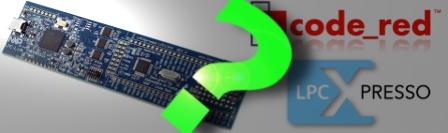
NXP holds a lot of market share for their ARM based solutions as it is. That’s why we were a little surprised when we found a link on their website announcing that they were giving away free LPCXpresso development boards, based on their Cortex-M0 line.

Catches? Unfortunately there are a few to get the board shipped and running. In order to do so, you must…

  • register with a corporate email address
    …the promo is targeted at engineers
  • use the crippled IDE supplied with the board
    …due to hard to find (non-existent?) documentation for the integrated LPC-Link
  • upload an original video of the physical destruction of a competing board to the NXP website

While killing your Arduino may not sound like the most fun, some qualified readers may be interested in moving up to 32-bits for a price that is hard to beat.
What Development Board To Use? (Part Two)

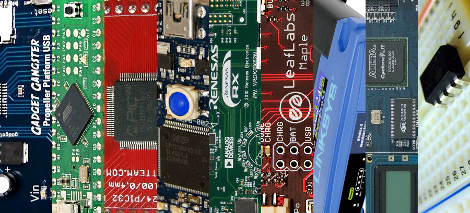
We asked for responses to our last Development Board post, and you all followed through. We got comments, forum posts, and emails filled with your opinions. Like last time, there is no way we could cover every board, so here are a few more that seemed to be popular crowd choices. Feel free to keep sending us your favorite boards, we may end up featuring them at a later date!

Continue reading “What Development Board To Use? (Part Two)”

Laptop LCD Reused In Beagleboard Project

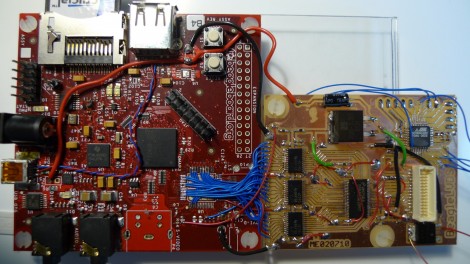
This daughterboard lets [Matt Evans] drive a laptop LCD using a Beagleboard. Apparently the Beagleboard gained a VGA header when it moved to revision C but [Matt’s] working with revision B4 which is why he had to do all of that ninja soldering with the blue wires. The driver board itself is a thing of beauty, hosting a DS90C363 LVDS serialiser as well as some buffer chips that handle level conversion for it. He’s also included an ATmega48 so that he has some options for future improvements.

The LCD is mounted in a custom acrylic case, with Beagleboard and driver board taped to the back of it. There’s RS232 and a USB hub which opens up the possibility of using a WiFi dongle for communications. So far he doesn’t have much functionality other than displaying images on the screen but there is some talk about using a touchpad for control. We’d love to see a touchscreen overlay, transforming the build into a proper ARM-based tablet.

TI Evalbot Development Under Linux

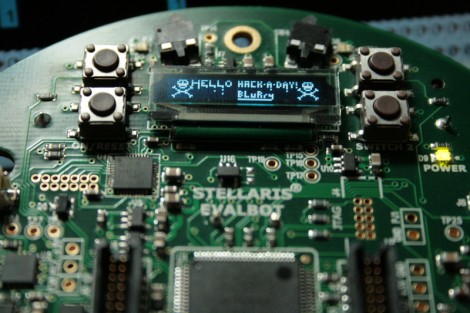
We have some beefs about how Texas Instruments does things, the biggest of which is their lack of support for development under Linux operating systems. But if they build it, someone will try to get Linux involved in one form or another. This time around, [BLuRry] put together a guide to developing for the Evalbot under Linux. He got a shove in the right direction from the code package that went along with that nunchuck-controlled Evalbot. Picking apart that example to the bare essentials he wrote up the process of setting up the cross-compiling toolchain in a virtual machine so as not to clutter your system. From there he details how to set up and use Eclipse when starting a new project. What what did he choose for a Hello World experience? Well a plain “Hello World” was first but right on its heels is the “Hello Hack-A-Day” seen above. So if you’ve got one of these on hand get out there and start coding for it.

Robot Hand Has No Problem Giving You The Finger

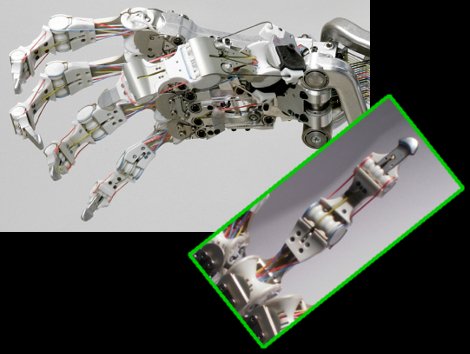
Get your Terminator clichés ready, this robot hand reeks of Skynet. It is designed to function like the human hand, but the main goal is one of robustness. A lot of effort went into making sure this won’t break in the field. Instead of rigid gears, a system of tendons actuates each digit. The pulleys that control these are located in the forearm and each has a spring mechanism that helps to cushion shocks to the apparatus which might damage other grippers. It has bone-crushing power behind the 19 degrees of movement and, as you’ve already guessed, this comes at a pretty steep price tag; topping out around 100,000 Euros. It’s more complicated, and more expensive that jamming grippers, but it’s also far scarier. See for yourself in the silent movie after the break.

Continue reading “Robot Hand Has No Problem Giving You The Finger”

Ubertooth Board For Bluetooth Experimentation

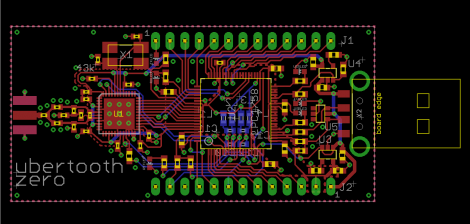
Ubertooth Zero is the first offering in [Michael Ossman’s] quest for a Bluetooth sniffing and hacking hardware platform. We’ve seen some of his hacks in the past, like the build-in guitar tuner and some pink pager fiddling. The Ubertooth dongle is his original design based around an LPC1758 ARM Cortex-M3 processor paired with a Texas Instruments 595-CC2400-RTB1 to handle the 2.4 GHz RF communications. Looking at the bill of materials shows a very low cost for the components at just under $30 (if you can get your hands on a PCB to mount them on). He’s written firmware as well as host code to help you up start pulling Bluetooth packets out of the air as quickly as possible.

What can you do with this? That’s up to you, but whatever it is you accomplish, we’d like to hear about it.

SmartLCD Makes Video For Microcontrollers Easy

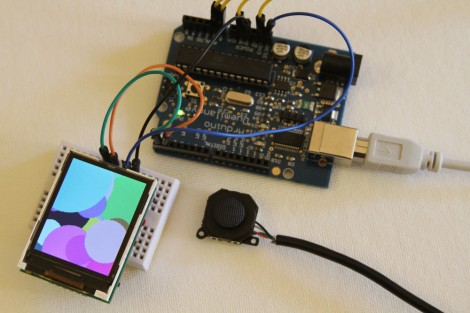
[Rossum] developed a host board that makes it easy to drive a TFT screen using an inexpensive microcontroller. He’s looked around at a bunch of LCD’s that are easy to get your hands on and decided that the iPod Nano 2G screens are the right balance of performance (176×132 TFT) and low cost ($1-$5). They’re not particularly difficult to talk to, but with 22 pins they’re a bit hardware hungry.

He takes us through the signal sniffing he used to figure out the communications process. From there he harness the power of an ARM Cortex M0 processor, which he’s worked with in the past, to drive the screen. His implementation results in a driver board called the SmartLCD that takes care of the screen’s parallel protocol, power, and backlight. From there it’s just four connections and you can use a small microcontroller like the Arduino seen above with ease. See what it can do after the break.

Continue reading “SmartLCD Makes Video For Microcontrollers Easy”