A 6502 Overlay Debugger

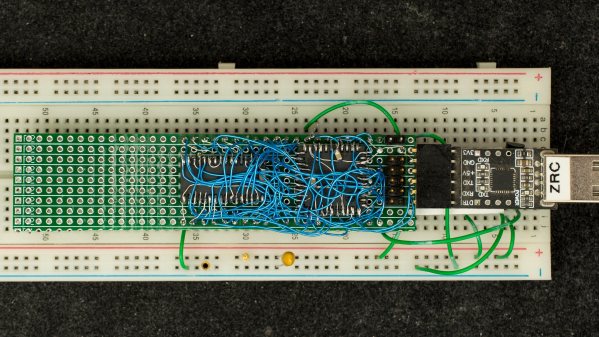
Retired hardware engineer [Plasmode] recently took on the challenge of building a debugger for the 6502 designed to sit atop the microprocessor while seated in a solder less breadboard. The result is the Diagnostic Overlay for W65C02 Breadboard, consisting of 128 kB SRAM and a 1250-gate CPLD. Except being 0.8 in wide, the overlay debugger is otherwise the same size as the 6502’s 40-pin DIP package, so it doesn’t overhang other portions of your circuit.
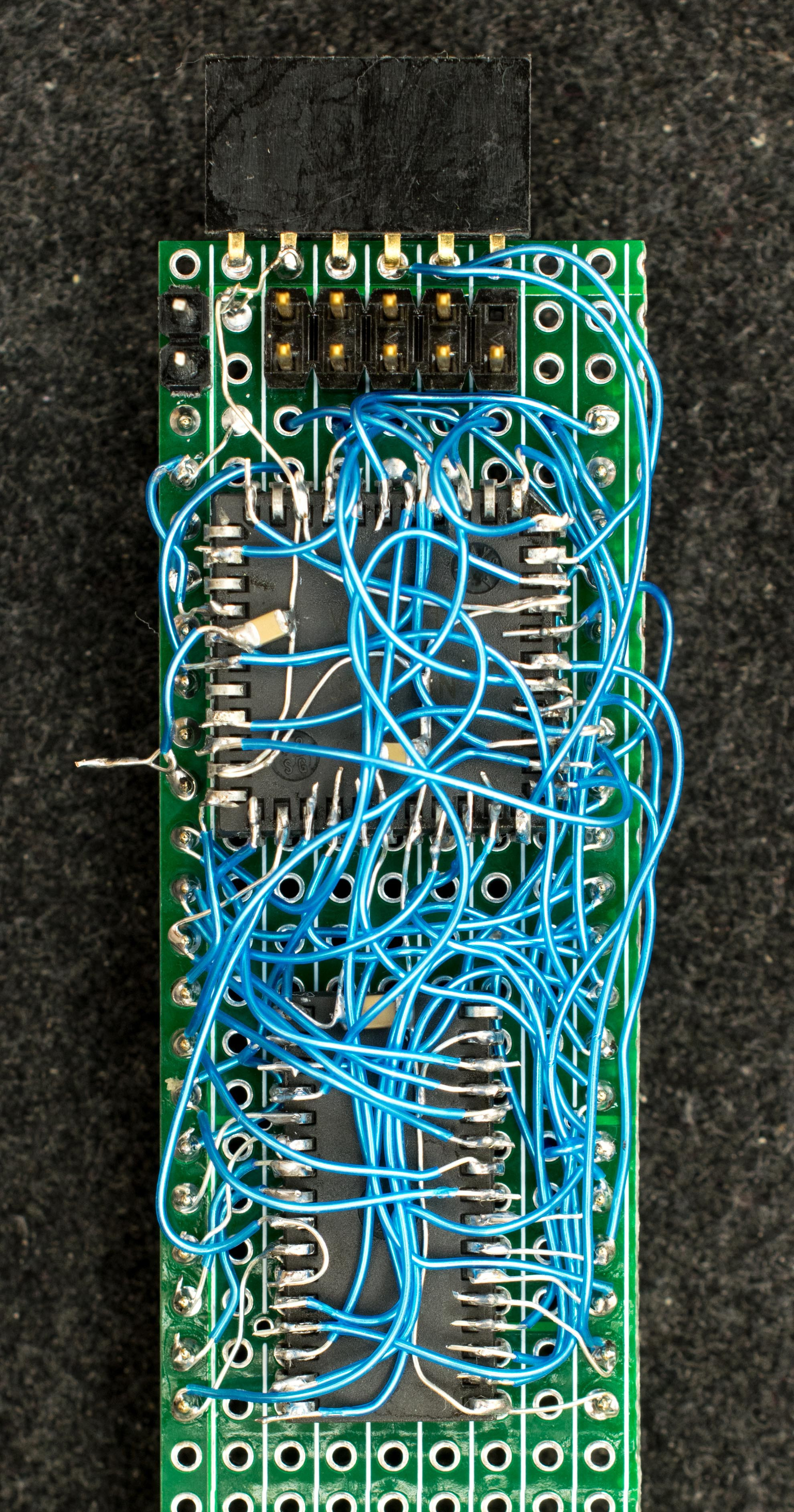
Being an initial concept prototype, [Plasmode] mounted the chips dead-bug style on perf board — a process he himself found tiring. If he builds additional debuggers, presumably he will consider making a PCB.

The prototype was constructed using point-to-point soldering with 30-ga wire wrap wire.  It was all done under the inspection microscope.  There are not many connections, but they are rather tedious so I can only do a dozen or so wires per session.  It took me 2 days and several hours total to finish the prototype board.

This design is based on the CRC65 Frugal 6502 Single Board Computer, of course omitting the 6502 itself. Instead of a physical ROM memory chip, he implemented a 64-byte boot loader inside the CPLD and a serial port. This lets him to bootstrap the system over the serial port. He plans on expanding this to include other DIP-packaged retro microprocessors in the future. Check out his Hackaday.io project page ( above ). If you want to dig deeper, he posted the schematics here.
FPGA Breakout Board For DIP Package Shenanigans

FPGAs are supremely flexible and powerful devices. However, they usually come in QFP or BGA packages that are altogether difficult for hobbyists to play with. The DIP-FPGA breakout board aims to solve that problem by using a carrier PCB to put an advanced chip in a friendlier form factor.

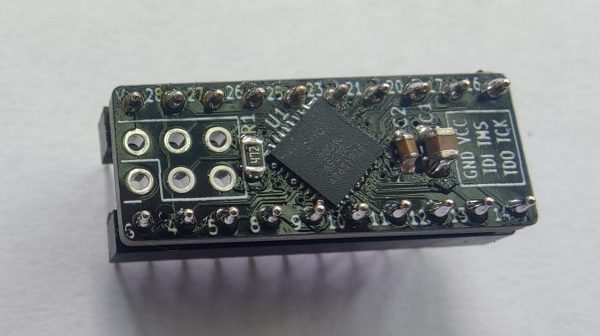
The board itself fits a DIP-20 form factor when soldered up with regular-pitch pin headers. It features a  MachXO2-1200HC FPGA from Lattice Semiconductor. That’s the same chip as used on similar the TinyFPGA A2. With 18 GPIO, a DIP-20 layout is just about enough pins to take care of business. It’s intended specifically for use on breadboards or via regular IC sockets. There’s also a six-pin programming port laid out on the board that you can use with pogo pins or header connectors as you desire.

If you want to do some fancy signal stuff in an easy-to-prototype form factor, this could be the setup for you. If you want to buy one ready-made, they’re available on Tindie for the curious. In the meantime, consider whether this beefy FPGA Arduino concept could also propel your next project to greater heights.

Building Circuits Flexibly

You think of breadboards as being a flexible way to build things — one can easily add components and wires and also rip them up. But MIT researchers want to introduce an actual flexible breadboard called FlexBoard. The system is like a traditional breadboard, but it is literally flexible. If you want to affix your prototype to a glove or a ball, good luck with a traditional breadboard. FlexBoard makes it easy. You can see a short video below and a second video presentation about the system, also.

The breadboard uses a plastic living hinge arrangement and otherwise looks more or less like a conventional breadboard. We can think of about a dozen projects this would make easier.

What’s more, it doesn’t seem like it would be that hard to fabricate using a 3D printer and some sacrificial breadboards. The paper reveals that the structures were printed on an Ender 3 using ePLA and a flexible vinyl or nylon filament. Want to try it yourself? You can!

We know what we will be printing this weekend. If you make any cool prototypes with this, be sure to let us know. Sometimes we breadboard virtually. Our favorite breadboards, though, have more than just the breadboard on them.

Continue reading “Building Circuits Flexibly”

Op-Amp Challenge: Light Up Breadboard Shows Us The Signals

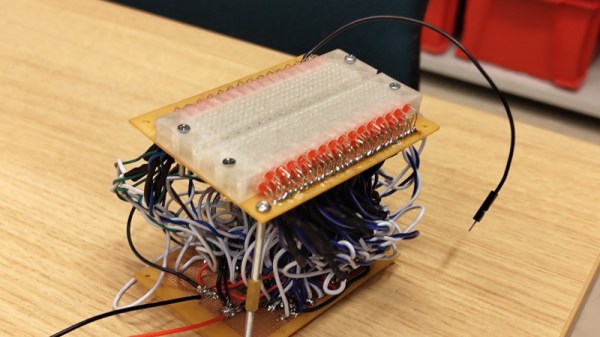
Most Hackaday readers will no doubt at some point used a solderless breadboard for prototyping. They do the job, but sometimes their layout can be inflexible and keeping track of signals can be a pain. There’s a neat idea from [rasmusviil0] which might go some way to making the humble breadboard easier to use, it’s a breadboard in which each line is coupled via an op-amp buffer to an LED. In this way it can be seen at a glance some indication of the DC voltage present.

It’s an idea reminiscent of those simple logic probes which were popular years ago, but its implementation is not entirely easy. Each circuit is simple enough, but to replicate it across all the lines in a breadboard makes for a huge amount of quad op-amp chips stuffed onto one piece of stripboard as well as a veritable forest of wires beneath the board.

The effect is of a breadboard crossed with a set of blinkenlights, and we could see that for simple digital circuits it could have some utility if not so much for higher frequency or analogue signals. Certainly it’s an experiment worth doing, and indeed it’s not the first tricked out breadboard we’ve seen.

Bust Out That Old Analog Scope For Some Velociraster Fun!

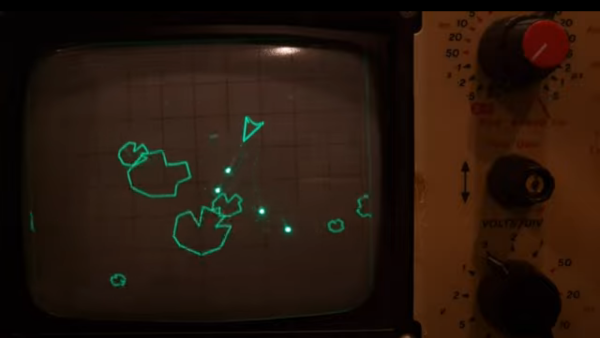
[Oli Wright] is back again with another installation of CRT shenanigans. This time, the target is the humble analog oscilloscope, specifically a Farnell DTV12-14 12 MHz dual-channel unit, which features a handy X-Y mode. The result is the Velociraster, a simple (in hardware terms) Raspberry Pi Pico based display driver.

Using a Pico to drive a pair of AD767 12-bit DACs, the outputs of which drive the two ‘scope input channels directly, this breadboard and pile-of-wires hack can produce some seriously impressive results. On the software side of things, the design is a now a familiar show, with core0 running the application’s high-level processing, and core1 acting in parallel as the rendering engine, determining static DAC codes to be pushed out to the DACs using the DMA and the PIO.

Continue reading “Bust Out That Old Analog Scope For Some Velociraster Fun!”

It’s A 486 Computer, On A Breadboard

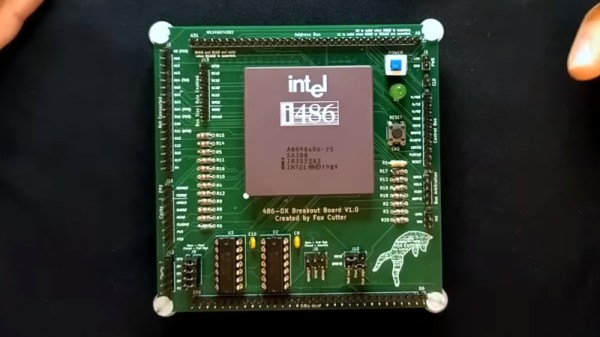
Ever since the 1970s, a frequent project has been to take a microprocessor and construct a computer system on a breadboard or stripboard. Usually these machines feature a familiar 8-bit processor such as a 6502 or a Z80 because of their breadboard-friendly DIP packages, but there is surprisingly little reason why some of the more recent silicon can’t be treated in the same way. [FoxTech] is leading the way on this, by making a breadboard computer using an 80486DX.

A 1990-era 32-bit desktop CPU seems unpromising territory for this application, but its architecture is surprisingly accessible. It needs a breakout board to gain access to its various lines, but beyond that it can be interfaced to in a very similar way to those earlier chips.

So far there are two videos in the series, which we’ve placed below the break. The first one introduces the project and shows the basic set-up. A 486 running NOPs may produce a pretty light show, but as he starts to show in the second video, it’s capable of more. The eventual aim is to have a simple but fully functional breadboard computer, so he’s starting with logic to decode the 32-bit bus on the 486 into the 8-bit bus he’s going to use.

It’s fascinating to learn about how the 32-bit 486 handles its interfacing and deals with four bytes at once, and we’re very much looking forward to seeing this project play out. The 486 may be on life support here in 2023, but that doesn’t mean it can’t still receive some love.

Continue reading “It’s A 486 Computer, On A Breadboard”

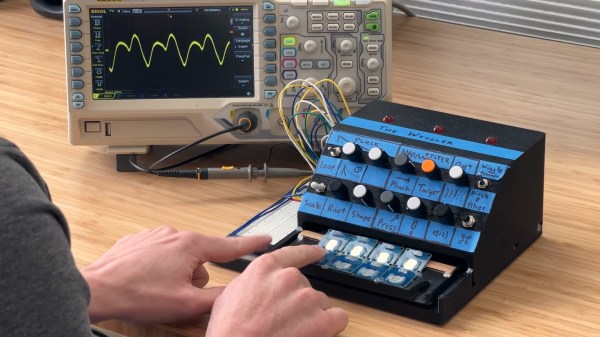
A man sits in front of a wooden table. There is a black box with a number of knobs hand-labeled on blue painter's tape. A white breadboard with a number of wires protruding from it is visible on the box's left side. An oscilliscope is behind the black box and has a yellow waveform displaying on its screen.

A More Expressive Synth Via Flexure

Synthesizers can make some great music, but sometimes they feel a bit robotic in comparison to their analog counterparts. [Sound Werkshop] built a “minimum viable” expressive synth to overcome this challenge. (YouTube)

Dubbed “The Wiggler,” [Sound Werkshop]’s expressive synth centers on the idea of using a flexure as a means to control vibrato and volume. Side-to-side and vertical movement of the flexure is detected with a pair of linear hall effect sensors that feed into the Daisy Seed microcontroller to modify the patch.

The build itself is a large 3D printed base with room for the flexure and a couple of breadboards for prototyping the circuits. The keys are capacitive touch pads, and everything is currently held in place with hot glue. [Sound Werkshop] goes into detail in the video (below the break) on what the various knobs and switches do with an emphasis on how it was designed for ease of use.

If you want to learn more about flexures, be sure to checkout this Open Source Flexure Construction Kit.

Continue reading “A More Expressive Synth Via Flexure”