Not Your Average Nixie Tube Clock

When it comes to Nixie clocks, we all pretty much know what to expect: a bunch of Nixies with some RGB LEDs underneath, a wooden case of some sort, and maybe some brass gears or fittings for that authentic steampunk look. It’s not that we don’t appreciate these builds, but the convergent designs can be a little much sometimes. Thankfully, this 60-tube Nixie clock bears that mold, and in a big way.

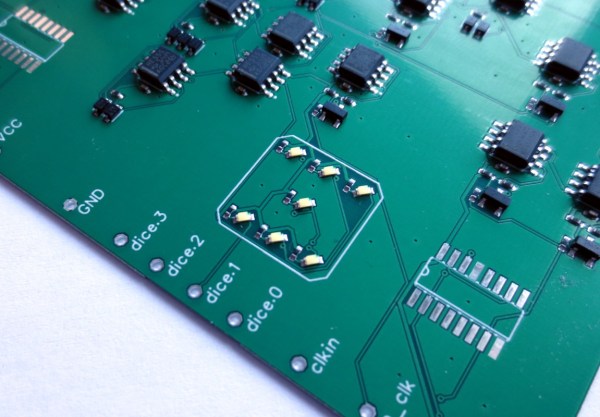
The key to [limpkin]’s design is the IN-9 Nixie, which is the long, skinny tube that used to show up as linear indicators; think bar graph displays on bench multimeters or the VU meters on mixing boards. [limpkin] realized that 60 on the tubes could be arranged radially to represent hours or minutes, and potentially so much more. The length of the segment that lights up in the IN-9 is controlled by the current through the tube, so [limpkin] designed a simple driver for each segment that takes a PWM signal as its input. The job of a 60-channel, 14-bit PWM controller fell to an FPGA. An ESP8266 — all the rage five years ago when he started the project — took care of timekeeping and control, as well as driving a more traditional clock display of four 7-segment LEDs in the center of the clock face.

The custom PCB lives in a CNC-machined MDF wood face; the IN-9s shine through slots in the face, while the seven-segment display shows through a thinned area. It looks pretty cool, and there are a lot of display options, like the audio spectrograph shown in the video below. We’re glad [limpkin] decided to share this one after all this time.

Continue reading “Not Your Average Nixie Tube Clock”

Vintage Computers With A Real Turbo

In prior centuries, it was common practice to tie the operation of a program to a computer’s clock speed. As computers got faster and faster, the programs tied to that slower clock speed sometimes had trouble running. To patch the issue temporarily, some computers in the early 90s included a “TURBO” button which actually slowed the computer’s clock speed down in order to help older software run without breaking in often unpredictable ways. [Ted Fried] decided that he would turn this idea on its head, though, by essentially building a TURBO button into the hardware of old computers which would greatly increase the execution speed of these computers without causing software mayhem.

To accomplish this, he is running CPU emulators on Teensys (Teensies?), but they are configured to be a drop-in replacement for the physical CPU of several retro computers such as the Apple II, VIC-20, and Commodore 64 rather than an emulator for an entire system. It can be configured to run either in cycle-accurate mode, making it essentially identical to the computer’s original hardware, or it can be placed into an accelerated mode to take advantage of the Teensy 4.1’s 800 MHz processor, which is orders of magnitude faster than the original hardware. This allows (most of) the original hardware to still be used while running programs at wildly faster speeds without needing to worry about any programming hiccups due to the increased clock speed.

The video below demonstrates [Ted]’s creation running in an Apple II but he has several other cores for other retro computers. It’s certainly a unique way to squeeze more computing power out of these antique machines. Some Apple II computers had a 4 MHz clock which seems incredibly slow by modern standards, so the 800 MHz Teensy would have been considered wizardry by the standards of the time, but believe it or not, it’s actually necessary to go the other direction for some applications and slow this computer down to a 1 MHz crawl.

Continue reading “Vintage Computers With A Real Turbo”

Oscilloscope Clocks: Now In Color!

Ordinarily, when we hear the words “clock” and “oscilloscope” in the same sentence we conjure images of measuring a stable, repeating square wave that acts as the heartbeat of a system. Of course, that’s not the only meaning– there’s a much more fun and less useful one: using an oscilloscope to display the time.

That’s what [Wolfgang Friedrich] set out to do when he cobbled some protoboard, probes, and an FPGA into the Multi Color Oscilloscope Clock. Each digit on the clock is treated like a seven-segment display, made up of three horizontal bars and four vertical bars. The horizontal bars are generated by constant voltage at different levels, and the vertical bars are generated by quickly switching between two voltages. [Wolfgang] decided to use an R-2R resistor ladder DAC to create the appropriate analog signals from the FPGA’s digital outputs. For bonus points, each set of digits (hours, minutes, and seconds) are output concurrently through separate channels, so they can be displayed in different colors on the screen of his four-channel scope (the fourth channel is used for the points between numbers).

Misusing oscilloscopes in the name of fun has become a time-honored tradition– from Tennis for Two back in 1958 (which later became the beloved Pong) to the plethora of analog o-scope clocks we’ve seen, it’s clear that hackers just can’t get enough of the unique vector display style that a scope can provide. We love [Wolfgang]’s idea of using the scope’s channels to create a multi-color display, and we’re left wondering what kind of wacky waveforms we’ll be seeing next.

Halloween-Themed Talking Clock Relies On Pi Pico

Many of us learn to read clocks at a young age, however, talking clocks eliminate the need to do that entirely. [Alberto] whipped up one of his own, in this case designed with some Halloween holiday spookiness.

A basic clock movement is used to display the time in the typical fashion. However, the movement also features a built-in trigger signal, which it sends to an attached microcontroller on the hour, every hour. The build relies on the Raspberry Pi Pico for sound, chosen for its USB programming interface and its 2 MB of onboard flash storage. Sound is stored in simple 16-bit WAV files, and played out to a speaker via a PWM output. Alternatively, a CircuitPython version of the code is available that uses MP3s instead. A light sensor is used to avoid triggering any sounds at night time that could disturb one’s sleep. The entire circuit can be built on a single-sided board. [Alberto] etched one at home in the old-fashioned way, though one could also order one online, too.

Halloween is an excellent time for hacks, and this year we have the Halloween Hackfest contest to show them off. It’s ending soon though, you have until the stroke of midnight Pacific time on Friday (that’s the moment Thursday night ends) to enter your Halloween-themed hacks.

Talking clocks have been around for some time, but are nevertheless a fun and educational project to build. We’ve seen some other great Halloween hacks lately, too. If you’ve been busy with projects this fall holiday, don’t hesitate to drop us a line!

A tiny bedside clock that's packed with features.

ESP32 Clock Takes Time To Give Weather Info, Too

It’s fall in the northern hemisphere, so [Mike Rankin]’s kids are back in school and have returned to consulting him every morning about the weather and what they should wear. Since he’s no meteorologist, [Mike] built a beautifully dim and diminutive clock that does all the work for him, plus much more. It glows a lovely dark orange that’s perfect for the nightstand and those early morning interrogations.

In default mode, this clock displays the time, CO2 level, room temperature, and humidity in that eye-friendly orange. But wave your hand in front of the time of flight sensor, and it goes external, displaying the low and high temperatures for the day, plus the weather conditions forecast. After a few seconds of that, it goes back to default mode. The ESP fetches the time from an NTP server, then gets the weather from the OpenWeather API. The indoor weather comes from a combination sensor on the board.

Diagram of the components on the circuit boardInside this tiny package is a beautifully-spun board with an ESP32 Pico D4 for a brain. In addition to the climate sensors there is a combination CO2/TVOC sensor (that’s total volatile organic compounds) to sniff out danger. There is also a pair of push buttons on the back and an ambient light sensor, but [Mike] isn’t using those just yet. Add in the Qwiic connector for future doo-dads, and you have quite the little gadget. Although the pictures make it look kind of big, you can see exactly how small it is in the demo video after the break.

[Mike] seems to like things tiny, and we admire that in a big way. Check out his positively Lilliputian ESP32 dev board.

Continue reading “ESP32 Clock Takes Time To Give Weather Info, Too”

ESP32 Clock Pushes Outrun Graphics Over Composite

We’ve covered plenty of clocks powered by the ESP32, but this one from [Marcio Teixeira] is really something special. Rather than driving a traditional physical display, the microcontroller is instead generating a composite video signal of an animated digital clock. This could be fed into whatever device you wish, but given the 80’s synthwave style it’s pumping out, you’ll probably want to find a suitably retro CRT to do it justice.

Specifically this is a variant of the “Dali” clock, where each digit seems to melt and morph into its successor. Though his version doesn’t necessarily share code with all the previous iterations, [Marcio] does credit the developers who have pulled off similar visual tricks going all the way back to 1979. Given the vintage of this particular animation, the neon skyline and infinite scrolling grid certainly feel like a perfect fit.

Want to add a little vaporwave vibe to your own workbench? Assuming you’ve already got a 80s style CRT, all you need is an ESP32 and two wires stuck into the composite video port. One goes to ground, and the other goes to the chip’s analog pin. Once everything is powered up, you’ll be able to configure the clock with a web-based interface. It doesn’t get much easier than that.

In the documentation, [Marcio] calls out a few open source projects which were instrumental to getting his clock off the ground. The pioneering work [bitluni] did to get video out of the ESP32 is something of a given, but he also sends a hat tip to [rossumur] for his collection of 8-bit game console emulators written for the microcontroller. Projects like this are a fantastic example of what’s possible when a community works together to truly push the envelope.

Continue reading “ESP32 Clock Pushes Outrun Graphics Over Composite”

LED Matrix Hourglass Knows Which Way Is Up

[Fearless Night]’s slick dual hourglass doesn’t just simulate sand with LEDs, it also emulates the effects of gravity on those simulated particles and offers a few different mode options.

The unit uses an Arduino (with ATMEGA328P) and an MPU-6050 accelerometer breakout board to sense orientation and movement, and the rest is just a matter of software. Both the Arduino and the MPU-6050 board are readily available and not particularly expensive, and the LED matrix displays are just 8×8 arrays of red/green LEDs, each driven by a HT16K33 LED controller IC.

The enclosure and stand are both 3D-printed, and a PCB not only mounts the components but also serves as a top cover, with the silkscreen layer of the PCB making for some handy labels. It’s a clever way to make the PCB pull double-duty, which is a technique [Fearless Night] also used on their earlier optical theremin design.

Those looking to make one of their own will find all the design files and source code handily available from the project page. It might not be able to tell time in the classical sense, but seeing the hourglass displays react to the device’s orientation is a really neat effect.