DOOM On A Desk Phone Is Just The Tip Of The Iceberg

These days we expect even the cheapest of burner smartphones to feature a multi-core processor, at least a gigabyte of RAM, and a Linux-based operating system. But obviously those sort of specs are unnecessary for an old school POTS desktop phone. Well, that’s what we thought. Then [Josh Max] wrote in to tell us about his adventures in hacking the CaptionCall, and now we’re eager to see what the community can do with root access on a surprisingly powerful Linux phone.

As the names implies, the CaptionCall is a desk phone with an LCD above the keypad that shows real-time captions. Anyone in the United States with hearing loss can get one of these phones for free from the government, so naturally they sell for peanuts on the second hand market. Well, at least they did. Then [Josh] had to go ahead and crack the root password for the ARMv7 i.MX6 powered phone, started poking around inside of its 4 GB of onboard NAND, and got the thing running DOOM.

Tapping into the serial port.

If you’re interested in the technical details, [Josh] has done a great job taking us step by step through his process. It’s a story that will be at least somewhat familiar to anyone who’s played around with embedded Linux devices, and unsurprisingly, starts with locating a serial port header on the PCB.

Finding the environment variables to pretty tightly locked down, he took the slow-route and dumped the phone’s firmware 80 characters at a time with U-Boot’s “memory display” command. Passing the recovered firmware image through binwalk and a password cracker got him the root credentials in short order, and from there, that serial port got a whole lot more useful.

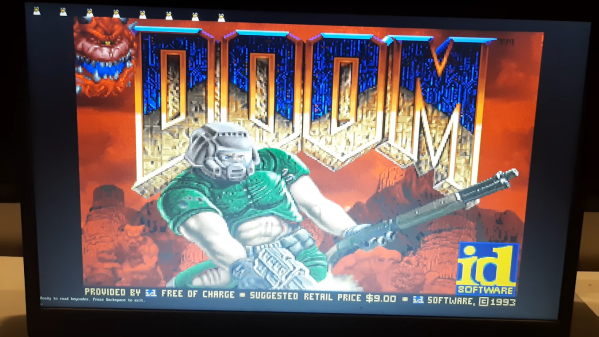
[Josh] kicked the phone’s original UI to the curb, set up an ARM Debian Jessie chroot, and started working his way towards a fully functional Linux environment. With audio, video, and even keypad support secured, he was ready to boot up everyone’s favorite 1993 shooter. He’s been kind enough to share his work in a GitHub repository, and while it might not be a turn-key experience, all the pieces are here to fully bend the hardware to your will.

Historically, running DOOM on a new piece of hardware has been the harbinger of bigger and better things to come. With unfettered access to its Linux operating system up for grabs, we predict the CaptionCall is going to become a popular hacking target going forward, and we can’t wait to see it.

You Are Doomed To Learn WebAssembly

At first, Web browsers displayed HTML pages. But then people wanted those pages to do something. So we got — among other things — JavaScript. Then people wanted to do super complicated and compute-intensive things. So now we have WebAssembly. If you want to learn it, [diekmann] has a 4-part series that covers everything from getting started to porting Doom into your browser.

Paradoxically, instead of using a browser, he uses the wasm binary toolkit to run code more like a standard assembler. And wasm — what most people call WebAssembly — isn’t like most assemblers you know. Instead of labels, there are blocks that work much more like high-level language constructs such as while loops in C.

Continue reading “You Are Doomed To Learn WebAssembly”

But Does It Run TOOM?

id Software’s iconic 1993 first-person shooter game Doom was the game to play on your 486 (or fast 386) and was for many their first introduction to immersive 3D environments in gaming. Its eventual release as open-source gave it a new life, and now it’s a rite of passage for newly-reverse-engineered devices: Will it run Doom?

One type of platform that never ran Doom though was the classic arcade cabinet with its portrait-aligned screen. This is something [Matt Phillips] has addressed with Toom, a PC Doom port that — finally — runs on a portrait screen.

To enter the world of a UAC space marine in glorious portrait mode, simply take an installation of Doom 1.9 for DOS, and copy the Toom files from the GitHub repository over the top of it. The minimum spec is a 486 so period hardware will be fine, all you’ll need is a monitor that can be tipped on its side.

Doom consumed far too many hours for gamers of a certain age, and while it may look quaint to modern eyes it can’t be overstated what a giant step it was compared to what had gone before. If any of you install Toom and give it a go, prepare to see its monsters when you close your eyes.

We’ve shown you Doom on all sorts of devices over the years, perhaps the most intriguing is a no-software version in FPGA hardware.

DOOM Comes To The NRF5340

If you’re looking for a reminder of how powerful the tiny microcontrollers that run our everyday gadgets have become, check out the work impressive work [Audun Wilhelmsen] has done to get DOOM running on the Nordic Semiconductor nRF5340. This is the sort of Bluetooth SoC you’d expect to find in a headset or wireless keyboard, and yet it’s packing a 128 MHz processor that can go head to head with the Intel 486 that the iconic first person shooter recommended you have in your old beige box PC.

That said, porting the open source shooter over to the nRF5340 wasn’t exactly easy. The challenge was getting the game, which recommended your PC have 8 MB back in 1993, to run on a microcontroller with a paltry 512 KB of memory. Luckily, a lot of the data the game loads into RAM is static. While that might have been necessary when the game was running from a pokey IDE hard drive, the nearly instantaneous access times of solid state storage and the nRF5340’s execute in place (XIP) capability meant [Audun] could move all of that over to an SPI-connected 8 MB flash chip with some tweaks to the code.

nRF53 Development board with I2S DAC

In general, [Audun] explains that many of the design decisions made for the original DOOM engine were made with the assumption that the limiting factor would be CPU power rather than RAM. So that lead to things often getting pre-calculated and stored in memory for instant access. But with the extra horsepower of the nRF5340, it was often helpful to flip this dynamic over and reverse the optimizations made by the original developers.

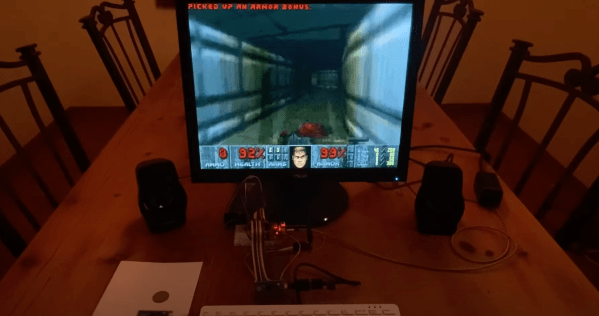
On the hardware side, things are relatively straightforward. The 4.3″ 800×480 LCD display is connected over SPI, and an I2S DAC handles the sound. Bluetooth would have been the logical choice for the controls, but to keep things simple, [Audun] ended up using a BBC micro:bit that could communicate with the nRF5340 via Nordic’s own proprietary protocol. Though he does note that Bluetooth mouse and keyboard support is something he’d like to implement eventually.

If some of the software tricks employed by this hack sounded familiar, it’s because a very similar technique was used to get DOOM running on an IKEA TRÅDFRI light bulb a week or so back. Unfortunately it must have ruffled some feathers, as it was pulled from the Internet in short order. It sounds like [Audun] got the OK from his bosses at Nordic Semiconductor to go public with this project, so hopefully this one will stick around for awhile.

Continue reading “DOOM Comes To The NRF5340”

A Smart Light Bulb Running Doom Is A Pretty Bright Idea

A light bulb might seem like an unlikely platform for gaming, but we’re living in the future now, so anything is possible. And with enough know-how, it turns out that an RGB light bulb can indeed be modified to run Doom.

[Ed note: The project pages and video got pulled right when this went to press. Nicola received a takedown notice.  We’ll let you know more when we do. The main link has been updated to the Wayback Machine.]

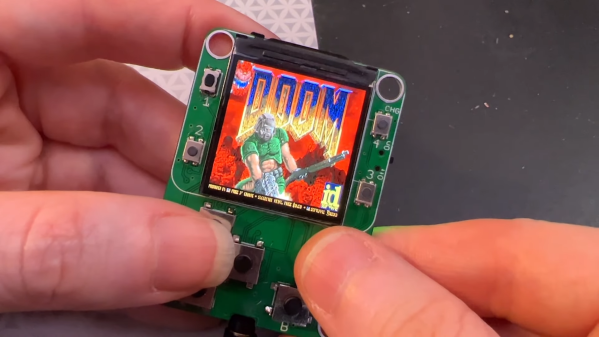
That’s not to say that the Ikea TRÅDFRI light bulb is the only thing [Nicola Wrachien] needed to accomplish the hack. But the bulb, specifically this addressable GU10 RGB LEB bulb, donated the most critical component, a Silicon Labs MGM210L wireless microcontroller, with enough processing power to run vanilla Doom. Added to the microcontroller was a TFT display, a controller made from a handful of buttons and a shift register, and a few odds and ends to stitch it all together. Some more memory was needed, though, so [Nicola] used an 8 MB QSPI flash memory and a couple of neat tricks to reduce latency and improve bandwidth. There are a lot of neat tricks with this one, but the coolest thing might just be that the whole footprint of the build isn’t that much bigger than the original bulb. Check out the surprisingly smooth gameplay in the video below.

This is a nice addition to the seemingly neverending “Will it Doom?” series. We’ve seen the classic game ported to everything from a GPS to a kitchen “bump bar” computer and even to an oscilloscope.

Continue reading “A Smart Light Bulb Running Doom Is A Pretty Bright Idea”

Dreamcast Homebrew Gets Boost From SD Card Cache

While it might have been a commercial failure compared to contemporary consoles, the Sega Dreamcast still enjoys an active homebrew scene more than twenty years after its release. Partly it’s due to the fact that you can burn playable Dreamcast discs on standard CD-Rs, but fans of the system will also point out that the machine was clearly ahead of its time in many respects, affording it a bit of extra goodwill in the community.

That same community happens to be buzzing right now with news that well-known Dreamcast hacker [Ian Micheal] has figured out how to cache data to an SD card via the console’s serial port. At roughly 600 KB/s the interface is too slow to use it as swap space for expanding the system’s paltry 16 MB of memory, but it’s more than fast enough to load game assets which otherwise would have had to be loaded into RAM.

A third-party Dreamcast SD adapter.

In the video below, [Ian] shows off his new technique with a port of DOOM running at 640×480. He’s already seeing an improvement to framerates, and thinks further optimizations should allow for a solid 30 FPS, but that’s not really the most exciting part. With the ability to load an essentially unlimited amount of data from the SD card while the game is running, this opens the possibility of running mods which wouldn’t have been possible otherwise. It should also allow for niceties like saving screenshots or game progress to the SD card for easy retrieval.

[Ian] says he’ll be bringing the same technique to his Dreamcast ports of Quake and Hexen in the near future, and plans on posting some code to GitHub that demonstrates reading and writing to FAT32 cards so other developers can get in on the fun. The downside is that you obviously need to have an SD card adapter plugged into your console to make use of this technique, which not everyone will have. Luckily they’re fairly cheap right now, but we wouldn’t be surprised if the prices start climbing. If you don’t have one already, now’s probably the time to get one.

To be clear, this technique is completely separate from replacing the Dreamcast’s optical drive with an SD card, which itself is a very popular modification that’s helped keep Sega’s last home console kicking far longer than anyone could have imagined.

Continue reading “Dreamcast Homebrew Gets Boost From SD Card Cache”

Kitchen Bump Bar Plays Doom Between Orders

For as much as we love reverse engineering projects, we have to admit that we almost passed up on this “kitchen bump bar” hack. Having never had the privilege of working in the food-service industry — well, there was that time working at Chuck E. Cheese’s, but that only lasted for one shift — we were unaware of what a bump bar is, and the whys and hows of hacking one to the point where it can play Doom.

We’re glad we stuck with it, though, because [Kiwa]’s hack is pretty cool, and we got to learn a little about the technology of the modern commercial kitchen. Most fast food and family casual restaurants have what’s known as a “kitchen display system”, which relays orders from the wait staff to the kitchen. You’ve probably seen parts of the KDS, like the touch screens used by the wait staff to enter orders, or the screens dangling in the kitchen that display the pending orders. A bump bar is a small terminal used by the kitchen crew to review orders and move them around in the queue, or “bump” them, as needs dictate.

The bump bar [Kiwa] dug into appears to be a model from the early 2000s and very sturdily built, as anything used in a kitchen would need to be. Hooked up to a monitor and a keyboard, [Kiwa] discovered that it booted right into an OS with all the familiar trappings of DOS. After a detour for a teardown and dumping the flash contents, [Kiwa] was able to boot it up and run Doom, albeit somewhat slowly. It also looks like he’s got a couple of different Windows versions running, and even played some Solitaire.

It’s always fun to see what will run Doom — an NES, an oscilloscope, a thermostat, or even a bag of potatoes.

Thanks to [Fritnando] for the tip.