Count YouTube Subscribers With This Red Play Button Award

Professional YouTubers live and die by the number of subscribers they have. It seems like a brutal way to make a living to us, but to each his own. Still, if you’re going to do it, you might as well do it right, and keeping track of how you’re doing with this Play Button Award subscriber counter might make sense. Or it might drive you nuts.

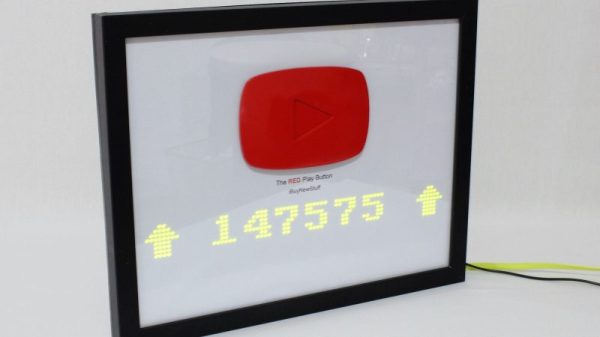
YouTuber [ibuynewstuff] has reached the vaunted 100,000 subscriber mark, the number required to earn the Silver Play Button award. Sadly, 100k is the bare minimum needed to get YouTube’s attention, and tales of waiting for months for the award to arrive are not uncommon. [ibuynewstuff] worked around the issue by 3D-printing his own temporary play button badge. Mounted to a picture frame with an ESP8266 and an 8 x 80 LED display behind a diffuser, [ibuynewstuff] can keep track of his progress toward the Gold Play Button award at 1,000,000 subs. Hopefully, his Silver award will arrive before then.

Want to replicate this but would rather have something a little more permanent than a plastic play button? Try casting your own Copper Play Button award.

Continue reading “Count YouTube Subscribers With This Red Play Button Award”

Spoof A Skimmer For Peace Of Mind

It’s a sad commentary on the state of the world when it becomes a good practice to closely inspect the card reader on every ATM and gas pump for the presence of a skimmer. The trouble is, even physically yanking on the reader may not be enough, as more sophisticated skimmers now reside safely inside the device, sipping on the serial comms output of the reader and caching it for later pickup via Bluetooth. Devilishly clever stuff.

Luckily, there’s an app to detect these devices, and the prudent consumer might take solace when a quick scan of the area reveals no skimmers in operation. But is that enough? After all, how do you know the smartphone app is working? This skimmer scammer scanner — or is that a skimmer scanner scammer? — should help you prove you’re being as safe as possible.

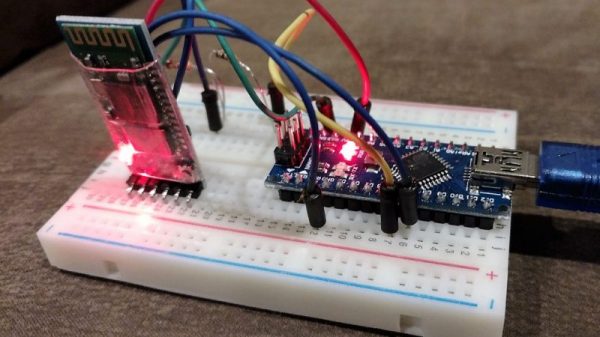
The basic problem that [Ben Kolin] is trying to solve here is: how do you prove a negative? In other words, one could easily write an app with a hard-coded “This Area Certified Zebra-Free” message and market it as a “Zebra Detector,” and 99.999% of the time, it’ll give you the right results. [Ben]’s build provides the zebra, as it were, by posing as an active skimmer to convince the scanner app that a malicious Bluetooth site is nearby. It’s a quick and dirty build with a Nano and a Bluetooth module and a half-dozen lines of code. But it does the trick.

Need a primer on the nefarious world of skimming? Here’s an overview of how easy skimming has become, and a teardown of a skimmer captured in the wild.

A Minimalist Weather Clock With A Unique Display

If you’re looking for a home hub to display weather, time, and important family information, the formula is pretty simple: build yet another “magic mirror” project. We’re not complaining — magic mirrors look great. But if all you need is time and weather, this elegant pixel display is something just a little bit different.

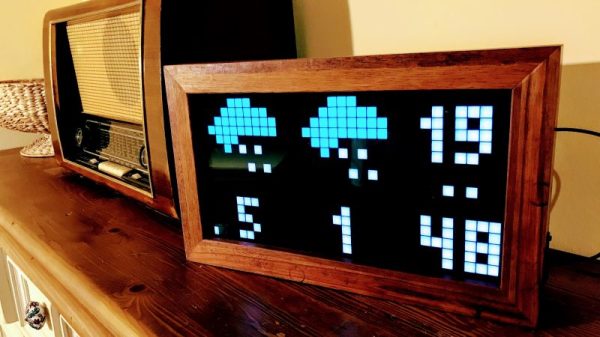
Among his many criteria for the perfect hack, [Dominic] lists usefulness, visual appeal, and low cost. We’ll agree that his minimalist weather clock hits all those marks, and with the careful selection of a 16 x 32-pixel RGB display module, [Dominic] ended up giving back to the community by developing an Arduino driver for it. He points out that strips of Neopixels could have been used for the display, but they’d have ended up costing more, so the LED matrix was a sensible choice. A 3D-printed separator grid and a paper diffuser provide the proper pixelated look, and some simple animated icons display the two-day weather forecast. We find the time and temperature numerals a little hard to read, but it’s not bad considering the limited resolution of the display. And the case is a nice bit of woodworking too. Not a bad result for only €43.

We’re intrigued by the P10 LED matrix module [Dominic] used for this one. It might be a good choice for a word clock and weather station, or with his driver, a display for just about anything.

Hackers Vs. Mold: Building A Humidistat Fan

Having a mold problem in your home is terrible, especially if you have an allergy to it. It can be toxic, aggravate asthma, and damage your possessions. But let’s be honest, before you even get to those listed issues, having mold where you live feels disgusting.

You can clean it with the regular use of unpleasant chemicals like bleach, although only with limited effectiveness. So I was not particularly happy to discover mold growing on the kitchen wall, and decided to do science at it. Happily, I managed to fix my mold problems with a little bit of hacker ingenuity.

Continue reading “Hackers Vs. Mold: Building A Humidistat Fan”

Mad Eye For The WiFi

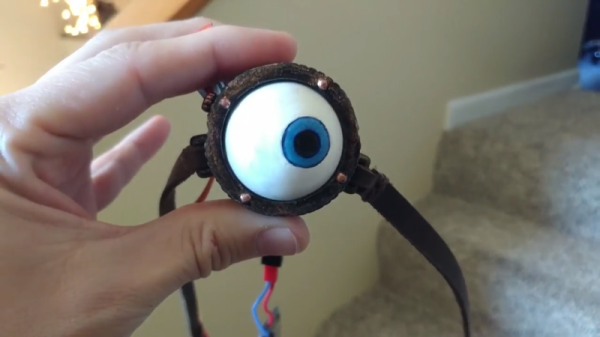
In the Harry Potter universe, Professor Moody was, perhaps unfairly, given the nickname Mad Eye for the prosthetic eye he wore. His eye remains a challenge for technically-minded cosplayers aiming to recreate the look and feel of this unique piece of headgear. [cyborgworkshop] had already mastered the basic eye, but wanted to take things further.

The original build relied on a sub-micro servo to move the eyeball. This was done at random as an attempt to simulate the eye’s behaviour in the books and films. However, wanting more, [cyborgworkshop] decided to make the eye more reactive to its surrounding environment. Using the Adafruit Huzzah, a breakout board for the ESP8266, code was whipped up to detect the number of WiFi access points in the area. The more access points, the more frequent and erratic the movement of the eye. Occasional slower periods of movement are coded in before the eye resumes its wild darting once more, depending on just how saturated the local WiFi environment is.

It’s a great twist on the project, and [cyborgworkshop] has provided more details on the initial build, too. If you think you’re having déja vu, check out this build using recycled parts.

ESP8266 Home Monitor Is Stylishly Simplistic

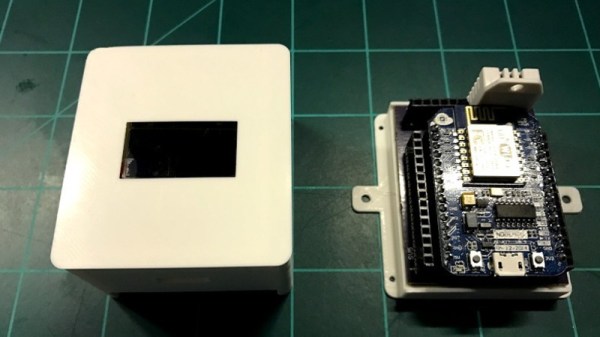
It’s often said that “Less is More”, and we think that the chic ESP8266 environmental monitor posted by Thingiverse user [bkpsu] definitely fits the bill. Dubbed “Kube”, the device is a 3D printed white cube with an OLED display in the center, which [bkpsu] says was designed specifically for the approval of his wife. Weirdly, she didn’t like the look of bare PCBs on the wall.

Multiple Kubes allow for whole-house monitoring.

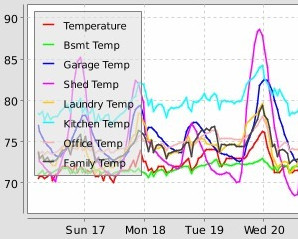
Inside, things are a little more complex. The Kube uses the NodeMCU development board, and a custom breakout that [bkpsu] designed to interface with the display and sensors. For temperature and humidity monitoring, the Kube is using the ever-popular DHT22, and [bkpsu] mentions that he has future plans for things like motion sensors and direct control of RGB LED strips. All the data collected by the Kube is piped into openHAB via MQTT.

On the very detailed Thingiverse page, [bkpsu] gives background information on his design goals for the project, tips for printing out a high-quality case, a parts list with Amazon links, and pinout information for getting it all wired up. The PCB is even available on OSH Park for those who want a Kube of their own.

Even with all the stick home monitoring and automation products on the market today, many hackers simply can’t bring themselves to buying a turn-key commercial product. But we think with the results hackers have been getting rolling their own solutions, they just might be on to something.

Weather Station Needs Almost No Batteries

While the ESP8266 has made its way into virtually every situation where a low-cost WiFi solution is needed, it’s not known as being a low-power solution due to the amount of energy it takes to run WiFi. [Alex] took this design constraint as more of a challenge though, and with the help of an ATtiny microcontroller was able to develop a weather station using an ESP8266 that only needs new batteries every 2-4 years.

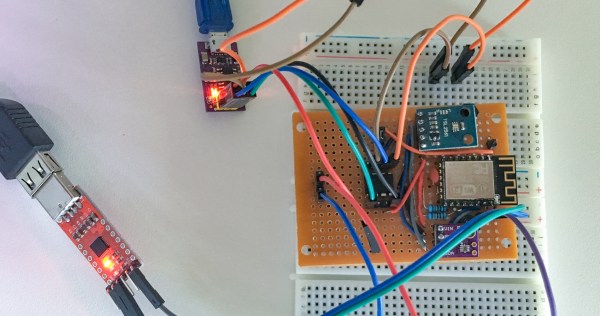
While the ESP8266 module consumes a bit of power, the ATtiny excels in low-power mode. To take advantage of this, [Alex] designed the weather station using the ATtiny to gather data every two minutes, store the data in a buffer, and upload all of it in bursts every hour using the ESP8266. This means that the power-hungry WiFi chip can stay off most of the time, drastically limiting the power demands of the station. [Alex] mostly details the setup of the ATtiny and the ESP8266 on his project page, so this could be applied anywhere that low power and network connectivity are required.

As for the weather reporting capabilities, the station is equipped to measure temperature, light, and humidity. Presumably more could be added but this might increase the power demands for the weather station as a whole. Still, changing batteries once a year instead of once every two years might be a worthwhile trade-off for anyone else attempting such an ambitious project. Other additions to the weather station that we’ve seen before might include a low-power display, too.