Play It Again, Arduino

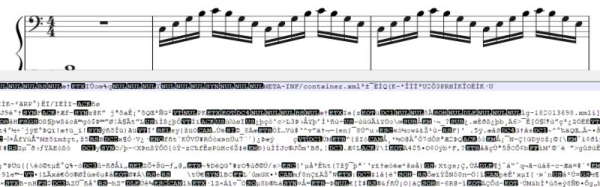
[MrRedBeard] wanted to play a particular song from an Arduino program and got tired of trying to hand transcribe the notes. A little research turned up that there was a project to convert Music XML (MXL) files to the Arduino. However, [MrRedBeard] wasn’t a fan of the language it used, so he created his own means of doing the same thing. He learned a lot along the way and was willing to share it in a tutorial that will help you if you want to do the same thing. You can see a video of his results, below.

Continue reading “Play It Again, Arduino”

Radiohead’s Greatest Hits For The ZX Spectrum

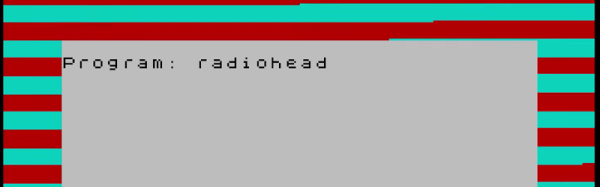
We’ll admit that only a few of us here at Hackaday are Radiohead fans. However, we all couldn’t help but appreciate their new remastered release of OK Computer. The new release contains some bonus material. At the end of the bonus material is a strange noise that turns out to be a ZX Spectrum Basic program.[OooSLAJEREKooO] managed to find it, play it, and record it for all of us (see video below).

The two minutes of tones might sound unfamiliar to a modern computer user, but back in the day, audio tones were used to communicate over phone lines and to load and save programs via cassette tape recorders. You might be asking yourself: why the ZX Spectrum? Radiohead is from the UK, but that’s not the complete picture. Of all home computers, the ZX Spectrum had a higher effective bit rate when storing data on tape. Basically, it takes less time (and less tape) to put it on a Speccy than a C64 or Apple.

Continue reading “Radiohead’s Greatest Hits For The ZX Spectrum”

How To MIDI Interface Your Toys

There’s a great number toys in the world, many of which make all manner of pleasant or annoying noises for the entertainment of children. If you’re a musician, these toys may be of interest due to their unique or interesting sounds. However, due to their design being aimed at play rather than performance, it may be difficult to actually use the toy as a musical instrument. One way around this is to record the sounds of the toy into a sampler, but it’s not the only way. [little-scale] is here to demonstrate how to MIDI interface your toys. 

[little-scale] starts out by discussing the many ways in which one can interface with a toy. The article discusses how a simple button can be replaced with a relay, or a multiplexer, and be interfaced to all manner of other devices to control the toy. This is demonstrated by using a mobile phone toy which makes sounds when buttons are pressed.

A Teensy 3.6 is used to run the show, acting as a USB-MIDI interface so the toy can be controlled by music software like Abelton. It’s connected to the toy’s buttons through a multiplexer. The toy’s speaker is cut off and used as an audio output instead, allowing the toy to be easily connected to other audio hardware for performance or recording. It’s also fed through a digital pot so MIDI commands can control the volume. A resistor is used to control pitch in the toy, so this too was replaced with a digital pot as well, to allow sample pitch to be controlled.

The project is incredibly well documented, with [little-scale] first tearing down the toy and highlighting the points of interest, before stepping through each stage of interfacing the toy to the digital world. We’ve seen some of [little-scale]’s work before, too – namely, this MIDI DAC for controlling vintage synthesizers. Video after the break. Continue reading “How To MIDI Interface Your Toys”

Retro-Styled Raspberry Pi Radio

Ok, so you want a radio — but not just any radio. It has to be wireless, access a variety of music services, and must have a vintage aesthetic that belies its modern innards. Oh, and a tiny screen that displays album art, because that’s always awesome. This 1938 Emerson AX212-inspired radio delivers.

Building on the backbone of a Raspberry Pi Zero W and an Adafruit MAX 98357 mono amp chip, the crux of this single-speaker radio is the program Mopidy. Mopidy is a music player that enables streaming from multiple services, with the stipulation that you have a premium Spotify account. Once signed up, [Tinkernut] helpfully outlines how to set up Mopidy to run automatically once the Pi boots up. The addition of a screen to display album art adds flair to the design,  and Adafruit’s 1.8″ TFT LCD screen is small enough to fit the bill.

But wait — there’s more!

Continue reading “Retro-Styled Raspberry Pi Radio”

An Enchanted Rose For A Beauty

Being a maker opens up so many doors in terms of ways to romance one’s partner through passion projects. If their passion is Disney films, then you may handily make them the enchanted rose from Beauty and the Beast for their birthday. Easy-peasy.

In addition to the love and care that went into this build, redditor [Vonblackhawk2811] has included a set of LEDs, salvaged from cheap flashlights and electronic candles, which are controlled by four toggle switches and offer multiple lighting selections — candlelight, soft white, colour cycling, and bright white — to appropriately set the mood. As if that wasn’t enough to romance his sweetheart, he’s also included an aux cord input and a pair of speakers so they may be serenaded by a tune or two as they dance the night away.

Liberal use of hot glue and duct tape are keeping the electronics secured, preventing any shorts. After all — what would it say if this gift went up in flames? An inspired stencil design — hand drawn and cut out — was used to apply a spray-on frosted glass finish to the cloche, and a romantic phrase was burned into the base, completing this heartfelt gift. The only quibble we have is that now we all have to step up our game in the courtship department.

That is, unless one is sporting the Romance Pants.

[via /r/DIY]

Hackerspace Jukebox!

Depending on whom you talk to, music can be an integral part of getting work done. At the Hackheim hackerspace in Trondheim, Norway, [Nikolai Ovesen] thought that the previous system of playing music over Bluetooth took away from the collaborative, interactive spirit of the space. Solution: a weekend build of a Raspberry Pi-powered jukebox.

The jukebox is simply laser-cut from plywood and bolted together. Inside, the touchscreen is mounted using double-sided tape, with the Raspberry Pi 3 and buck converter mounted on its rear with motherboard spacers. An IBM ThinkPad power cable was re-purposed and modified so it supplies the amp, as well as the Pi and touchscreen through the buck converter.

Once everything was connected, tested, and fired up, a bit of clever software working around had to be done in order to get Golang working, along with setting up the touchscreen and amp. Hackers interact with the jukebox using the Mopidy music server and its Mopify(Spotify) plugin — but they can also request songs through a bot in the Hackheim Slack channel.

Continue reading “Hackerspace Jukebox!”

Music Reading For Machines

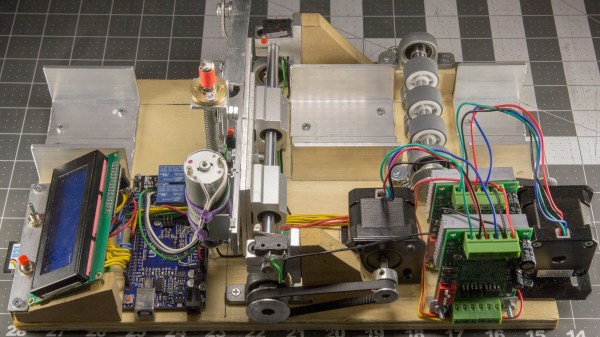
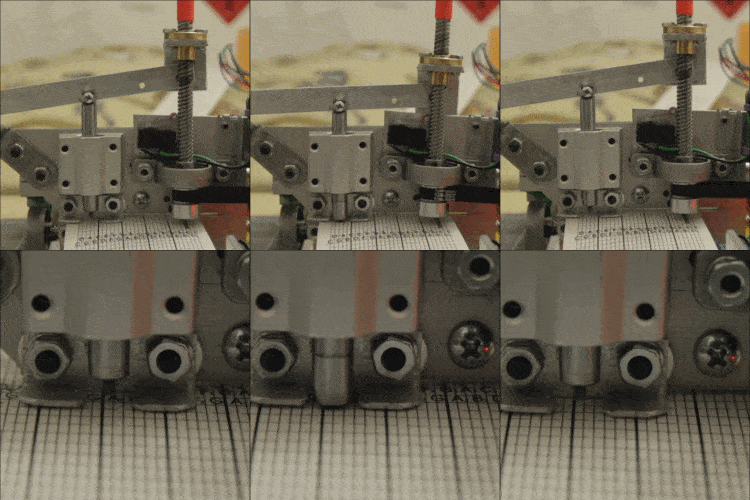
“Dammit Jim, I’m a hacker, not a musician!”, to paraphrase McCoy Scotty from the original Star Trek series. Well, some of us are also musicians, some, like me, are also hack-musicians, and some wouldn’t know a whole note from a treble clef. But every now and then the music you want is in the form of sheet music and you need to convert that to something your hack can play. If you’re lucky, you can find software that will read the sheet music for you and spit out a MIDI or WAV file. Or, as with my hand-cranked music player, you may have to read just enough of the music yourself to convert musical notes to frequencies for something like a 555 timer chip. We’ll dive into both cases here.

Continue reading “Music Reading For Machines”