30-Year-Old Macintosh SE/30 Gets A Brand New Logic Board

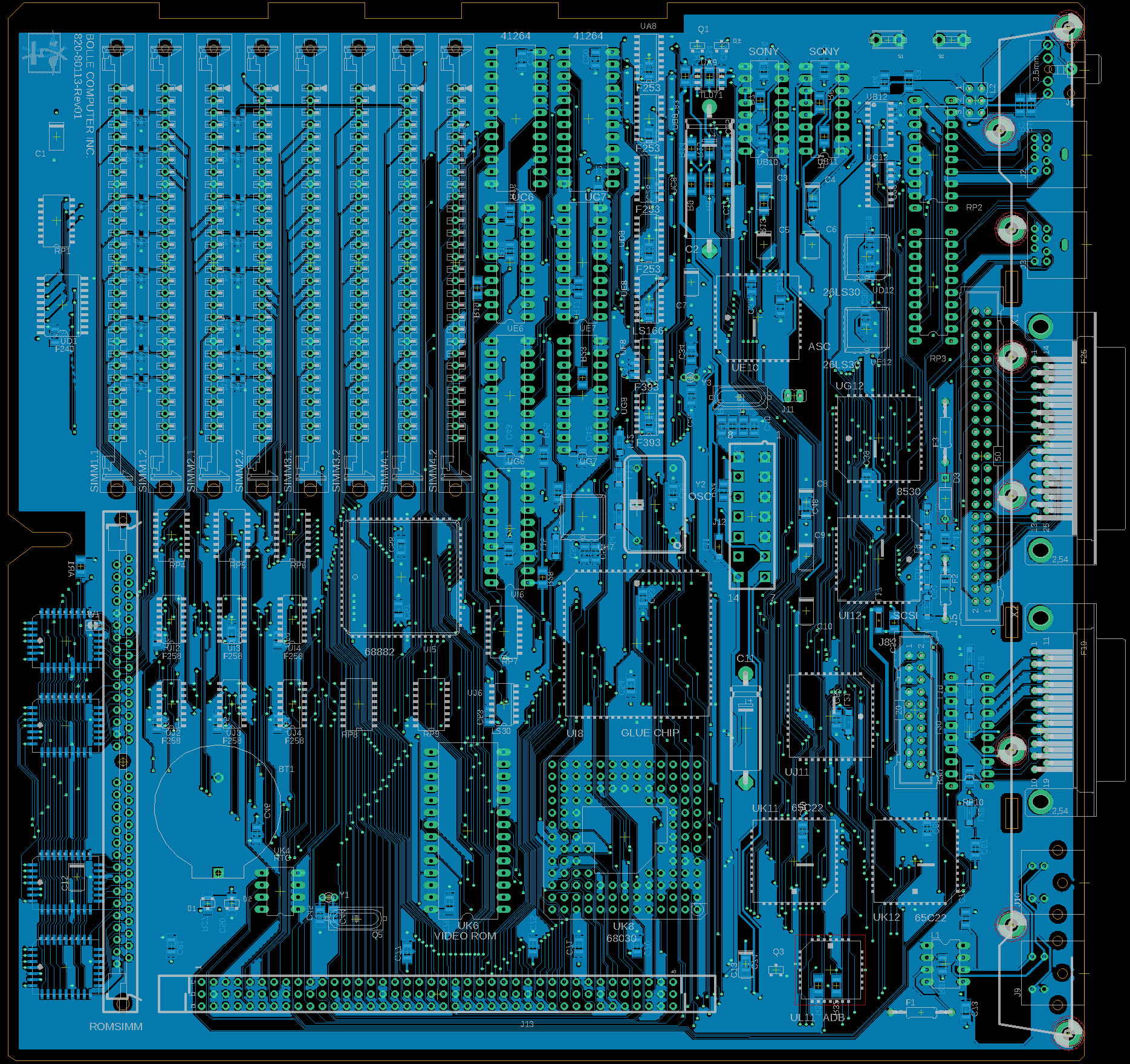
Some time ago, [Bolle] got the idea to redraw the Macintosh SE/30 schematics in Eagle. Progress was initially slow, but over the past month (and with some prodding and assistance from fellow forum frequenter [GeekDot]), he’s taken things a step further by creating a fully functional replacement Macintosh SE/30 logic board PCB.

By using the available schematics, the project didn’t even require much reverse engineering. Though he plans for more modernization in later iterations, this design is largely faithful to the original components and layout, ensuring that it is at least basically functional. He did update the real time clock battery to a CR2032 and, as a benefit of redrawing all the traces, he was able to use a 4-layer PCB in place of the costly 6-layer from Apple’s design.

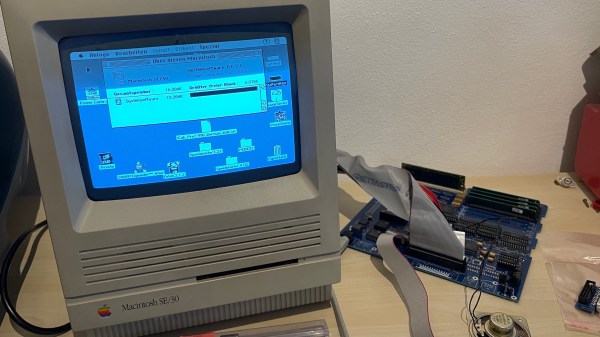
The board came back from fabrication looking beautiful in blue; and, once he had it soldered up and plugged in, the old Mac booted on the very first try! A copy-paste mistake with the SCSI footprints led to some jumper wire bodging in order to get the hard drive working, but that problem has already been fixed in the next revision. And, otherwise, he’s seen no differences from the original after a few hours of runtime.

Recreating old Macintosh logic boards almost seems like its own hobby these days. With the design and fabrication capabilities now accessible to hobbyists, even projects that were once considered professional work are in reach. If you’re interested in making your own PCB designs, there are many resources available to help you get started. Alternatively, we have seen other ways to modernize your classic Macs.

[Thanks to techknight for the tip!]

PCB Reflow With A PCB

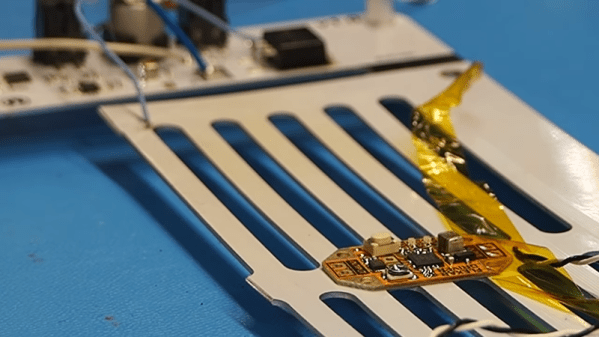
We wonder if [Carl Bugeja] was looking at a 3D printer’s heated bed when he got the idea to create a PCB reflow heater using a PCB. He tried a quick test to heat up a standard PCB and made it self-reflow. That worked, though it obviously wouldn’t be practical for all boards. But it proved he could make it work.

To improve the heating performance, he laid out a metal core PCB, along with some custom control electronics. The board’s resistance didn’t quite perform to calculations, but luckily, it was too high so a shunt wire was able to reduce the overall resistance. One important thing to consider is that the heater board needs to use higher temperature solder so it doesn’t desolder its own components

We were glad to see [Carl] use a metal core board as standard PCB material can get cranky at high temperatures over 130C. Even so, it would be good to check the boards you plan to use this way to make sure they are rated for the kind of temperatures required.

We’ve seen lots of reflow heat sources. Halogen lights come to mind. Or, raid the toy closet and find an Easy Bake oven.

Continue reading “PCB Reflow With A PCB”

Hacking A Digital Microscope Camera For Fun And Automated PCB Inspection

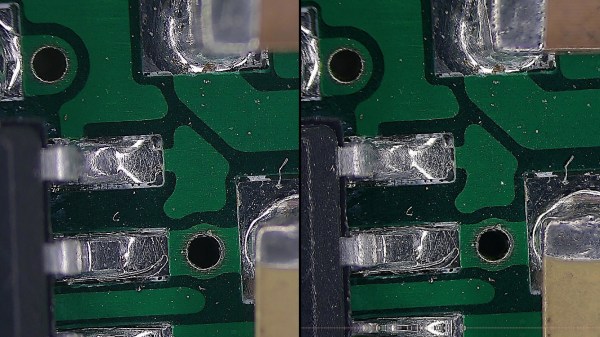
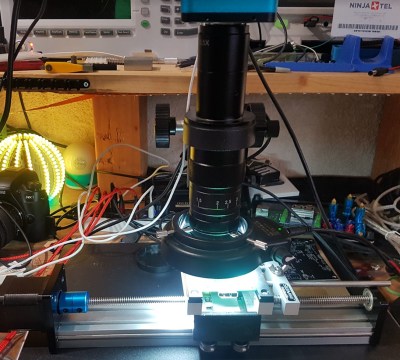
A desire for automated PCB inspection has led [charliex] down some deep rabbit holes. He’s written his own inspection software, he’s mounted his PCB vise on a stepper-controlled table, and now he’s hacked his digital microscope camera to allow remote and automated control.

Eakins cameras have become a relatively popular, relatively inexpensive choice for electronics hobbyists to inspect their small-scale work. The cameras have a USB port for a mouse and overlay a GUI on the HDMI output for controlling the camera’s various settings and capturing images to the SD card. Using the mouse-based GUI can feel clunky, though, so users have already endeavored to streamline the process to fit better in their workflow. [charliex] decided to take streamlining a few steps further.

One issue in microscope photography is that microscopes have an extremely tight focus plane. So, even at the minuscule scales of an SMD circuit board, the components are simply too tall. Only a sub-millimeter-thick layer can be in focus at a time. If you take just a single image, much of what you want to see will be lost in the blurry distance. Focus stacking solves this problem by taking multiple pictures with the focus set at different depths then combining their focused bits into a single sharp image.

This takes care of the focus issue, but even the most streamlined and intuitive manual controls become tedious given the multitude of pictures required. So [charliex] searched for a way to remotely control his camera, automating focus stacking and possibly even full PCB scans.

Continue reading “Hacking A Digital Microscope Camera For Fun And Automated PCB Inspection”

Free To Good Home: FPGA Supercharged Audio/Video Synthesizer

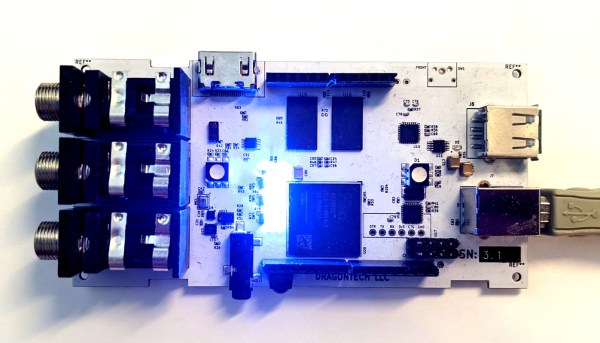
Audio and video synthesizers have been around for decades, and are pretty much only limited by one’s willingness to spend money on them.  That is, unless you can develop your own FPGA-supercharged synthesizer to really get a leg up on the consumer-grade components. Of course, as [Julian] found out in this four-year project, you tend to pay for it anyway in time spent working on your projects.

[Julian] has actually decided to stop working on the project and open-source it to anyone who wants to continue on. He has already finished the PCB layout on a gargantuan 8-layer print, done all of the routing and parts selection, and really only needed to finish testing it to complete the project. It’s powered by the Xilinx Zynq and is packed with features too: HDMI, DDR3 ram, USB, a handful of sensors, and an Arduino Uno-style header to make interfacing and programming a breeze.

While we’re sympathetic with setting aside a project that we’ve worked so hard on, with most of the work done on this one it should be pretty easy to pick up and adapt for anyone interested in carrying the torch. If you were hoping to wet your whistle with something with fewer PCB layers, though, we’ve seen some interesting (but slightly simpler) video synthesizers made out of other unique hardware as well.


3D-Printed Macro Pad Ditches The PCB With Slick Wiring Guides

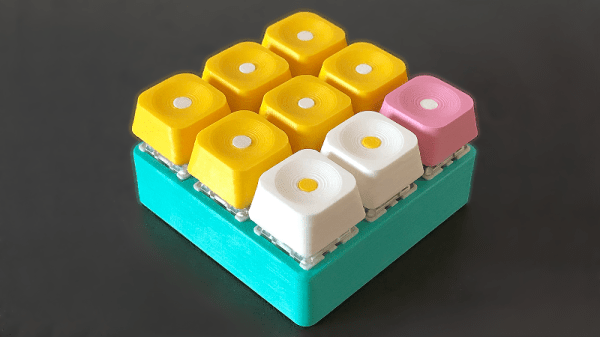
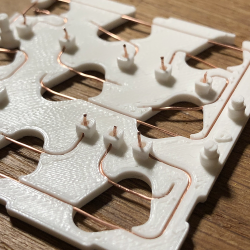
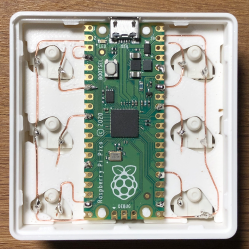
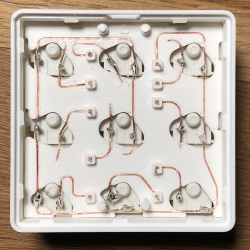
Reddit user [duzitbetter] showed off their design for a 3D-printed programmable macro keyboard that offers a different take on what can be thought of as a sort of 3D-printed PCB. The design is called the Bloko 9 and uses the Raspberry Pi PICO and some Cherry MX-style switches, which are popular in DIY keyboards.

The enclosure and keycaps are all 3D printed, and what’s interesting is the way that the enclosure both holds the components in place as well as providing a kind of wire guide for all the electrical connections. The result is such that bare copper wire can be routed and soldered between leads in a layout that closely resembles the way a PCB would be routed. The pictures say it all, so take a look.

Bloko 9 is available as a paid model, and while going PCB-free thanks to 3D printing is a technique others have played with, it is very well demonstrated here and shows there is still plenty of room to innovate on the concept. DIY keyboard and macro pad design is also fertile ground for hackers; we have even seen that it’s possible to 3D print one right down to the switches themselves.

SVG To Gerber, Without The Pain

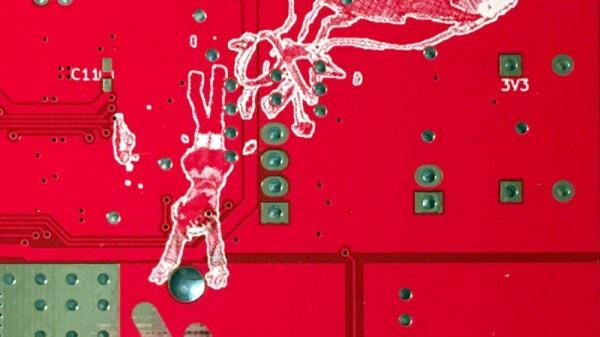
We’ve all marveled at the high quality PCB artwork used within the #BadgeLife and other communities to produce eye-catching designs, but those of you who have dipped your toes in the PCB artwork water will know that it’s hardly an easy process. [Jaseg] may have an answer though with gerbolyze, his software for processing SVG files into Gerber layers or KiCAD footprints.

His impetus for building it came from disappointing experience with other scripts that simply tried to rasterise any SVG they were given, or didn’t fully support the complete SVG spec. It’s designed for minimal preprocessing, allowing for as streamlined a process as possible. It includes a bitmap vectoriser to handle everything that can be thrown at it, and the GitHub repository has full instructions including examples of the output for different settings.

This is the latest in a long progression of enhancements to the PCB art process, but it’s not by any means the first time we’ve ventured down this path. In particular [Brian Benchoff] did a lot of work on the production of multi-colour PCBs.

A PCB For A Quarter?

As time has gone by and PCB assembly companies have reached further into the space of affordability for our community, the available types of board have multiplied. No longer are we limited to FR4 with a green solder mask, we can have all colours of the rainbow and a variety of substrates. The folks at BotFactory have taken things a step further with their PCB printer though, by printing a fully-functional PCB on a quarter.

As a base layer the printed five passes of insulation on the coin, before printing the traces. Holes are left in the insulation to create a form of via that connects to the coin. On the board is an ATtiny2313 microcontroller that flashes an LED, and on the reverse side of the coin is a CR2032 cell that’s secured with a set of bolts and washers. You can see it taking shape in the video below the break.

It’s true that an LED flasher isn’t exciting, and that this is a marketing stunt for BotFactory’s printer. But it’s an inventive one, and reminds us that with a bit of ingenuity anything can become a board. We’ve had our share over the years, and instantly springing to mind is this stretchable PCB.

Continue reading “A PCB For A Quarter?”