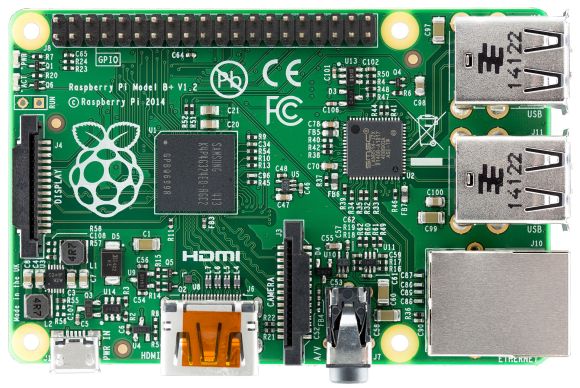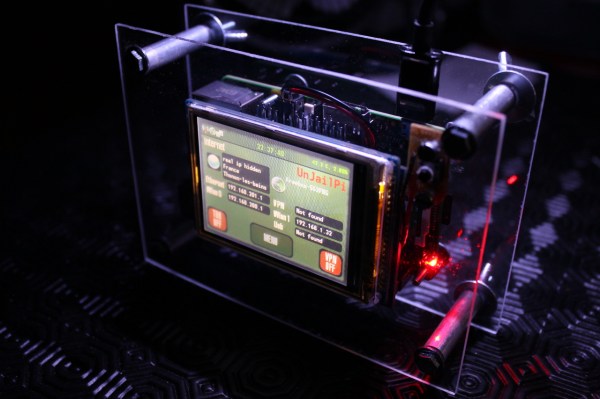
How can you not be interested in a project that uses load cells, Bluetooth, a Raspberry Pi, and Twitter. Even for those of our readers without a cat, [Scott’s] tweeting litter box is worth the read.
Each aspect of this project can be re-purposed for almost any application. The inexpensive load cells, which available from eBay and other retailers, is used to sense when a cat is inside the litter box. Typically sensors like the load cell (that contain a strain gauge) this use a Wheatstone bridge, which is very important for maximizing the sensitivity of resistive sensor. The output then goes to a HX711, which is an ADC specifically built for load cells. A simple alternative would be using an instrumentation amplifier and the built-in ADC of the Arduino. Now, the magic happens. The weight reading is transmitted via an HC-06 Bluetooth module to a Raspberry Pi. Using a simple Perl script, the excreted weight, duration, and the cat’s resulting body weight is then tweeted!
Very nice work! This is a well thought out project that we could see being expanded to recognize the difference between multiple cats (or any other animal that goes inside).
Now that we’re starting to get serious about The Hackaday Prize we thought we’d take a look at the lives of some of the hackers who have submitted entries. Meet fl@C@, who is working on a Raman Spectrometer which is largely 3D printed and uses a Raspberry Pi. He was kind enough to answer all of our questions, some serious and some not so.
Creating. It’s probably no surprise that I have many hobbies…but hardware hacking is my life. I got my first taste with my dads Imsai 8080 (showing my age, but I was fairly young!)..Then it was an Apple][.. I really dove into that. I built my own from a bare pcb to a working machine when I was around 11 or 12. Just moved up from there.. Really went nuts when I got a job at a surplus electronics store in the silicon valley.. I rarely took home a paycheck.. I have a few other hobbies, I’m a private pilot…love flying. I built a pretty cool device that allowed me to datalog my flights, my heartrate, keep track of the fuel, it speaks and connects to the comm to remind me when to switch tanks, etc.. I’ll have to put that up on the project page.
Well…For my day job, I am a Network Engineer.. I can’t really say for which company, but it’s big.
My Passion is Going Big
I would say my passion is going big..if it’s worth doing…..it’s worth overdoing. I love coming up with ideas that would make a difference. The spectrometer I am working on is actually only a small part of a larger project I am working toward. There are never enough hours, or dollars to cover all of my ideas…but I always work as hard as I can to get there.. TLDR- I’m excited every day to wake up and make another step towards changing the world.
I work from home, but in the office… it’s definitely the snack machine. Seriously? We can’t build a machine that dispenses snacks without getting them stuck?
I’d say linux. I’ve been a fan of ubuntu for a while.. lately I’ve been playing with xubuntu. I don’t care for messing with computers..lol. I love electronics, hardware, software and all that.. but I do not geek out over PC hardware..I consider them another tool…they need to work when I need them to work. lol
Not sure if you want a breakdown of what gear I have….I have quite a bit and a pretty elaborate lab setup..but I’m really a bit of a minimalist when it comes to day to day use.. I use my scope when it’s appropriate..my logic analyzer (saelae logic rocks) pretty often.. but I’d say my go to device is usually my DMM since it’s what I tend to use most often…I have a few, but I like to use the one that connects up to my PC so I can make screenshots, and/or see it from a distance..
I would have to default to the mBed for this one..for general purpose. I started out like most people probably with the basic stamp waaaay back…and went through a few others..and settled on the mBed when there was just one device, but now they have so many platforms that you can fit to whatever need..and some of them are dirt cheap. I’m using the ST Nucleo041RE for the spectrometer project, and it’s only $10 at mouser. I have just started peering into FPGA stuff, I hope to get some more time to work with them very soon, I see lots of potential.. I never really used Arduino’s until the past year or two when I got into quadcopters..they have a purpose..and are ok for quick and dirty stuff since you can source a pro mini on ebay for like 3 bucks..
Python has become my best friend. C++ is great and all, I’ve been forced to use VB6 for work…where they even use winbatch……. But python works.. and it’s easy to crank something out quickly, and you can build some pretty robust stuff with it..
Well, I have a couple that come to mind immediately that I honestly would love to share with the world…but won’t just yet.. =) So, I’ll go with what is left…hopefully it’s plenty for now..
I’d love to build a fusor. I built my first tesla coil when I was 17.. I’d love to take the hobby fusor to the next step..
A Moon Rover. Seriously. And the vehicle to get it there. I think we all agree rockets and gasoline both need to go away. Mankind needs to reach out beyond what we’re confortable with.
A fully autonomous multirotor. I actually started this project..have it all layed out..but it’s not high enough on my priority list to make it the rest of the way..I have probably 80% of the parts new in a box..I’ve started doing a writeup on it..and hope to get it up soon.
Learn the Value of Knowing Where and How to Find the Information [You] need
I wish that everyone would learn the value of knowing where and how to find the information they need to accomplish a goal. Schools typically force you to memorize facts and information that is often worthless. I would like for people to learn instead how to be adaptive in their approach to problems, and understand that there is always more than one answer.. and there is a huge resource out there that will enable you to make educated decisions and reach grander goals. We live in a great time with that…and in that way, the internet is underutilized…
The timing was right…I thought this was an interesting and unique project..I had promised myself to try to be more open and share..this project was perfect since it has 3d parts people can print themselves, a raspberryPi, a sorta arduino and a cool laser…plus I figured there are several people out there that could either benefit from a low cost raman spectrometer, or at least benefit from some part of it..be it the parts I designed or just the understanding of how it works and what they’re used for…
I always keep an open mind, and consider any advice given.. There have been many aspects of this project that created a challenge.. This is my first serious venture into 3d printing this much stuff…I’ve never really worked with lasers and optics in such a way.. Avoiding spending thousands on optics was a major challenge. I have been doing all the research I can to understand the best approach to imaging…My first idea was to modify a webcam to take long exposures since the light reaching the camera will be fairly faint..after looking into that, it’s not just a lot of work and difficult to reproduce…but the cameras that others have modified are ancient and next to impossible to find. I wanted to go with a camera that anyone could find…the raspiCam kept surfacing as the best choice…so, the next challenge was how to get the long exposure…the raspiCam driver doesn’t really allow for 10-30 second exposures… so the next idea was to take several shots, and stack them to build a usable image.. so my latest approach is to take a 90fps video for a couple seconds, split that into individual frames, and stack those.. If anyone has suggestions in this area, I’d love to hear them.. I planned on using either mathematica or qtoctave from python, etc..
A Moon Rover. =) It’d probably most definately be a team effort.. But I think as a community, the skills are out there. And the google XPrize shouldn’t be the only game in town.. I think things are building up to this kind of stuff anyway, but someone’s got to be first.
Live Out Loud Every Day
I’d just like to say…putting this project on this site was a major debate for me. I grew up with parents that had secret clearances, and privacy was central. I’ve been trying to build up the courage to share my work and ideas with the world because I think it benefits everyone. This project is my first to share, and for it to be featured here, and for me to be honored with being the first the be featured is really amazing. I appreciate this whole community, I’ve learned a lot from it over the years and I hope to be able to give back and contribute more soon!
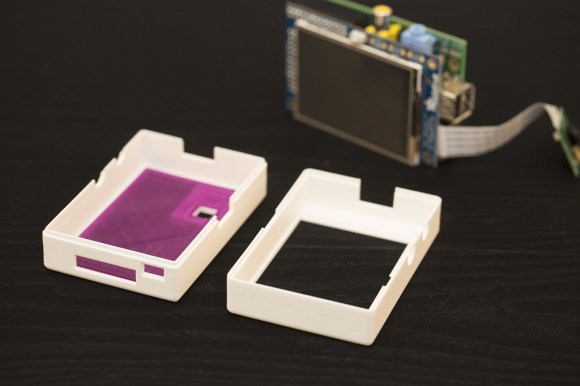
There are hundreds – perhaps thousands – of builds out there on the Internet that put a Raspberry Pi in an enclosure with buttons meant solely for running emulators for old games. This one is unlike any other. Yes, it’s still basically a RetroPi emulator, but this Game Boy Pocket casemod goes beyond any remotely comparable build.
The Game Boy Pocket is incredibly small, but after sanding down the bosses on the inside of the case, gluing the battery door shut, and installing a bit of plastic over the cartridge slot, [WarriorRocker] was able to fit a Raspi inside. The buttons use the same PCB as the stock Game Boy, connected to a Teensy 2.0 board that simulates a USB keyboard.
With the two largest components taken care of, [Warrior] turned his attention to the sound, video and power. The display is a 2.5″ composite LCD that actually fits quite nicely behind the screen bezel. Audio is taken care of by a $3 audio amplifier, a new, smaller speaker, and a side-mounted pot stolen from the original Game Boy guts. There’s no chance on running this with the same 2xAAA cells the original Game Boy Pocket had, so [Warrior] somehow found space for a 2600mAh Li-Poly battery, a step-up regulator, and a charge circuit.
The result is a full-color RetroPi build capable of running for three hours before needing a recharge. All the classic Game Boy games are loaded onto the SD card along with select titles for other systems. The result is one of the best portabalized Raspi builds we’ve ever seen. Video below.
We live in a connected world where social media is ubiquitous and many people feel compelled to share every waking moment with anyone who will listen. In this type of world, wearable computers like Google Glass allow us to share experiences like never before. A Glass user can take photos, record video and audio, or potentially even stream video live on the Internet with the greatest of ease. That might be great for the Glass user, but what about the rest of us? As wearable computing becomes more and more mainstream, people are naturally going to become divided on the issue of privacy. Is it a good thing to have “cyborgs” with wearable computers and cameras constantly at the ready, or is it a privacy nightmare? The cyborg war is coming, and [Julian] has already chosen his side.
It would seem that [Julian] lands on the side of the privacy advocates, based on his “glasshole” script. Glasshole is a relatively simple bash script that relies on some other common network security tools to take care of the heavy lifting. The basic premise relies on the fact that every manufacturer of network interface devices is assigned their own MAC prefix. This is a piece of the MAC address that is unique to that manufacturer.
[Julian’s] script uses a utility called arp-scan to obtain a list of all MAC addresses on a given wireless network. It then loops through each address and compares it to the known Google Glass MAC prefix. If it finds a match, it will make an audible beeping noise to alert the script user. The script then launches aireplay-ng in de-authentication mode. This will send spoofed disassociate packets to the client (in this case the Google Glass device), hopefully forcing them to disconnect from the access point. The script runs continuously, ensuring that once the device reconnects to the network it will get booted off once again. The script is designed to be run on a small Linux computer such as a Raspberry Pi or a BeagleBone black. This way, the user can carry it around with them as a sort of portable defense mechanism.
How do you fit into the cyborg war? Will you stand proudly with your computer on your face for all to see? If so, what kind of countermeasures would you deploy to prevent this type of attack from working on you? If not, what other types of interesting attacks can you think of to keep the cyborgs at bay?
In the world of drones, quadcopters, and unmanned aerial vehicles, the community has pretty much settled on AVR microcontrollers for the low end, and ARM for the high performance boards. If the FAA doesn’t screw things up, there will soon be another market that requires even more computational power, and Navio, the autopilot shield for the Pi, is just the thing for it.
Where high end multicopter and autopilot boards like the OpenPilot Revolution use ARM micros, there’s a small but demanding segment of the hobby that needs even more processing power. Think of something like the Outback Challenge, where fixed-wing drones search the desert for a lost mannequin autonomously. You’re going to need OpenCV for that, and that means Linux.
Navio is a shield for the Raspberry Pi, complete with a barometric pressure sensor, gyros, accelerometer, and compass, and GPS. It’s designed to run a more real-time version of Linux, and has the ability to do some interesting telemetry configurations – putting a 3G modem on the Navio isn’t much of a problem, and since it’s a Raspi, doing image processing of a downward facing camera is just a matter of writing the code.
The Navio team is currently running an Indiegogo campaign, with the baseline version available for $145. That’s pretty close to the price of the OpenPilot Revolution. There’s also a version upgraded with the U-blox NEO-6T that allows for on-board processing of raw GPS data.
[SoggyBunz] lucked up and scored an Ultimate Raspberry Pi Bundle from Element 14. His idea was to use a Raspberry Pi to make a retro-mechanical arcade Coin Dozer game, and decided to build his first prototype inside a vacant Macintosh Plus shell.
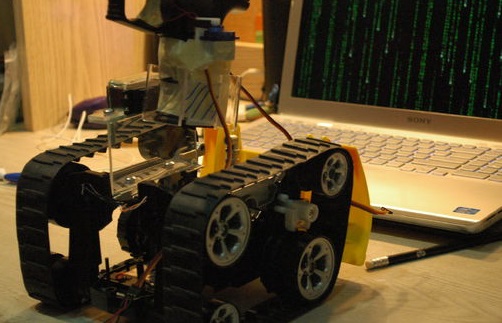
The game is based on a Raspberry Pi running a small Python script. The Raspi operates a small servo that moves a piece of acrylic back and forth in a somewhat random fashion. The coins are inserted into slots cut into the Macintosh shell and eventually pile up. The moving acrylic lever pushes your winnings out of the machine and deposits them on whatever it’s sitting on, unlike this coin dispensing machine.
[SoggyBunz] concedes that the build is a bit rough and a servo is not the best choice of an actuator. But he aims to build a much improved version, and we can only hope he puts it on Hackaday.io and tips us in! Stick around after the break for a video of the Pi Dozer in action.
An interesting trick you can do with a a fast CPU and a GPIO pin mapped directly to memory is an FM transmitter. Just toggle a pin on and off fast enough, and you have a crude and kludgy transmitter. [Brandon] saw a few builds that turned a Raspberry Pi into an FM radio transmitter and realized a lot of toy remote control cars use a frequency in the same range a Pi can transmit at. It’s not much of a leap to realize the Pi can control these remote control cars using only a length of wire attached to a GPIO pin.
The original hack that turned a Pi GPIO pin into an FM transmitter mapped a GPIO pin to memory, cycled through that memory at about 100 MHz, and added a fractional divider to slightly adjust the frequency, turning it into an FM transmitter. Cheap RC cars usually listen for radio signals at 27 and 49 MHz. It doesn’t take much to realize commanding RC cars with a Pi is possible.
The only problem with this idea is that most RC cars use pulse modulation. For an RC transmitter to send the command for ‘forward’, a synchronization pulse is sent, then a series of pulses and pauses. The frequency doesn’t change at all, something the originally FM code doesn’t do. [Brandon] realized that if he just moved the frequency up to something the RC car wasn’t listening to, that would register as a zero.
All that was left was to figure out the command codes for his RC truck. For this, [Brandon] decided brute force would be the best option. Armed with a script and a webcam, he cycled through all possible combinations until the webcam detected a moving truck. Subtlety brilliant, if you ask us. Of course more complex commands required an oscilloscope, but now [Brandon] has a git full of all the code to control a cheap RC car with a Pi.