Dumping An EMMC Chip With Many Bodge Wires

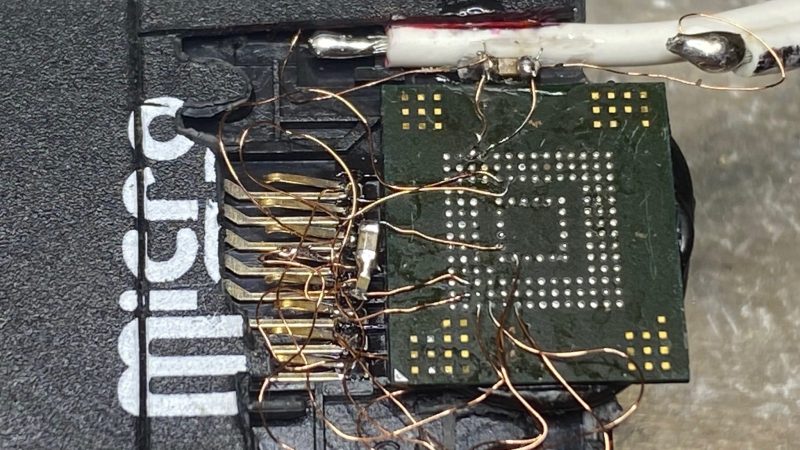
Sometimes, you know where the data you need is stored, you just don’t have a way to access it. In this case, [GetHypoxic] needed to rip data off an eMMC chip, salvaged out of a camera. With no desire to wait for an adapter to show up, it was time to bust out the bodge!

Once removed from the PCB, bodge wires were attached to the ball-grid array contacts on the bottom of the chip. Incredibly fine soldering was the order of the day to get these hooked up to the tiny pads, and we count 11 or 12 bodge wires in total. 1.8 volts was manually supplied to the eMMC chip, and it was directly wired up to the contacts of a built-in card reader out of an old laptop for reading.

Despite the rats-nest look of it all, and the yellow polyimide tape holding it together, [GetHypoxic] reported that it mounted successfully and got the job done. We’ve seen similar hacks before, too, wiring eMMC chips up to SD card adapters. It might look messy, but hey – it sure beats waiting for shipping!

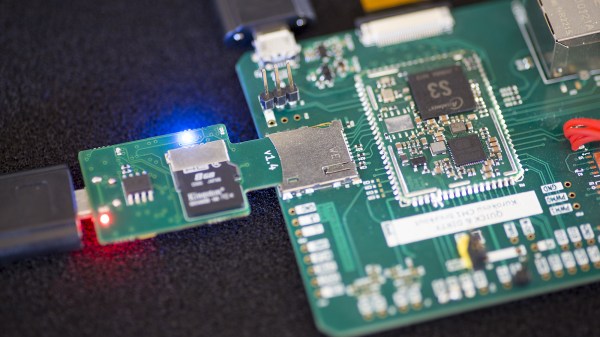
The SDWire board plugged into some SoM's breakout board's MicroSD socket

Automated MicroSD Card Swapping Helps In Embedded Shenanigans

[Saulius Lukse] has been working on some single board computer, seemingly, running Linux. Naturally, that boots from a microSD card – and as development goes on, that card has to be reimaged all the time. Sick of constantly plugging and unplugging the microSD card between the SBC and an SD card reader, [Saulius] started looking for a more automated solution – and it wasn’t long before he found out about the SDWire project, a hardware tool that lets you swap a card between a DUT (Device Under Test) and your personal computer with no moving parts involved.

SDWire is an offshoot from the Tizen project, evidently, designed to be of help in device development, be it single-board computers or smartphones. The idea is simple – you plug your MicroSD card into the SDWire board, plug the SDWire into a MicroSD slot of your embedded device, and then connect a USB cable from the SDWire to your development computer. This way, if you need to reflash the firmware on the SBC you’re tinkering with, you only need to issue a command to the SDWire board over the USB cable, and the MicroSD card appears as a storage drive on your computer. SDWire is a fully open source project, both in hardware and in software, and you can also buy preassembled boards online.

Such shortening of development time helps in things like automated testing, but it also speeds your development up quite a bit, saving you time between iterations, freeing you from all the tiny SD card fiddling, and letting you have more fun as you hack. There’s a clear need for a project like SDWire, as we’ve already seen a hacker assemble such a device using breakouts.

Hackaday Links Column Banner

Hackaday Links: August 7, 2022

If you ever needed proof that class-action lawsuits are a good deal only for the lawyers, look no further than the news that Tim Hortons will settle a data-tracking suit with a doughnut and a coffee. For those of you who are not in Canada or Canada-adjacent, “Timmy’s” is a chain of restaurants that are kind of the love child of a McDonald’s and a Dunkin Donut shop. An investigation into the chain’s app a couple of years ago revealed that customer location data was being logged silently, even when they were not using the app, and even far, far away from the nearest Tim Hortons. The chain is proposing to settle with class members to the tune of a coupon good for one free hot beverage and one baked good, in total valuing a whopping $8.68. The lawyers, on the other hand, will be pulling in $1.5 million plus taxes. There’s no word if they are taking that in cash or as 172,811 coffees and doughnuts, but we think we can guess.

Continue reading “Hackaday Links: August 7, 2022”

Console Macropad Uses SD Cards For Stylin’ And Profilin’

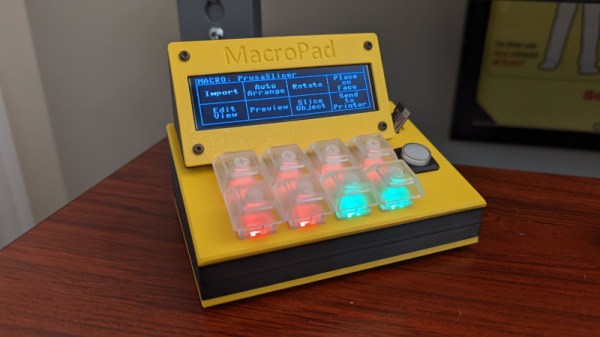
Macropads are great to have around for hotkey input, but things can get out of hand pretty quickly when you realize just how many shortcuts are in your life. To avoid ending up with another keyboard-sized keyboard, some hackers will use a handful of switches and a lot of layers to turn a few keys into many. And instead of worrying about legends, they use blank keys and leave the labels to be displayed on some kind of screen.

Among them is [QCJ3], who built this nifty little console-style macropad. Uninterested in managing microcontroller memory, [QCJ3] went the tangible route and loaded various profiles onto a micro SD card. Each text file on a given card holds a label, a color for the keyswitch LED, and of course, the keystrokes that make up the macro itself.

There are myriad ways to build a macro pad, from designing with bare chips (if you can get them) to programming a pre-built key matrix.  Grab the files if you like the console look and call it a day, or build a completely new enclosure that fits your hand exactly. Whatever you build, consider entering it in our brand spankin’ new Odd Inputs and Peculiar Peripherals Contest, which runs now through July 4th. If you need more inspiration, just peep the projects under macropad tag, or peruse the much heftier keyboard tag.

Via KBD

Raspberry Pi And The Story Of SD Card Corruption

Tales of Raspberry Pi SD card corruption are available online by the fistful, and are definitely a constant in Pi-adjacent communities. It’s apparent that some kind of problems tend to arise when a Raspberry Pi meets an SD card – which sounds quite ironic, since an SD card is the official and recommended way of booting a Pi. What is up with all of that?

I can start with a history lesson. Back when Raspberry Pi launched in 2012 – which is now 10 years ago – there were SD card controller driver problems, which makes sense given the wide variety of SD cards available out there. They were verifiably fixed one by one at some point in time, as debugging goes, their impact decreased and bugs with individual cards got smoothed over. This is how the “Pi SD card corruption” meme was originally born; however, if the problems were to end there, so would the meme. Yet, tales of broken SD cards plague us to this day – way less severe than they were in the beginning, but pronounced enough that you’ll see people encounter them every now and then.

Over the years, a devoted base of Pi SD card haters has grown. Their demand has been simple – Raspberry Pi has to get an ability to boot from something else, in large part because of corruption reasons, but also undeniably because of speed and capacity/cost limitations of SD cards. Thanks to their demands and work, we’ve seen a series of projects grow from unofficial efforts and hacks into officially supported Raspberry Pi abilities – USB boot being initially more of a workaround but now something you can enable out of the box, SSD-equipped Pi enclosures becoming more of a norm, and now, NVMe boot appearing on the horizon. Every few years, we get a new way to boot a Pi. Continue reading “Raspberry Pi And The Story Of SD Card Corruption”

PS2 Memory Card ISO Loader Offers Classic Gaming Bliss

It used to be that to play a console game, you just had to plug in a cartridge or put a CD/DVD in the optical drive. But these days, with modern titles ballooning up to as much as 100 GB, you’ve got no choice but to store them on the system’s internal hard disk drive. While that can lead to some uncomfortable data management decisions, at least it means you don’t have to get up off the couch to switch games anymore.

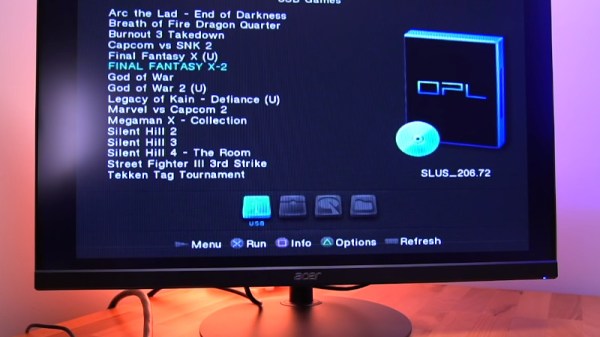
Which is precisely why the MC2SIO project for the PlayStation 2 is so exciting. As [Tito] explains in his latest
Macho Nacho Productions video, this simple adapter lets you connect an SD card up to the console’s Memory Card slots and use that to hold ISOs of your favorite games. With the appropriate homebrew software loaded up, your PS2 becomes a veritable jukebox of classic games.

Continue reading “PS2 Memory Card ISO Loader Offers Classic Gaming Bliss”

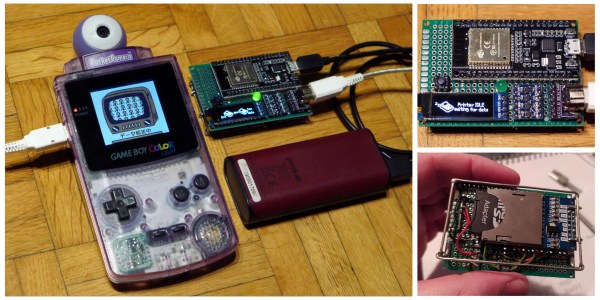
An Open Source Game Boy Printer That Doesn’t Print

While we’ll admit seeing your Game Boy Camera shots come out on a little slip of thermal paper was pretty neat back in 1998, anyone who’s still using the Game Boy Printer these days is probably more interested in getting their images in digital form. Which is why the open source NeoGB Printer is so exciting.

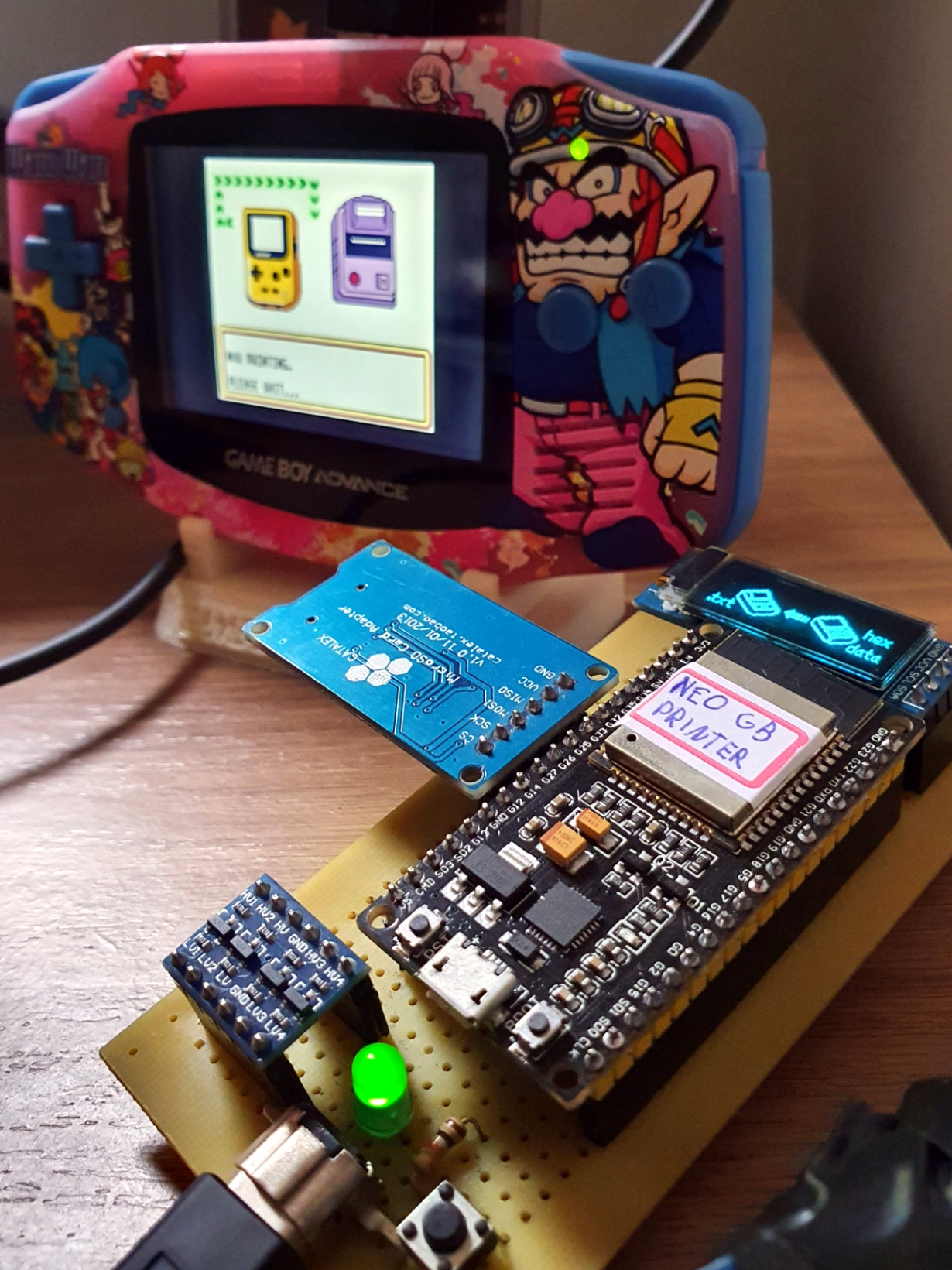
A collaborative effort between [Rafael Zenaro], [Raphaël BOICHOT], and [Brian Khuu], the project combines an ESP32 development board and some common components with their GPLv3 firmware to fully emulate the Game Boy Printer hardware. Once plugged into your Game Boy, any of the 110 titles that support Nintendo’s paper-pushing peripheral will recognize the NeoGB Printer as the real deal and happily send along the image.
But rather than committing it to paper, the NeoGB Printer saves the image to an SD card. From there, you can put the card in your computer and do whatever you wish with the captured files. Incidentally, it turns out there’s already a commercial gadget on the market that does something very similar, but this DIY approach comes well under its $99 USD price tag. In fact, if you’ve got a Game Boy Link Cable you don’t mind cutting up, you’ve probably got everything you need to pull this off in the parts bin right now.

We particularly like how the team has went out of their way to support different hardware configurations for the NeoGB Printer. If you want to go all out and add status LEDs and an OLED display, go for it. But if you just plan on using the thing once to grab a copy of the Pokémon diploma you earned 20 years ago, then you can skip the bells and whistles.

If you’re only worried about getting your snaps out of the Game Boy Camera, we’ve covered projects that will extract them directly from the cartridge. But this approach certainly has its appeal, as works with a much wider variety of games. We’re glad this project exists, as it means a whole new generation can explore all the wacky ways developers came up with to utilize the Game Boy Printer back in the day.