
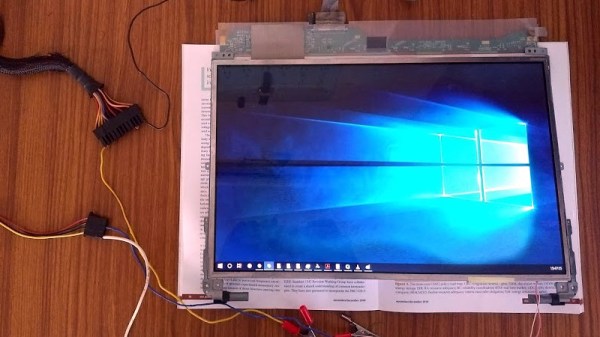
The lack of HDMI inputs on almost all laptops is a huge drawback for anyone who wants to easily play a video game on the road, for example. As to why no manufacturers offer this piece of convenience when we all have easy access to a working screen of this size, perhaps no one can say. On the other hand, if you want to ditch the rest of the computer, you can make use of the laptop screen for whatever you want.
This project from [Avner] comes to us in a few parts. In the first section, the teardown of the laptop begins and a datasheet for the screen is discovered, which allows [Avner] to prepare an FPGA to drive the screen. The second part involves building an HDMI sink, which is a device which decodes the signal from an HDMI source into its constituent parts so it can be sent to the FPGA. The final section of the project involves actually sending a video to this impressive collection of hardware in order to get a video to appear on the old laptop screen.
This build is worth checking out if you’ve ever dealt with anything involving digital video. It goes into great depth on a lot of the technical details involving HDMI, video devices, and hardware timing issues. This is a great build and, even though we’ve seen similar projects, definitely worth diving into if you have some time on your hands and a spare laptop screen.
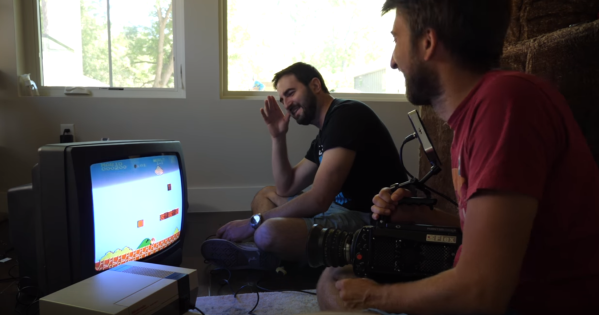
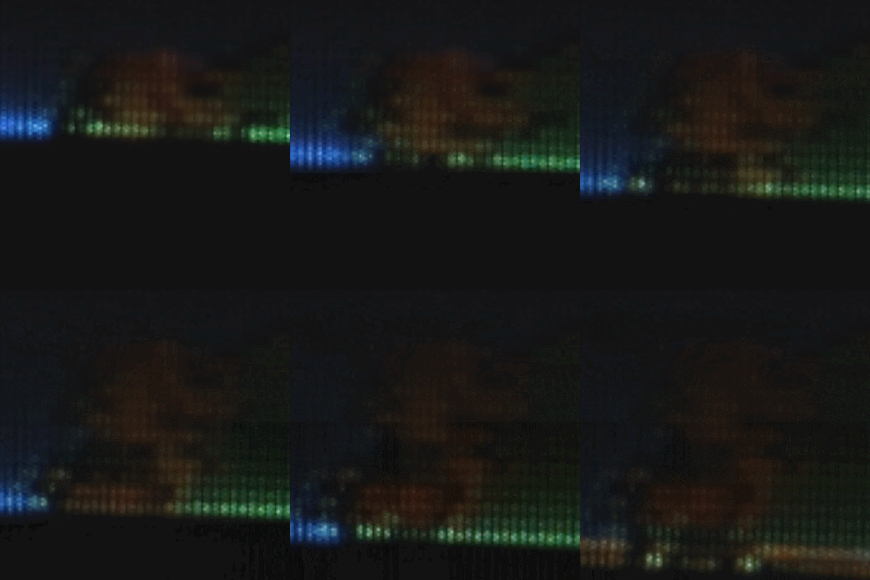 Now we all know that CRTs draw one pixel at a time, drawing from left to right, top to bottom. You can capture this with a regular still camera at a high shutter speed. The light from a TV screen comes from a phosphor coating painted on the inside of the glass screen. Phosphor glows for some time after it is excited, but how long exactly? [Gavin and Dan’s] high framerate camera let them observe the phosphor staying illuminated for only about 6 lines before it started to fade away. You can see this effect at a relatively mundane 2500 FPS.








