Teardown: The Writer Word Processor

For modern students, the spiral notebook has given way to the laptop and the pocket calculator has been supplanted by the smart phone. We’re not just talking about high school and college, either. Today, the education of even grade school children is intrinsically linked with technology. While some might question the wisdom of moving away from the pencil and pad at such a young age, there’s little question that all the kids stuck at home right now due to COVID-19 would have had a much harder time transitioning to remote learning otherwise.

But that certainly wasn’t the case when Advanced Keyboard Technologies released the Writer in 2003. Back then, five years before the first netbooks hit the market, you’d be hard pressed to find a laptop cheap enough to give to a grade school student. In comparison, these small electronic word processors could be purchased for as little as $150. Not only was the initial price low, but the maintenance costs were almost negligible. They ran for hundreds of hours on a standard AA batteries, and didn’t require schools to have any IT staff to manage them. Sure they couldn’t get on the Internet or even run any software, but they would give students a chance to hone their keyboarding skills. Continue reading “Teardown: The Writer Word Processor”


Unique Strandbeest Stands Tall With Line Of Legs

Multiple rows of intricately articulated legs are the defining characteristic of the Strandbeest, but [James Bruton] wondered if he could reduce that down to a single row using the same principles at work in a self-balancing two wheeled robot. While it’s perhaps a bit early to call his experiments a complete success, the first tentative steps taken by his (relatively) svelte Strandbeest certainly look promising.

Initially the robot only had two pairs of legs, but in testing [James] found this arrangement to be a bit unstable. By bringing the total count to four legs per side and improving the counterweight arrangement, the bot has been able to walk the length of the workshop. Unfortunately, an issue with the leg design seems to be preventing the Strandbeest from taking any backward steps.

Normally this wouldn’t be that big of a problem, but in this case it’s keeping the Strandbeest from being able to self-balance while standing still. In other words, the robot needs to keep moving forward or it will fall over. Still, [James] thinks the idea has promise and wants to continue experimenting with the bot in a larger area.

Specifically, he wants to see if the dual-motor robot can turn by varying the speed the two sets of legs are running at. If it can walk in a tight enough circle, it could keep right on marching until the power runs down. Sounds more than a little nightmarish to us, but we’d still like to see it.

Reader’s may recall [James] from this other another robotic projects, such as the phenomenal OpenDog. We don’t know where his obsession of legged robots comes from, but we certainly aren’t complaining.

Continue reading “Unique Strandbeest Stands Tall With Line Of Legs”

UV Phone Sanitizer Shows The Power Of Modern DIY

Editor’s Update: According to the schematic for this project, SST-10-UV-A130-F405-00 (PDF) LEDs are used which produce 405nm UV-A light. The manufacturer, Luminus, does not recommend that part for disinfection or sterilization. Luminus sells UV-C LEDs for that purpose, generating 275-285nm. After publication the part number used was changed to and American Opto L933-UV265-2-20 which is a UV-C LED producing 265-278nm.

The global COVID-19 pandemic has had a serious impact on the hacking and making scene, though it hasn’t been all bad. Sure, shipping on average is taking a lot longer than we’d like when ordering parts, but otherwise being stuck at home has given many people far more time to work on their projects than they would have had otherwise. In some cases, it’s also been a reminder of just how far we’ve come in terms of what the dedicated individual is capable of producing within the confines of their own home.

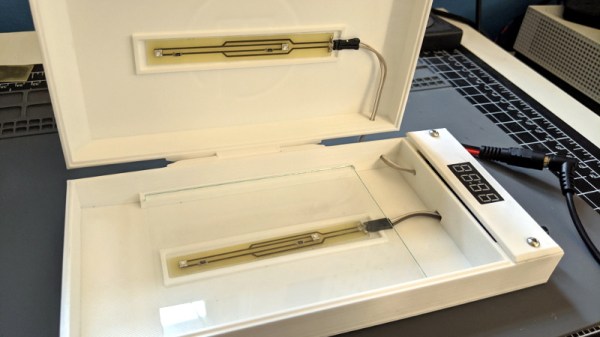
As a perfect example, take a look at this UV sanitizer box built by [Md Raz]. Looking for a way to quickly and easily kill germs on smartphones and other small devices, he used the considerable capabilities afforded to the modern hacker to produce a professional-looking device in far less time than it would have if he had to outsource things like PCB manufacturing or injection molding.

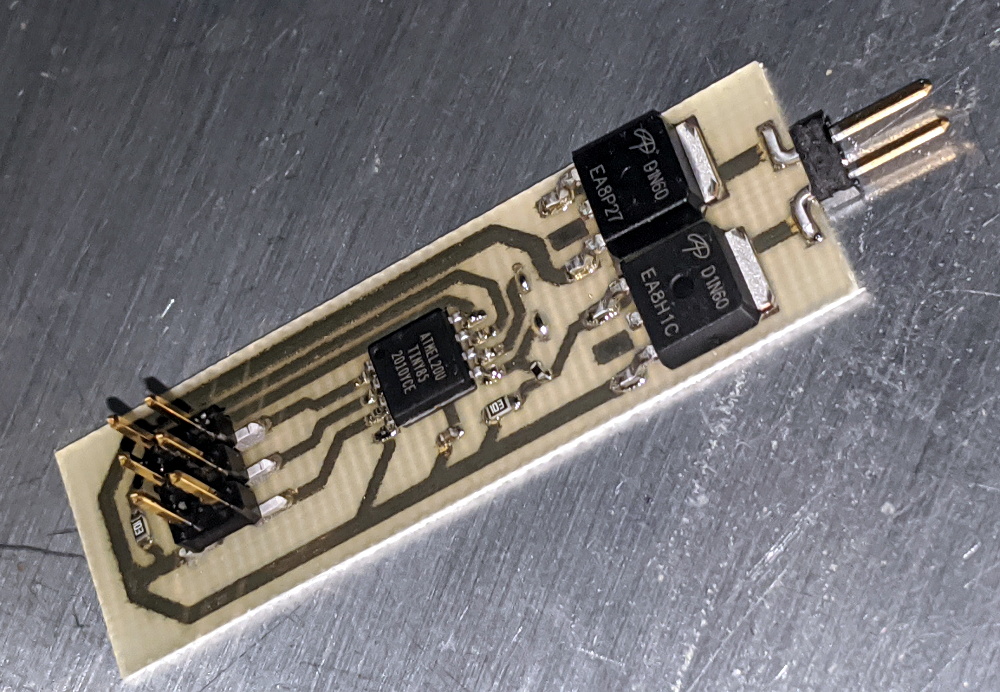
Inside the 3D printed enclosure is an array of SMD UV-C LEDs that, according to the manufacturer’s specs, will destroy viruses and bacteria in 5 minutes. To make sure the LEDs are given enough time to do their job, [Md] is using an ATtiny85 to control the countdown and a seven segment display to let the user know how much longer they have to wait. All the electronics are held on PCBs produced with a BotFactory SV2 desktop PCB printer, but for those of us with somewhat more limited budgets, a mill or even a modified laser engraver could be used to produce similar boards.

With everything going on, there’s understandably been increased demand for germicidal lights. But unfortunately, some unscrupulous manufacturers are trying to take advantage of the situation. Being able to select the LEDs for this device based on their specifications is arguably just as important as how quickly it was produced. Though we’d still advise a position of “trust, but verify” when it comes to UV-C.

Build This Cyberdeck In A Cave With A Box Of Scraps

Desktop 3D printing has been a big enabler for the cyberdeck community, as it’s allowed individuals to create unique frames and enclosures which would have been far more difficult and time consuming to produce using traditional methods. But what if you don’t have access to a well-stocked workspace, and need to do your building with the bare minimum of equipment? In that case, [ALX] recently put together a minimalistic design that can be assembled with off-the-shelf components and basic tools.

It’s the ideal cyberdeck for the neophyte, as all the parts are widely available and relatively inexpensive. While it might not be a customized as something with a fully 3D printed frame, we think it nails the look and utility that are the hallmarks of a proper deck.

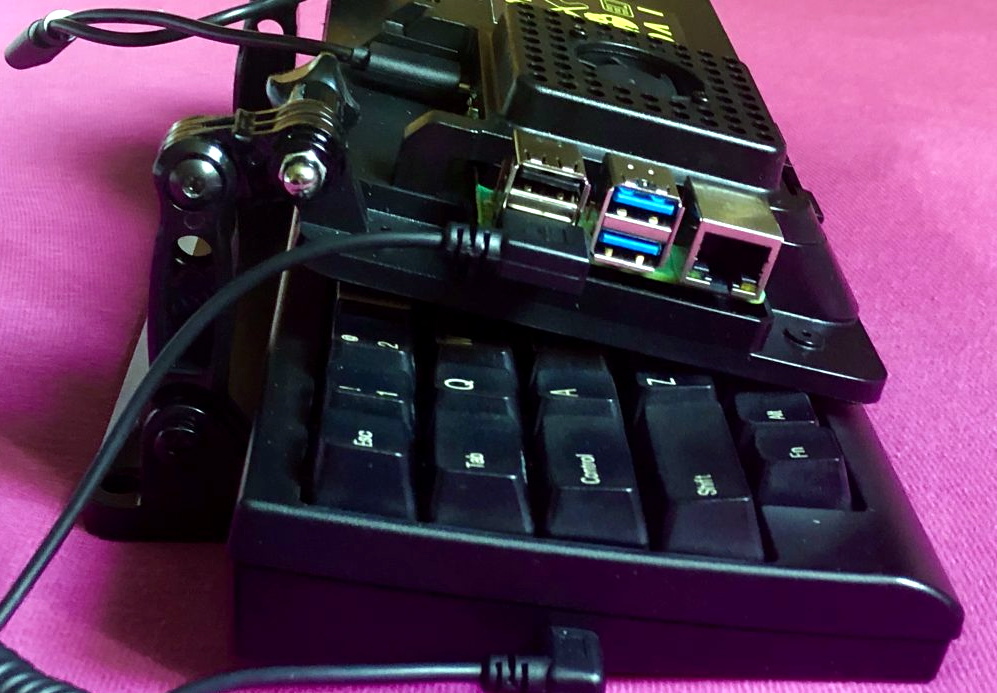
The key to this build is the SmartiPi Touch case, which puts the Raspberry Pi and touch screen on a hinged panel. These hinges happen to be compatible with GoPro-style mounts, so with a few extension pieces, the panel can be lifted up high enough that it can be folded over the keyboard. The base of the SmartPi Touch case is then attached to the bottom of the keyboard with nothing more exotic than double-sided tape. Here [ALX] is using a Happy Hacking KeyBoard Lite 2, but you could substitute it with whatever you have handy.

On the other hand, if 3D printing out the frame isn’t a problem for you, this miniature cyberdeck we covered recently could be a great alternative if you’re looking to get started in the burgeoning world of bespoke mobile computers.

Smart Home Meets Dumb Terminal

Most smart home products are designed to be controlled from a mobile device, which makes sense since that’s what the average consumer spends most of their day poking around on these days. But you aren’t the average consumer, are you? If you’re looking for a somewhat more tactile experience, then why not put your smart home dashboard on a vintage serial terminal as [Daniel Karpantschof] did?

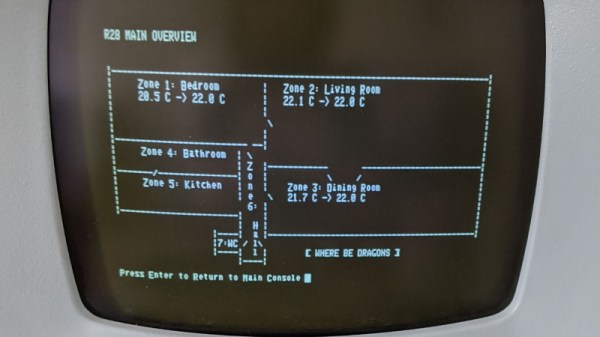
So how do you get the latest and greatest in home automation talking to a serial terminal built before the Internet as we know it? With Python, of course. [Daniel] has some code running on a Linux server that’s actually taking to his various smart home gadgets, which then spits out a simple ASCII user interface that his circa 1976 ADM-3A terminal can handle; complete with a floor plan view of the house that shows the temperature in different rooms.

Naturally, that’s only half the battle. You still need to get that interface onto the terminal. For that, [Daniel] is using the “Simulant Retro WiFi Modem” that we’ve covered in the past. An ESP8266 connects to the network and shuffles data over to the target device over serial. It’s all transparent to the terminal itself, so this project could be reproduced with whatever vintage machine holds a special place in your heart.

A DIY Electronic Load With A Twist

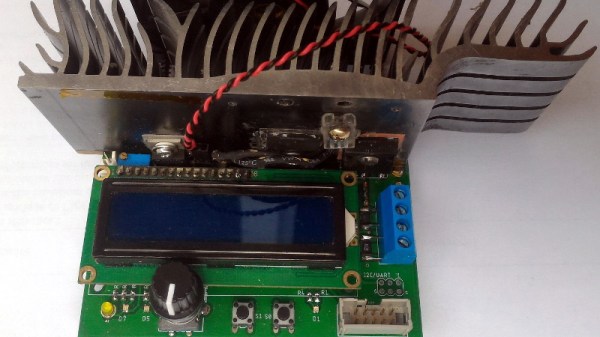
If you’re testing a power supply or battery pack, an electronic load is a nice tool to have. By watching the voltage as you crank up the resistance, you can verify the unit’s real-world capabilities quickly and easily. But [Xavier Bourlot] wanted a bit more information than is generally afforded by these devices, so he came up with his own scratch built load that can measure the voltage at multiple points in the circuit.

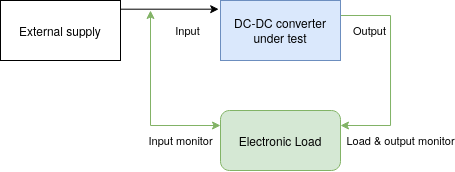
Now at first glance, it might not be obvious why you’d want such a capability. But [Xavier] is looking to do something very specific with this device: analyze the efficiency of DC-DC converters. The idea is that if the electronic load can measure the voltage on both sides of the converter, it can calculate what kind of losses are being incurred.

Could you do this with a multimeter and a traditional electronic load? Sure. But if it’s the kind of thing you’ll be doing a lot of, it’s not hard to see why this method would be preferable.

But even if you ignore the converter analysis capabilities, this looks to be a very useful device to have around the lab. [Xavier] says it can sink more than 5 amps, and handle an input voltage as high as 100 volts. Powered by an ATmega328P, the load is also fully programmable and even features an I2C expansion port that you can use to hang additional hardware or sensors on. The stock firmware is already quite capable, and the list of future enhancements has some very interesting entries such as the ability to log data over serial or to a SD card.

We’ve seen a number of programmable electronic load projects over the years, ranging from Arduino shields to VFD equipped units that would be the pride of any hacker’s bench.

Cheap Party Light Gets Arduino Upgrade

If you’ve got a party coming up and are looking to add a little bit of excitement, you might be interested in this recent project from [Gav Lewis]. The build is based on a commercially available party light, but with some upgraded components the final product is brighter and more dynamic than it was stock.

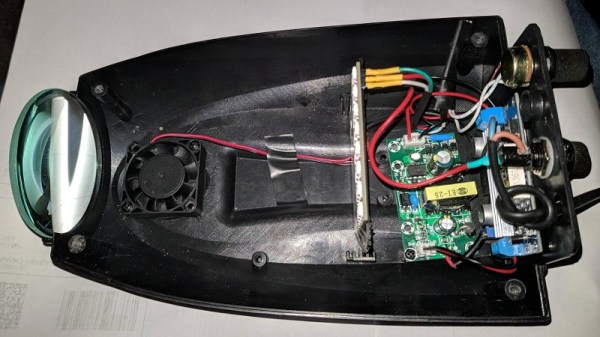
Realistically, [Gav] has changed out almost every component of this light except for the enclosure and the front lens. The original 5 mm LED array was replaced with a new 8×8 WS2812B panel, and the electronics completely replaced with an Arduino Nano. He’s still using the light’s original power supply, but as it only puts out around 4.2 V, he’s added a boost converter to provide a stable 5 V for the new hardware. He also added a small 12 V cooling fan, which he says is basically silent since it’s only getting half its rated voltage.

[Gav] has developed a number of lighting patterns with FastLED that do a good job of emulating what you might see from a much more expensive laser scanner. In the video after the break, you can see how multiple colored beams of light exit the housing at once, projecting patterns on the opposite wall. He says he’s like to restore the device’s original sound activation mode, but as of yet hasn’t gotten the code sorted out.

This project uses a off-the-shelf 8×8 matrix of WS2812B LEDs, but if you ever find yourself needing to piece together your own array from individual LEDs, we recently covered a great tip for making it a bit easier.

Continue reading “Cheap Party Light Gets Arduino Upgrade”