Force Feedback Mouse Really Shakes Things Up

This is a very exciting time for those who like to spend their downtime exploring virtual worlds. The graphics in some big-budget titles are easily approaching photorealism, and immersive multi-channel sound can really make you believe you’ve been transported to another place or time. With another generation or two of GPU development and VR hardware, the line between gaming and reality is bound to get awful blurry.

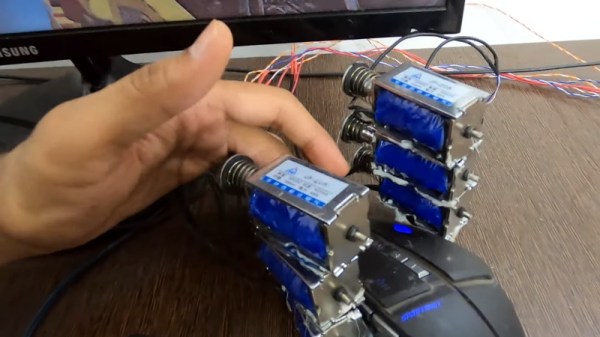
That said, we’re still a far way off from the holodeck aboard the Enterprise. A high-end PC and the latest in VR can fool your eyes and ears, but that still leaves your other senses out of the fun. That’s why [Jatin Patel] has developed this clever force-feedback mouse using an array of solenoids.

The idea is pretty simple: a Python program on the computer listens for mouse click events, and tells an attached Arduino to fire off the solenoids when the player pulls the virtual trigger. It’s naturally not a perfect system, as it would seem that clicking in the game’s menus would also start your “gun” firing. But as you can see in the video after the break, when it works, it works very well. The moving solenoids don’t just vibrate the mouse around, the metallic clacking actually accentuates the gun sound effects from the game.

With this kind of tactile feedback and an omnidirectional treadmill to keep us moving, we’d be pretty close to fooling our senses into thinking we’re actually somewhere else. Which frankly, sounds quite appealing right about now.

Continue reading “Force Feedback Mouse Really Shakes Things Up”

High Voltage Experiment Pipes Power With Water

The idea of transferring energy with water isn’t exactly new. In fact, it’s downright ancient. Running water has been tapped to power our contrivances since folks were getting excited about that new library they were opening up over in Alexandria. But what if there was a way to deliver power with water that wasn’t kinetic, and instead relied on the electrical properties of the planet’s favorite libation?

That’s exactly what [Jay Bowles] set out to explore with his latest experiment. Since water (we know, not pure water) conducts electricity, it stands to reason that it could be used as a stand-in for traditional copper wiring. Why would you want to do such a thing? Because unlike wires, water can easily morph into whatever shape may be required, and can be moved around and controlled with nothing more complex than ball valves.

To test this concept, [Jay] put together a water distribution system out of simple acrylic tubing. A reservoir was attached to one of his high voltage generators, and copper caps were placed at the end of the tubes to serve as direct attachment points for devices.

But thanks to capacitive coupling, the fluorescent lights he uses don’t actually need to be physically connected to light up. As demonstrated in the video after the break, the lights surrounding the system can be independently controlled just by turning their respective valves on and off; all without any physical contact being made.

Of course, compared to traditional wiring there are plenty of downsides to this idea. Copper wires don’t tend to freeze in the winter and spring a leak, nor do they build up bubbles of explosive hydrogen gas. So it’s safe to say the wiring in your house probably won’t ever be replaced with a tube of charged water. But [Jay] does have some interesting ideas of how this technique could be used in non-traditional ways. For example, he describes how outdoor lighting could be powered by the energy radiating from a small stream.

Even if the practical applications of this technique are somewhat limited, there’s no question that it’s a fascinating idea. Believing that he’s the first person to ever demonstrate power transmission under these specific circumstances, he’s decided to call the concept “Bowles Transmission”. We’d love to see somebody use this principle in one of their projects, and we’re willing to bet so would [Jay].

As with his recent ozone sterilization experiments, we imagine this idea is going to be met with some debate. But that’s sort of the point. [Jay] doesn’t claim to have all the answers, and hopes these videos get people thinking and talking. As they say, nothing great was ever achieved without enthusiasm.

Continue reading “High Voltage Experiment Pipes Power With Water”

All Your Passwords Are Belong To FPGA

When used for cracking passwords, a modern high-end graphics card will absolutely chew through “classic” hashing algorithms like SHA-1 and SHA-2. When a single desktop machine can run through 50+ billion password combinations per second, even decent passwords can be guessed in a worryingly short amount of time. Luckily, advanced password hashing functions such as bcrypt are designed specifically to make these sort of brute-force attacks impractically slow.

Cracking bcrypt on desktop hardware might be out of the question, but the folks over at [Scattered Secrets] had a hunch that an array of FPGAs might be up to the task. While the clock speed on these programmable chips might seem low compared to a modern CPUs and GPUs, they don’t have all that burdensome overhead to contend with. This makes the dedicated circuitry in the FPGA many times more efficient at performing the same task. Using a decade-old FPGA board intended for mining cryptocurrency, the team was able to demonstrate a four-fold performance improvement over the latest generation of GPUs.

An earlier version of the FPGA cracker

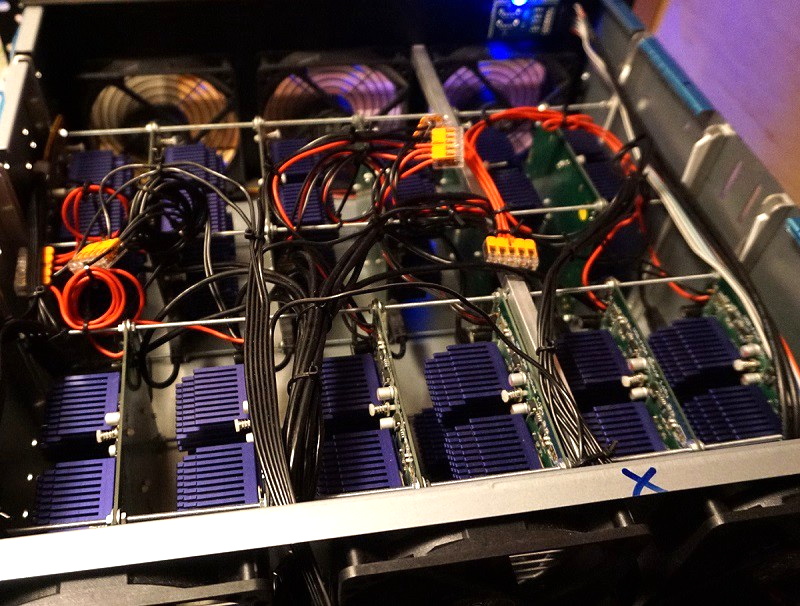
After seeing what a single quad FPGA board was capable of, the [Scattered Secrets] team started scaling the concept up. The first version of the hardware crammed a dozen of the ZTEX FPGA boards and a master control computer computer into a standard 4U server case. For the second version, they bumped that up to 18 boards for a total of 72 FPGAs, and made incremental improvements to the power and connectivity systems.

Each 4U FPGA cracker is capable of 2.1 million bcrypt hashes per second, while consuming just 585 watts. To put that into perspective, [Scattered Secrets] says you’d need at least 75 Nvidia RTX-2080Ti graphics cards to match that performance. Such an array would not only take up a whole server rack, but would burn through a staggering 25 kilowatts. Now might be a good time to change your password to something longer, or finally get onboard with 2FA.

We’ve covered attempts to reverse engineer hardware designed for cryptocurrency mining, but those were based around application-specific integrated circuits (ASICs) which by definition are very difficult to repurpose. On the other hand, disused FPGA-based miners offer tantalizing possibilities; once you wrap your mind around how they work, anyway.

[Thanks to Piejoe for the tip.]

An ESP32 Home Automation Swiss Army Knife

Thanks to the ESP8266 and the ESP32, we’ve seen an explosion in DIY home automation projects recently. When it only takes $3 and a few lines of code to bring your gadgets onto the network, that’s hardly a surprise. But hacking bare ESP modules onto devices will only get you so far. Eventually you’ll probably want to put together a slightly more mature home automation system, and that’s where things can get a little tricky.

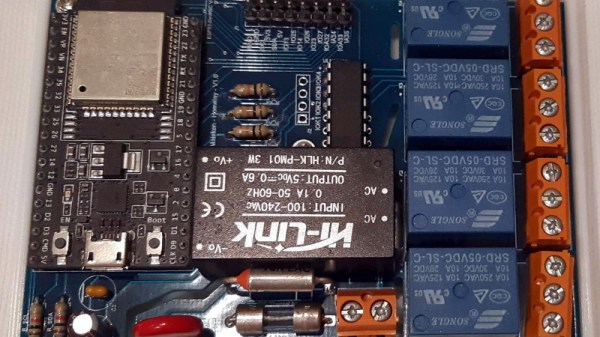
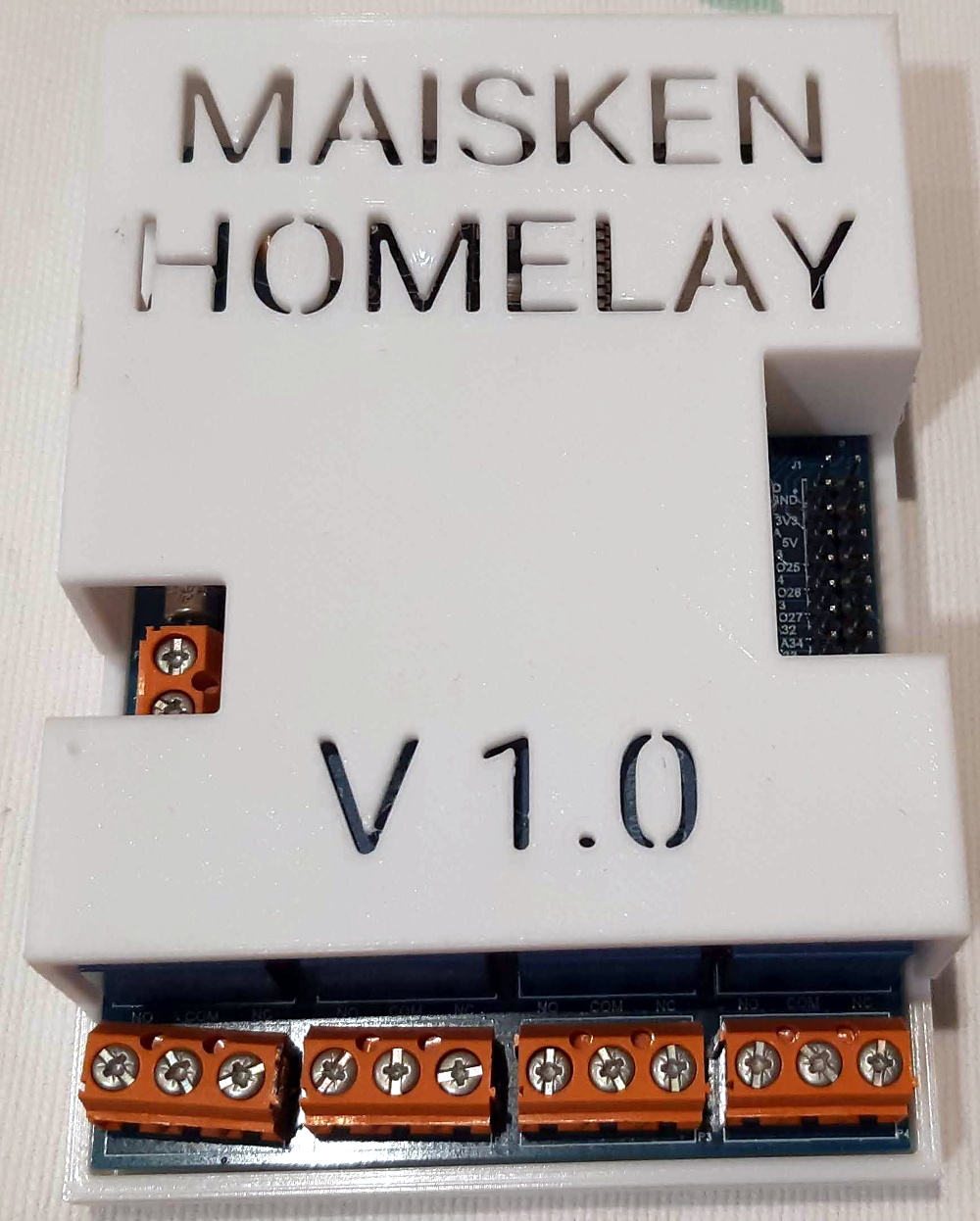
Which is why [Alfredo] created the Maisken Homelay. This device is a one-stop-shop for your home automation needs that leverages the power of the ESP32. With the microcontroller slotted into this compact PCB, you’ll be able to trigger four relays for your high current or AC loads, and still have 8 GPIOs and the I2C bus for expansion. All while retaining compatibility with existing open source projects like Home Assistant and ESPHome.

What really sets this project apart is the attention to detail. [Alfredo] has included a HLK-PM01 power supply on the board which takes mains voltage and brings it down to 5 VDC for the ESP32, so won’t need a separate power cable. He’s also taken the time to add isolation slots to separate the potential high-voltage connected to the relays from the rest of the board, added current and thermal fuses for protection, and peppered the board with screw terminals so you can easily connect everything up.

Sure you could get a simple relay board shipped to your door for a few bucks from the usual suspects. But it’s not going to offer the kind of quality of life and safety features that the Maisken Homelay has. There’s even a 3D printed enclosure available to help tidy things up.

With some of the blatantly anti-consumer decisions big-name home automation companies have been making recently, there’s more reason than ever to roll your own smart home using open source hardware and software. It still takes more effort than buying a bunch of modules from the Big Box retailer, but projects like this one are certainly starting to blur the line between consumer and DIY.

Fusing Plastic Sheets With A 3D Printer (Sort Of)

If you want to experiment with pneumatic devices, you’ll likely find yourself in need of custom inflatable bladders eventually. These can be made in arbitrary 2D shapes by using a soldering iron to fuse the edges of two plastic sheets together, but it’s obviously a pretty tedious and finicky process. Now, if only there was some widely available machine that had the ability to accurately apply heat and pressure over a large surface…

Realizing his 3D printer had all the makings of an ideal bladder fusing machine, [Koppany Horvath] recently performed some fascinating experiments to test this concept out in the real-world. Ultimately he considers the attempt to be a failure, but we think he might be being a bit too hard on himself. While he didn’t get the sheets to fuse hard enough to resist being pulled apart by hand, we think he’s definitely on the right track and would love to see more research into this approach.

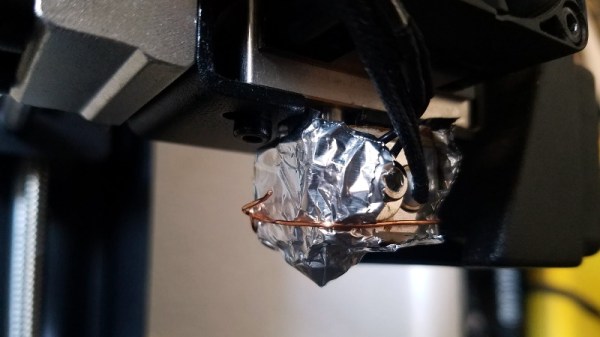
For these early tests, [Koppany] wrapped the hotend of his Monoprice Maker Select Plus with some aluminum foil, and covered the bed with a piece of cardboard. Stretched over this were two sheets of plastic, approximately 0.5 mil in thickness. Specifically, he used pieces cut from the bags that his favorite sandwiches come in; but we imagine you could swap it out for whatever bag your takeout of choice is conveyed in, assuming it’s of a similar thickness anyway.

There were problems getting the plastic pulled tight enough, but that was mostly solved with the strategic placement of binder clips and a cardboard frame. Once everything was in place, [Koppany] wrote a Python script that commanded the printer to drag the hotend over the plastic at various speeds while simultaneously adjusting the temperature. The goal was to identify the precise combination of these variables that would fuse the sheets of plastic together without damaging them.

In the end, his biggest takeaway (no pun intended) was that the plastic he was using probably isn’t the ideal material for this kind of process. While he got some decent seams at around 180 °C , the thin plastic had a strong tendency towards bunching up. Though he also thinks that a convex brass probe inserted into the hotend could help, as it would smooth the plastic while applying heat.

We’ve already seen some very promising results when using LDPE film in a CO2 laser cutter, but if a entry-level 3D printer could be modified to produce similar results, it could be a real game changer for folks experimenting with soft robotics.

Writing Android Apps In C, No Java Required

Older Android devices can be had for a song, and in many cases are still packing considerable computational power. With built in networking, a battery, and a big touch screen, they could easily take the place of a Raspberry Pi and external display in many applications. As it so happens, Google has made it very easy to develop your own Android software. There’s only one problem: you’ve got to do it in Java.

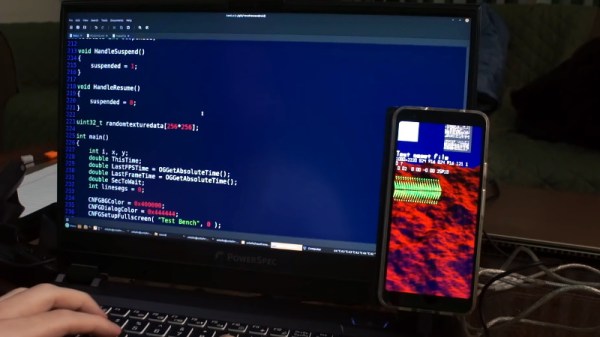
Looking to get away from all that bloat and overhead, [CNLohr] set out to see what it would take to get 100% C code running on an Android device. After collecting information and resources from the deepest and darkest corners of the Internet, he found out that the process actually wasn’t that bad. He’s crafted a makefile which can be used to get your own C program up and running in seconds.

We mean that literally. As demonstrated in the video after the break, [CNLohr] is able to compile, upload, and run a C Android program in less than two seconds with a single command. This rapid development cycle allows you to spend more time on actually getting work done, as you can iterate through versions of your code almost as quickly as if you were running them on your local machine.

[CNLohr] says you’ll still need to have Google’s Android Studio installed, so it’s not as if this is some clean room implementation. But once it’s installed, you can just call everything from his makefile and never have to interact with it directly. Even if you don’t have any problem with the official Android development tools, there’s certainly something to be said for being able to write a “Hello World” that doesn’t clock in at multiple-megabytes.

Continue reading “Writing Android Apps In C, No Java Required”

Blinkenlights For Your Parallel Port

Most modern equipment is connected over USB, and generally speaking we’re all the better for it. But that’s not to say there aren’t some advantages to using serial and parallel ports. For example, the slower and less complex protocols can be a bit easier to debug when devices aren’t communicating, which [Jeremy Cook] demonstrates in his latest project.

Looking to troubleshoot some communications problems he was having between his computer and CNC router, [Jeremy] came up with a handy little gadget that will allow him to visualize data passing through each pin of the parallel port in real-time. Even from across the room he can tell at a glance if communication is active, and with a keen eye, determine if he’s getting bi-directional traffic or not.

From a technical standpoint, this is a pretty simple project. The custom PCB is essentially just a pass-through, with an array of 3 mm LEDs and matching 10K resistors hanging off the data lines. But [Jeremy] found it to be an excellent excuse to brush up his KiCad skills. As he explains in the video after the break, this project certainly won’t impress the folks that do PCB design on a daily basis; but if you’re still learning the ropes, these are precisely the kind of projects you should be looking for.

Before any of you say it in the comments, we already know devices like this are available commercially for a few bucks. But that’s hardly the point. Things would be awfully slow around these parts if we disregarded any project that had a commercial alternative.

Continue reading “Blinkenlights For Your Parallel Port”