Defective 3D Printing For Great Strength

Most of us want our 3D prints to be perfect. But at Cornell University, they’ve been experimenting with deliberately introducing defects into printed titanium. Why? Because using a post-print treatment of heat and pressure they can turn those defects into assets, leading to a stronger and more ductile printed part.

The most common ways to print metal use powders melted together, and these lead to tiny pores in the material that weaken the final product. Using Ti-6Al-4V, the researchers deliberately made a poor print that had more than the usual amount of defects. Then they applied extreme heat and pressure to the resulting piece. The pressure caused the pores to close up, and changed the material’s internal structure to be more like a composite.

Reports are that the pieces treated in this way have superior properties to parts made by casting and forging, much less 3D printed parts. In addition, the printing process usually creates parts that are stronger in some directions than others. The post processing breaks that directionality and the finished parts have equal strength in all directions.

The hot isostatic pressing (HIP) process isn’t new — it is commonly used in metal and ceramic processing — so this method shouldn’t require anything more exotic than that. Granted, even cheap presses from China start around $7,000 and go way up from there, but if you are 3D printing titanium, that might not be such a big expenditure. The only downside seems to be that if the process leaves any defects partially processed, it can lead to fatigue failures later.

We wonder if this development will impact all the car parts being printed in titanium lately. If you need something to print in titanium, consider hacking your rib cage.

Art of 3D printer in the middle of printing a Hackaday Jolly Wrencher logo

3D Printering: Water-Cooled Hotends

There’s an old joke about the Thermos bottle that keeps things hot and cold, so someone loaded it with soup and ice cream. That joke is a little close to home when it comes to FDM 3D printers.

You want to melt plastic, of course, or things won’t print, so you need heat. But if the plastic filament gets hot too early, it will get soft, expand, and jam. Heat crawling up the hot end like this is known as heat creep and there are a variety of ways that hot ends try to cope with the need to be hot and cold at the same time. Most hotends today are air-cooled with a small fan. But water-cooled hotends have been around for a while and are showing up more and more. Is it a gimmick? Are you using, planning to use, or have used (and abandoned) water cooling on your hot end?

Heat Break

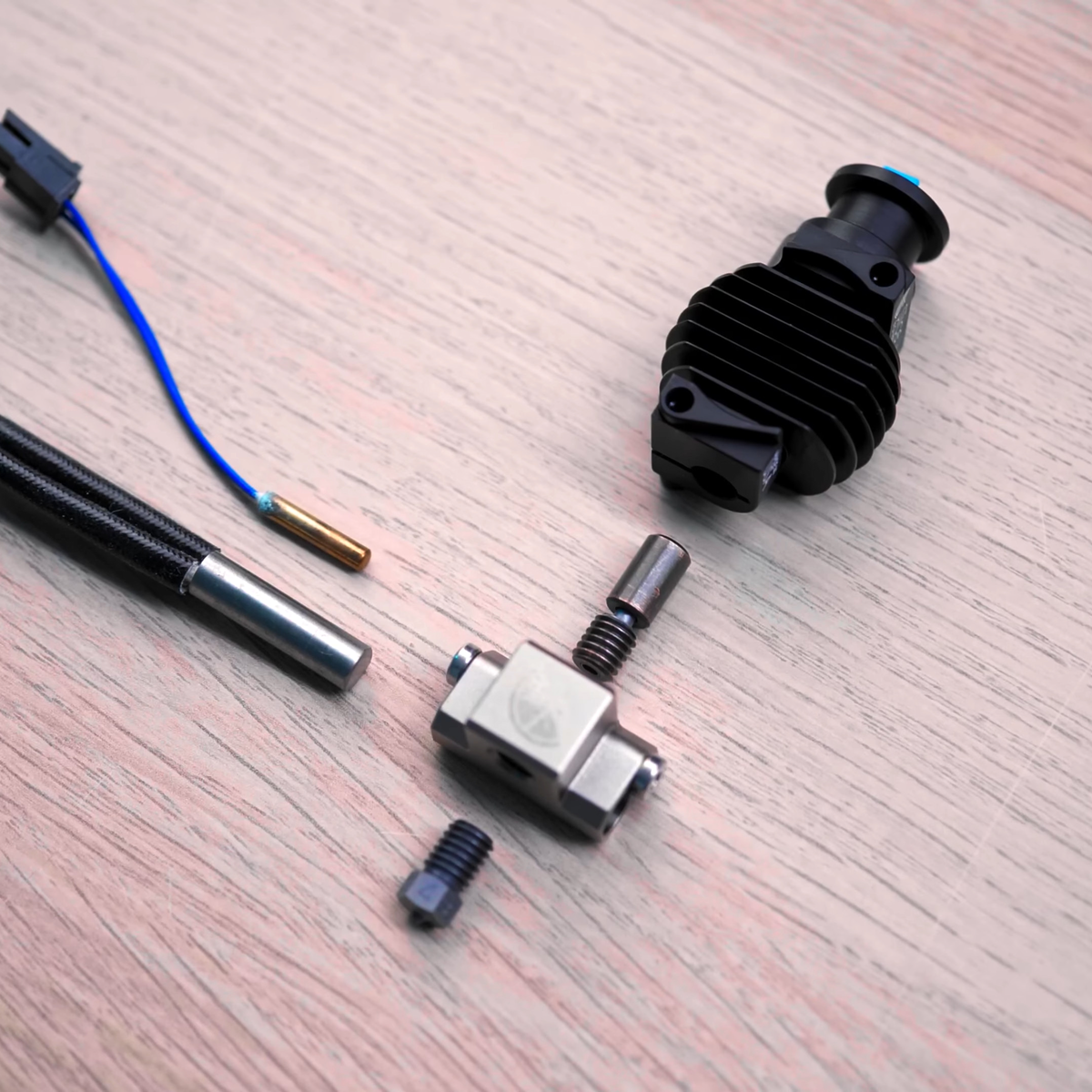
The most common method is to use a heat-break between the heating block and the rest of the filament path. The heat-break is designed to transfer as little heat as necessary, and it usually screws into a large heat sink that has a fan running over it. What heat makes it across the break should blow away with the fan cooling.

From Thomas Sanladerer’s review of the Copperhead hotend. Heat break in the middle.

High tech solutions include making heat-breaks out of titanium or even two dissimilar metals, all with the aim of transferring less heat into the cooler part of the hot end. More modern hot ends use support structures so the heatbreak doesn’t need mechanical rigidity, and they can make very thin-walled heatbreaks that don’t transmit much heat. Surely, then, this is case closed, right? Maybe not.

While it is true that a standard heat-break and a fan can do the job for common 3D printing tasks, there can be problems. First, if you want to print fast — time is money, after all — you need more power to melt more filament per second. If a heatbreak transfers 10% of the heat, this increases demands on the upstream cooling. Some engineering materials want to print at higher temperatures, so you can have the same problem there as well. If you want to heat the entire print chamber, which can help with certain printing materials, that can also cause problems since the ambient air is now hotter. Blowing hot air around isn’t going to cool as effectively. Not to mention, fans that can operate at high temperatures are notoriously expensive.

There are other downsides to fans. Over a long print, a marginal system might eventually let enough heat creep up. Then there’s the noise of a fan blowing during operation. True, you probably have other fans and noisy parts, but it is still one more noise source. With water cooling, you can move the radiator outside a heated enclosure and use larger, slower, and quieter fans while getting more cooling right where you want it. Continue reading “3D Printering: Water-Cooled Hotends”

Power For Nothing And Your Kicks For Free

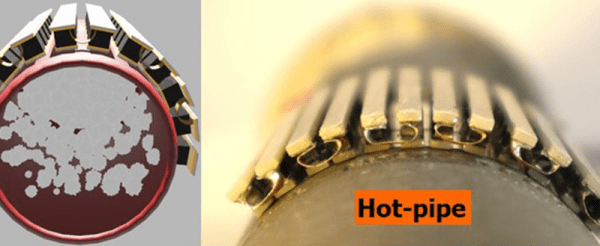
We all know that you can convert heat into electricity. Usually, you do that with some form of steam, but there are other methods, too, including thermocouples. If you’ve ever seen something producing waste heat, you’ll appreciate Penn State’s work to harvest power from hot pipes. The idea is simple in theory: create a flexible thermoelectric generator that can wrap around hot pipes or other surfaces to gather otherwise lost heat. The full (paywalled) paper is also available.

The devices can produce up to 150% more power per unit area compared to other thermoelectric generators. A three-square-inch test device produced over 50 watts. Scale that up to an industrial pipe hundreds of feet long, and you could create some serious power. To accomplish this, the scientists used strips of six thermocouples and connected them for a total of 72 thermocouples. Liquid metal between layers improved the device’s performance.

This isn’t a totally new idea. Russia was famous for making radios in the 1950s that operated using a generator that went around the flue of a kerosene lamp. Since the Russians were pulling this off in the 1950s, converting heat into electricity is obviously nothing new. Of course, your body creates heat, too, so why not use that?

3D Printer Showdown: $350 Consumer Vs $73,000 Pro Machine

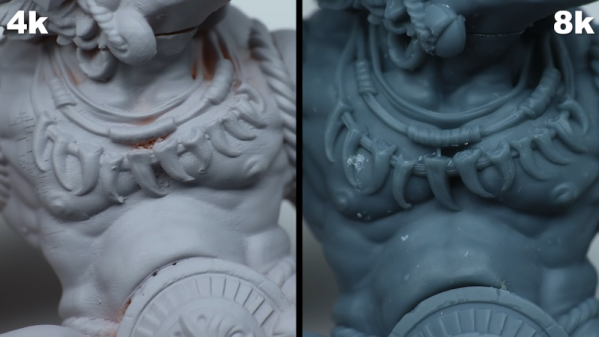
The quality of consumer-grade 3D printing has gone way up in recent years. Resin printers, in particular, can produce amazing results and they get less expensive every day. [Squidmar] took a miniature design and printed it (or had it printed) on some cheap resin printers and a 65,000 Euro DWS029. How much difference could there be? You can see for yourself in the video below.

We were surprised at the specs for the more expensive machine. It does use a solid-state laser, but for that cost, the build volume is relatively small — around 15 x 15 x 10 cm. There were actually five prints created on four printers. Three were on what we think of as normal printers, one was on the 65,000 Euro machine, and the fifth print was on a 10,000 Euro printer that didn’t look much different from the less expensive ones.

Of course, there is more to the process than just the printer. The resin you use also impacts the final object. The printers tested included a Phrozen 4K Mini, a Phrozen 8K Mini,  a Solos Pro, and the DWS 029D. The exact resins or materials used was hard to tell in each case, so that may have something to do with the comparisons, too.

Do you get what you pay for? Hard to say. The 8K and Solos were neck-and-neck with some features better on one printer and some better on the other. The DWS029D did perform better, but was it really worth the increase in price? Guess it depends on your sensitivity. The 8K printer did a very credible job for a fraction of the cost. Of course, some of that could have been a result of the materials used, too, but it does seem likely that a very expensive dental printer ought to do better than a hobby-grade machine. But it doesn’t seem to do much better.

The DWS printer uses a laser, while most hobby printers use UV light with an LCD mask. We’ve seen low-end resin printers on closeout for around $100 and you can get something pretty nice in the $200 neighborhood. In between these two extremes are printers that use Digital Light Processing (DLP).

Continue reading “3D Printer Showdown: $350 Consumer Vs $73,000 Pro Machine”

Acoustic Switching Transistors: A New Kind Of Electronics?

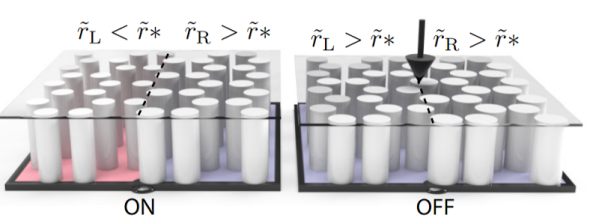
Have you ever heard of topological insulators? These are exotic materials where electricity flows only on the surface with very little loss. Now, according to IEEE Spectrum, scientists at Harvard have used the same concept to create a transistor for sound waves and it may be a new branch of electronics. The actual paper is available if you want some light reading.

Apparently, topological insulators protect electrons moving along their surfaces and edges, something that won the 2016 Nobel Prize in Physics. Photons can also be protected topologically so they move with very little loss across the materials. Making electrons flow in this manner is an attractive proposition, but there are challenges, especially when creating a device that can switch the flow of electrons on and off as you might with a transistor in and out of saturation. Sound waves, however, are much easier to work with.

Continue reading “Acoustic Switching Transistors: A New Kind Of Electronics?”

Shelf Actualization

If you are old enough, you may remember that, for a time, almost every year was the year that home video was going to take off. Except it never was, until VHS tape machines appeared. We saw something similar with personal computers. Nowadays, we keep hearing about the home robot, but it never seems to fully materialize or catch on. If you think about it, it could be a problem of expectations.

What we all want is C3PO or Rosie the Robot that can do all the things we don’t want to do. What we usually get is something far less than that. You either get something hideously expensive that does a few tasks or something cheap that is little more than a toy.

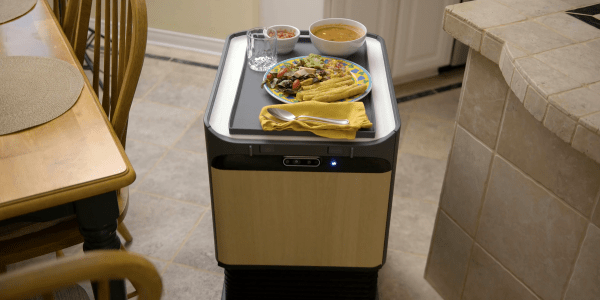
Labrador Systems is trying to hit the middle ground. While no one would confuse their Caddie and Retriever robots with C3PO, they are useful but also simple, presumably to keep the cost down which are expected to cost about $1,500. The robots have been described as “self-driving shelves.” You can watch a video about the devices below.

Continue reading “Shelf Actualization”

Tiny CNC Cuts The Metal

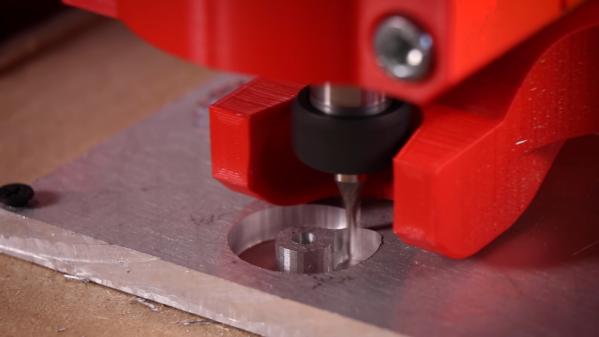
We’re no strangers to [Ivan]’s work and this time he’s building a relatively small CNC machine using extrusion, 3D printed parts, and a Makita router. The plans are available at a small cost, but just watching the accelerated build is fascinating.

You might think you could just attach something to an existing 3D printer frame that cuts like a Dremel tool. You can do that, but for most purposes, you need something stiffer than most desktop printers. You can see how solid this build is with multiple extrusions forming the base and very rigid axes.

Judging from the video, the machine made short work of some aluminum plate. Of course, some of that is in the choice of tool, but it appears the machine is stable enough to hold the workpiece and the tool stable to allow this sort of service. [Ivan] says the machine cost him about 600 Euro ($670 USD) and you need a printer that can create parts as large as 180 x 180 mm.

There are quite a few similar mostly 3D printed machines on Thingiverse, including some that have been through multiple versions. If you have an old 3D printer sitting around for parts, you may have nearly everything you need if you add some printed parts, presumably from your new printer.

We’ve seen plenty of CNC builds if you want to pick and choose your own design. Depending on your expectations, it doesn’t have to be an expensive project.

Continue reading “Tiny CNC Cuts The Metal”