Checking In On Low-Cost CNC Machines

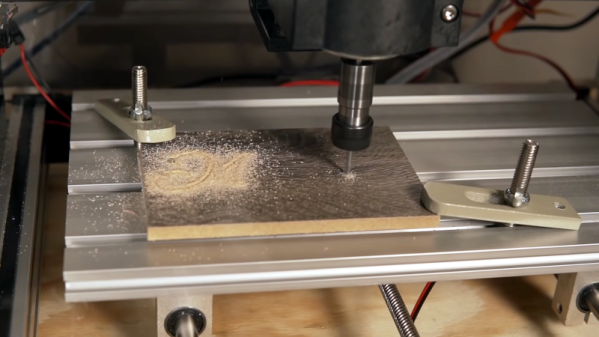
Low cost 3D printers have come a long way in the last few years, but have entry-level CNC machines improved by the same leaps and bounds? That’s what [ModBot] recently set out to find. Despite getting burned pretty badly on a cheap CNC a few years back, he decided to try again with a sub $400 machine from FoxAlien. You can see his full review after the break.

The machine looks very similar to other generic CNC machines you see under many brand names, sometimes for a good bit less. The 3018 number is a giveaway that the work area is 30×18 cm and a quick search pulled up several similar machines for just a bit more than $200. The FoxAlien did have a few nice features, though. It has a good-looking build guide and an acrylic box to keep down the shaving debris in your shop. There are also some other nice touches like a Z-axis probe and end stops. If you add those items to the cut-rate 3018 machines, the FoxAlien machine is pretty price competitive when you buy it from the vendor’s website. The Amazon page in the video shows $350 which is a bit more expensive but does include shipping.

As with most of these cheap CNC machines, one could argue that it’s more of an engraver than a full mill. But on the plus side, you can mount other tools and spindles to get different results. You can even turn one of these into a diode laser cutter, but you might be better off with something purpose-built unless you think you’ll want to switch back and forth often.

This reminded us of a CNC we’ve used a lot, the LinkSprite. It does fine for about the same price but we are jealous of the enclosure. Of course, half the fun of owning something like this is hacking it and there are plenty of upgrades for these cheap machines.
Laser Etching Stainless Steel With Mustard

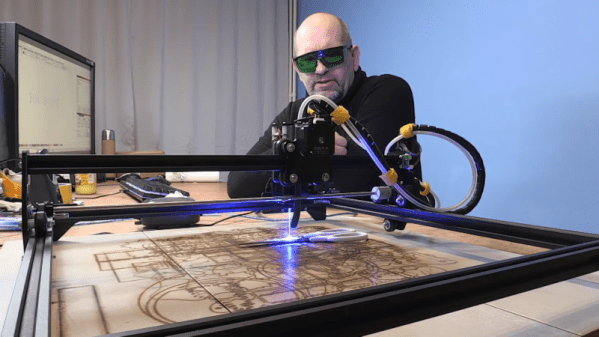
[Brain] wanted to mark some scissors with his Ortur laser engraver. The problem? The laser won’t cut into the hard metal of the scissors. His solution? Smear the scissors with mustard. No kidding. We’ve heard of this before, and apparently, you can use vinegar, as well, but since the mustard is a paste it is easier to apply. You can see the result in the video, below.

In case you think you don’t need to watch because we’ve already told you the trick, you should know that [Brian] also goes into a lot of detail about preparing single line fonts to get a good result, among a few other tips like improvements to his air assist setup. On a laser cutter, the air assist blows away charred material leaving a clear field of view between the laser and the remaining uncut material. Using a proper air assist can really expand the capabilities of these inexpensive laser cutters — something we recently saw upgraded with a 3D-printed air assist nozzle.

You can buy a commercial marking solution called CerMark Black, but you probably already have mustard. If you are super cheap, you can probably pick up a packet next time you buy a burger somewhere. After all, you don’t need much. Although the video talks about the Ortur, this technique would work with any engraver. We’ve also heard you can do something similar with plaster and alcohol.

Continue reading “Laser Etching Stainless Steel With Mustard”

Metal Plating Plastic Or Metal Parts

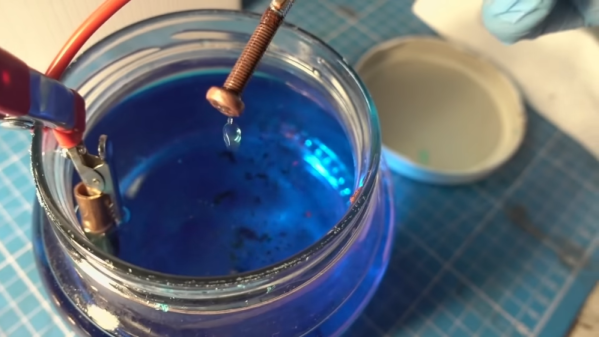
Like most of us, [Clem] wants to 3D print in metal. Metal 3D printers do exist, but they are generally way out of reach for most of us garage hackers. As an alternative, [Clem] uses a homebrew electroplating system to get prints with a metallic coating.

The setup is quite simple. Small glass jars to act as the plating tanks and the machine uses an Arduino controller along with a PCB to hold things like a relay to control the 24V used for electroplating. To keep everything tidy, [Clem] designed a 3D printed box that stores all the cables and chemicals when you aren’t using them. Since the parts might get hot, the plastic is PETG.

The trick is that parts need to be conductive in order to use electroplating — typically plastic isn’t conductive. [Clem] paints the plastic parts to grant them conductivity. Graphite paint didn’t give great results. However, an iron-based paint worked better but obscures detail on the print. In addition to galvanization (plating with zinc or steel) you can see copper plating of a nail at around the 12 minute mark, with a plastic plating demo a minute later. The machine can even plate gold using an expensive gold-bearing electrolyte. In the video comments, someone also mentioned that it would be interesting to try plating conductive filament without using the paint. [Clem] tried to remove rust from a big part, but the power supply wasn’t up to the task.

Copper plating is often used as a step to make a part conductive so you can then plate with another metal. In addition to copper sulfate, you can use copper acetate. Sometimes, getting metal into fine details can be tough and it is easier to use a pen to plate those areas directly.

Continue reading “Metal Plating Plastic Or Metal Parts”

Solar Flares And Radio Communications — How Precarious Are Our Electronics?

On November 8th, 2020 the Sun exploded. Well, that’s a bit dramatic (it explodes a lot) — but a particularly large sunspot named AR2781 produced a C5-class solar flare which is a medium-sized explosion even for the Sun. Flares range from A, B, C, M, and X with a zero to nine scale in each category (or even higher for giant X flares). So a C5 is just about dead center of the scale. You might not have noticed, but if you lived in Australia or around the Indian Ocean and you were using radio frequencies below 10 MHz, you would have noticed since the flare caused a 20-minute-long radio blackout at those frequencies.

According to NOAA’s Space Weather Prediction Center, the sunspot has the energy to produce M-class flares which are an order of magnitude more powerful. NOAA also has a scale for radio disruptions ranging from R1 (an M1 flare) to R5 (an X20 flare). The sunspot in question is facing Earth for the moment, so any new flares will cause more problems. That led us to ask ourselves: What if there were a major radio disruption?

Continue reading “Solar Flares And Radio Communications — How Precarious Are Our Electronics?”

More 3D Printed IKEA Hacks Make Life Better

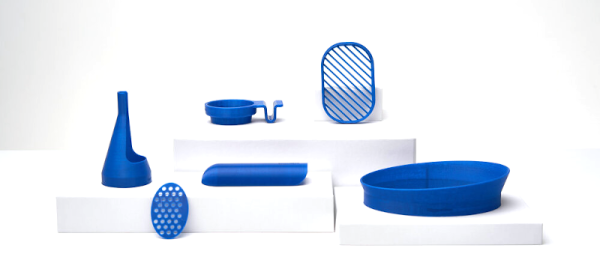
There’s an old joke that the CEO of IKEA is running to be Prime Minister of Sweden. He says he’ll be able to put together his cabinet in no time. We don’t speak Swedish, but [Adam Miklosi] tells us that the word “uppgradera” means “upgrade” in Swedish. His website, uppgradera.co has several IKEA upgrade designs you can 3D print.

There are currently six designs that all appear to be simple prints that have some real value. These are all meant to attach to some IKEA product and solve some consumer problem.

For example, the KL01 is a cup holder with a clip that snaps into the groove of a KLIPSK bed tray. Without it, apparently, your coffee mug will tend to slide around the surface of the tray. The CH01 adds a ring around a cheese grater. There are drains for a soap dish and a toothbrush holder, shoulder pads for coat hangers, and a lampshade.

We worry a little about the safety of the cheese grater and the toothbrush because you will presumably put the cheese and the toothbrush into your mouth. Food safe 3D printing is not trivial. However, the other ones look handy enough, and we know a lot of people feel that PLA is safe enough for things that don’t make a lot of contact with food.

Honestly, none of these are going to change your life, but they are great examples of how simple things you can 3D print can make products better. People new to 3D printing often seem to have unrealistic expectations about what they can print and are disappointed that they can’t easily print a complete robot or whatever. However, these examples show that even simple designs that are easily printed can be quite useful.

If you don’t have a printer, it looks like as though site will also sell you the pieces and they aren’t terribly expensive. We don’t know why IKEA invites so many hacks, but even they provide 3D printer files to improve the accessibility of some products.

High Tech Photos Capture Snowflakes Like Never Before

Microscopy used to be a rarity in the hobby electronics world. But anyone doing lab work has always needed a microscope and with today’s tiny parts, it is almost a necessity. However, [Nathan Myhrvold] didn’t use an ordinary microscope to capture some beautiful snowflake pictures. According to [My Modern Met], the pictures are the highest resolution snowflake pictures ever taken.

Of course, the site is more interested in the visual aspect of it, but they did provide some clues about the tech behind the pictures. According to the site:

Myhrvold used a special camera of his own design. He combined the magnifying power of a microscopic lens.. with a specially designed optical path. This path allowed the lens to channel its image to a medium-format digital sensor… In addition, the camera featured a cooling stage upon which the tiny specimens could rest. With LED short-pulse lights and a shutter speed of less than 500 microseconds, Myhrvold was able to capture multiple images of each snowflake at different focal lengths. These images were then stacked to create the final image.

Continue reading “High Tech Photos Capture Snowflakes Like Never Before”

Think Your Laptop Is Anemic? Try An MSDOS One

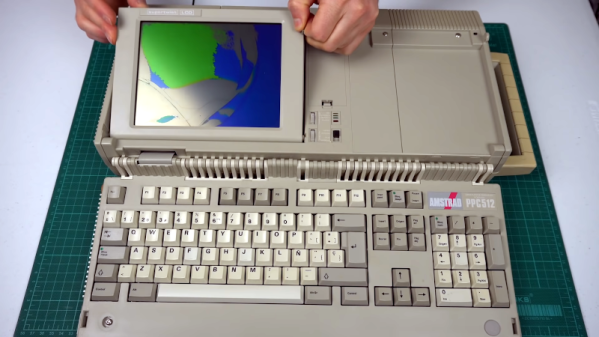
If someone gifted you a cheap laptop this holiday season, you might be a little put out by the 2GB of RAM and the 400 MHz CPU. However, you might appreciate it more once you look at [Noel’s Retro Lab’s] 4.8 Kg Amstrad PPC512 He shows it off inside and out in the video below.

Unlike a modern laptop, this oldie but goodie has a full keyboard that swings out of the main body. The space below the keyboard contains the LCD screen, which [Noel] is going to have to replace with an LCD from another unit that was in worse shape but had a good-looking screen. In this video, he gets as far as getting video output to an external monitor, but neither LCD shows any sign of life. But he’s planning more videos soon.

Continue reading “Think Your Laptop Is Anemic? Try An MSDOS One”