The Bus That’s Not A Bus: The Joys Of Hacking PCI Express

PCI Express (PCIe) has been around since 2003, and in that time it has managed to become the primary data interconnect for not only expansion cards, but also high-speed external devices. What also makes PCIe interesting is that it replaces the widespread use of parallel buses with serial links. Instead of having a bus with a common medium (traces) to which multiple devices connect, PCIe uses a root complex that directly connects to PCIe end points.

This is similar to how Ethernet originally used a bus configuration, with a common backbone (coax cable), but modern Ethernet (starting in the 90s) moved to a point-to-point configuration, assisted by switches to allow for dynamic switching between which points (devices) are connected. PCIe also offers the ability to add switches which allows more than one PCIe end point (a device or part of a device) to share a PCIe link (called a ‘lane’).

This change from a parallel bus to serial links simplifies the topology a lot compared to ISA or PCI where communication time had to be shared with other PCI devices on the bus and only half-duplex operation was possible. The ability to bundle multiple lanes to provide less or more bandwidth to specific ports or devices has meant that there was no need for a specialized graphics card slot, using e.g. an x16 PCIe slot with 16 lanes. It does however mean we’re using serial links that run at many GHz and must be implemented as differential pairs to protect signal integrity.

This all may seem a bit beyond the means of the average hobbyist, but there are still ways to have fun with PCIe hacking even if they do not involve breadboarding 7400-logic chips and debugging with a 100 MHz budget oscilloscope, like with ISA buses.

Continue reading “The Bus That’s Not A Bus: The Joys Of Hacking PCI Express”

Transmit Your Gaze To This Fiber Optic LED Lamp

Call us easily amused, but we think it’s pretty amazing what can be done with a microcontroller, some RGB LEDs, and a little bit of plastic. Case in point is [andrei.erdei]’s beautiful and quite approachable fiber optic LED lamp. It’s a desktop-friendly version of a similar piece [andrei] made that is roughly nine times the size of this one and hangs on the wall. The build may be simple, but the product is intricately lovely.

We really like the visual density of this lamp — it’s just the right amount of tubes and strikes a balance between being too sparse and too chaotic. As you might expect, there’s an Arduino and some RGB LED strips involved. But the key to this build is in the 16 pieces of side-glow plastic fiber optic tubing. Side-glow is designed to let light escape along the length of the tube as opposed to end-glow, which is made to minimize light loss from one end to the other like a data pipe. This allows for all sorts of fun effects, and you can watch [andrei.erdei] go slowly and soothingly through the different colors and modes in the demo video after the break. Make sure you watch long enough to see the tubes move like the old Windows 3D pipes screensaver

Already have too many knickknacks and wall hangings? You’re missing out on prime real estate — the ceiling. Check out this fiber optic ceiling installation that reacts to music.

Continue reading “Transmit Your Gaze To This Fiber Optic LED Lamp”

Machine Learning In The Kitchen Makes For Tasty Mashup Desserts

What did you do during lockdown? A whole lot of people turned to baking in between trips to the store to search for toilet paper and hand sanitizer. Many of them baked bread for some reason, but like us, [Sara Robinson] turned to sweeter stuff to get through it.

The first Cakie ever made. Image via Google Cloud

Her pandemic ponderings wandered into the realm of baking existentialist questions, like what separates baked goods from each other, categorically speaking? What is the science behind the crunchiness of cookies, the sponginess of cake, and the fluffiness of bread?

As a developer advocate for Google Cloud, [Sara] turned to machine learning to figure out why the cookie crumbles. She collected 33 recipes each of cookies, cake, and bread and built a TensorFlow model to analyze them, which resulted in a cookie/cake/bread lineage for each recipe in a set of percentages. Not only was the model able to accurately classify recipes by type, [Sara] was able to use the model to come up with a 50/50 cookie-cake hybrid recipe. The AI delivered a list of ingredients to which she added vanilla extract and chocolate chips for flavor. From there, she had to wing it and come up with her own baking directions for the Cakie.

Continue reading “Machine Learning In The Kitchen Makes For Tasty Mashup Desserts”

A USB-PD Laptop Conversion In Extreme Detail.

With USB-PD slowly making wall wart power supplies obsolete and becoming the do-it-all standard for DC power, it’s a popular conversion to slap an off-the-shelf USB-PD module in place of the barrel jack in a laptop. Not when it comes to [jakobnator] though, who fitted his Dell with an upgrade lovingly and expertly crafted for both electrical and mechanical perfection.

The video that you can find below the break is a long and detailed one, but in that detail lies touches that set the conversion apart from the norm. We’re treated to a full-run-down of USB-PD module design and chip programming, and then the mechanics of the 1-wire chip through which the Dell ties itself in with only Dell power supplies. Programming this chip in particular is something of a challenge.

It’s the mechanical design that sets this one apart. He started with an odd-shaped space that had contained the barrel jack socket and a ferrite choke, and designed a PCB to fit it exactly. 3D-printing a model to check for fit is attention to detail at the stratospheric level. The result is a fit that looks almost as though it was part of the original manufacture, and which should keep the laptop useful for years to come.

This may be the most elegant USB-C laptop conversion we’ve seen, but it’s not the only one.

Continue reading “A USB-PD Laptop Conversion In Extreme Detail.”

Manual Pick And Place Turntable Makes Board Assembly Easier

Surface mount devices were once upon a time considered a huge imposition for the electronics hobbyist. Tiny, difficult to solder by hand, and barely even labelled, many wondered whether the pastime was about to hit a brick wall entirely. Instead, enterprising hackers and makers set about learning new tricks and techniques to work with the technology, and we’ve never looked back since. [Seon] is one such enthusiast, and has built a useful turntable for making manually picking and placing boards easier. (Video, embedded below.)

The design is something [Seon] has refined gradually over time, having built two initial versions of the turntable before finally feeling ready to do a wider public release with version 3. It consists of a rotating caddy that has radial slots that hold all the tiny SMD parts, that can be labelled for easy parts identification. There’s also an acrylic window that ensures only one segment of the caddy is open at a time, to avoid accidentally dropping similar, tiny looking parts into adjacent slots – a big improvement over the first design. There’s then a smaller rotating central pad upon which a PCB can be placed, ready to receive parts.

Files are available on Github for those wanting to build their own. [Seon] does a great job explaining how the final design came about, after populating hundreds of boards on his earlier designs and learning their limitations. If doing it by hand just doesn’t cut it for you, though, you can always built a fully automated PnP.

Continue reading “Manual Pick And Place Turntable Makes Board Assembly Easier”

Youngster’s ESP32 Jukebox Uses RFID To Queue Tunes

Though kids today have an incredible knack for figuring out modern phones and tablets, there’s still something to be said for offering a simple physical user interface for little hands. To that end, [Martin Hierholzer] has put together a whimsical jukebox that his two year old daughter can use to listen to her favorite songs. With just a few simple buttons, no display to read, and the ability to stop and start songs using RFID tags embedded into 3D printed figures, it’s a perfect interface for tiny humans just getting the hang of interacting with technology.

While the Raspberry Pi might have been the more obvious choice to base this project around, [Martin] decided to go the ESP32 route for improved energy efficiency. The popular microcontroller is more than powerful enough to play MP3s, and its integrated WiFi connectivity allows the player to download new tracks from the network occasionally. He added a micro SD slot to provide some mass storage, a PCM5102 I2S DAC with a PAM8403 amplifier to handle the audio side of things, and a MFRC522 RFID receiver that can pick up tags placed on the top of the player. Power is provided by parts salvaged from a USB battery bank, and everything is housed on a custom PCB.

The relatively low power requirements of the ESP32 means the jukebox can keep the party going for many hours (perhaps even days) when in active use. When the RFID token is removed and there are no songs to play, some clever coding kicks the chip into low-power mode to greatly extend the player’s standby time. [Martin] says it can sleep for months without having to be recharged, and considering some of the impressive feats of battery-sipping we’ve previously seen from the ESP32, we don’t doubt it.

Even if you don’t have any young music lovers at home, the documentation [Martin] has put together for this project is absolutely worth a look. Whether its how he configures the server side to push songs and firmware updates to the player, how he wrangled the ESP32’s Ultra-Low Power coprocessor (ULP), or the woodworking tips used to produce the charming enclosure, you’re sure to pick up a trick or two.

The children of hackers and makers always seem to get the coolest stuff, and we’re looking forward to seeing what [Martin] comes up with next. After all, kids grow up fast and pretty soon his daughter is going to need something new to entertain her.

Building A 60s Toy The Way It Should Have Been

The original Hasbro “Think-a-Tron”, a toy from the dawn of the computer revolution, was billed with the slogan, “It thinks! It answers! It remembers!” It, of course, did only one of these things, but that didn’t stop the marketers of the day from crushing the hopes and dreams of budding computer scientists and their eager parents just to make a few bucks. It’s not like we’re bitter or anything — just saying.

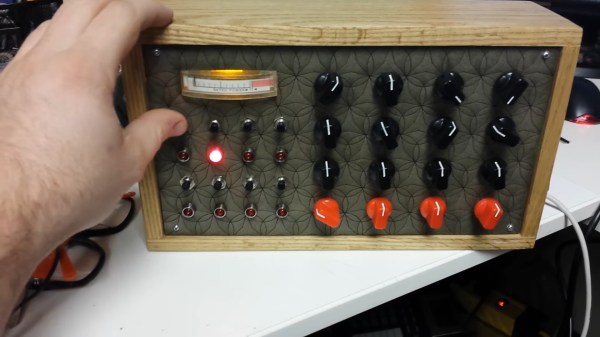
In an effort to right past wrongs, [Michael Gardi] rebuilt the 1960s “thinking machine” toy with modern components. The original may not have lived up to the hype, but at least did a decent job of evoking the room-filling computers of the day is a plastic cabinet with a dot-matrix-like display. The toy uses “punch-cards” with printed trivia questions that are inserted into the machine to be answered. A disk with punched holes spins between a light bulb and the display lenses, while a clever linkage mechanism reads the position of a notch in the edge of the card and stops the wheel to display the letter of the correct answer.

[Michael]’s update to the Think-aTron incorporates what would have qualified as extraterrestrial technology had it appeared in the 1960s. A 35-LED matrix with a 3D-printed diffuser and case form the display, with trivia questions and their answer as a QR code standing in for the punch-cards.He also added a pair of user consoles, so players can lock-in and answer before an ESP32-Cam reads the QR code and displays the answer on the LED matrix, after playing some suitable “thinking music” through a speaker.

As usual with [Michael]’s retrocomputing recreations, the level of detail here is fantastic. We especially like the custom buttons; controls like these seem to be one of his specialties judging by his slide switches and his motorized rotary switch.

Continue reading “Building A 60s Toy The Way It Should Have Been”