Commodore 64 Mini Man Makes Matching Mini Monitor

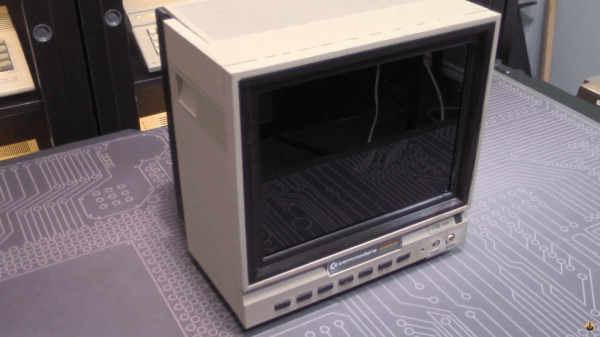
While putting together a retro computer is a great project and can teach a lot about the inner workings of electronics, hooking that 70s- or 80s-era machine up to a modern 144 Hz 1440p display tends to be a little bit anticlimactic. To really recreate the true 8-bit experience it’s important to get a CRT display of some sort, but those are in short supply now as most are in a landfill somewhere now. [Tony] decided to create a hybrid solution of sorts by 3D printing his own Commodore replica monitor for that true nostalgia feel.

This build is a matching mini scale replica of the Commodore 1702 monitor, a color monitor produced by Commodore specifically for their machines. At the time it was top-of-the-line and even included an early predecessor of the S-Video method of video signalling. This monitor was modeled in Fusion 360 and then sent to the 3D printer for assembly, then populated with a screen with a period-correct 4:3 aspect ratio, required electronics for handling the Commodore’s video signal, and even includes an upgrade over the original monitor: stereo speakers instead of the single-channel speaker that was featured in the 80s.

While this monitor doesn’t use a CRT, it’s an impressive replica nonetheless, right down to the Commodore serial number sticker on the back. If you need a Commodore 64 to go along with it, there are plenty of possibilities available to consider like this emulated C64 on a Raspberry Pi or these refurbished OEM Commodores.

Continue reading “Commodore 64 Mini Man Makes Matching Mini Monitor”

Targeting Rivers To Keep Plastic Pollution Out Of The Ocean

Since the widespread manufacture of plastics began in earnest in the early 1950s, plastic pollution in the environment has become a major global problem. Nowhere is this more evident than the Great Pacific Garbage Patch. A large ocean gyre that has become a swirling vortex full of slowly decaying plastic trash, it has become a primary target for ocean cleanup campaigns in recent years.

However, plastic just doesn’t magically appear in the middle of the ocean by magic. The vast majority of plastic in the ocean first passes through river systems around the globe. Thanks to new research, efforts are now beginning to turn to tackling the issue of plastic pollution before it gets out to the broader ocean, where it can be even harder to clean up.
Continue reading “Targeting Rivers To Keep Plastic Pollution Out Of The Ocean”

Cyberplotter Uses Multiple Tools To Great Success

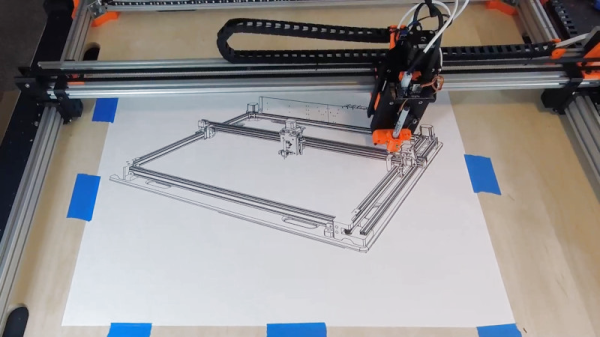
The CNC bug is a familiar ailment in these parts. Often, patients present with persistent obsession with computer controlled machinery, most commonly after initial contact with gateway hardware such as 3D printers or basic plotters. Once diagnosed, there is no cure – simply the desire to build, and build again. [Adam Haile] knows this all too well, and built the Cyberplotter in service to the affliction. 

The Cyberplotter is the culmination of [Adam]’s CNC wishlist – a two-axis build with a seriously large build area, and the capability to mount a whole bunch of different tools for different jobs. With a work area of up to 800mm x 750mm depending on what’s mounted, it can produce some seriously big output. With a Smoothieboard 5X running the show, [Adam] does all kinds of neat hacks to make the system play with different gadgets on the business end. There’s a laser for engraving, and a top-notch pen plotter featuring a high-quality linear rail for precise movement. But the fun doesn’t stop there – [Adam] goes so far as mounting a Z-axis, camera, and even a Sharpie-based airbrush which we’d never even contemplated before.

It’s not [Adam]’s first build, and past experience shines through here – armed with prior knowledge, the build does many things well without compromising on outright capability. You may find [Adam]’s name familiar – we’ve featured his Engravinator on these pages before. Video after the break.

Continue reading “Cyberplotter Uses Multiple Tools To Great Success”

Roll Your Own Heelys

Remember Heelys, the shoes with wheels in the heels? Just lift up your toes, and away you go. We were at least ten or fifteen years older than the target demographic, but got a pair anyway just to please our inner child and have some fun. Young kids would wear them everywhere and zip around inside stores to the annoyance of everyone but other young kids. We imagine some shopkeepers got to the point where they could spot the things as they walked in the door and nipped the skating party in the bud.

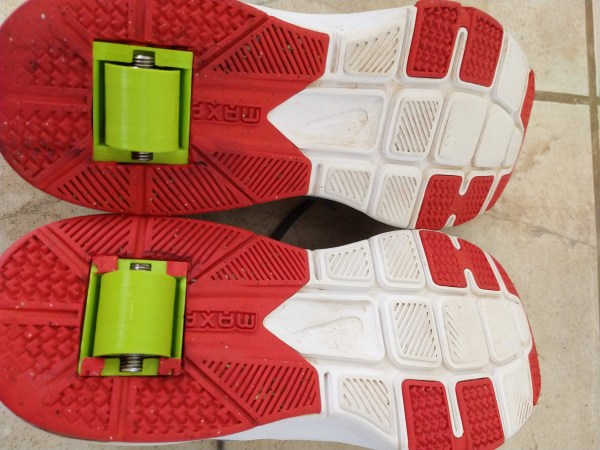
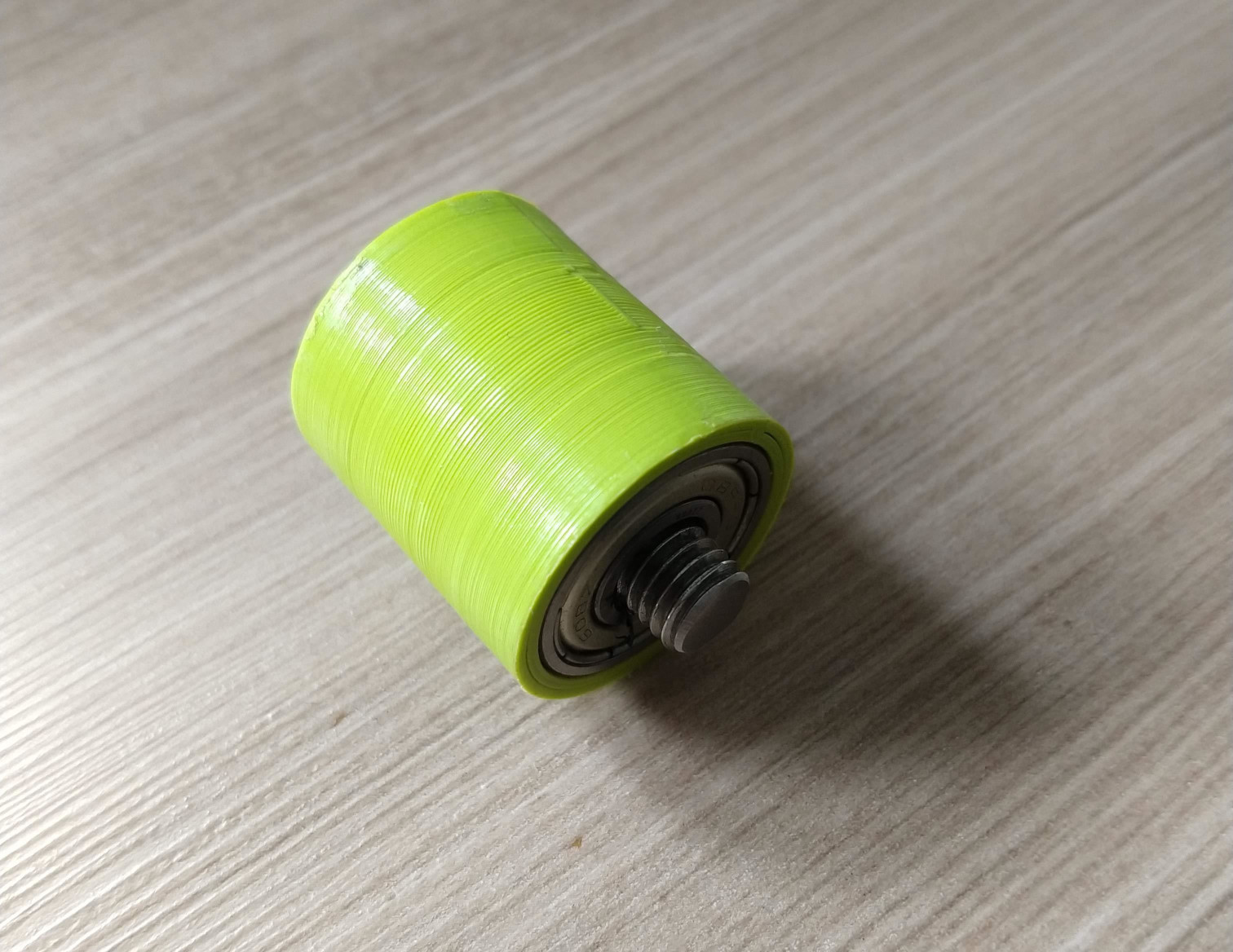
[DevNerd] has conceived of the ultimate plan: if you make your own Heelys, no one necessarily has to know unless you start rolling around. [DevNerd] started by cutting some large, 20mm-deep holes in the bottoms of a pair of Air Jordans and printed a sturdy wheel and a box frame for support.

Each wheel has a bearing on both ends that spin on a threaded rod. We’re not sure why [DevNerd] went with threaded rod, because it seems like that would prematurely wear out the frame box.

Don’t want to cut up your shoes, but want some sweet roller kicks for the daily commute down the hall? You could always make them out of pallet wood.

TOBOT Is Your Tic Tac Toe Opponent With A Bad Attitude

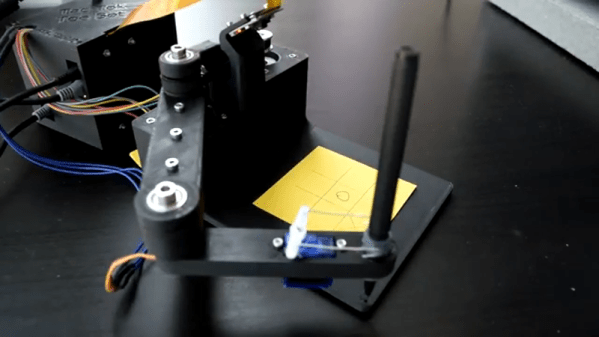
[3dprintedlife] is apparently a little bored. Instead of whiling away the time playing tic tac toe, he built an impressive tic tac toe robot named TOBOT. The robot uses a Rasberry Pi Zero and a Feather to control a two-axis robot arm that can draw the board and make moves using a pen. It also uses a simple computer vision system to look at the board to understand your move, and it has a voice too.

The other thing TOBOT has is a bad attitude. The robot wants to win. Badly. Check out the video below and you’ll see what we mean.

Continue reading “TOBOT Is Your Tic Tac Toe Opponent With A Bad Attitude”

Distance Learning Land

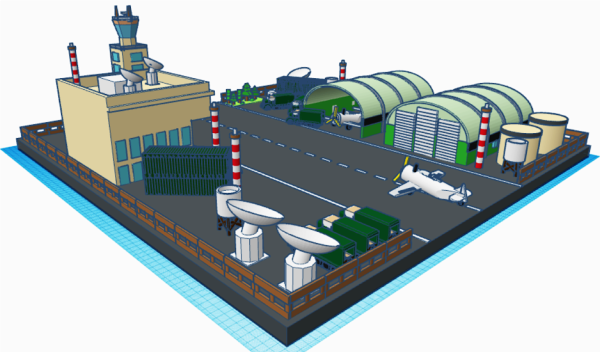
[familylovermommy] has been homeschooling her kids even before the pandemic, so she’s pretty well-versed on being a learning coach and a teacher. One of the activities she designed for her boys has them creating 3D models using Tinkercad. In the spirit of openness and cultivating freethinking, she did not give them very many constraints. But rather, gave them the liberty to creatively design whatever scene they imagined.

In the Instructable, she shares her sons’ designs along with instructions to recreate the models. The designs as you’ll see are pretty extensive, so she embedded the Tinkercad designs directly into it. You can even see a number of video showcases as well.

This is a really cool showcase of some pretty stellar workmanship. Also, maybe a bit of inspiration for some of our readers who are creating work from home activities of their own.

While you’re at it, check out some of these other work-from-home hacks.

Continue reading “Distance Learning Land”

Autodesk Announces Major Changes To Fusion 360 Personal Use License Terms

Change is inevitable, and a part of life. But we’re told that nobody likes change. So logically, it seems we’ve proved nobody likes life. QED.

That may be a reach, but judging by the reaction of the Fusion 360 community to the announced changes to the personal use license, they’re pretty much hating life right now. The clear message from Autodesk is that Fusion 360 — the widely used suite of CAD and CAM software — will still offer a free-to-use non-commercial license for design and manufacturing work, with the inclusion of a few very big “buts” that may be deal-breakers for some people. The changes include:

  • Project storage is limited to 10 active and editable documents
  • Exports are now limited to a small number of file types. Thankfully this still includes STL files but alas, DXF, DWG, PDF exports are all gone
  • Perhaps most importantly to the makerverse, STEP, SAT, and IGES file types can no longer be exported, the most common files for those who want to edit a design using different software.
  • 2D drawings can now only be single sheet, and can only be printed or plotted
  • Rendering can now only be done locally, so leveraging cloud-based rendering is no longer possible
  • CAM support has been drastically cut back: no more multi-axis milling, probing, automatic tool changes, or rapid feeds, but support for 2, 2.5, and 3 axis remains
  • All support for simulation, generative design, and custom extensions has been removed

Most of these changes go into effect October 1, with the exception of the limit on active project files which goes into effect in January of 2021. We’d say that users of Fusion 360’s free personal use license would best be advised to export everything they might ever think they need design files for immediately — if you discover you need to export them in the future, you’ll need one of the other licenses to do so.

To be fair, it was pretty clear that changes to the personal use license were coming a while ago with the consolidation of paid-tier licenses almost a year ago, and the cloud-credit system that monetized rendering/simulation/generative design services happening on the Autodesk servers. Features removed from the free license in this week’s announcement remain in place for paid subscriptions as well as the educational and start-up license options.

The problem with these personal use licenses is that it’s easy to get used to them and think of them as de facto open-source licenses; changing the terms then ends up leaving a bad taste in everyone’s mouth. To their credit, Autodesk is offering a steep discount on the commercial license right now, which might take some of the sting out of the changes.

Update 09-25-2020: Autodesk has announced that STEP file export will remain in the free version of Fusion 360