Is 4 GB The Limit For The Raspberry Pi 4?

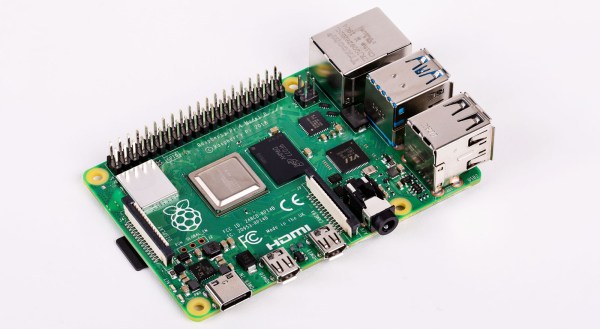
So you’ve rushed off to your favourite dealer in Raspberry Pi goodies and secured your shiny new Raspberry Pi 4. Maybe you’re anxiously waiting for the postie, or perhaps if you’re lucky enough to live near Cambridge you simply strolled into the Pi shop and bought one over the counter. You’ve got the best of the lot, the 4 GB model, and there’s nothing like the feeling of having the newest toy before everyone else does.
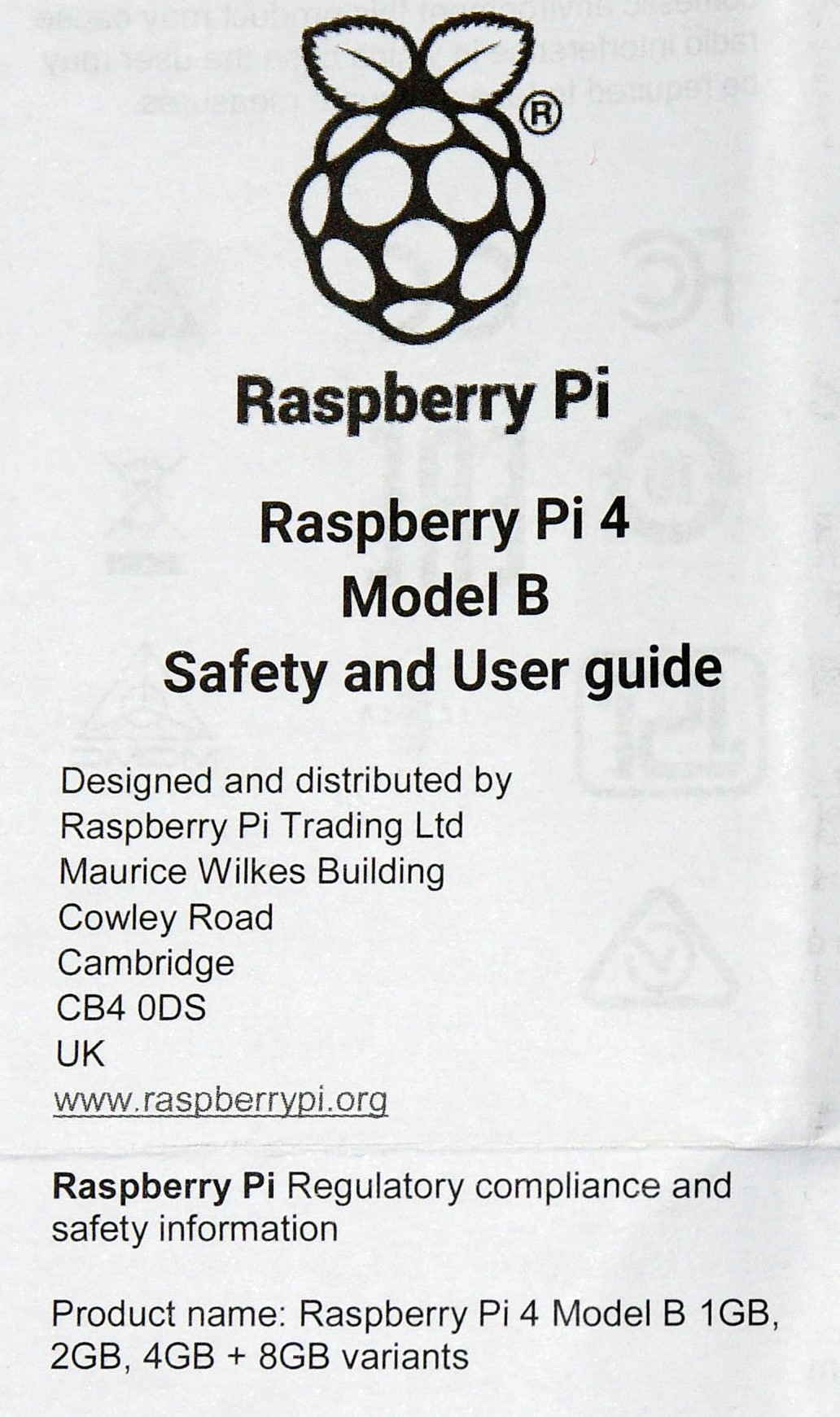
A scan of the Pi 4 user guide, with a tantalising 8GB at the bottom.

You open the box, pull out the Pi, and get busy. The instruction leaflet flutters to the floor, ignored and forgotten. If you’re our tipster [Eric van Zandvoort] though, you read it, notice something unexpected, and send a scan to your friends at Hackaday. Because there at the top, in the regulatory compliance information that nobody reads, is the following text:

Product name: Raspberry Pi 4 Model B 1 GB, 2 GB, 4 GB + 8 GB variants.

It’s not the lack of an Oxford comma that caught his eye, but the tantalising mention of an 8 GB Raspberry Pi 4. Could we one day see an extra model in the range with twice the memory? It would be nice to think so.

There are a couple of inevitable reactions when a new product comes out. First, everyone who has just bought the previous one will be upset, and second there will always be a group of people who say “Ah, don’t buy this one, wait for the super-duper upgrade model!” We’d like to suggest to anyone tempted into the latter group that this news should be no reason not to buy a Raspberry Pi 4 at the moment, because the prospect of an 8 GB variant should come as a shock to nobody.

It makes absolute sense that the Pi people will have equipped their SoC with as much address space as they can get into it, and equally as much sense that they will have fitted the final products with whatever memory chips keep it within their target price point. If you cast your mind back you’ll know that this isn’t the first time this has happened, early boards were shipped with 256 MB of RAM but later upgraded to 512 MB as the economics made it possible. Those with extreme knowledge of Pi trivia will also know that the original Model A was announced with 128 MB and released with 256 MB for the same reason.

There’s another question, would 8 GB make that much difference? The answer depends upon what you are doing with your Pi 4, but it’s worth remembering that this is no high-end workstation but a single-board computer with a stripped-down Linux distro for experimenters. You may be disappointed if you are pushing the limits of computational endeavour, but the majority of users will not be taxing Raspbian on the 4 GB model even if they install Chromium and open up all their favourite bloated social media sites. Perhaps we’ve become conditioned by the excessive demands of Windows on an x86 platform and forgotten just how powerful our computers really are. After all, as the apocryphal Bill Gates quote has it, “640k should be enough for anyone“, right?

We can look forward to an 8 GB Pi 4 then at some point in the future. We’d put our money on next year, since 2020 is a leap year and 2020-02-29 will be the Pi’s 2nd 8th birthday, it wouldn’t stretch the imagination to speculate around that date. But don’t bet on it, save your money for buying a 4 GB Pi 4 right now.
The Future Of Space Is Tiny

While recent commercial competition has dropped the cost of reaching orbit to a point that many would have deemed impossible just a decade ago, it’s still incredibly expensive. We’ve moved on from the days where space was solely the domain of world superpowers into an era where multi-billion dollar companies can join on on the fun, but the technological leaps required to reduce it much further are still largely relegated to the drawing board. For the time being, thing’s are as good as they’re going to get.

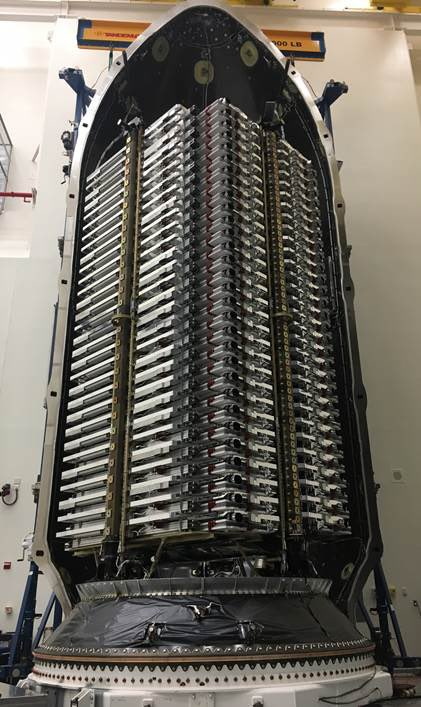
Starlink satellites ready for launch

If we can’t count on the per pound cost of an orbital launch to keep dropping over the next few years, the next best option would logically be to design spacecraft that are smaller and lighter. Thankfully, that part is fairly easy. The smartphone revolution means we can already pack an incredible amount sensors and processing power into something that can fit in the palm of your hand. But there’s a catch: the Tsiolkovsky rocket equation.

Often referred to as simply the “rocket equation”, it allows you to calculate (among other things) the ratio of a vehicle’s useful cargo to its total mass. For an orbital rocket, this figure is very small. Even with a modern launcher like the Falcon 9, the payload makes up less than 5% of the liftoff weight. In other words, the laws of physics demand that orbital rockets are huge.

Unfortunately, the cost of operating such a rocket doesn’t scale with how much mass it’s carrying. No matter how light the payload is, SpaceX is going to want around $60,000,000 USD to launch the Falcon 9. But what if you packed it full of dozens, or even hundreds, of smaller satellites? If they all belong to the same operator, then it’s an extremely cost-effective way to fly. On the other hand, if all those “passengers” belong to different groups that split the cost of the launch, each individual operator could be looking at a hundredfold price reduction.

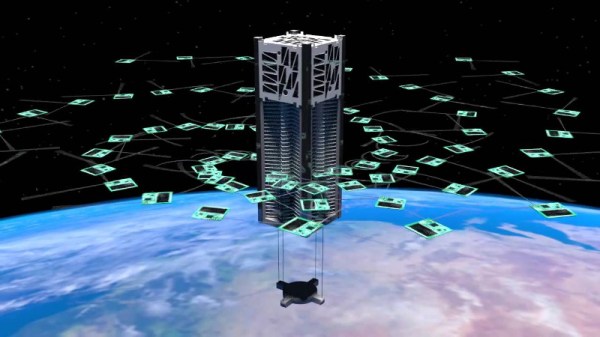
SpaceX has already packed 60 of their small and light Starlink satellites into a single launch, but even those craft are massive compared to what other groups are working on. We’re seeing the dawn of a new era of spacecraft that are even smaller than CubeSats. These tiny spacecraft offer exciting new possibilities, but also introduce unique engineering challenges.

Continue reading “The Future Of Space Is Tiny”

The Cheese Grater In Fusion 360

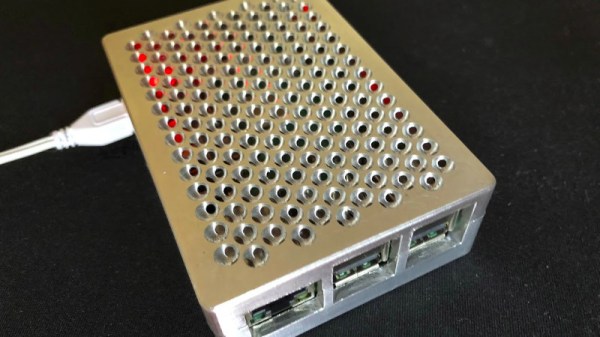
By now you will all have heard so much about the grille on Apple’s new “Cheese grater” Mac Pro that you might think there was nothing more to say. Before we move on though there’s one final piece of work to bring to your attention, and it comes from [Andy Pugh]. He’s replicated the design in Fusion 360, and used it to produce rather an attractive Raspberry Pi case.

It seems that for Fusion 360 users the problem lies in that package’s method of placing spheres which differs from that of some other CAD software. Using the page linked in our previous coverage of the grille he’s taken its geometry information and produced a video detailing every step in recreating it for Fusion 360. This is where following someone who really knows your CAD package pays dividends, because we suspect it would take us days to figure out some of the tricks he shows us.

The result is the Raspberry Pi case, which is for the Pi 3 and others like it. Sadly we couldn’t break our embargo and tell him about the Pi 4 and its different connector layout, but we’re guessing a halfway competent CAD operator could put together a Pi 4 case. Andy’s files can be found on Thingiverse, so you can all make one for yourselves.

Andy’s appeared here before a few times, not least for his Ner-A-Car motorcycle, and for designing a Robot Wars robot.

Continue reading “The Cheese Grater In Fusion 360”

Copy Protection In The 80s, Showcased By Classic Game Dungeon Master

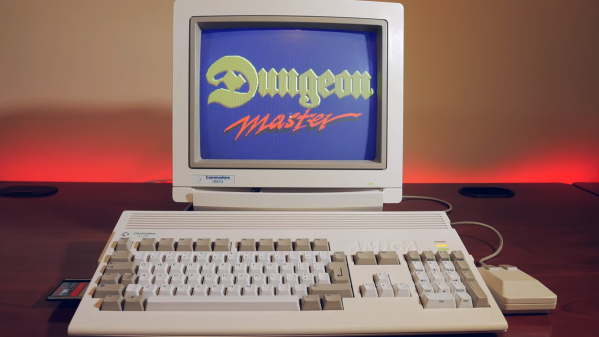
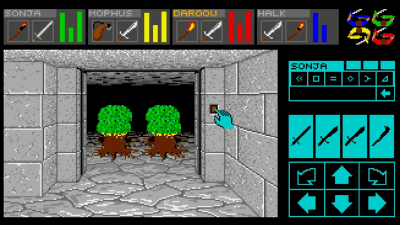
Making a copy of a purchased game used to be as simple as copying a disk. As the game industry grew, so did fear of revenue loss which drove investment in countermeasures. These mainly consisted of preventing the easy duplication of magnetic diskettes, or having users jump through tiresome hoops like entering specific words from the printed manual. These measures rarely posed much of a challenge to the dedicated efforts of crackers, but the copy protection in the classic 80s game Dungeon Master for the Atari ST and Amiga was next-level. It implemented measures that went well beyond its contemporaries, and while it was eventually defeated, it took about a year to happen. In an era where games were cracked within days or even hours of release, that was remarkable.

Dungeon Master was a smash hit at the time, and while the details of its own brand of what we would now call DRM may not be new, this video presentation by [Modern Vintage Gamer] (YouTube link) does a wonderful job of stepping through everything it did, and begins with an informative tour of copy protection efforts of the era for context.

The video is embedded below, but if you’d like to skip directly to the details about Dungeon Master, that all starts just past eight minutes in. What we now call DRM clearly had roots that preceded the digital world of today; an absurd timeline in which even cat litterboxes can have DRM.

Continue reading “Copy Protection In The 80s, Showcased By Classic Game Dungeon Master”

Plasma Globe Reveals Your Next Clue

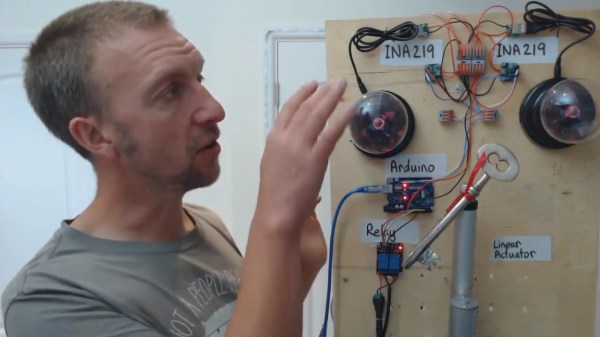
If you like solving puzzles out in the real world, you’ve probably been to an escape room before, or are at least familiar with its concept of getting (voluntarily) locked inside a place and searching for clues that will eventually lead to a key or door lock combination that gets you out again. And while there are plenty of analog options available to implement this, the chances are you will come across more and more electronics-infused puzzles nowadays, especially if it fits the escape room’s theme itself. [Alastair Aitchison] likes to create such puzzles and recently discovered how he can utilize a USB powered plasma globe as a momentary switch in one of his installations.

The concept is pretty straightforward, [Alastair] noticed the plasma globe will draw significantly more current when it’s being touched compared to its idle state, which he measures using an INA219 current shunt connected to an Arduino. As a demo setup in his video, he uses two globes that will trigger a linear actuator when touched at the same time, making it an ideal multiplayer installation. Whether the amount of fingers, their position on the globe, or movement make enough of a reliable difference in the current consumption to implement a more-dimensional switch is unfortunately not clear, but definitely something worth experimenting with.

In case you’re planning to build your own escape room and are going for the Mad Scientist Laboratory theme, you’ll obviously need at least one of those plasma globes sparking in a corner anyway, so this will definitely come in handy — maybe even accompanied by something slightly larger? And for all other themes, you can always resort to an RFID-based solution instead.

Continue reading “Plasma Globe Reveals Your Next Clue”

Small Lightsail Will Propel Cubesat

If you read science fiction, you are probably familiar with the idea of a light or solar sail. A very large and lightweight sail catches solar “wind” that accelerates a payload connected to the sail. Some schemes replace the sun with a laser. Like most things, sails have pros and cons. They don’t require you to carry fuel, but they are also maddeningly slow to accelerate and require huge sails since there isn’t much pressure produced by a star at a distance. So far not many real spacecraft have used the technique, IKAROS was the first back in 2010. However, this month should see the launch of a crowdfunded cubesat that will use a solar sail to move to a higher orbit.

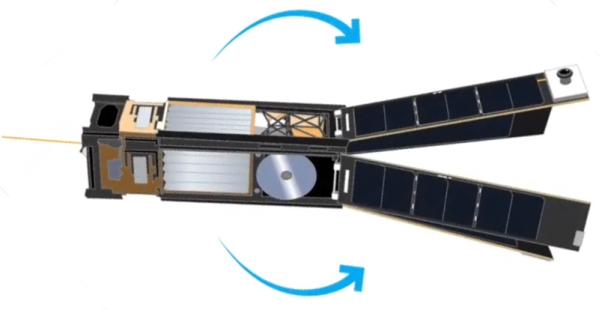
The 5 kg satellite built by Georgia Tech students is about the size of a loaf of bread. Once in orbit, it will deploy solar panels and a square solar sail nearly 20 feet long on each side. Despite the nearly 350 square feet of area, the sail is less than 5 microns thick. You can see more details about the mission in the video below.

Continue reading “Small Lightsail Will Propel Cubesat”

Dry Your Boots With The Internet Of Things

If you live somewhere cold, where the rain, snow and slush don’t abate for weeks at a time, you’ve probably dealt with wet boots. On top of the obvious discomfort, this can lead to problems with mold and cause blisters during extended wear. For this reason, boot dryers exist. [mark] had a MaxxDry model that had a timer, but it wasn’t quite working the way he desired. Naturally, it was begging to be hooked up to the Internet of Things.

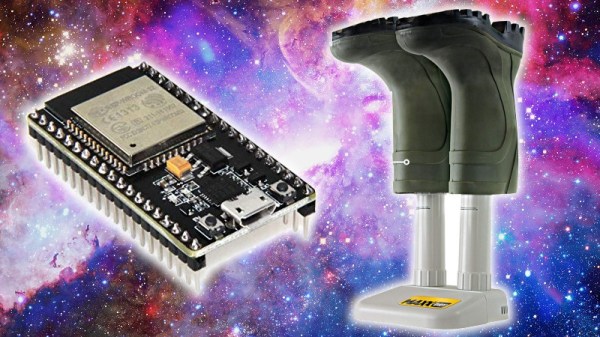
The brains of the dryer is an ESP32, a solid choice for such a project. With WiFi on board, connecting the device to the internet is a snap. Relays are used to control the fan and heater inside the boot dryer, while MQTT helps make the device controllable remotely. It can be manually switched on and off, or controlled to always switch on at a certain time of the day.

It’s a simple project that shows how easily a device can be Internet controlled with modern hardware. For the price of a cheap devboard and a couple of relays, [mark] now has a more functional dryer, and toasty feet to boot.

We don’t see a lot of boot hacks here, but this magnet-equipped footwear is quite impressive.