Portable, Digital Scoreboard Goes Anywhere

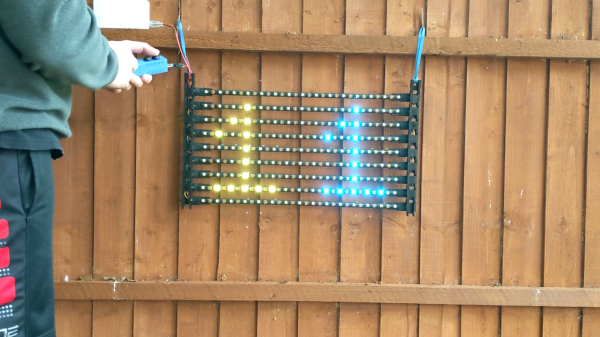
It’s that time of year in both hemispheres — time to get outside and play before it gets unbearably hot (or cold). No matter what your game, don’t keep score in your head or with piles of rocks — make yourself a portable, fold-able scoreboard like [LordGuilly] did and be on the bleeding edge of display technology. It’s really more roll-able than fold-able, which is awesome because you get to unfurl it like a boss.

All you need is a place to hang it up and you’re good to go. This thing runs on a beefy 10,000 mAH USB power bank, and [LordGuilly] says that it’s easy to read even on really sunny days. As you may have guessed, those are WS2812 strips and they are set into rectangular PVC bars. The bars are set equidistant from each other in a frame made from modified version of cable tracks — plastic chain links for cable management.

Good looks aside, we especially like that there are two controller options here. If you want to assign a dedicated scorekeeper, there’s a handled version that uses an STM32 blue pill and is wired to the display. But if you’re short on people, use the ESP8266 version and update the score with the accompanying app. Check out the demo after the break so you can see it in action.

We’ve seen a few scoreboards over the years, including this beauty that’s meant for indoor games.

Continue reading “Portable, Digital Scoreboard Goes Anywhere”
Dreamcast Homebrew Gets Boost From SD Card Cache

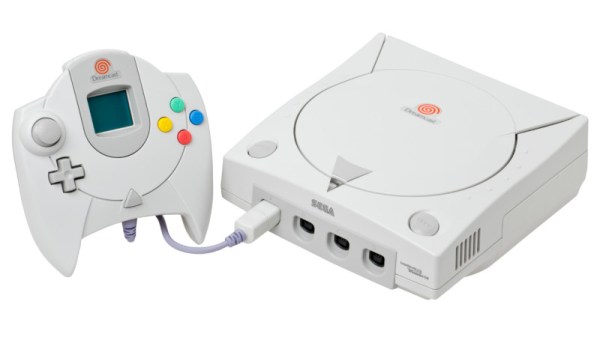
While it might have been a commercial failure compared to contemporary consoles, the Sega Dreamcast still enjoys an active homebrew scene more than twenty years after its release. Partly it’s due to the fact that you can burn playable Dreamcast discs on standard CD-Rs, but fans of the system will also point out that the machine was clearly ahead of its time in many respects, affording it a bit of extra goodwill in the community.

That same community happens to be buzzing right now with news that well-known Dreamcast hacker [Ian Micheal] has figured out how to cache data to an SD card via the console’s serial port. At roughly 600 KB/s the interface is too slow to use it as swap space for expanding the system’s paltry 16 MB of memory, but it’s more than fast enough to load game assets which otherwise would have had to be loaded into RAM.

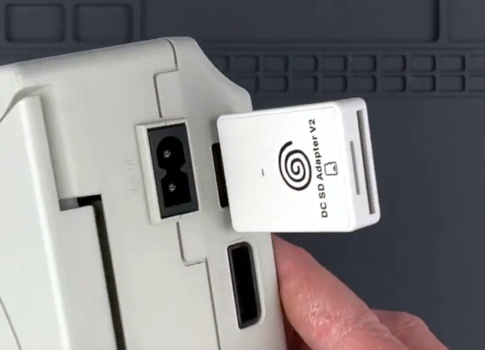
A third-party Dreamcast SD adapter.

In the video below, [Ian] shows off his new technique with a port of DOOM running at 640×480. He’s already seeing an improvement to framerates, and thinks further optimizations should allow for a solid 30 FPS, but that’s not really the most exciting part. With the ability to load an essentially unlimited amount of data from the SD card while the game is running, this opens the possibility of running mods which wouldn’t have been possible otherwise. It should also allow for niceties like saving screenshots or game progress to the SD card for easy retrieval.

[Ian] says he’ll be bringing the same technique to his Dreamcast ports of Quake and Hexen in the near future, and plans on posting some code to GitHub that demonstrates reading and writing to FAT32 cards so other developers can get in on the fun. The downside is that you obviously need to have an SD card adapter plugged into your console to make use of this technique, which not everyone will have. Luckily they’re fairly cheap right now, but we wouldn’t be surprised if the prices start climbing. If you don’t have one already, now’s probably the time to get one.

To be clear, this technique is completely separate from replacing the Dreamcast’s optical drive with an SD card, which itself is a very popular modification that’s helped keep Sega’s last home console kicking far longer than anyone could have imagined.

Continue reading “Dreamcast Homebrew Gets Boost From SD Card Cache”

Adding A Laser Blaster To Classic Atari 2600 Games With Machine Vision

Remember the pistol controller for the original Atari 2600? No? Perhaps that’s because it never existed. But now that we’re living in the future, adding a pistol to the classic games of the 2600 is actually possible.

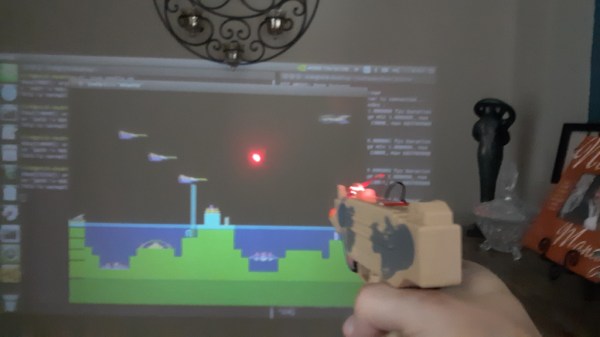
Possible, but not exactly easy. [Nick Bild]’s approach to the problem is based on machine vision, using an NVIDIA Xavier NX to run an Atari 2600 emulator. The game is projected on a wall, while a camera watches the game field. A toy pistol with a laser pointer attached to it blasts away at targets, while OpenCV is used to find the spots that have been hit by the laser. A Python program matches up the coordinates of the laser blasts with coordinates within the game, and then fires off a sequence of keyboard commands to fire the blasters in the game. Basically, the game plays itself based on where it sees the laser shots. You can check out the system in the video below.

[Nick Bild] had a busy weekend of hacking. This was the third project write-up he sent us, after his big-screen Arduboy build and his C64 smartwatch.

Continue reading “Adding A Laser Blaster To Classic Atari 2600 Games With Machine Vision”

Adding In-Game Reset To Classic Playstations

The first Playstation is quickly approaching three decades since its release, and while this might make some of us who were around for that event feel a little aged, the hardware inside these machines isn’t getting any younger either. Plenty of people are replacing the optical drive in the original hardware with an optical drive emulator as they begin to fail, and with that comes the option for several other modifications to the hardware like this in-game reset mod.

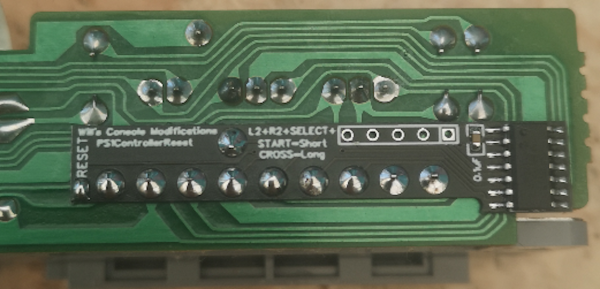
In-game reset is a function that allows a console to be reset via a controller button combination rather than pressing the console’s reset button directly. Especially for devices modified with either the XStation or PSIO drive emulators, this can be a handy feature to have as this method can more easily take the user back to the emulator menu as well as physically reset the device. The modification is a small PCB which attaches to the controller port and, unlike previous versions, only requires a single pin to be soldered to the Playstation’s control board.

If you’re someone who enjoys playing games on original hardware rather than a patchwork of emulators, this could be an excellent addition to your PS1 that still allows most of the original feel and experience the PS1 offered. The drive emulator can greatly expand the range of the hardware as well, much like this NES cartridge which similarly expands the capabilities of that much older system.

Arduboy On The Big Screen

We’re big fans of the Arduboy here at Hackaday, but we’ll admit its tiny screen isn’t exactly ideal for long gaming sessions. There are some DIY builds of the open source handheld that use a larger SPI OLED display, though you’re relatively limited on what kind of changes can be made to the hardware before the games start balking. But as [Nick Bild] shows with his Arduboy home console, hacking the core system library opens up a lot of interesting possibilities.

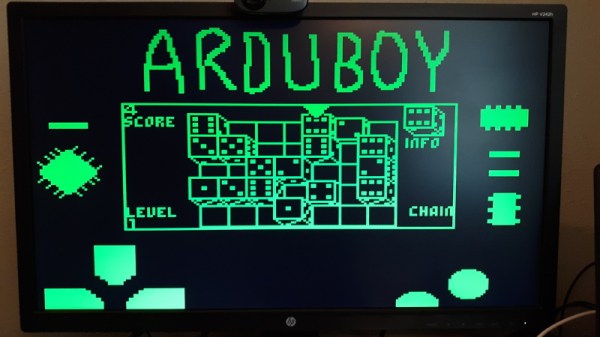
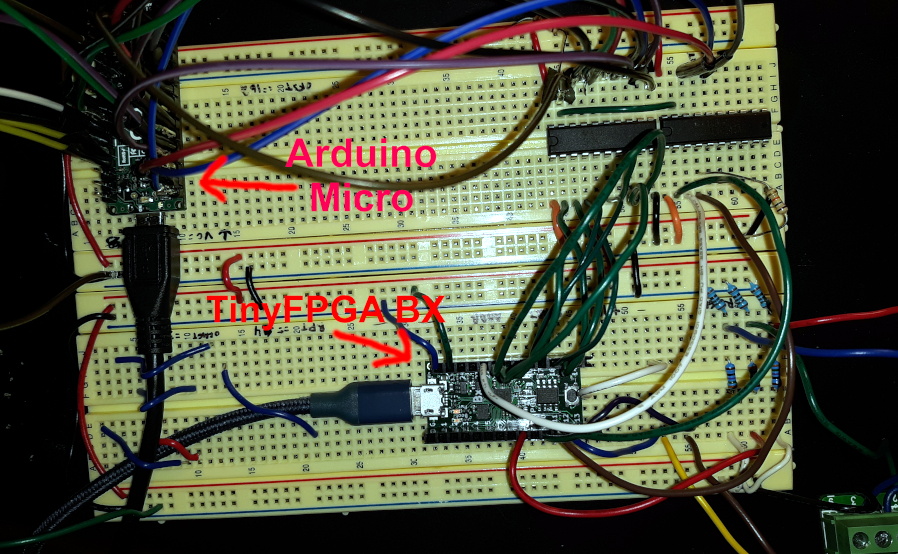
Games written for the Arduboy make use of a common library that handles all the low-level hardware stuff, which includes a display() function to push the graphical data out to an SPI-connected OLED display. What [Nick] has done is re-write that function to instead output to a custom VGA generator running on the TinyFPGA BX. He had to delete support for the Arduboy’s RGB LEDs because he needed the extra pins, but that shouldn’t cause much of a problem in terms of software support.

This does mean that games need to be recompiled against the modified library to work on his hardware, but as the vast majority of Arduboy software is open source anyway, that’s not much of a problem. We particularly like the Super Game Boy style border  you get around the display at no extra cost.

At this point the hardware looks less like a console and more like a breadboard filled with jumpers, so we’re interested in seeing this project taken to its logical conclusion. A custom PCB, enclosure, and possibly even support for using the original NES controllers would turn this into proper system worthy of any hacker’s game room. You could even put the games on custom cartridges if you wanted, though a flash chip that holds the system’s entire library would be quite a bit more convenient.

Teaching A Machine To Be Worse At A Video Game Than You Are

Is it really cheating if the aimbot you’ve built plays the game worse than you do?

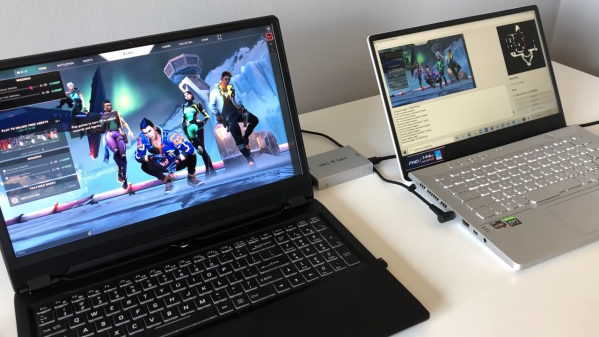
We vote no, and while we take a dim view on cheating in general, there are still some interesting hacks in this AI-powered bot for Valorant. This is a first-person shooter, team-based game that has a lot of action and a Counter-Strike vibe. As [River] points out, most cheat-bots have direct access to the memory of the computer which is playing the game, which gives it an unfair advantage over human players, who have to visually process the game field and make their moves in meatspace. To make the Valorant-bot more of a challenge, he decided to feed video of the game from one computer to another over an HDMI-to-USB capture device.

The second machine has a YOLOv5 model which was trained against two hours of gameplay, enough to identify friend from foe — most of the time. Navigation around the map was done by analyzing the game’s on-screen minimap with OpenCV and doing some rudimentary path-finding. Actually controlling the player on the game machine was particularly hacky; rather than rely on an API to send keyboard sequences, [River] used a wireless mouse dongle on the game machine and a USB transmitter on the second machine.

The results are — iffy, to say the least. The system tends to get the player stuck in corners, and doesn’t recognize enemies that pop up at close range. The former is a function of the low-res minimap, while the latter has to do with the training data set — most human players engage enemies at distance, so there’s a dearth of “bad breath range” encounters to train to. Still, we’re impressed that it’s possible to train a machine to play a complex FPS game at all, let alone this well.

[Emily]’s Eerie Educational Electric Eyeball Entertains

Like many of us, [Emily’s Electric Oddities] has had a lot of time for projects over the past year or so, including one that had been kicking around since late 2018. It all started at the Hackaday Superconference, when [Emily] encountered the Adafruit Hallowing board in the swag bag. Since that time, [Emily] has wanted to display the example code eyeball movement on a CRT, but didn’t really know how to go about it. Spoiler alert: it works now.

See? It’s educational.

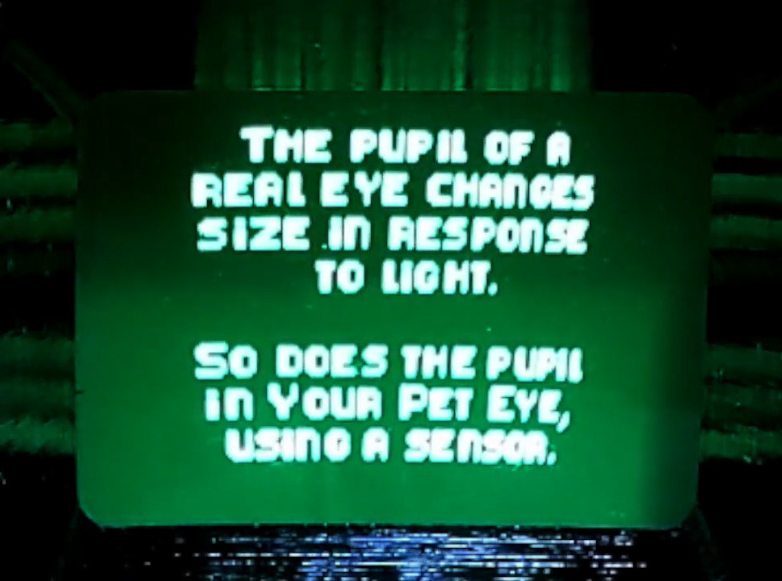
Eventually, [Emily] learned about the TV out library for Arduino and got everything working properly — the eyeball would move around with the joystick, blink when the button is pressed, and the pupil would respond visually to changes in ambient light. The only problem was that the animation moved at a lousy four frames per second. Well, until she got Hackaday’s own [Roger Cheng] involved.

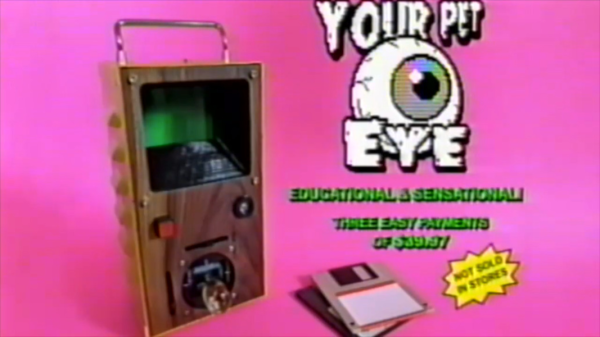
[Roger] was able to streamline the code to align with [Emily]’s dreams, and then it was on to our favorite part of this build — the cabinet design. Since the TV out library is limited to black and white output without shades of gray, Emily took design cues from the late 70s/early 80s, particularly the yellow and wood of the classic PONG cabinet. We love it!

Is Your Pet Eye the worst video game ever, as [Emily] proclaims it to be? Not a chance, and we’re pretty sure that the title still rests with Desert Bus, anyway. Even though the game only lasts until the eye gets tired and goes to sleep, it’s way more fun than Your Pet Rock. Don’t miss the infomercial/explanation/demonstration video after the break. If one video is just not enough, learn more about [Emily’s] philosophy of building weird projects from the Supercon talk she presented. It’s also worth mentioning that this one fits right into the Reinvented Retro contest.

Why are eyeballs so compelling? We can’t say for sure, but boy, this eyeball web cam sure is disconcerting.

Continue reading “[Emily]’s Eerie Educational Electric Eyeball Entertains”