Ergonomic Mouse Gives Each Fingertip Its Own Saddle

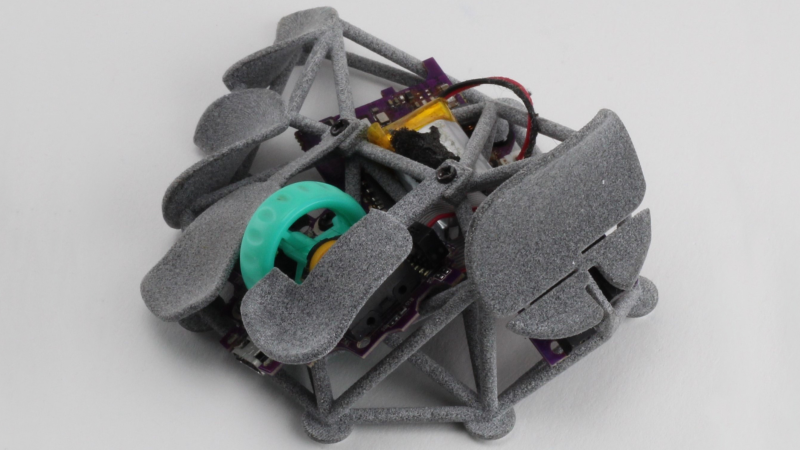
Want to make your own ergonomic mouse but don’t know where to start? Why not try [psudoku]’s Kotinos design?
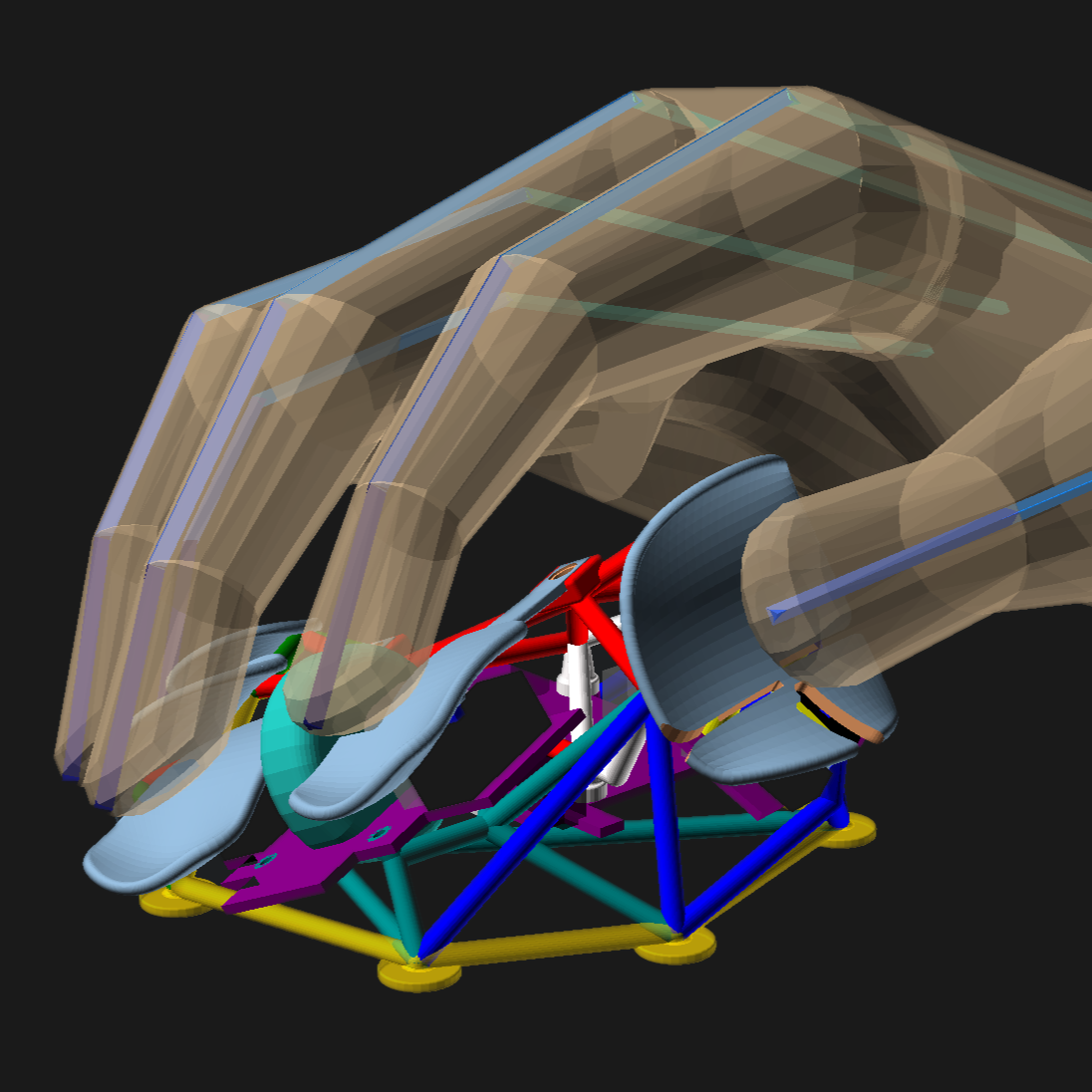
It’s a scaffold-like fingertip shell that uses the internals of an HSK Pro mouse. Each fingertip gets its own little saddle-shaped nook, and things like hand size and paddle surface can all be configured by modifying the OpenSCAD scripts.

[psudoku]’s unit looks to us as though it was maybe made using multi-jet fusion (MJF) 3D printing, but it should be perfectly printable on hobbyist printers, whether resin- or filament-based.

Comfort of the contact surfaces is left up to the end user, but if your print lacks smoothness and sanding isn’t your jam, you might consider a layer of fabric tape to create a velvet-like surface on a 3D print. That’s a trick we’ve kept in mind ever since seeing it put to good use, cushioning the hardware in a DIY steam deck case.

Is the minimalist scaffold approach to a mouse not your style, or does your hand crave something less lightweight but a little more personalized? You might want to craft a truly custom-fitted mouse, for which clay is the way.
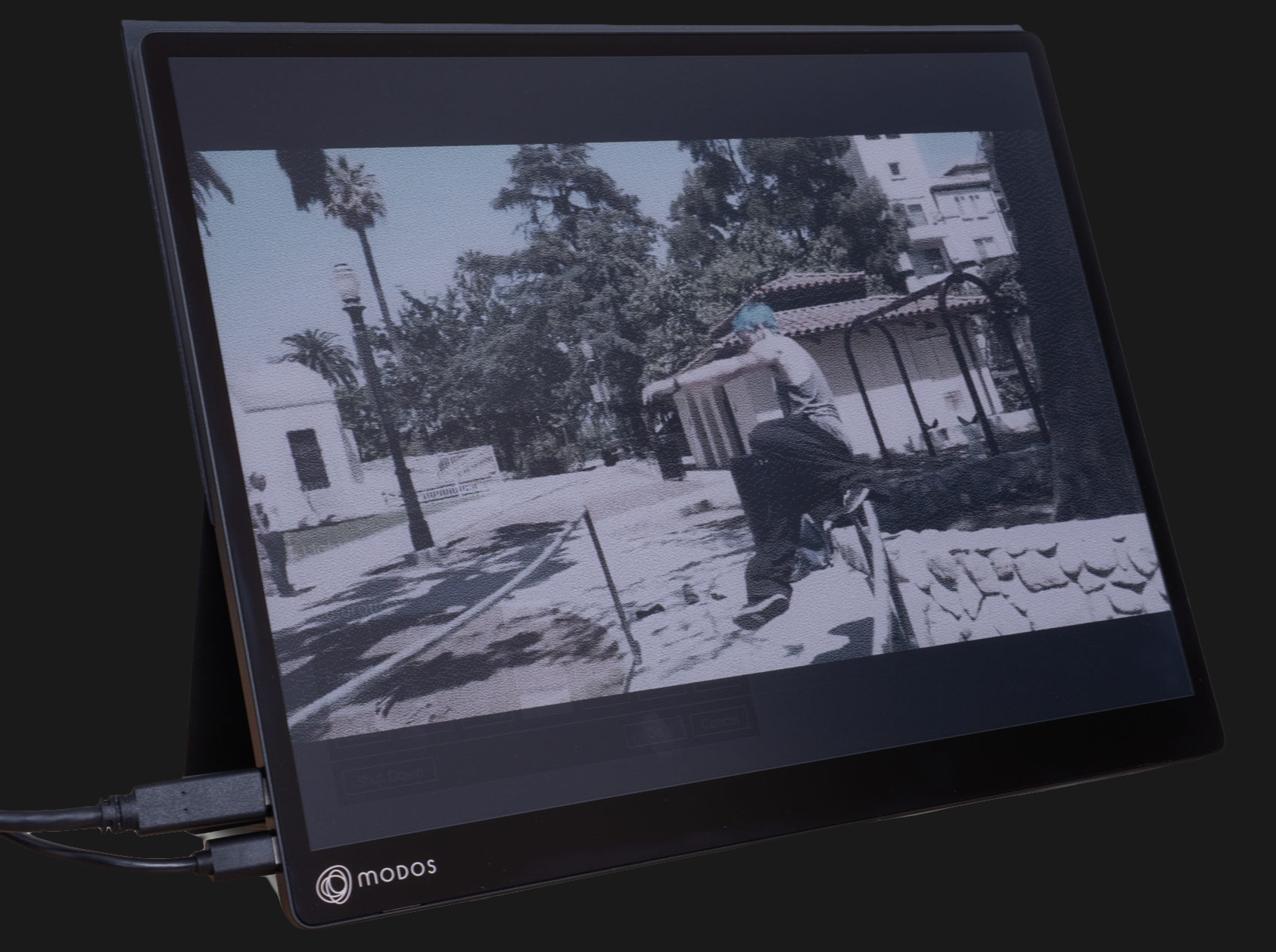
Behold A 60 Hz Refresh Rate E-ink Monitor

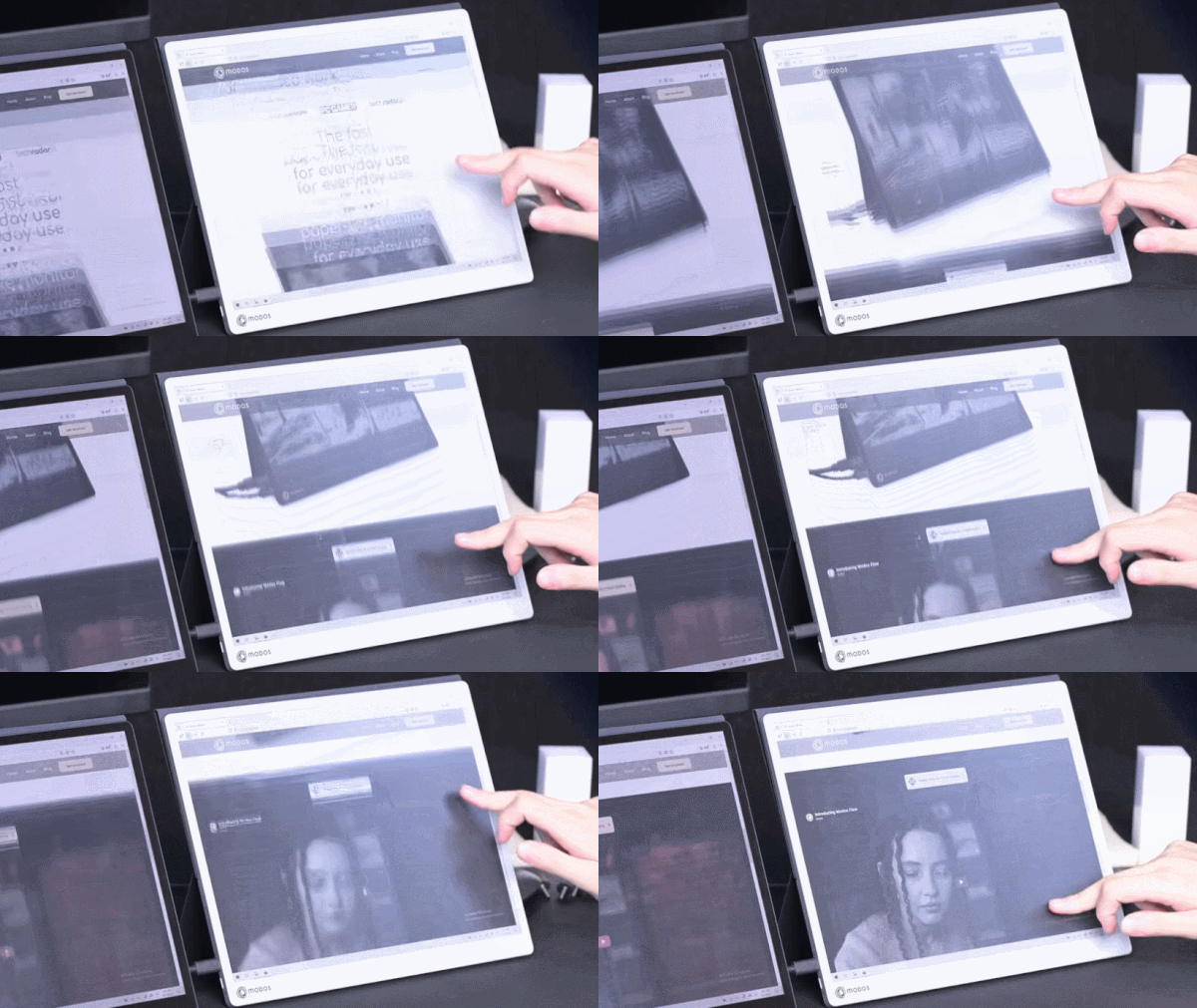
E-ink displays have a number of advantages over other display types, but their refresh rate isn’t one of them. But what exactly makes them slow? According to [Wenting Zhang], it’s not an inherent limitation of the technology. It’s mainly the controller, and this limitation can be overcome to create a high-resolution 60 Hz refresh rate E-ink display, totally suitable for use as a computer monitor.

The reason E-ink displays are so slow is simple. For a long time, they existed for only one purpose: to be screens for e-readers. They had to work on devices that were generally low power, with limited interfaces and slow processors. Accommodating these factors was the primary driver behind the high latency and slow refresh rates associated with these displays.

It was actually the limited interface options rather than the slow refresh that initially led to a custom controller, because [Wenting] wanted to use an E-ink display on a laptop build. But it quickly became apparent that a custom controller could do considerably more than E-ink was known for.

Initial tests with fast refresh rates were so positive that it led to a Hackaday Supercon 2024 talk on how to make E-ink go fast, and more recently has culminated in the Modos Flow, a fully open-source, user-repairable 13.3″ portable E-ink monitor.

The development path from proof of concept to finished product has been a long one for [Wenting]. Not only did a lot of optimization and feature work need to be crafted from scratch in order to effectively balance appearance with responsiveness in different display modes, but the usual hassles of development and bad timing were also in full force. On top of it were wasteful vendor shenanigans, as well.

Check out the story in the video, embedded just below. If you’d like to buy one, there are monochrome and color versions offered through Crowd Supply.

Continue reading “Behold A 60 Hz Refresh Rate E-ink Monitor”

Pi Pico Puts Bluetooth Keyboards On The I2C Bus

If you’ve ever worked with I2C, you know its one of those things that makes working with modern microcontrollers such a pleasure. With a few wires and not many more lines of code, you can communicate with all sorts of hardware such as sensors, displays, and input devices. There are even I2C keyboards out there, although they tend to be a bit pokey — and not in the good way as it pertains to keyboards.

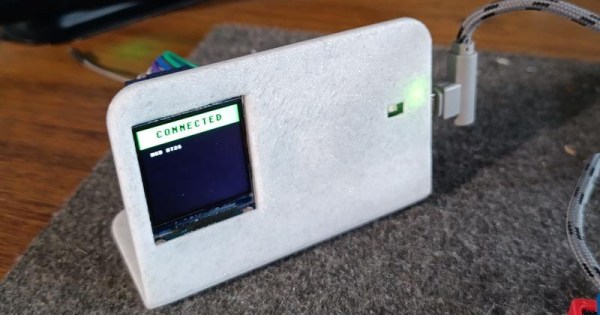
But the bt2i2c project from [Roberto Alsina] promises to improve things. With his firmware flashed to a Pi Pico W, you can establish a connection with any standard Bluetooth keyboard and have the keystrokes sent over the wire via I2C. As far as your project is concerned, the input will appear to be coming from a BlackBerry BBQ20/BBQ10 keyboard using the address 0x1F, which means that there’s already plenty of code out there to work with. While [Roberto] explains its not strictly necessary, connecting a ST7789 display to the Pi Pico over SPI will give you some visual feedback on connection status.

As microcontrollers become increasingly powerful and capable of the sort of thing we would once have done on a “real” computer, a project like this has some fascinating potential. We’ve seen a number of “writerdeck” projects running on chips like the ESP32, and it’s not hard to see the appeal of being able to easily pair your favorite Bluetooth keyboard up to one of them.

Homebrew Webcam Support For The Original Xbox

These days, we take it for granted that a video game console will have multiple USB ports. There’s even an expectation that basic peripherals such as storage devices will “Just Work” when plugged into the system — a far cry from the days when each system had its own proprietary memory card.

The original Xbox from 2001 actually had USB ports as well, it’s just that they were used for the controllers and had non-standard connectors that kept you from plugging in other devices. But a simple adapter gets you a standard USB-A port, and after that it’s just a matter of software. Like this homebrew project to get generic USB webcams working on Microsoft’s first foray into console gaming.

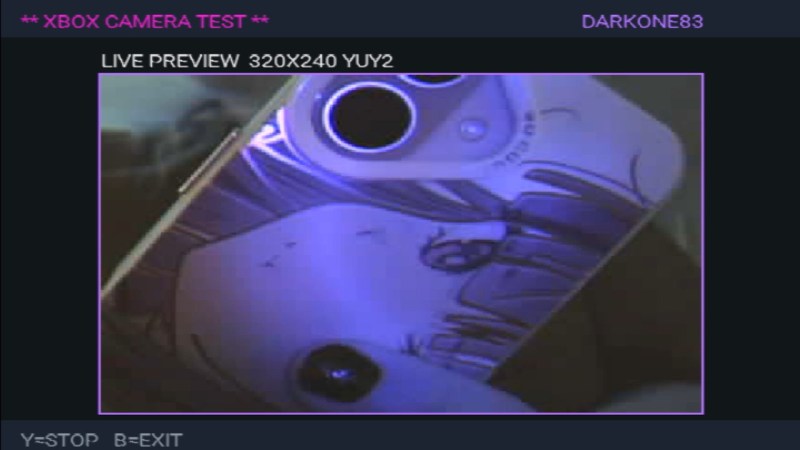
Well, “generic” may be pushing it a bit, as the project by [Darkone83] currently lists only two compatible cameras. The first is the Xbox Live Vision Camera, which was never intended to be used on the original Xbox and was instead an accessory for Microsoft’s follow-up console, the Xbox 360. Interestingly, the other supported camera happens to be Sony’s PS2 EyeToy. Claiming that you plugged a PS2 camera into your Xbox would have been fighting words back on the playground circa 2003, but now it’s a reality thanks to the power of open source.

Now there technically was a camera for the original Xbox, but it was only released in Japan and is quite rare. Perhaps unsurprisingly it used the same OV519 chipset as the EyeToy and later Vision Camera, and reverse engineering how the console communicated with it was critical to the development of this project.

As of right now, there’s not much practical application for this webcam driver. It just shows the image from the camera on your TV in glorious 320×240 resolution. But now that the code to make it work is out in the wild, hopefully other Xbox homebrew projects will add support for it.

Although things aren’t quite as active these days as they once were, the hacking scene for the original Xbox is the stuff of legend. If you ever see one of this gargantuan consoles at a flea market for cheap, there’s still plenty of fun to be had pushing the system outside of its comfort zone.

Take The Reins Of This Unique Controller

Many simulator-style games have their own dedicated controllers, from racing sims with pedals, steering wheels, and shifters to flight sims which have their own joysticks and sometimes entire cockpits. But for how prevalent riding horses is in a wide array of video games from Red Dead Redemption to Zelda to The Witcher we’re not sure we’ve ever seen a controller built specifically for riding virtual horses, at least not until [Squalius] built this horse riding controller.

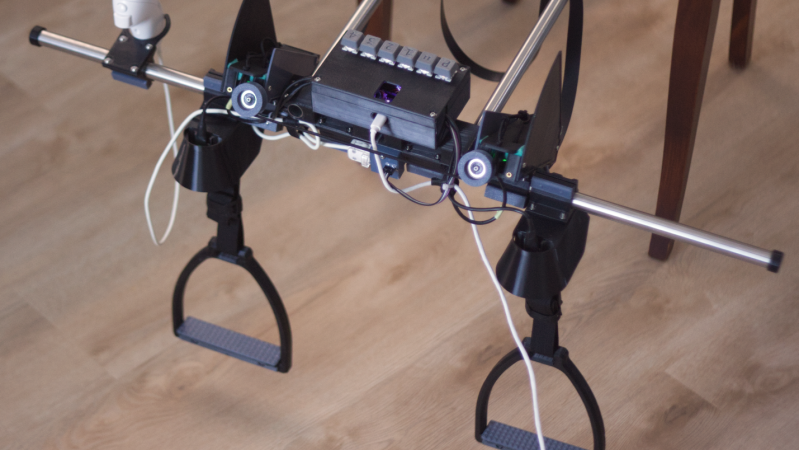
[Squalius] has been working through a few prototypes of his OpenRidingController and has a fairly complete riding setup now, complete with reins and stirrups for controlling one’s in-game companions. The reins are attached to infrared distance sensors which can send analog signals to the game for controlling steering, and are attached to each other through an elastic band to provide a more realistic feeling when both are pulled to ask the horse to stop. The stirrups can be pulled to tell the horse to move at various speeds, and although a horse doesn’t need to be commanded to jump in real life, this controller provides a method for jumping an in-game horse as well.

Although we’ve mentioned a few games famous for using horses already, [Squalius] also added a handheld joystick to enable his controller to be used in less-conventional games like Minecraft where the player can use a mod to add a horse, and has also used his controller to play DOOM as well. As its name suggests it’s also open source and the code for it is all available on the project’s GitHub page. It’s a type of controller we didn’t realize we were missing until now, and perhaps we would have expected to see one before something like a controller meant for a virtual trombone.

Thanks to [Keith] for the tip!

Continue reading “Take The Reins Of This Unique Controller”

Bring Back That Aged Scanner, In Your Browser

We have probably all at some point had to replace a peripheral not because it is faulty, but because it is no longer supported by our operating system. It’s especially bad for Windows users, but for older hardware this is increasingly a part of the Linux experience too. [George MacKerron] is here with what may prove to be a valuable technique to keep these devices active. He’s running a minimalist x86 computer in the browser, with just enough OS to support the device.

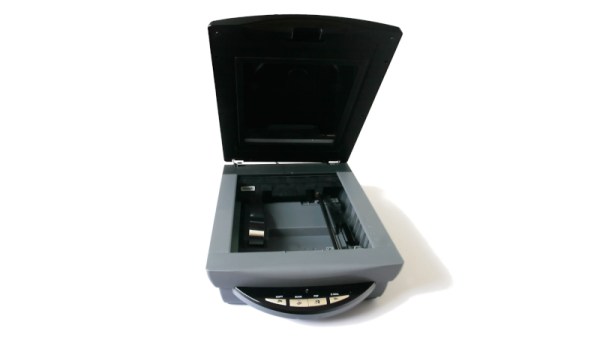
In this case the hardware is a USB scanner, and the resulting software takes a WebAssembly x86 emulator and adds a bit of glue software allowing it to use WebUSB to talk to the real-world hardware. It runs a minimal Alpine Linux environment with SANE — something that’s normal for Linux users but which has never been there on a Windows machine. The result is something which needs no installation, but can be run on any machine with a powerful enough web browser.

While such an approach might at first seem like overkill, we’re told it runs surprisingly quickly. In this case it’s for scanner, but we can see it could find a use with many other pieces of aged hardware.

If WebAssembly is new to you, we gave it a primer a few years ago.


Header image: Fir0002/Flagstaffotos, GFDL 1.2.

A Trackball 3D Controller

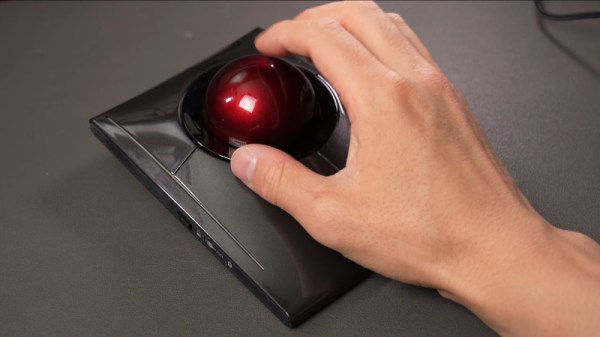
We use CAD packages in our 3D work, and it’s likely that many of us have become annoyed by the limitations of controlling the view of a 3D object using a 2D interface, our mouse. Joystick-like 3D controllers exist for this purpose, but [David Liu] found them inconvenient. He tried a trackball, but that didn’t improve matters. His response was to take the trackball and change the way it controlled the software, turning it from the equivalent of a ball rolling over a surface to a ball representing the object on the screen itself. He can turn and rotate the object intuitively just by moving the ball.

He started with a Kensington off-the-shelf trackball and adapted its electronics and handy twin optical sensors such that it worked in the required fashion. There was a lot of iterating and tuning to get the control feeling right, but he’s ended up with a peripheral that replaces both mouse and 3D joystick, and leaves the other hand free for those keyboard shortcuts.

Continue reading “A Trackball 3D Controller”