Forgotten Tech — Self Driving Cars

The notion of self driving cars isn’t new. You might be surprised at the number of such projects dating back to the 1920s. Many of these systems relied on external aids built into the roadways. It’s only recently that self driving cars on existing roadways are becoming closer to reality than fiction — increased computer processing power, smaller and power-efficient computers, compact Lidar and millimeter-wave Radar sensors are but a few enabling technologies. In South Korea, [Prof Min-hong Han] and his team of students took advantage of these technological advances and built an autonomous car which successfully navigated the streets of Seoul in several field trials. A second version subsequently drove itself along the 300 km journey from Seoul to the southern port city Busan. You might think this is boring news, until you realize this was accomplished back in the early 1990s using an Intel 386-powered desktop computer.

The project created a lot of buzz at the time, and was shown at the Daejeon Expo ’93 international exposition. Alas, the government eventually decided to cancel the research program, as it didn’t fit into their focus on heavy industries like ship building and steel production. Given the tremendous focus on self-driving and autonomous vehicles today, and with the benefit of hindsight, we wonder if that was the best choice. This isn’t the only decision from Seoul that seems questionable when viewed from the present — Samsung executives famously declined to buy Andy Rubin’s new operating system for digital cameras and handsets back in late 2004, and a few weeks later Android was purchased by Google.

You should check out [Prof Han]’s YouTube channel showing videos of the car’s camera while operating in various conditions and overlaid with the lane recognition markers and other information. I’ve driven the streets of Seoul, and that alone can be a frightening experience. But [Han] manages to stretch out in the back seat, so confident in his system that he doesn’t even wear a seatbelt.
Continue reading “Forgotten Tech — Self Driving Cars”

This Vintage LED Matrix Lives In A Gold Bathtub

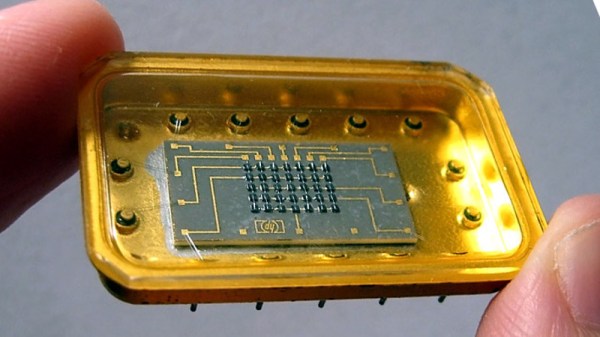
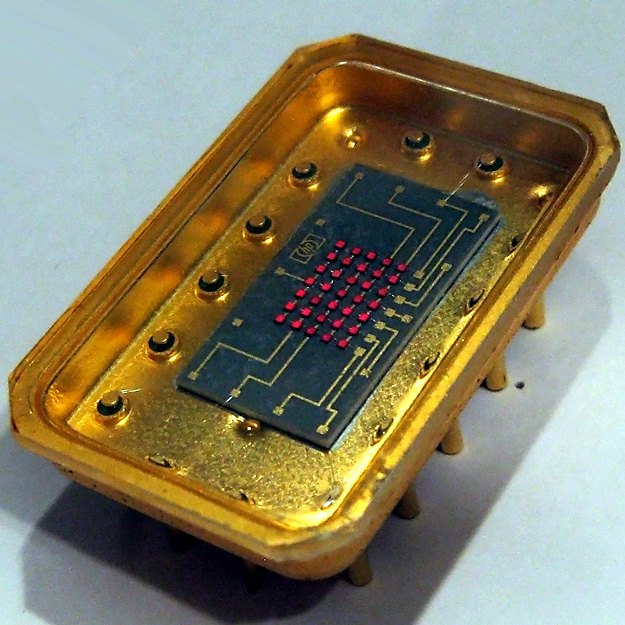
Early LED displays came in all sorts of configurations. Because the LED was fairly new technology, all kinds of ideas were getting tried, and with all that work there was plenty of opportunity for hardware that didn’t make the cut to fall into obscurity. That’s exactly what happened to the Hewlett-Packard 5082-7002, a 5×7 LED matrix display with something many of its brethren didn’t: an oversized gold tub to sit in.

It doesn’t seem that these displays were ever used in any actual products, and its origins are a mystery, but the device itself was nevertheless assigned an HP part number. Beyond that, not much is known about them, but [Industrial Alchemy] reminds us that many early LED devices were poorly documented and never produced in any real quantities. They became forgotten hardware, waiting to be rediscovered.

The 5082-7002 has a oversized gold tub that makes the 5×7 LED matrix mounted inside look puny by comparison, and reading any display made from these units would be difficult because the large size of the device would mean a lot of empty space between each character or digit. But it’s definitely got a striking look to it, no doubt about that.

What’s neat is that the 5802-7002 actually showed up in a video we featured with a look back at cool old LED technology. If you would like to (briefly) see the HP 5802-7002 a bit closer under a microscope, here is a link to the video, cued to 2:19.

Smashed Amiga 2000 Gets New Lease On Life

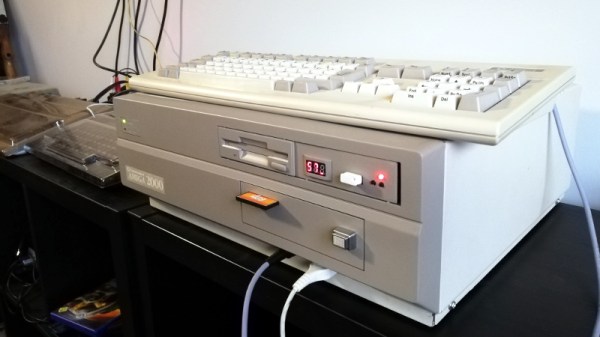
For most people, opening up a package and seeing that the Amiga 2000 you purchased on eBay had been smashed up by the delivery carrier would be a heartbreaking moment. But not [Drygol]. If you live and breathe vintage computer restorations like he does, finding your latest acquisition is in need of more repairs and upgrades than you originally anticipated is actually a bonus.

The first issue that needed sorting out was the broken case. This Amiga must have had one wild ride, as there were several nasty cracks in the front panel and whole chunks had been broken off. We’ve seen [Drygol] repair broken computer cases before, but it seems like each time he comes up with some new tricks to bring these massacred pieces of plastic back to like-new condition. In this case plastic welding is used to hold the parts together and fill in the gaps, and then brass mesh is added to the backside for strength. The joints are then sanded, filled in with polyester putty, and finally sprayed with custom color matched paint. While he was in the area, he also filled in a hole the previous owner had made for a toggle switch.

Then [Drygol] moved onto the internals. Some of the traces on the PCB had been corroded by a popped battery, a socket needed to be replaced, and as you might expect for a machine of this vintage, all of the electrolytic capacitors were suspect and needed to go. Finally, as the system didn’t have a power supply, he wired in a picoPSU. That got the 34 year old computer back up and running, and at this point, the machine was almost like new again. So naturally, it was time to start with the upgrades and modifications.

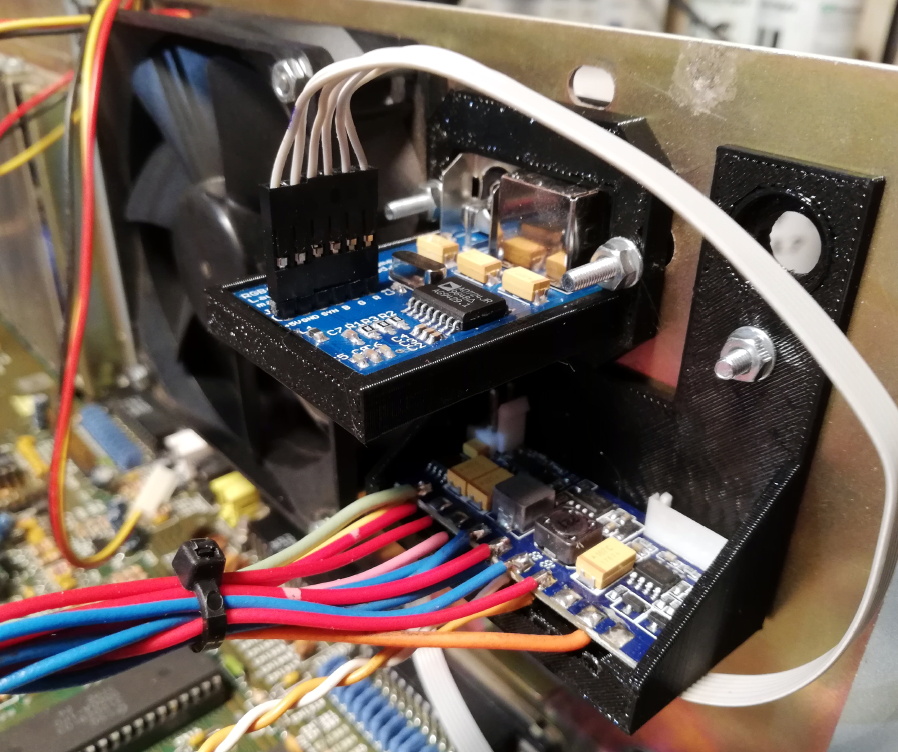
Case fan, video adapter, and picoPSU.

[Drygol] added an IDE interface and connected a CompactFlash adapter as the computer’s primary drive. For the secondary, he installed a GoTek floppy drive emulator that lets you replace a mountain of physical disks with a USB flash drive full of images. Between the two, all of the computer’s storage needs are met with nary a moving part.

The emulator was given its own 3D printed front panel to fit with the Amiga’s visual style, and he also printed out a holder for the RGB4ALL S-Video/Composite adapter installed on the rear of the machine. To help keep all this new gear cool, he finished things off with a new case fan.

Some will no doubt complain about the addition of the extra gadgetry, but to those people, we suggest you just focus on the phenomenal case restoration work. While you might not agree with all of the modifications [Drygol] makes, there’s no question that you can learn something by going through his considerable body of work.

Over-Engineered Incandescent Numerical Display Shows Great Workmanship

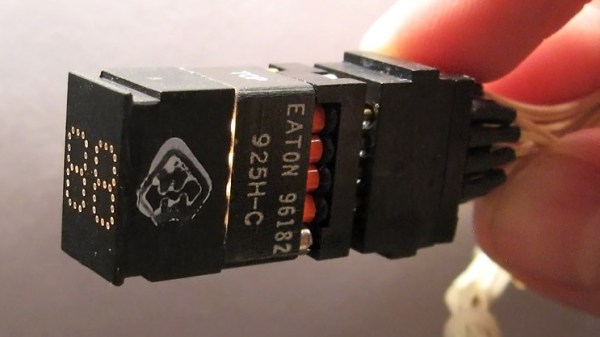
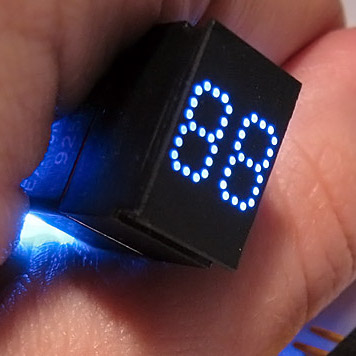
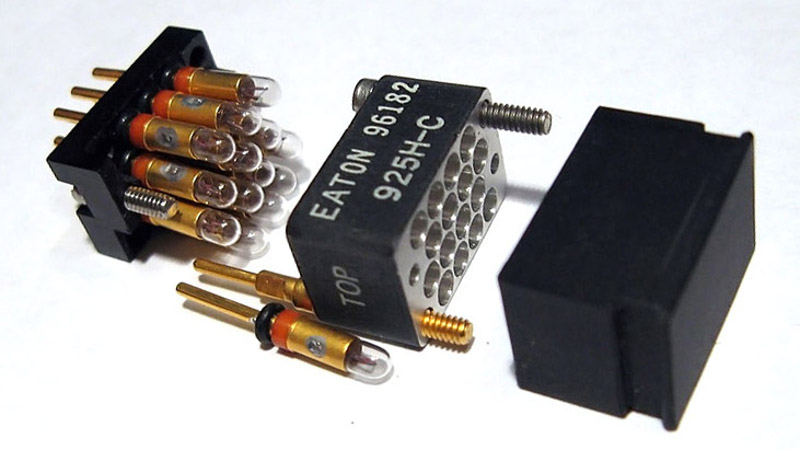
Back before LED technology came into its own, displays used incandescent bulbs. These vintage incandescent displays weren’t necessarily big; the Eaton 925H-C fiber optic display, for example, has numbers barely 7 mm tall and packs two of them into a tiny area. Of course, the depth of the display module itself is huge by today’s standards; those components have got to go somewhere, after all.

This particular device is, in [Industrial Alchemy]’s words, “[d]ripping with the spending excess that only a bottomless military budget can provide… the Eaton 925H-C may not be a practical device, but it is certainly an impressive one.”

The way the display works is this: individual incandescent bulbs light up fiber optic light guides, which terminate on the face of the display in small dots to make up a numerical display. With only fourteen bulbs, the dots we see here clearly aren’t individually addressable; the two digits are most likely broken up into seven segments each, with three dots making up each segment.

No expense seems spared in the design and manufacture of these displays. Even the incandescent lamps have individual shock absorbers.

The sheer amount of workmanship in these displays is remarkable, and their design makes them easy to retrofit with LED technology instead of replacing the tiny incandescent lamps. In a stark contrast to all of the machined aluminum and gold plated contacts seen here in the Eaton 925H-C, take a look at this Soviet-era seven-segment incandescent display whose construction is far less sophisticated, but shows off its own clever engineering. We’ve also seen more modern DIY takes on the concept, using LED light sources and cured UV resin light pipes to get that vintage look to the displays.

An Ancient 8 Inch Floppy, With A PC

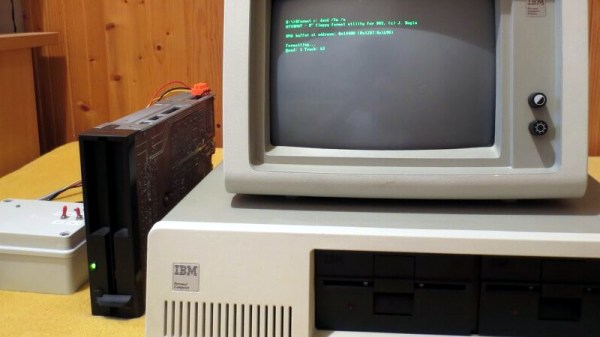
Most of us may have gratefully abandoned the floppy disk a decade or more since, but even today many PCs and their operating systems retain the ability to deal with these data storage relics. The PC was widely fitted with either 5.25″ or 3.5″ disk drives, but other formats such as the older 8″ discs were not a fixture in the 16-bit desktop computing world. It’s something [Jozef Bogin] has taken aim at, with his exploits in connecting a variety of 8″ drives to a PC.

In the early 1970s there were a variety of different 8″ drive standards that weren’t all entirely compatible, but a de facto standard emerged as clones of the Shuggart drives used by IBM. It’s a modified version of this interface that can be found in a PC floppy controller. While there is enough electrical compatibility to connect the two there remains a variety of connectors used on the drives. There are also a wide range of power supplies, with drives requiring 5, 12, and 24 volts, and some of them even requiring AC mains with different versions for 50Hz and 60Hz mains frequencies.

With an 8″ drive hooked up to a PC, how might DOS, or even older Windows versions, interface with it? To that end he’s created a piece of software called 8format, which not only allows 8″ disks to be formatted for the PC, but also provides a driver that replaces the BIOS floppy settings for these drives. This doesn’t work for imaging disks from other older platforms, but he provides pointers to more capable floppy controllers for that.

If these drives interest you, there’s more to be gleaned from a tale of interfacing them with 8-bit retrocomputers.

Homebrew 68K Micro-ATX Computer Runs Its Own OS

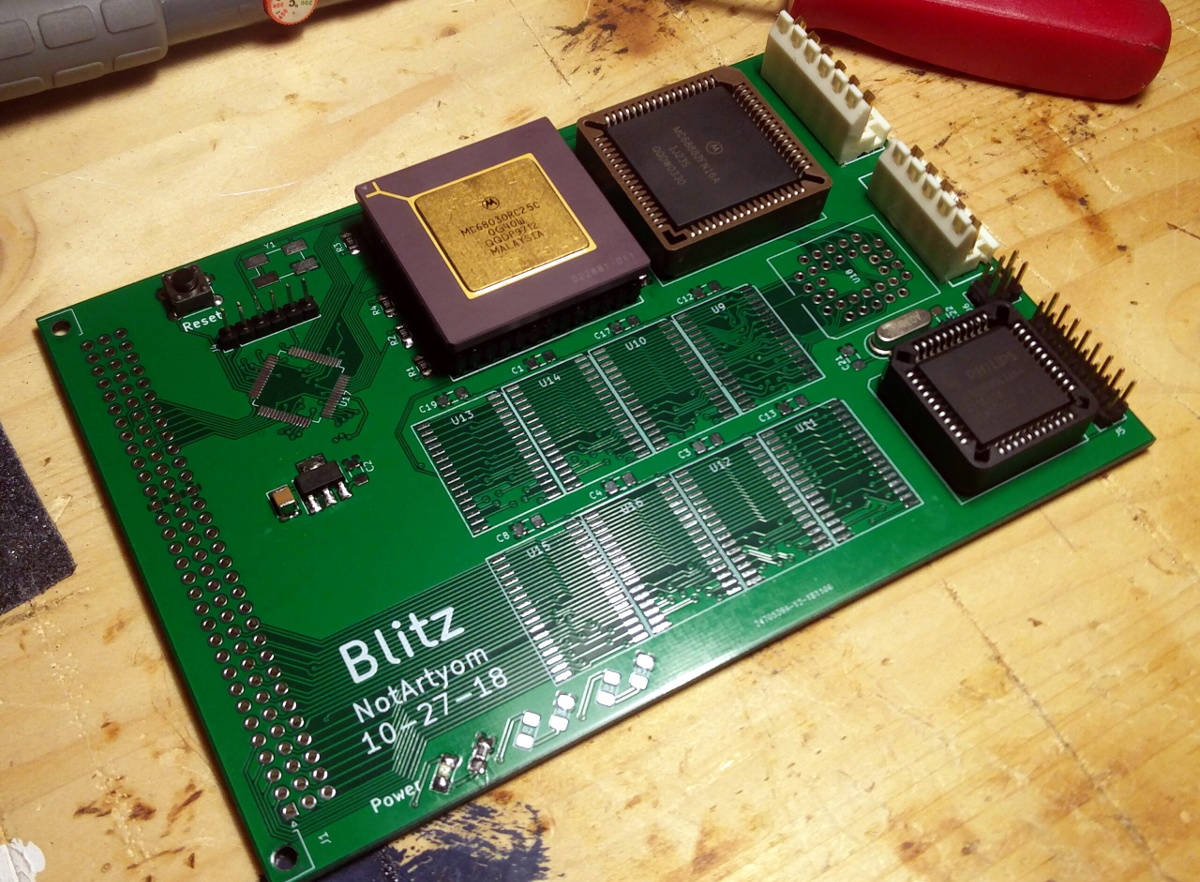
We’re no stranger to home built Motorola 68000 computers here at Hackaday, but more often than not, they tend to be an experiment in retro minimalism. The venerable processor is usually joined by only a handful of components, and there’s an excellent chance they’ll have taken up residence on a piece of perfboard. Then [NotArtyom] sent in his Blitz, and launched the bar into the stratosphere.

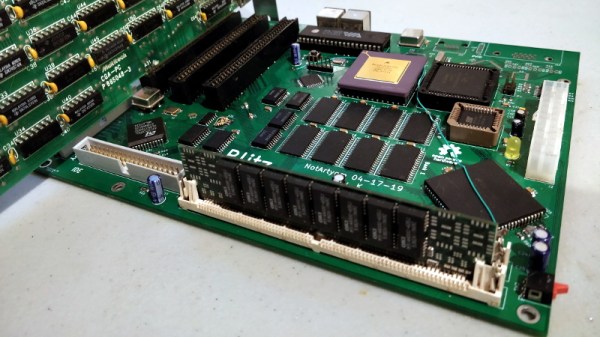
Make no mistake, the Blitz isn’t just some simple demo of classic chips. The open hardware motherboard has onboard floppy, IDE, and PS/2 interfaces, with a trio of 8-bit ISA expansion slots for good measure. The  Motorola 68030 CPU is humming along at 50 MHz, with 4 MB of RAM and 512 KB of ROM along for the ride. Designed to fit the Micro-ATX motherboard standard, you can even mount the Blitz in a contemporary PC case and run it on a standard ATX power supply.

An earlier prototype of the Blitz motherboard.

As if the hardware wasn’t impressive enough, [NotArtyom] went ahead and created his own open source DOS-like operating system for it to run. Written in portable C, G-DOS can run on various m68k boards as well as ARM and PowerPC machines. It’s an incredible project in its own right. If you’re looking for something to show off your homebrew computer, you could certainly do worse than pulling down a copy of G-DOS. If you do port it to a new board, make sure to let [NotArtyom] know.

It’s taken [NotArtyom] three years to develop Blitz and G-DOS with his only goal being to better understand homebrew computers. He has no interest in monetizing the design or turning it into a kit, but instead hopes it will be a resource and inspiration for others with similar interests. Oh yeah, and he did all of this before he even graduated high school. If you weren’t questioning your life’s accomplishments before, now would be a great time to start.

Interested in building your own Motorola 68000 computer, but haven’t yet attained the wizarding level of [NotArtyom]? You could start with something a bit simpler like the 68k-nano, or if you’re really in a pinch, just dead bug a Dragonball 68328.

A Lockdown Brightened By A Library Of Vintage Usborne Books

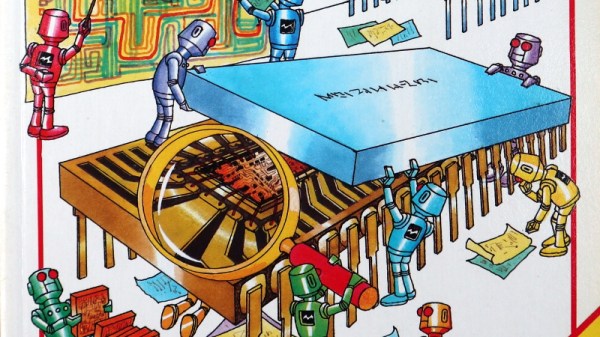
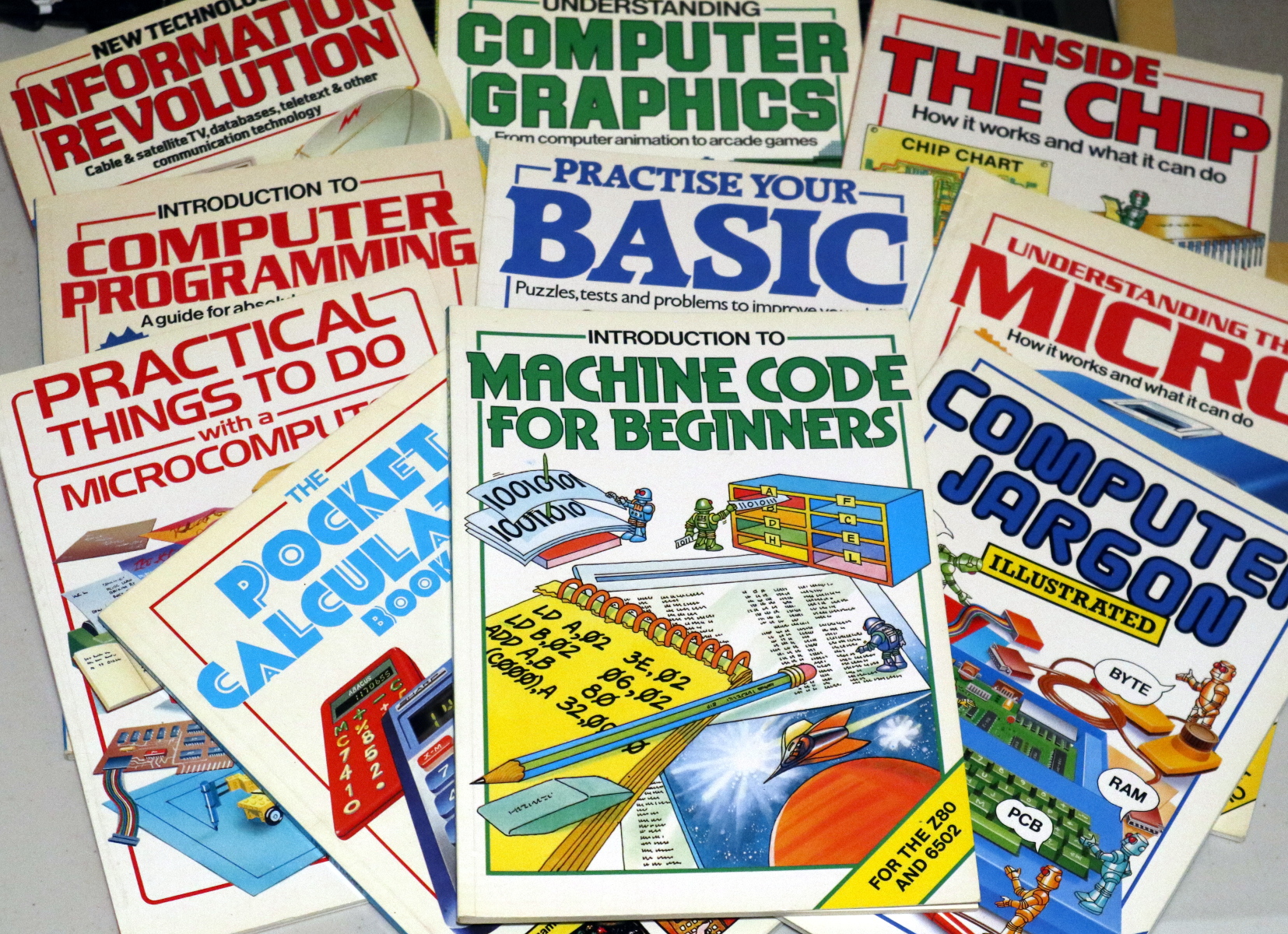
Lockdown is boring. No, let’s emphasize that, lockdown is really boring. Walking for exercise is much less fun than it was last year because it’s a wet and muddy February, and with nowhere open, a rare trip out to a McDonalds drive-through becomes a major outing. Stuck inside for the duration we turn our eyes to some of the older ways to wile away the time. Books. Remember them? In doing that I found that the friend whose house I’m living in has the whole library of Usborne children’s computer and technology books from the 1980s. Suddenly a rainy day doesn’t matter, because we’re in a cheerful world of cartoon robots and computer parts!

When Kids Learned Machine Code

A comprehensive selection to get one's teeth into.
A comprehensive selection to get one’s teeth into.

If this leaves you none the wiser, it’s worth explaining that during the 1980s home computer boom there was no Internet handily placed for finding out how your new toy worked. Instead you had to read books and hoard the scraps of information they contained. Publishers responded to this new world of technology with enthusiasm, and the British children’s publisher Usborne did so in their characteristic entertaining and informative style. For probably the only time in history, children were presented with mainstream books telling them how to write machine code and interface directly to microprocessors, and those among them who probably now read Hackaday took to them with glee. They remain something of a cult object among retrocomputing enthusiasts, and fortunately a selection of them are available for download. Usborne are still very much in business producing up-to-date books educating today’s children, and to promote some of their more recent titles for the Raspberry Pi they’ve released them in electronic form. Continue reading “A Lockdown Brightened By A Library Of Vintage Usborne Books”