Minimal UART Computer

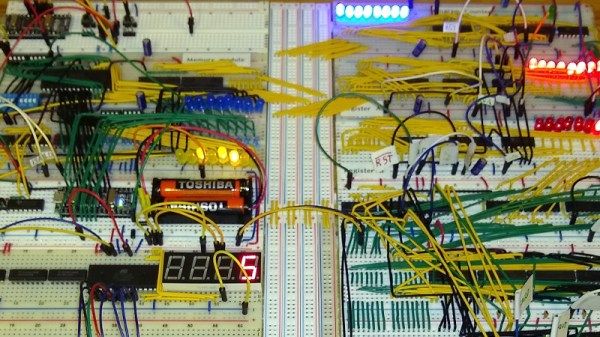
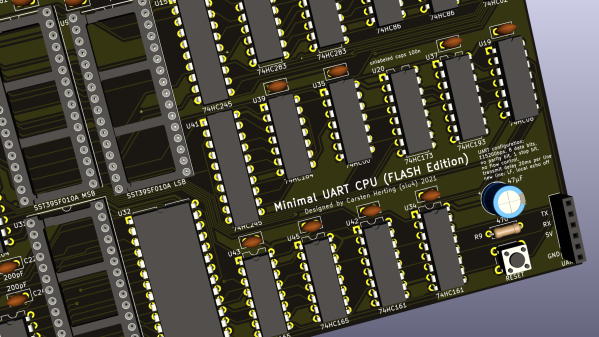
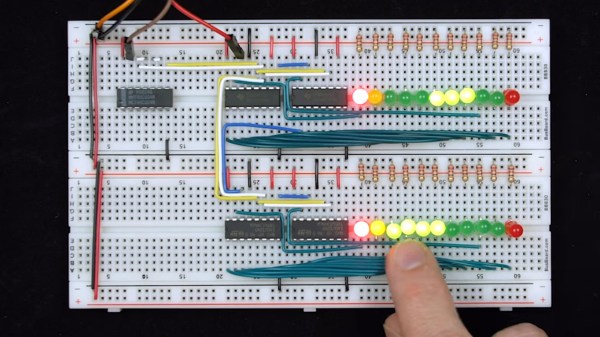
[Carsten] spent over a year developing a small CPU system, implementing his own minimalist instruction set entirely in TTL logic. The system uses a serial terminal interface for all I/O, hence the term UART in the title. [Carsten] began building this computer on multiple breadboards, which quickly got out of hand.
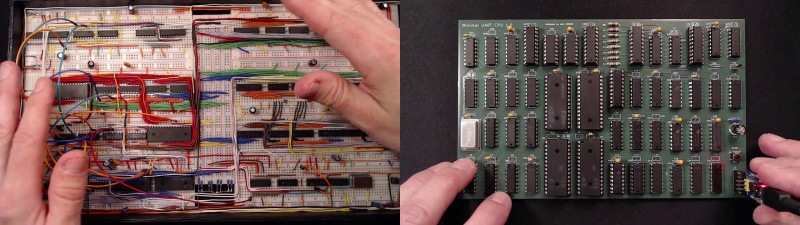
He moved the design over to a PCB, but he was still restless. This latest revision replaces EEPROM with cheaper and easier to use CMOS Flash chips, and the OS gains a small file system manager. As he says in the video, his enemy is feature creep.
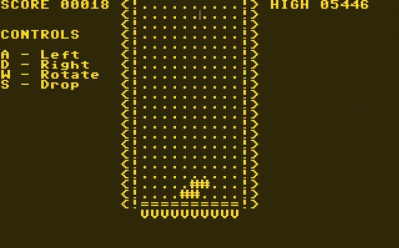
Tetris on the UART Computer

In addition to designing this CPU project, [Carsten] built an assembler and wrote a substantial operating system and various demo programs and games. He not only learned KiCAD to make this board, but also taught himself to use an auto-router. The KiCAD design, Gerbers, and BOM are all provided in his repository above. ROM images and source code are provided, as well as a Windows cross-assembler. But wait – there’s more. He also wrote a cycle exact emulator of the CPU, which, as he rightfully brags, comes in at under 250 lines of C++ code. This whole project is an amazing undertaking and represents a lot of good work. We hope he will eventually release the assembler project as well, in case others want to take on the challenge of building it to run under Linux or MacOS. Despite this, the documentation of the Minimal UART Computer is excellent.

[Carsten] claims the project has finally passed the finish line of his design requirements, but we wonder, will he really stop here? Do check out his YouTube channel for further informative videos. And thanks to [Bruce] for sending in the tip.
Continue reading “Minimal UART Computer”

Decoding The PS/2 Keyboard Protocol Using Good Old Fashioned Hardware

1987 was a glorious year.  It brought us the PS/2 keyboard standard that’s still present on many a motherboard back panel to this day. (It also marked the North America/Europe release of The Legend of Zelda but that’s another article.) Up until this point, peripherals were using DIN-5 and DE-9 (often mistakenly called DB9 and common for mice at the time) connectors or — gasp — non-standard proprietary connectors. So what was this new hotness all about? [Ben Eater] walks us through the PS/2 hall of fame by reverse-engineering the protocol.

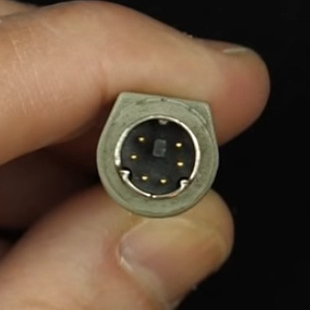
The PS/2 connector in all its glory

This is a clocked data protocol, so a waveform is generated on the data pin for each key pressed that can be compared to the clock pin to establish the timing of each pulse. Every key sends a unique set of encoded pulses and voila, the whims of the user can quickly and easily be decoded by the machine.

This is where [Ben’s] dive really shines, we know he’s a breadboarding ninja so he reaches for some DIP chips. A shift register is an easy way to build up a parallel PS/2 interface for breaking out each data packet. There are a few quirks along the way, like the need to invert the clock signal so the shift register triggers on the correct edge. He also uses the propagation delay of a couple inverter gates to fire the 595 shift register’s latch pin slightly late, avoiding a race condition. A second 595 stores the output for display by a set of LEDs.

Beyond simply decoding the signal, [Ben] goes into how the packets are formatted. You don’t just get the key code, but you get normal serial interface error detection; start/stop bits and a parity bit as well. He even drills down into extended keys that send more than one packet, and a key-up action packet that’s sent by this particular keyboard.

This is the perfect low-level demo of how the protocol functions. On the practicality side, it feels a bit strange to be breaking out the serial to parallel when it would be very easy to monitor the two signal lines and decode them with a microcontroller. You might want to switch it up a bit, stick with the clock and data pins, but connect them to a Raspberry Pi using just a few passive components.

Continue reading “Decoding The PS/2 Keyboard Protocol Using Good Old Fashioned Hardware”

Rex Wasn’t Really A PDA, It Was The First Great Digital Rolodex

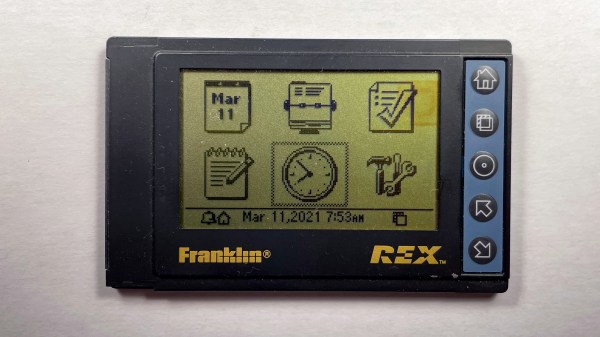
Back in the 1990s I was fascinated with small computers. I used the HP200LX palmtop computer for almost ten years, which I wrote about back in December. Naturally, the Franklin Rex 3 PCMCIA-sized organizer caught my attention when it was released in 1997. Here was a Personal Digital Assistant (PDA) the size of a credit card that could fit not just in your pocket, but in your shirt pocket.

Viewed today, it was an interesting paradigm. The screen takes up almost the entire front face of the device with a few buttons for navigation. But isn’t it a deal-breaker that you can’t enter or edit contact info on the device itself? This was long before cellphones were pervasive, and if you had the option to connect to the internet a telephone or Ethernet cable was involved. The ability to have a large data set in your pocket viewable without slapping a brick-like laptop on a table was pretty huge.

I think the killer feature was the PCMCIA interface. I challenged myself to reverse engineer the API so that I could sync data outside of the

Continue reading “Rex Wasn’t Really A PDA, It Was The First Great Digital Rolodex”

Full DIY: A UNIX Clone On TTL

Making a CPU or indeed a whole computer system from scratch using discrete logic chips is by no means an unusual project, but it’s still one that requires quite a lot of technical ability and understanding of how computers work. Similarly, writing a UNIX-like operating system from scratch is something that’s been done more than once, but which definitely puts the author in an exclusive breed.  Creating a CPU and computer system from discrete logic and then writing a UNIX-like OS for it? That’s definitely something new, but here’s [RobotMan2412] with both CPU and operating system to prove it!

The GR8CPU as he calls it is an 8-bit design with a 16-bit address space, making it equivalent to a typical mid-to-late 1970s 8-bit chip. He’s on revision 3 of the processor, and even makes the bold suggestion that it might be the most complex breadboard CPU ever made. That’s impressive enough, but to add a UNIX-like operating system makes it special.

While he has a real GR8CPU, it appears he’s also written an emulator with access to a disk filesystem, and it’s on this that he shows us the OS running. Don’t expect an all-singing all-dancing desktop OS here, instead it’s a kernel and very basic command line that’s just about able to run a Hello World. The kernel is hand-coded in assembler and is about 5 kB in size.

We look forward to seeing more of this project, and hope maybe he’ll one day soon publish the source. As a reminder that this is a perfectly capable platform for the job, here’s the original UNIX running on a vintage DEC PDP7.

2:3 Scale VT100 Is A Perfect Pairing For PDP-8/I Replica

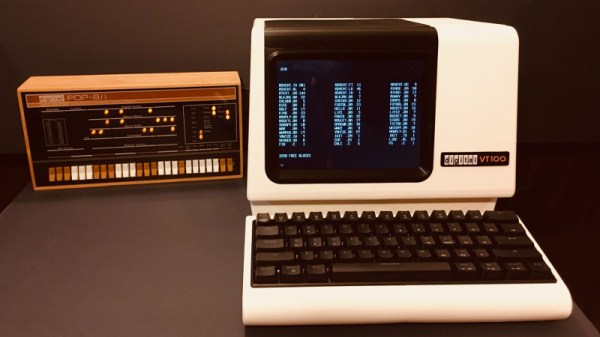
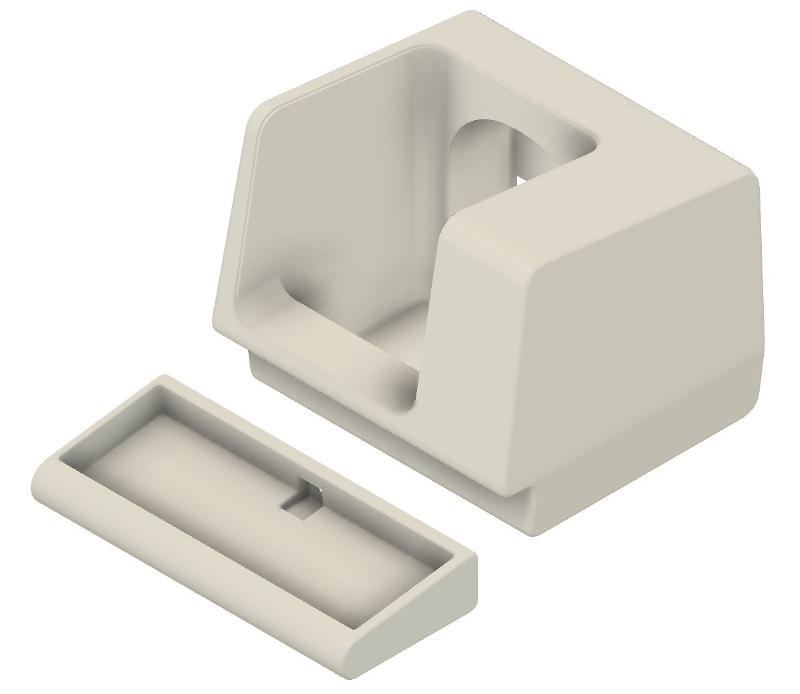
When he went shopping for a vintage serial terminal to go along with his reproduction PDP-8/I computer, [Michael Gardi] came down with a bad case of sticker shock. But rather than be discouraged, he reasoned that if his “retro” computer could stand to have modern components at its heart, so could the terminal he used to talk to it. Leaning on his considerable experience in designing 3D printed replica hardware, he’s built an absolutely gorgeous scaled down DEC VT100 terminal that any classic computer aficionado would be happy to have on their desk.

Now to be clear, [Michael] hasn’t created a true serial terminal. Since the faux PDP-8/I is running on a Raspberry Pi, all he needed to do was come up with something that could connect to its HDMI and USB ports. Put simply, he’s essentially just made a 3D printed enclosure for the Pi’s monitor and keyboard. Oh, but what a gorgeous enclosure it is.

Recreating the VT100 in CAD was made more difficult by the fact that [Michael] couldn’t get his hands on the authentic hardware. But of course, that’s never stopped him before. It turns out DEC provided some very detailed dimensions for the terminal in their original documentation, and while comparing them to photographs of the actual terminal did uncover a few key differences, the overall look is spot on. Once the design was done, he reports it took two rolls of filament and more than 200 hours to print out all the parts for the enclosure.

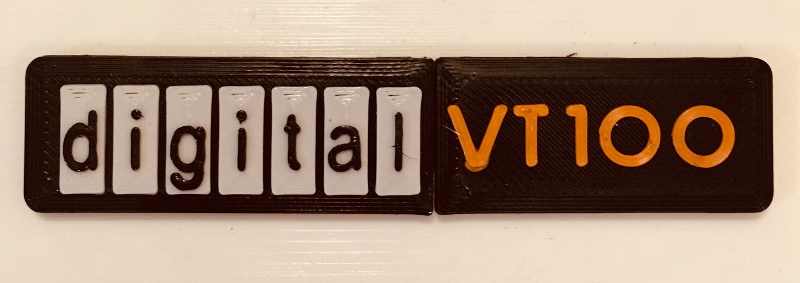
To help sell the authentic look [Michael] tracked down a 4:3 LCD of the appropriate size, and the use of an off-the-shelf portable mechanical keyboard should make text entry a pleasure. For a little fun, he even came up with a themed arcade controller for the VT100 that can be used with RetroPie. The printed logo plate is an especially nice touch, and we’re more than willing to forgive the fact that he had to print it at a larger scale than the rest of the terminal to get all the detail in with his printer’s 0.4 mm nozzle.

On a technical level, this is perhaps the most straightforward replica we’ve ever seen from [Michael]. But even on a relatively simple project like this, his signature attention to detail and craftsmanship is on full display. It’s always a good day when he’s got a new build to show off with, and we’re eager to see what he comes up with next.

The Famous Basic Computer Games Book Gets A 2021 Update

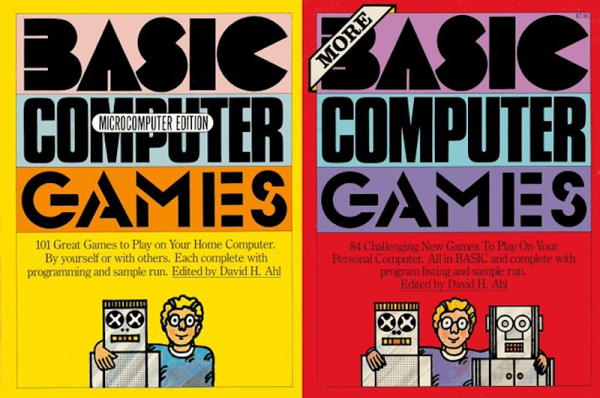
If you are a certain age, your first programming language was almost certainly BASIC. You probably at least saw the famous book by Ahl, titled BASIC Computer Games or 101 BASIC Computer Games. The book, published in 1973 by [David Ahl] was a staple in its day and the first computer book to sell over one million copies. Of course, if you want to run Super Star Trek or Hamurabi, you better fire up an old retrocomputer or a simulator because BASIC in 1973 doesn’t look like what we have today. Or, you can head to GitHub where [coding-horror] is inviting people to help update the programs using modern languages.

One of our favorites, Bagels, is there with directories for C#, Java, Javascript, Python, Ruby, and VB.net. It doesn’t appear that all of the games are in all the languages, though. There’s also a .Net solution file that apparently has a few entries in it. We were also happy to see Super Star Trek represented, along with a link to an article about a C++ language port. The original games were tweaked to run on VintageBasic.

Continue reading “The Famous Basic Computer Games Book Gets A 2021 Update”

Apple II Talks To 3D Printer With A Little Modern Help

Controlling most desktop 3D printers is as easy as sending them G-code commands over a serial connection. As you might expect, it takes a relatively quick machine to fire off the commands fast enough for a good-quality print. But what if you weren’t so picky? If speed isn’t a concern, what’s the practical limit on the type of computer you could use?

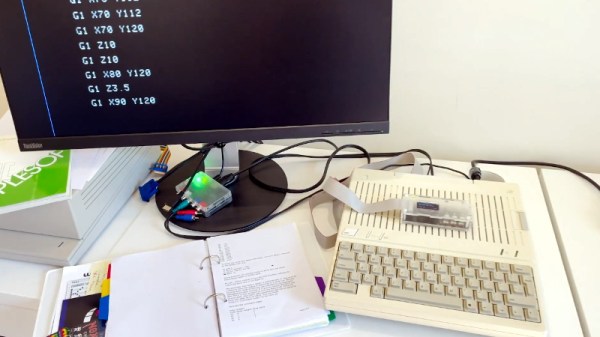
In an effort to answer that question, [Max Piantoni] set out to control his Ender 3 printer with an authentic Apple IIc. Things were made a bit easier by the fact that he really only wanted to use the printer as a 2D plotter, so he could ignore the third dimension in his code. All he needed to do was come up with a BASIC program that let him create some simple geometric artwork on the Apple and convert it into commands that could be sent out over the computer’s serial port.

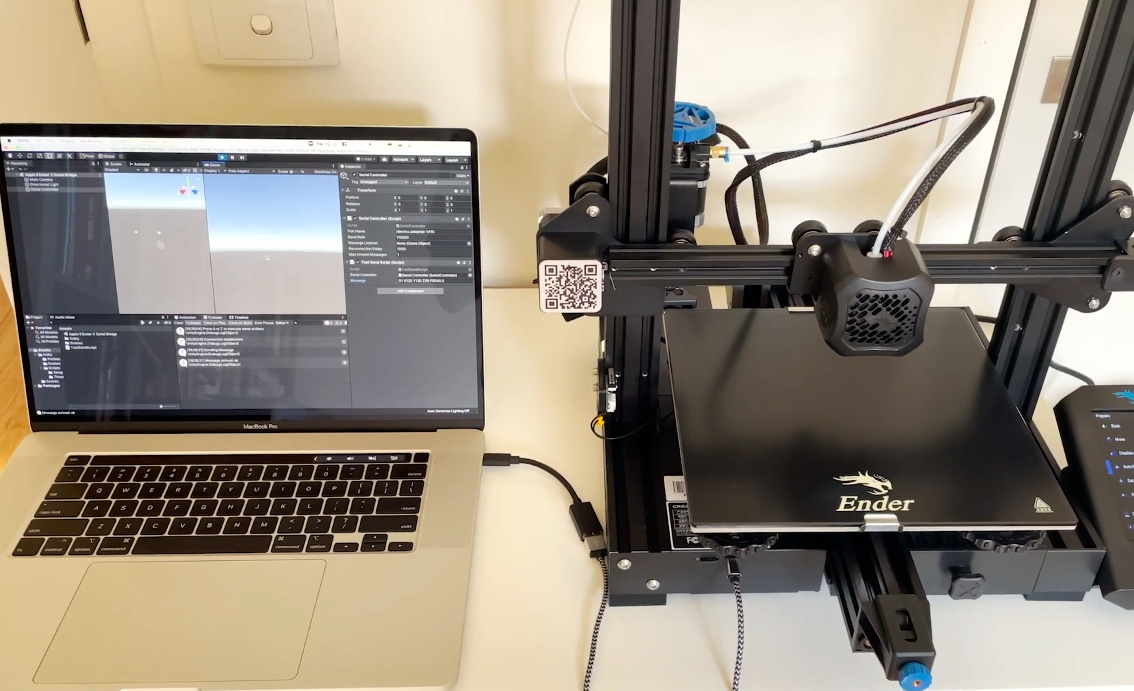
Unity controlling the Ender 3

Unfortunately, [Max] ran into something of a language barrier. While the Apple had no problem generating G-code the Ender’s controller would understand, both devices couldn’t agree on a data rate that worked for both of them. The 3D printer likes to zip along at 115,200 baud, while the Apple was plodding ahead at 300. Clearly, something would have to stand in as an interpreter.

The solution [Max] came up with certainly wouldn’t be our first choice, but there’s something to be said for working with what you know. He quickly whipped up a program in Unity on his Macbook that would accept incoming commands from the Apple II at 300 baud, build up a healthy buffer, and then send them off to the Ender 3. As you can see in the video after the break, this Mac-in-the-middle approach got these unlikely friends talking at last.

We’re reminded of a project from a few years back that aimed to build a fully functional 3D printer with 1980s technology. It was to be controlled by a Commodore PET from the 1980s, which also struggled to communicate quickly enough with the printer’s electronics. Bringing a modern laptop into the mix is probably cheating a bit, but at least it shows the concept is sound.

Continue reading “Apple II Talks To 3D Printer With A Little Modern Help”