ATtiny85 Plays The Chrome Dinosaur Game

If you’ve ever had your internet connection drop out while running Chrome, you’ve probably seen a little dinosaur pop up to tell you what’s going on. You might have then tapped a key and learned that it’s actually a little mini-game built into the browser where you have to hop your intrepid T-rex over a bunch of cactii. [Albert David] is well familiar with this little Easter egg, and set about building a system to automatically play the game for him.

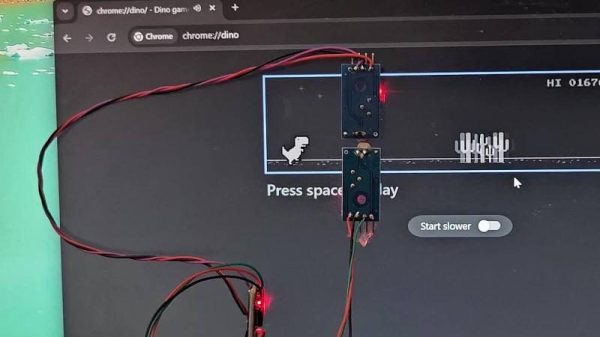
The build uses an Digispark ATtiny85 microcontroller board to run the show. It’s set up to plug in to a PC and enumerate as a USB HID device, so it can spoof the required key presses to play the game. To sense the game state, the device uses a pair of LM393 light-dependent resistor comparator modules. The bottom sensor is used to detect cactus obstacles in the game, while the upper sensor detects flying bird obstacles. Armed with this information, the microcontroller can deliver keypresses at just the right time to jump over cactuses while dodging birds overhead.

[Albert] does a great job of explaining how the project came together in the write-up. There are also useful calibration instructions that indicate how to place the sensors and tweak their thresholds so they trigger reliably and help you net a suitably high score.

Interestingly enough, this isn’t the first time we’ve seen a microcontroller take Chrome’s hidden game for a spin. The game itself has become popular enough that we’ve also seen it ported to other platforms.
Continue reading “ATtiny85 Plays The Chrome Dinosaur Game”
When Clever Hardware Hacks Bite Back: A Password Keeper Device Autopsy

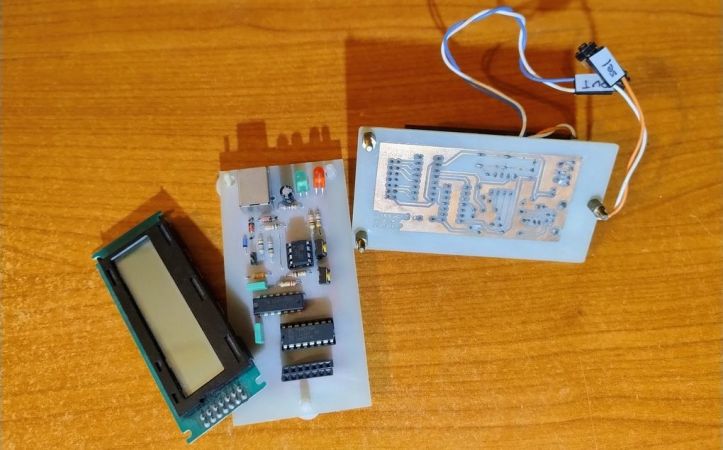
Sometimes you have this project idea in your mind that seems so simple and straightforward, and which feels just so right that you have to roll with it. Then, years later you stumble across the sad remnants of the tearful saga and the dismal failure that it portrays. Do you put it away again, like an unpleasant memory, or write it up in an article, as a tearful confession of past sins? After some coaxing by a friend, [Alessandro] worked up the courage to detail how he set about making a hardware-only password keeper, and why it failed.

The idea was so simple: the device would pretend to be a keyboard and type the passwords for you. This is not that unusual, as hardware devices like the Mooltipass do something similar. Even better, it’d be constructed only out of parts lying around, including an ATtiny85 and an HD44780 display, with bit-banged USB connectivity.

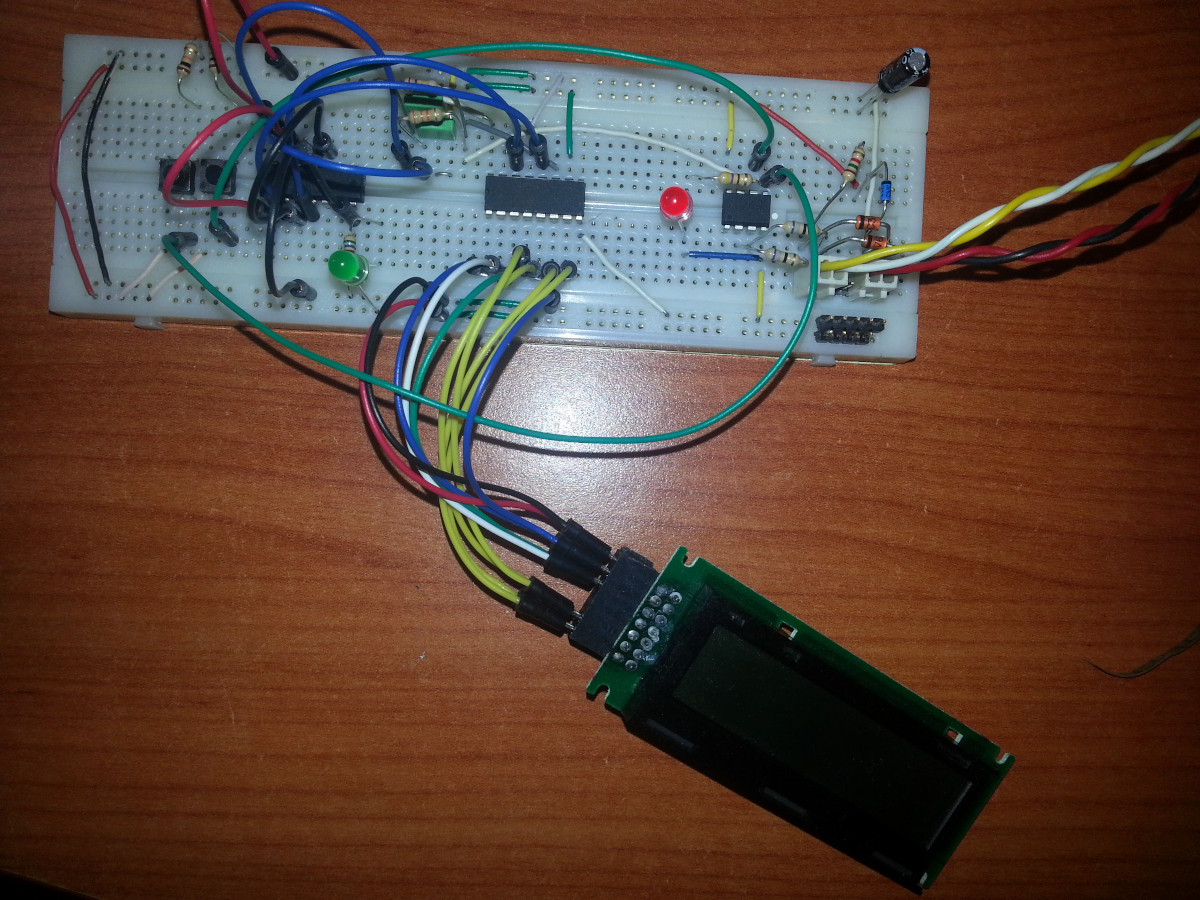
Prototyping the hardware on a breadboard.

Overcoming the challenge of driving the LC display with one pin on the MCU required adding a 74HC595 demultiplexer and careful timing, which sort of worked when the stars aligned just right. Good enough, but what about adding new passwords?

This is where things quickly skidded off the tracks in the most slapstick way possible, as [Alessandro] solved the problem of USB keyboard HID devices being technically ‘output-only’, by abusing the indicator statuses for Caps Lock, Num Lock, and Scroll Lock. By driving these from the host PC in just the right way you can use them as a sort of serial protocol. This incidentally turned out to be the most reliable part of the project.

Where the project finally tripped and fell down the proverbial flight of stairs was when it came to making the bit-banged USB work reliably. As it turns out, USB is very unforgiving with its timing unlike PS/2, making for an infuriating user experience. After tossing the prototype hardware into a box, this is where the project gathered dust for the past years.

If you want to give it a try yourself, maybe using an MCU that has more GPIO and perhaps even a USB hardware peripheral like the STM32F103, ESP32-S3 or something fruit-flavored, you can take a gander at the project files in the GitHub repository.

We’re always happy to see projects that (ab)use the Lock status indicators, it’s always been one of our favorite keyboard hacks.

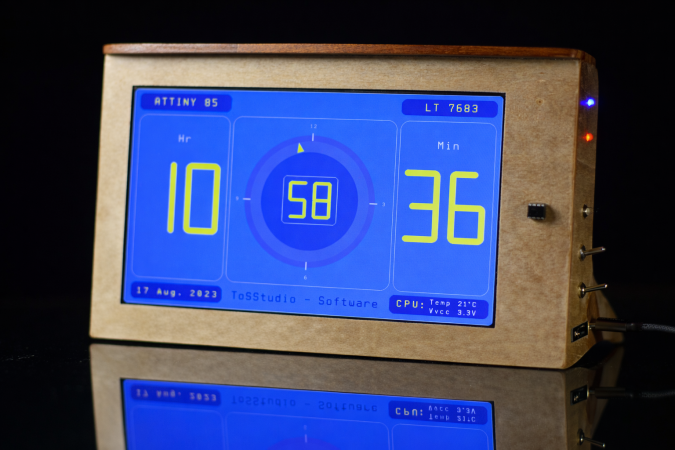
The clock demo on display

Drive 1024×600 Pixels Via I2C With An ATtiny85

If you need to drive a big screen for a project, it’s fair to say your first thought isn’t going to be to use the ATtiny85. With just 512 bytes of RAM and 8 kilobytes of flash memory, the 8-bit micro seems a little cramped to drive, say, a 10″ screen. Yet that’s exactly what [ToSStudio] is doing with TinyTFT_LT7683: 1024 x 600 pixels of TFT goodness, over I2C no less.

With the right TFT controller, this little micro-controller can do magic.

The name kind of gives away the secret: it won’t work on just any TFT display. It’s using properties of the LT7683 display driver, though if you don’t have one of those, the RA8875 is also compatible. Those drivers can take more than just a pixel stream– a good thing, since you’d be hard pressed to get that many pixels streaming from an ATtiny. These are character/graphic display drivers, which means you can get them to draw both characters and graphics on the screen if you speak the lingo.

It’s still not blazing fast; the documentation suggests “static or moderately dynamic UIs” as the suggested use case, and a clock is of the pre-programmed examples. From that, we can surmise that you can get 1 FPS or better with this code. You’re limited both by the simple micro-controller and the bandwidth of the I2C bus, but within those limits this seems like a very powerful technique.

This isn’t the first ATtiny graphics library to blow our minds, but if you really want an impressive graphics demo from the little micro that could, you really need to race the beam.

Thanks to [Thomas Scherer] for the tip!

ATTiny85 as fan controller

An ATTiny GPU Fan Controller That Sticks

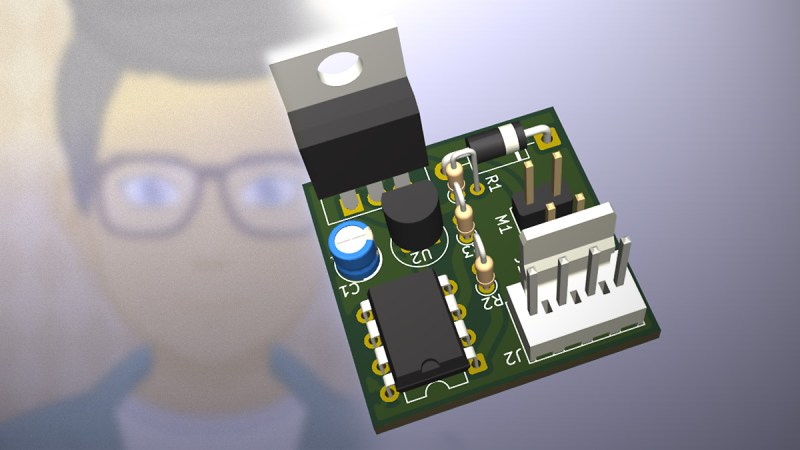
When your GPU fan goes rogue with an unholy screech, you either shell out for a new one or you go full hacker mode. Well, [ashafq] did the latter. The result is a delightfully nerdy fan controller powered by an ATTiny85 and governed by a DS18B20 temperature sensor. We all know a silent workstation is golden, and there’s no fun in throwing money at an off-the-shelf solution. [ashafq]’s custom build transforms a whiny Radeon RX 550 into a cool, quiet operator. Best of all: it’s built from bits likely already in your junk drawer.

To challenge himself a bit, [ashafq] rolled his own temperature-triggered PWM logic using 1-wire protocol on an ATtiny85, all without libraries or bloated firmware. The fan’s speed only ramps up when the GPU gets toasty, just like it should. It’s efficient and clever, and that makes it a fine hack. The entire system runs off a scavenged 12V fan. He could have used a 3D printer, but decided to stick onto the card with double-sided tape. McGyver would approve.

The results don’t lie: idle temps at 40 °C, load peaking at 60 °C. Quieter than stock, smarter than stock, and way cheaper too. The double-sided tape may not last, but that leaves room for improvement. In case you want to start on it yourself, read the full write-up and feel inspired to build your own. Hackaday.io is ready for the documentation of your take on it.

Modifying fans is a tradition around here. Does it always take a processor? Nope.

LED Probe

LED Probe: A Smart, Simple Solution For Testing LEDs

If you’ve worked on a project with small LEDs, you know the frustration of determining their polarity. This ingenious LED Probe from [David] packs a lot of useful features into a simple, easy-to-implement circuit.

Most multimeters have a diode test function that can be used to check LEDs; however, this goes a step further. Not only will the probe light up an LED, it will light up no matter which side of the LED the leads are touching. A  Red/Green LED on the probe will indicate if the probe tip is on the anode or cathode.

The probe is powered by a single CR2032 battery, and you may notice there’s no on/off switch. That’s because the probe enters a very low-current sleep mode between uses. The testing intelligence is handled by either an ATtiny85 or, in the newest version, an ATtiny202, though the basic concept and design are compatible with several other chips. All the design files for the PCB, the ATtiny code, a parts list, and a detailed explanation of how it works are available on [David]’s site, so be sure to check them out. Once you build one of these probes, you’ll want something to test it on, so explore some of the LED projects we’ve featured in the past.

Adding Assistive Technology To A Doorbell

The advent of affordable computing over the last few decades has certainly been a boon for many people with disabilities, making it easier to access things like text-to-speech technology, automation, or mobility devices, and even going as far as making it easier to work in general by making remote work possible. Some things still lag behind, though, like user interfaces that don’t take the colorblind into account, or appliances that only use an audio cue to signal to their users. This doorbell, for example, is one such device and [ydiaeresis] is adding features to it to help their mother with some hearing issues.

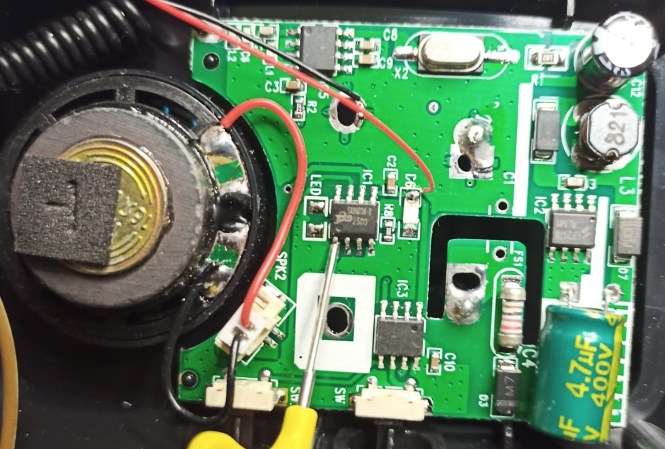
The first thing up for this off-the-shelf remote doorbell is a “brain transplant” since the built-in microcontroller couldn’t be identified. There are only a few signals on this board though so an ATtiny412 made for a suitable replacement. A logic analyzer was able to decode the signals being fed to the original microcontroller, and with that the push of the doorbell can be programmed to do whatever one likes, including integrating it with home automation systems or other assistive technology. In [ydiaeresis]’s case there’s an existing LED lighting system that illuminates whenever the phone rings.

Although it would be nice if these inexpensive electronics came with the adaptive features everyone might need from them, it’s often not too hard to add it in as was the case with this set of digital calipers. To go even further, some other common technology can be used to help those with disabilities like this hoverboard modified to help those with mobility issues.

Thanks to [buttim] for the tip!

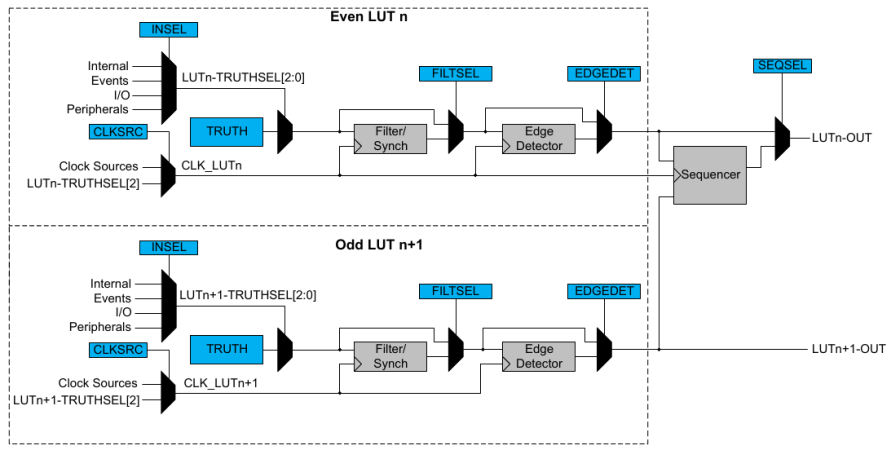
Configurable Custom Logic (CCL) Block Diagram.

Getting Started With ATtiny Configurable Custom Logic (CCL)

In the Microchip tinyAVR {0,1,2}-series we see Configurable Custom Logic (CCL) among the Core Independent Peripherals (CIP) available on the chip. In this YouTube video [Grug Huhler] shows us how to make your own digital logic in hardware using the ATtiny CCL peripheral.

If you have spare pins on your tinyAVR micro you can use them with the CCL for “glue logic” and save on your bill of materials (BOM) cost. The CCL can do simple to moderately complex logic, and it does it without the need for support from the processor core, which is why it’s called a core independent peripheral. A good place to learn about the CCL capabilities in these tinyAVR series is Microchip Technical Brief TB3218: Getting Started with Configurable Custom Logic (CCL) or if you need more information see a datasheet, such as the ATtiny3226 datasheet mentioned in the video.

Continue reading “Getting Started With ATtiny Configurable Custom Logic (CCL)”