A Parallel Port Synthesiser For Your DOS PC

It is a great shame that back in the days when a typical home computer had easy low-level hardware access that is absent from today’s machines, the cost of taking advantage of it was so high. Professional PCBs were way out of reach of a home constructor, and many of the integrated circuits that might have been used were expensive and difficult to source in small quantities.

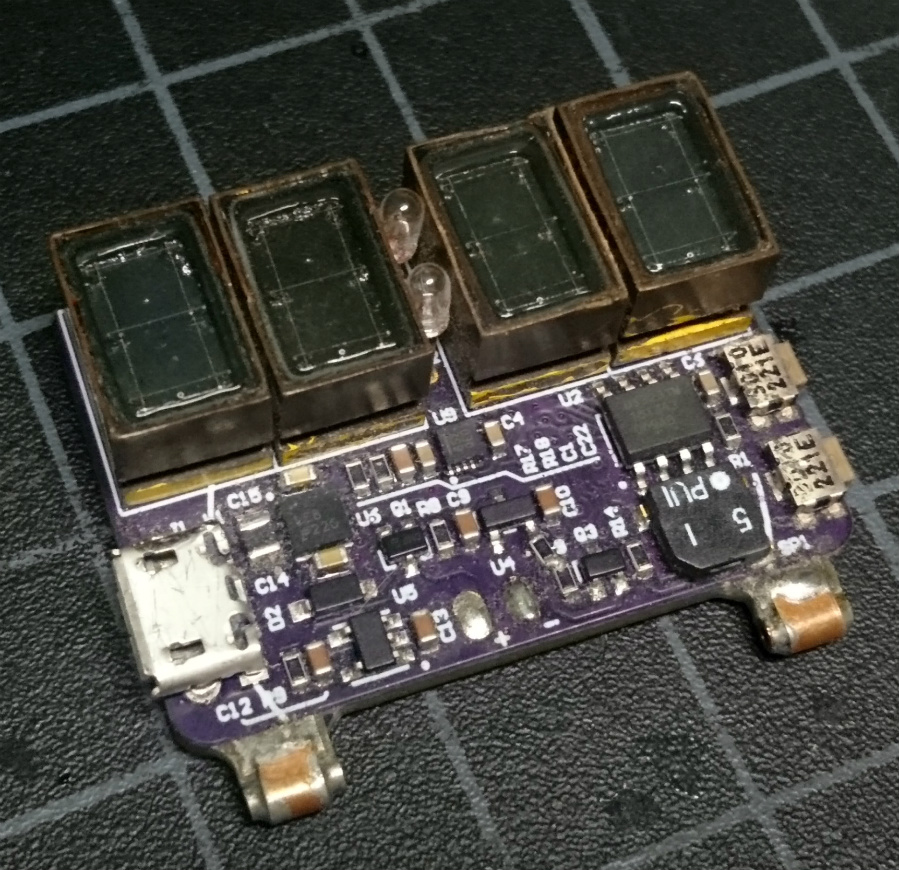
Here in the 21st century we have both cheap PCBs and easy access to a wealth of semiconductors, so enthusiasts for older hardware can set to work on projects that would have been impossible back in the day. Such an offering is [Serdef]’s Tiny Parallel Port General MIDI Synthesizer for DOS PCs, a very professionally produced synth that you might have paid a lot of money to own three decades ago.

At its heart is a SAM2695 synthesiser chip, and the board uses the parallel port as an 8-bit I/O port. The software side is handled by a TSR (a Terminate and Stay Resident driver loaded at startup, for those of you who are not DOS aficionados), and there are demonstrations of it running with a few classic games.

If the chip used here interests you, you might like to look at a similar project for an Arduino. The Kickstarter we covered is now long over, but you can also find it on GitHub.

Wireless Headphone Hack Dangles Batteries Like Earrings

Koss Porta Pro headphones are something of a rarity in the world of audio gear: they’re widely regarded as sounding great, but don’t cost an exorbitant amount of money. Since the line was introduced in 1984, they’ve been the go-to headphones for those who don’t subscribe to the idea that you should have to take out a loan from the bank just to enjoy your music.

[Jake Bickhard] is a confirmed Porta Pro disciple, owning enough pairs of them that he’s cagey about confirming how many are actually kicking around his home. The only thing he doesn’t like about them is the fact that they’re wired. As it happens, Koss just recently came out with a Bluetooth version of the venerable headphones. But he thought he could do just as well combining a pair of his with a water damaged pair of Bluetooth earbuds he had lying around.

The Porta Pros are easy to take apart, and removing the old wire was no problem. He then cut the “buds” on the Bluetooth earbuds he had, with the intention of just striping the wires and soldering it up to the pads on the Porta speakers. But things didn’t quite go as expected.

What [Jake] hadn’t realized was that the battery for the Bluetooth earbuds wasn’t in the main housing, the power comes from a tiny battery inside each bud. That meant he needed to keep the batteries connected even though the Porta Pro obviously doesn’t have a spot to mount them. In the future he says he’ll address the issue properly, but for now the two batteries hang from the headphones: making it look like he’s wearing the world’s ugliest earrings. But at least he’s happy with the performance of the finished modification, saying they’re even louder now than when they were when wired.

This is a perfect project if you’re cursed with a mobile device that had enough “courage” to take the headphone jack away from you. Though you might first want to study the fine art of soldering headphone wires.

Ditch The Tapes, Put An Android In Your Deck

While we here at Hackaday never question why an individual took on a particular project, it surely doesn’t stop our beloved readers from grabbing their pitchforks and demanding such answers in the comments. Perhaps no posts generate more of this sort of furore than the ones which feature old audio gear infused with modern hardware. In almost every case the answer is the same: the person liked the look and feel of vintage hardware, but didn’t want to be limited to antiquated media.

That sentiment is perhaps perfectly personified by the TapeLess Deck Project, created by [Artur Młynarz]. His creations combine vintage cassette decks with an Android phone small enough to fit behind the tape door. An Android application which mimics the look of a playing tape, complete with “hand written” track info, completes the illusion.

The output from the phone is tied into the deck where the audio signal from the tape head would have been, so the volume controls and VU meters still work as expected. Watching the meters bounce around while the animated “tape” plays on the screen really does look incredibly slick, though the effect is somewhat hindered by the fact the physical playback controls don’t seem to be implemented. Incidentally, the whole experience works better if the plastic window on the tape door is removed; that way you can utilize the touch and swipe interface [Artur] has in the software.

We’ve seen previous attempts to modernize the audio cassette experience, but they’ve tended to be more of a novelty than anything. But these decks are nice enough that you can like them non-ironically. Though if we’re talking about portable tape players, there’s only room for one in our cold mechanical hearts.

[Thanks to Nikolai for the tip]

Continue reading “Ditch The Tapes, Put An Android In Your Deck”

Prop WWII Machine Gun Courtesy Of Home Depot

There’s perhaps nothing worse than working on a project and realizing you don’t have the part you need to complete it. You look through all your stuff twice, maybe three times, on the off chance it’s hiding somewhere. Perhaps even reach out to a few nearby friends to see if they might have something you can use. Forget local stores, what you need is so specific that nobody’s going to keep it in stock. You’re stuck, and now everything has to be put on hold.

That’s precisely what happened to [Nathan Cragun] recently. He needed a Japanese Type 96 Light Machine Gun for a particular scene in the independent World War II film he’s working on, and couldn’t find one anywhere. Out of options, he ended up building a replica with parts from the hardware store. OK, so it isn’t exactly like being short a passive component or two on that new PCB you’re putting together. But while we can’t say a project of ours has ever been short a 70+ year old Japanese machine gun, we can definitely relate to the feeling.

To start his build, [Nathan] printed out a full size diagram of the Type 96 and starting placing PVC pipes on top of it to get a sense for how it would all come together. Once the basic tubular “skeleton” of the weapon was completed, he moved on to cutting the rest of the parts out of EVA foam.

The major pieces that needed to be made were the stock and receiver, but even small details like the spiral ribbing on the barrel and the sights were created to scale using pieces of foam. In a particularly nice touch, [Nathan] even made the magazine removable. If we had to guess, some Japanese soldiers will be shown reloading the weapon onscreen for added authenticity.

The important thing to remember with a filming prop like this is that it doesn’t need to look perfect, just close. It might be used in the background, or seen only for a second during a fast pan. Even in professionally produced TV and movies, many of the props are little more than carved foam. With the excellent job [Nathan] did painting and weathering this build, we have no doubt it will look completely believable in the final production.

We’re no strangers to prop builds here at Hackaday, but they are generally of the science fiction or video game variety, so a historical build is a nice change of pace.

Lucky Cat POV Display Ditches The Waving And Windmills Out Of Control

If you’ve been in a Japanese restaurant, you’ve probably seen a maneki-neko, the lucky cat charm, where a cat welcomes you with a beckoning arm. It’s considered to bring good luck, but we’re not sure if [Martin Fitzpatrick] is pushing his luck with this Lucky Cat POV display. He hacked one of the figurines so the arm forms a persistence of vision (POV) display, where blinking LEDs on the paw create a dot-matrix style display.

Inside the hapless neko is a Wemos D1, motor driver, and a few other components that turn the cat into a working display. The five LEDs he attached to the paw are wide enough to display 5×7 characters. The tricky part in the mechanical design is getting signals from a stationary base to a spinning arm(ature). In this case it was easily solved with a 6-wire slip ring from Adafruit. [Martin] revs the lucky cat up using a brushed DC motor and a couple of gears.

The ESP8266 is running MicroPython — the combination should make this a snap to hook into any web service API you want to display your own messages. Right now the arm doesn’t have positional awareness so the message isn’t locked in a single position like it would be if a hall effect sensor was used. But [Martin] says there’s plenty of room left inside the cat and a future upgrade could include stashing the batteries inside for a cordless, all-in-one build. If he takes that on it’s a perfect time to add some type of shaft encoding as well.

Check the Lucky Cat showing off in the clip after the break.

Continue reading “Lucky Cat POV Display Ditches The Waving And Windmills Out Of Control”

WFW 3.11 running on a Thinkpad T400

Windows For Workgroups 3.11 In 2018

It’s been 25 years since Microsoft released Windows for Workgroups 3.11. To take a trip back to the end of the 16-bit era of operating system, [Yeo Kheng Meng] got WFW 3.11 running on a modern Thinkpad.

To make things difficult, a few goals were set for the project. Obviously, this wouldn’t be much fun in a virtual machine, so those were banned. A video driver would be needed, since WFW 3.11 only supports resolutions up to 640×480 in software. Some basic support for sound would be desirable. Finally, TCP/IP networking is possible in WFW 3.11, so networking hardware would allow access modern internet.

[Yeo Kheng Meng] accomplished all of these goals on a 2009 Thinkpad T400 and throughly documented the process. Some interesting hacks were required, including the design of a custom parallel port sound card based on the Covox Speech Thing. Accessing HTTPS web servers required a man-in-the-middle attack to strip SSL, since the SSL support on WFW 3.11 is ancient and blocked by most web servers today.

If you want your own WFW 3.11 laptop, the detailed instructions will get you there. [Yeo Kheng Meng] has also provided the hardware design for the sound card. You can watch a talk on the process after the break.

Continue reading “Windows For Workgroups 3.11 In 2018”

Scratch-Built Ornithopter: Here’s How I Flapped My Way To Flight

One of humankind’s dreams has always been to fly like a bird. For a hacker, an achievable step along the path to that dream is to make an ornithopter — a machine which flies by flapping its wings. An RC controlled one would be wonderful, controlled flight is what everyone wants. Building a flying machine from scratch is a big enough challenge, and a better jumping-off point is to make a rubber band driven one first.

I experimented with designs which are available on the internet, to learn as much as possible, but I started from scratch in terms of material selection and dimensions. You learn a lot about flight through trial and error, and I’m happy to report that in the end I achieved a great little flyer built with a hobby knife and my own two hands. Since then I’ve been looking back on what made that project work, and it’s turned into a great article for Hackaday. Let’s dig in!

Continue reading “Scratch-Built Ornithopter: Here’s How I Flapped My Way To Flight”