Simulate PIC And Arduino/AVR Designs With No Cloud

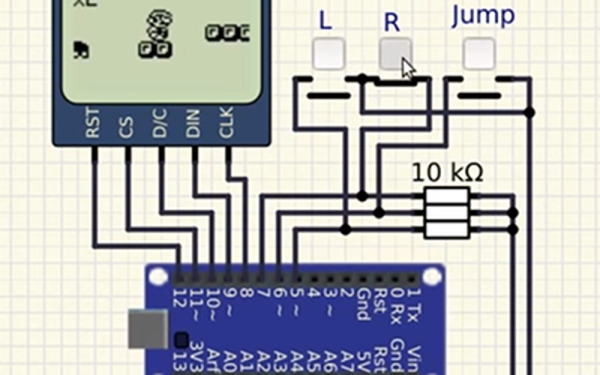
I’ve always appreciated simulation tools. Sure, there’s no substitute for actually building a circuit but it sure is handy if you can fix a lot of easy problems before you start soldering and making PCBs. I’ve done quite a few posts on LTSpice and I’m also a big fan of the Falstad simulator in the browser. However, both of those don’t do a lot for you if a microcontroller is a major part of your design. I recently found an open source project called Simulide that has a few issues but does a credible job of mixed simulation. It allows you to simulate analog circuits, LCDs, stepper and servo motors and can include programmable PIC or AVR (including Arduino) processors in your simulation.

The software is available for Windows or Linux and the AVR/Arduino emulation is built in. For the PIC on Linux, you need an external software simulator that you can easily install. This is provided with the Windows version. You can see one of several videos available about an older release of the tool below. There is also a window that can compile your Arduino code and even debug it, although that almost always crashed for me after a few minutes of working. As you can see in the image above, though, it is capable of running some pretty serious Arduino code as long as you aren’t debugging.

Continue reading “Simulate PIC And Arduino/AVR Designs With No Cloud” →

FCC Filing Reveals Tasty Hardware McSecrets

If you’ve visited a McDonald’s recently, you might have noticed something of a tonal shift. Rather than relying on angsty human teenagers to take customer orders, an increasing number of McDonald’s locations are now using self-serve kiosks. You walk up, enter your order on a giant touch screen, and then take an electronic marker with you to an open table. In mere minutes your tray of nutritious delicious cheap food is brought to you by… well that’s still probably going to be an angsty teenager.

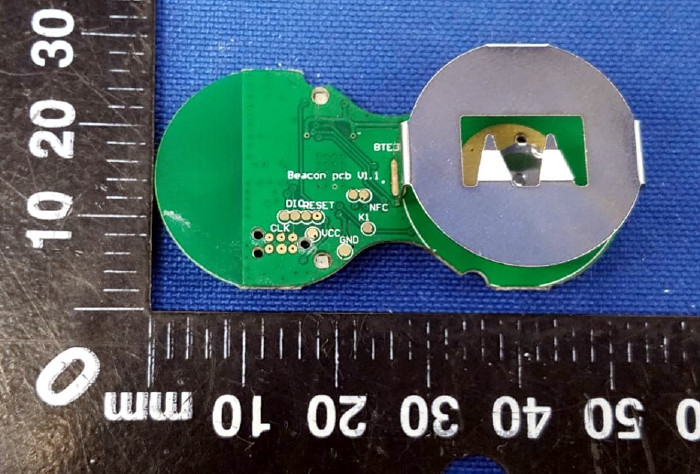
Thanks to a recent FCC filing pointed out to us by an anonymous tipster, we now know what kind of tech Ronald has packed into the electronic table markers (referred to as “tents” in McDonald’s parlance). It turns out they are Bluetooth Low Energy beacons powered by the Nordic nRF52832 chipset, and include some unexpected features such as an accelerometer to detect falls.

The Nordic nRF52832 features a 32-bit ARM Cortex M4F processor at 64 MHz with 512 KB flash and 64 KB SRAM. Quite a bit of punch for a table marker. Incidentally, this is the same chip used in the Adafruit Feather nRF52 Pro, so there’s already an easily obtainable development toolchain.

A image of the backside of the PCB shows a wealth of labeled test points, and we imagine figuring out how to get one of these table markers doing your own bidding wouldn’t be too difficult. Not that we condone you swiping one of these things along with your Quarter Pounder with Cheese. Though we are curious to know just why they need so much hardware to indicate which table to take a particular order to; it seems the number printed on the body of the device would be enough to do that.

This isn’t the first time we’ve taken a peek behind the Golden Arches. From reverse engineering their famous fries to hacking the toys they give out with Happy Meals, there’s more to do at the local McDonald’s than get thrown out of the ball pit again.

Badgelife, The Hardware Demoscene Documentary

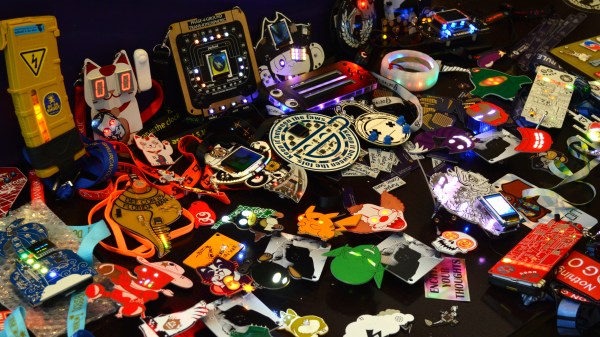
Last week, tens of thousands of people headed home from Vegas, fresh out of this year’s DEF CON. This was a great year for DEF CON, especially when it comes to hardware. This was the year independent badges took over, thanks to a small community of people dedicated to creating small-run hardware, puzzles, and PCB art for thousands of conference-goers. This is badgelife, a demoscene of hardware, and this is just the beginning. It’s only going to get bigger from here on out.

We were lucky enough to sit down with a few of the creators behind the badges of this year’s DEF CON and the interviews were fantastic. Right here is a lesson on electronic design, manufacturing, and logistics. If you’ve ever wanted to be an engineer that ships a product instead of a lowly maker that ships a product, this is the greatest classroom in the world.

Continue reading “Badgelife, The Hardware Demoscene Documentary” →

UNINAMI walk cycle

Theo Jansen Invents A Faster, Simpler, Wind-Powered Strandbeest

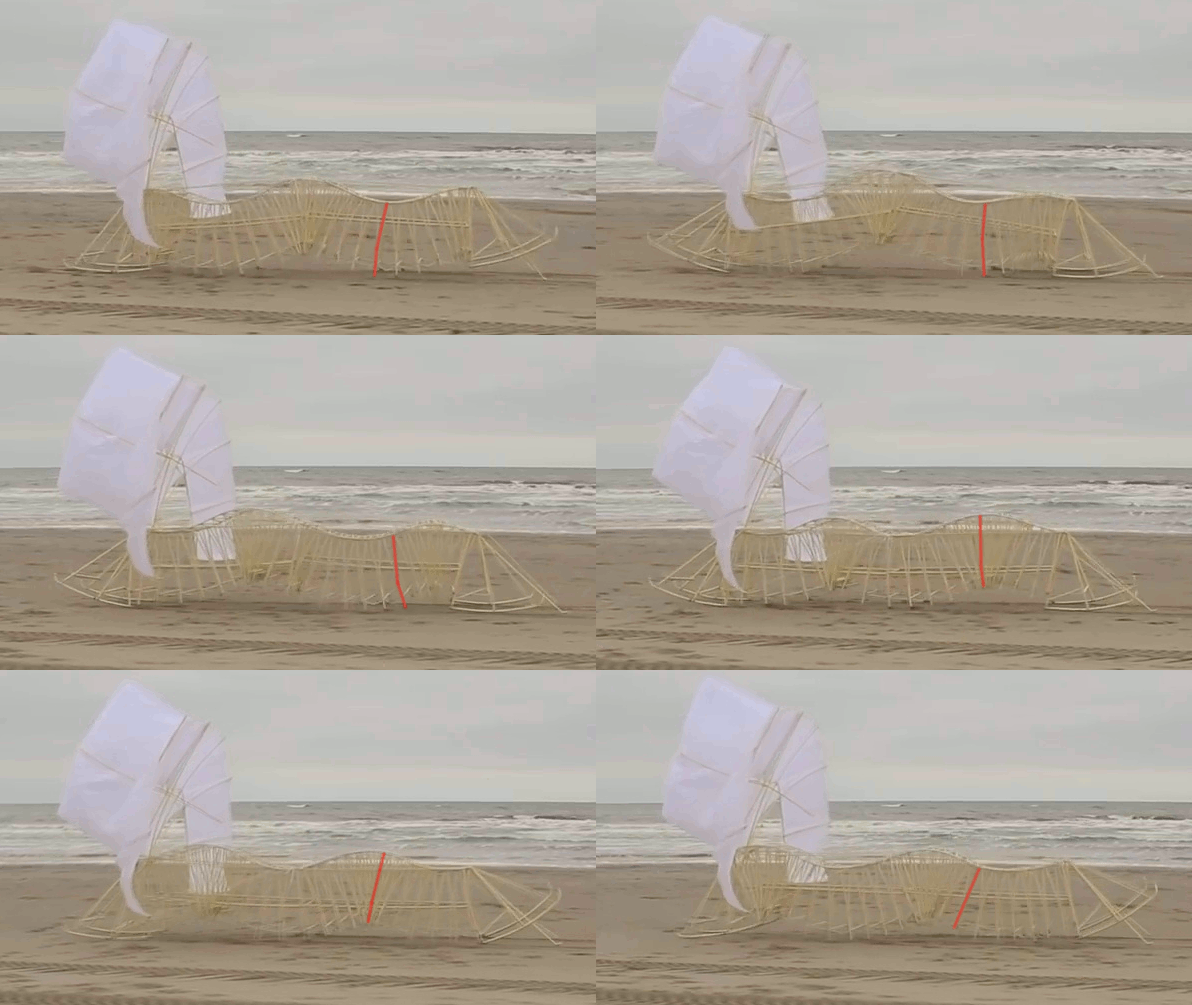
[Theo Jansen] has come up with an intriguing wind-powered strandbeest which races along the beach with surprising speed and grace. According to [Jansen], it “doesn’t have hinging joints like the classical strandbeests, so they don’t get sand in their joints and you don’t have to lubricate them.” It’s called UMINAMI, which appropriately means “ocean wave” in Japanese.

There are only videos of it in action to go on so far, but a lot can be gleaned from them. To make it easier to keep track of just a single leg, we’ve slowed things down and reddened one of them in the banner animation. Those legs seem to be providing a push but the forward motion is more likely supplied by the sails. The second video below shows it being pulled along by the type of strandbeest we’re all more used to seeing.

What follows is an analysis and best guess about how it works. Or you can just enjoy its graceful undulations in the videos below.

Continue reading “Theo Jansen Invents A Faster, Simpler, Wind-Powered Strandbeest” →

Stop Using Python 2: What You Need To Know About Python 3

Though Python 3 was released in 2008, many projects are still stuck on Python 2.

It’s understandable that porting large existing codebases to a new version is a prospect which sends a shiver down many a developer’s spine. But code inevitably needs to be maintained, and so when all the shiny new features that would fix everything are in a new version, is it really worth staying rooted in the past?

We’ll take you through some of the features that Python 2 programs are missing out on, not only from 3.0 but up to the current release (3.7).

Continue reading “Stop Using Python 2: What You Need To Know About Python 3” →

All The Badges Of DEF CON 26 (vol 1)

Two or three years back you would see a handful of really interesting unofficial badges at DEF CON. Now, there’s a deluge of clever, beautiful, and well executed badges. Last weekend I tried to see every badge and meet every badge maker. Normally, I would publish one megapost to show off everything I had seen, but this year I’m splitting it into volumes. Join me after the break for the first upload of the incredible badges of DC26!

Continue reading “All The Badges Of DEF CON 26 (vol 1)” →

Run A Linux Terminal On Cheap E-Ink Displays

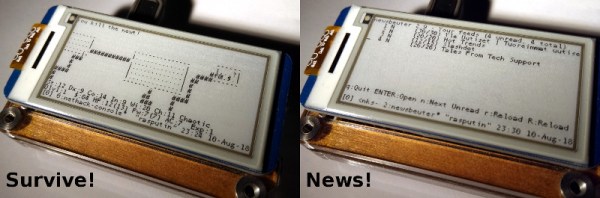
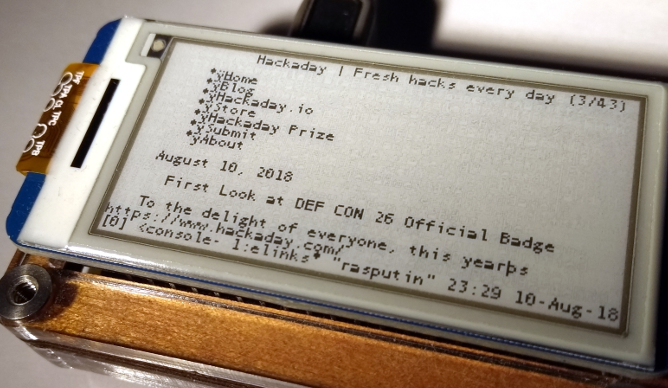
If you haven’t kept up with the world of e-ink displays, here’s some good news: they are pretty cheap now. For as little as $15 you can get a small e-ink display that has good enough performance and contrast to actually do something useful. There’s only one problem: figuring out how to drive them in your project.

Tired of seeing nothing but wiring diagrams and sample code when it came to actually putting these e-ink modules to use, [Jouko Strömmer] decided to try his hand at creating a turn-key application for these gorgeous little displays. The result is PaperTTY, a Python program that allows the user to open up a fully functional Linux virtual terminal on an e-ink display.

Of course, there are some caveats. For one, this all assumes you’re using a Waveshare display (specifically their 2.13 inch HAT) connected to a Raspberry Pi over SPI. Not to say that’s the only hardware combination that will work, but it’s the only one that [Jouko] has done any testing on at this point. If you want to try to shake things up in terms of hardware, you might need to get your hands dirty.

The advantage of being able to open a Linux VT on one of these e-ink displays is pretty simple: you can run basically any piece of software you want on it. Rather than having to come up with software that specifically features support for the display, you can just use (or write) standard Linux console programs. [Jouko] mentions a number of popular programs such as vim and irssi, but you could just as easily write a Bash script to dump whatever data you like to the screen.

In the video after the break [Jouko] shows PaperTTY in action for the doubters who think these sorts of displays are no good for interactive use. The display is very crisp and readable, with no signs of flickering. Overall he says the experience is not unlike using a slow SSH connection. It might not be how we’d like to use a computer full time, but we can definitely see the potential.

With the recent progress with Kindle hacking, it seems that interest in e-ink is as high as ever. Despite what the haters might claim, it’s a useful niche tech that still holds plenty of promise.

Continue reading “Run A Linux Terminal On Cheap E-Ink Displays” →