Colossus: Face To Face With The First Electronic Computer

When the story of an invention is repeated as Received Opinion for the younger generation it is so often presented as a single one-off event, with a named inventor. Before the event there was no invention, then as if by magic it was there. That apple falling on Isaac Newton’s head, or Archimedes overflowing his bath, you’ve heard the stories. The inventor’s name will sometimes differ depending on which country you are in when you hear the story, which provides an insight into the flaws in the simple invention tales. The truth is in so many cases an invention does not have a single Eureka moment, instead the named inventor builds on the work of so many others who have gone before and is the lucky engineer or scientist whose ideas result in the magic breakthrough before anyone else’s.

The history of computing is no exception, with many steps along the path that has given us the devices we rely on for so much today. Blaise Pascal’s 17th century French mechanical calculator, Charles Babbage and Ada, Countess Lovelace’s work in 19th century Britain, Herman Hollerith’s American tabulators at the end of that century, or Konrad Zuse’s work in prewar Germany represent just a few of them.

So if we are to search for an inventor in this field we have to be a little more specific than “Who invented the first computer?”, because there are so many candidates. If we restrict the question to “Who invented the first programmable electronic digital computer?” we have a much simpler answer, because we have ample evidence of the machine in question. The Received Opinion answer is therefore “The first programmable electronic digital computer was Colossus, invented at Bletchley Park in World War Two by Alan Turing to break the Nazi Enigma codes, and it was kept secret until the 1970s”.

It’s such a temptingly perfect soundbite laden with pluck and derring-do that could so easily be taken from a 1950s Eagle comic, isn’t it. Unfortunately it contains such significant untruths as to be rendered useless. Colossus is the computer you are looking for, it was developed in World War Two and kept secret for many years afterwards, but the rest of the Received Opinion answer is false. It wasn’t invented at Bletchley, its job was not the Enigma work, and most surprisingly Alan Turing’s direct involvement was only peripheral. The real story is much more interesting.

Continue reading “Colossus: Face To Face With The First Electronic Computer”

Commanding Kerbals With A Physical Interface

Kerbal Space Program will have you hurling little green men into the wastes of outer space, landing expended boosters back on the launchpad, and using resources on the fourth planet from the Sun to bring a crew back home. Kerbal is the greatest space simulator ever created, teaches orbital mechanics better than the Air Force textbook, but it is missing one thing: switches and blinky LEDs.

[SgtNoodle] felt this severe oversight by the creators of Kerbal could be remedied by building his Kerbal Control Panel, which adds physical buttons, switches, and a real 6-axis joystick for roleplaying as an Apollo astronaut.

The star of this build is the custom six-axis joystick, used for translation control when docking, maneuvering, or simply puttering around in space. Four axis joysticks are easy, but to move forward and backward, [SgtNoodle] replaced the shaft of a normal arcade joystick with a carriage bolt, added a washer on one end, and used two limit switches to give this MDF cockpit Z+ and Z- control.

The rest of the build is equally well detailed, with a CNC’d front panel, toggle switches and missile switch covers, with everything connected to an Arduino Mega. This Arduino interfaces the switches to the game with the kRPC mod, which creates a script-driven interface to the game. So, toggling the landing gear switch, for instance, triggers a script which interfaces with KSP to lower your landing gear prior to a nice, safe landing. Or, more likely, a terrifying crash.

Ask Hackaday: Calling All 68k Experts

This is a tale of old CPUs, intensive SMD rework, and things that should work but don’t.

Released in 1994, Apple’s Powerbook 500 series of laptop computers were the top of the line. They had built-in Ethernet, a trackpad instead of a trackball, stereo sound, and a full-size keyboard. This was one of the first laptops that looked like a modern laptop.

The CPU inside these laptops — save for the high-end Japan-only Powerbook 550c — was the 68LC040. The ‘LC‘ designation inside the part name says this CPU doesn’t have a floating point unit. A few months ago, [quarterturn] was looking for a project and decided replacing the CPU would be a valuable learning experience. He pulled the CPU card from the laptop, got out some ChipQuick, and reworked a 180-pin QFP package. This did not go well. The replacement CPU was sourced from China, and even though the number lasered onto the new CPU read 68040 and not 68LC040, this laptop was still without a floating point unit. Still, it’s an impressive display of rework ability, and generated a factlet for the marginalia of the history of consumer electronics.

Faced with a laptop that was effectively unchanged after an immense amount of very, very fine soldering, [quarterturn] had two choices. He could put the Powerbook back in the parts bin, or he could source a 68040 CPU with an FPU. He chose the latter. The new chip is a Freescale MC68040FE33A. Assured by an NXP support rep this CPU did in fact have a floating point unit, [quarterturn] checked the Mac’s System Information. No FPU was listed. He installed NetBSD. There was no FPU installed. This is weird, shouldn’t happen, and now [quarterturn] is at the limits of knowledge concerning the Powerbook 500 architecture. Thus, Ask Hackaday: why doesn’t this FPU work?

Continue reading “Ask Hackaday: Calling All 68k Experts”

You’re Overdue For A Visit To The Library

When was the last time you went to a library? If it’s been more than a couple of years, the library is probably a very different place than you remember. Public libraries pride themselves on keeping up with changing technology, especially technology that benefits the communities they serve. No matter your age or your interests, libraries are a great resource for learning new skills, doing research, or getting help with just about any task. After all, library science is about gathering together all of human knowledge and indexing it for easy lookup.

It doesn’t matter if you’re not a researcher or a student. Libraries exist to serve everyone in a class-free environment. In recent years, patrons have started looking to libraries to get their piece of the burgeoning DIY culture. They want to learn to make their lives better. Public libraries have stepped up to meet this need by adding new materials to their collections, building makerspaces, and starting tool libraries. And this is in addition to ever-growing collections of electronic resources. Somehow, they manage to do all of this with increasingly strained budgets.

The purpose of this article is to explore the ways that libraries of all stripes can be a valuable resource to our readers. From the public library system to the sprawling academic libraries on college campuses, there is something for hackers and makers at all levels.

Continue reading “You’re Overdue For A Visit To The Library”

Building A DIY Heat Pipe

Once the secret design tool for aerospace designers, the heat pipe is a common fixture now thanks to the demands of PC CPU cooling. Heat pipes can transfer lots of energy from a hot side to a cold side and is useful when you need to cool something where having a fan near the hot part isn’t feasible for some reason. Unlike active cooling, a heat pipe doesn’t require any external power or pumps, either.

[James Biggar] builds his own heat pipes using copper tubing. You can see a video of one being made, below. There’s not much to it, just a copper pipe with some water in it. However, [James] gets the water boiling to reduce the pressure in the tube before sealing it, which is an interesting trick.

One limitation of his technique is that there is no internal wick. That means the tube can only be installed vertically. If you haven’t looked at heat pipes before, most of them do have a wick. The idea is that some working fluid is in the pipe. You select that fluid so that it boils at or below the temperature you want to handle. The hot vapor rushes to the cool side of the pipe (carrying heat) where you have a large heatsink that may have a fan or active cooling system. The vapor condenses and–in this case–drops back to the bottom of the tube. However, if there is a wick, capillary action will return the fluid to the hot end of the tube.

You might think that using water as the working fluid would limit you to 100°C, but remember, [James’] technique lowers the pressure in the tube. At a lower pressure, the water will boil at a lower temperature.

We’ve seen heat pipes and wine chillers used to cool a PC before. In fact, we’ve even seen them in builds of completely fanless PCs.

Continue reading “Building A DIY Heat Pipe”

Fly With A Game Boy Classic

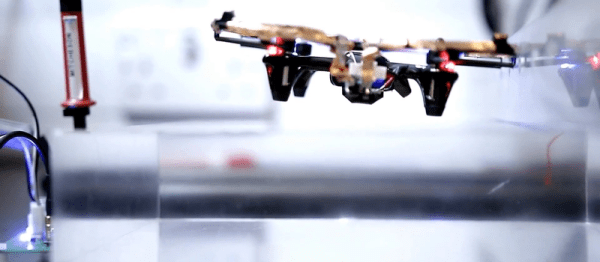
How many grown-up hardware hackers whiled away their youth playing Tetris or Mario on their Game Boy? Fond memories for many, but unless you are lucky your Game Boy will probably be long gone. Not for [Gautier Hattenberger] though, he had an unexpected find at his parents’ house; his Game Boy Classic, unloved and forgotten for all those years. Fortunately for us his first thought was whether he could use it as a controller for a drone, and better still he’s shared his work for all of us to see.

How to connect a drone and a Game Boy

Back in the day a would-be Game Boy hacker would have been deterred by Nintendo’s legal defences against game piracy, but with the benefit of a couple of decades the handheld console’s hardware is now an open book. Unfortunately for [Gautier], he seems to be the first to use one as a flight controller, so he had to plough his own furrow. His Game Boy Game Link serial port feeds an Arduino/FTDI combination that converts Game Link  to USB, which is then sent to his laptop on which a small piece of software converts them to commands for the drone through the Paparazzi UAV framework.

All his code is in a GitHub repository, and he’s posted a video of his work which you can see below the break. For a child of the early ’90s, the mere thought that their handheld console could do this would have been mindblowing!

Continue reading “Fly With A Game Boy Classic”

Books You Should Read: Basic Electronics

I learned some basic electronics in high school physics class: resistors, capacitors, Kirchhoff’s law and such, and added only what was required for projects as I did them. Then around 15 years ago I decided to read some books to flesh out what I knew and add to my body of knowledge. It turned out to be hard to find good ones.

The electronics section of my bookcase has a number of what I’d consider duds, but also some gems. Here are the gems. They may not be the electronics-Rosetta-Stone for every hacker, but they are the rock on which I built my church and well worth a spot in your own reading list.

Grob’s Basic Electronics

Grob's Basic Electronics 12th Edition
Grob’s Basic Electronics 12th Edition

Grob’s Basic Electronics by Mitchel E Schultz and Bernard Grob is a textbook, one that is easy to read yet very thorough. I bought mine from a used books store. The 1st Edition was published in 1959 and it’s currently on the 12th edition, published in 2015. Clearly this one has staying power.

I refer back to it frequently, most often to the chapters on resonance, induction and capacitance when working on LC circuits, like the ones in my crystal radios. There are also things in here that I couldn’t find anywhere else, including thoroughly exhaustive online searches. One such example is the correct definitions and formulas for the various magnetic units: ampere turns, field intensity, flux density…

I’d recommend it to a high school student or any adult who’s serious about knowing electronics well. I’d also recommend it to anyone who wants to reduce frustration when designing or debugging circuits.

You can find the table of contents here but briefly it has all the necessary introductory material on Ohm’s and Kirchhoff’s laws, parallel and series circuits, and so on but to give you an idea of how deep it goes it also has chapters on network theorems and complex numbers for AC circuits. Interestingly my 1977 4th edition has a chapter on vacuum tubes that’s gone in the current version and in its place is a plethora of new ones devoted to diodes, BJTs, FETs, thyristors and op-amps.

You can also do the practice problems and self-examination, just to make sure you understood it correctly. (I sometimes do them!) But also, being a textbook, the newest edition is expensive. However, a search for older but still recent editions on Amazon turns up some affordable used copies. Most of basic electronics hasn’t changed and my ancient edition is one of my more frequent go-to books. But it’s not the only gem I’ve found. Below are a few more.

Continue reading “Books You Should Read: Basic Electronics”