3D Printering: Aramid And Carbon Fiber Infused ABS

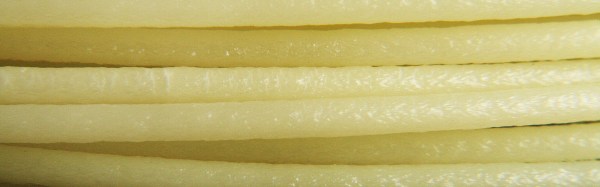
Last week, we had a look at a carbon-infused PETG filament. This week, I’d like to show you two composites based on a more common thermoplastic in 3D printing: ABS. Among a whole lot of other engineering plastics, the french company Nanovia manufactures Kevlar-like aramid-fiber-infused and carbon-fiber-infused ABS 3D printing filaments. These materials promise tougher parts with less warping while being just as easy to print as regular ABS. Let’s check them out!

Continue reading “3D Printering: Aramid And Carbon Fiber Infused ABS”

Optimizing The Spread: More Spreadsheet Circuit Design Tricks

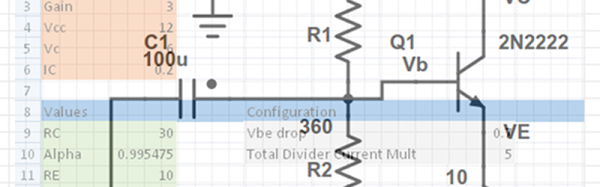
Last time I showed you how to set up a reasonably complex design in a spreadsheet: a common emitter bipolar transistor amplifier. Having the design in a spreadsheet makes it easy to do “what if” scenarios and see the effects on the design almost immediately.

Another advantage that spreadsheets offer is a way to “solve” or optimize equations. That can be very useful once you have your model. For Excel, you need to install the Solver add-in (go to the Excel Options dialog, select Manage Add-Ins, and select the Solver Add-In). You might also enjoy OpenSolver. You can even get that for Google Sheets (although it currently lacks a non-linear solver which makes it less useful for what we need).

Continue reading “Optimizing The Spread: More Spreadsheet Circuit Design Tricks”

Review: The National Museum Of Computing

Here’s a question for you all: how will you know when you are no longer young? When you fall out of love with contemporary popular music perhaps, or start to find the idea of a cruise holiday attractive? The surefire sign for many people is having to ask a teenager how a piece of technology works — this is probably not that applicable to most Hackaday readers.

How about when you’re shocked to encounter a significant part of your youth in a museum? These are supposed to be places of The Olden Days, full of rustic agricultural tools or Neolithic pottery, yet here you are in front of your teenage years presented for all to see. You have two choices: you can surrender to the inevitable and henceforth only wear beige clothing, take up golf or maybe book that old person’s cruise holiday, or you can dive in misty-eyed and reacquaint yourself with everything in front of you.

The above is probably an experience many regulars of these pages would share on a visit to Britain’s National Museum Of Computing in a corner of the famous Bletchley Park site, home of Britain’s wartime codebreaking efforts. They describe what they do on their web site as follows:

We conserve, restore, reconstruct, and give hands-on access to historic computers and related artefacts – with a particular focus on those which were the result of pioneering British ingenuity.

For the visitor this means that their galleries contain a huge array of computing and associated equipment, many of which are presented as working exhibits without too much of the dumbing-down that pervades so many other museums, and that the staff are extremely knowledgable about them.

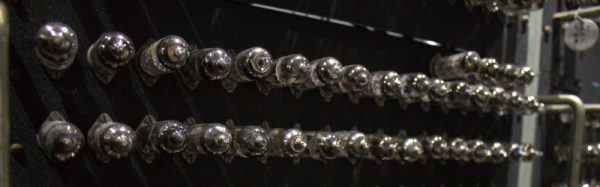
The museum is housed in one of the groups of wartime codebreakers’ huts, laid out roughly in the shape of a capital H with the top of one vertical lopped off. If you are a connoisseur of British wartime sites you’ll recognise these buildings, they were built to a fairly standard design all over the country. Internally this means that the galleries are structured around the long corridors that are a staple of that era, giving in particular the earlier exhibits a feel of their time.

Continue reading “Review: The National Museum Of Computing”

Take Your PCBs From Good To Great: Toner Transfer

dscf8697
One-offs that I never would have gotten professionally made, but that were infinitely handy during development

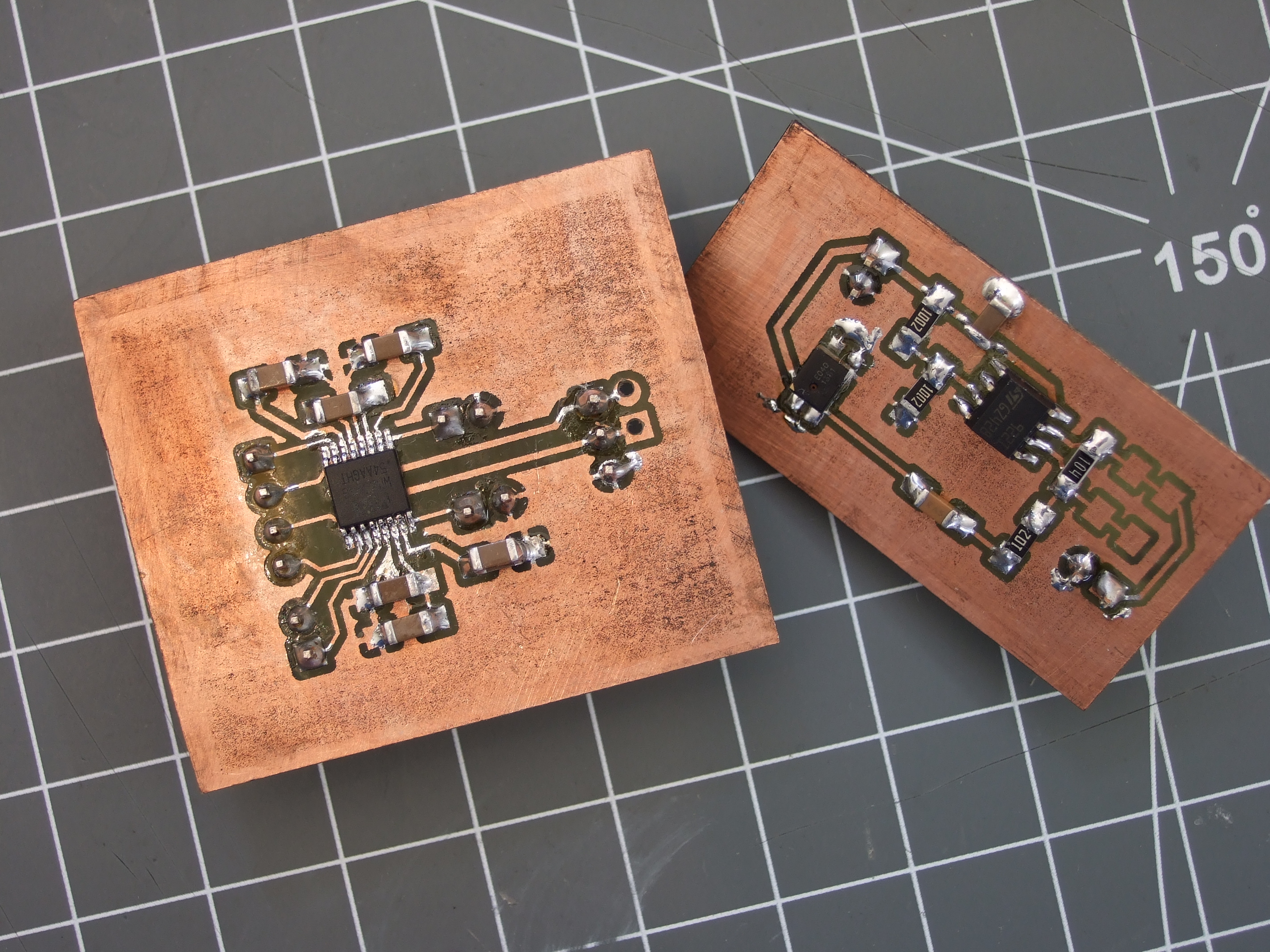
A lot of us make circuit boards at home. I find it a useful skill to have in my bag of tricks for intermediate steps along the way to a finished project, even if the finished version is going to be sent out to a PCB fab. When I need a breakout board that meshes with other development tools, for instance, there’s nothing like being able to whip something up that plugs right in. Doing it quickly, and getting on with the rest of the project instead of placing an order and waiting for delivery, helps keep me in the flow.

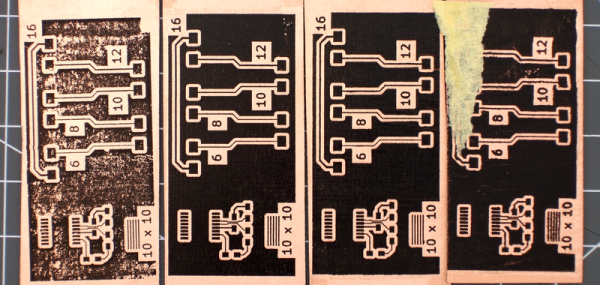
Toner transfer is by far the fastest way to make a circuit board at home — simply print the circuit out on a laser printer, iron it onto the copper, and etch. When it works, it’s awesome. When it doesn’t, it can be a hair-pulling exercise in figuring out which of myriad factors are misaligned.

For a long time now, I’ve been using a method that’s very reliable and repeatable. Recently, I’ve been tweaking a bit on the performance of the system, and I thought I’d share what I’ve got. At the moment, I’m able to very reliably produce boards with 6 mil (0.15 mm) traces and 8 mil (0.20 mm) spacing. With a little care in post-production, 4 mil / 6 mil is entirely plausible.

Continue reading “Take Your PCBs From Good To Great: Toner Transfer”

Hackaday Links Column Banner

Hackaday Links: September 11, 2016

You know about the Hackaday Superconference, right? It’s the greatest hardware con ever, and it’s happening on November 5+6. Details incoming shortly.

The Hackaday Retro Edition exists. It’s the Hackaday blog, HTML-1-izized for weird and old computers? Why did I do this? Because Google is the quickest page to load on a Powerbook 180. There’s a new Retro Success, this time coming from @LeSpocky and his Nokia 3109c phone from 2008.

This is your official notice. The Open Hardware Summit is less than a month away. It’s going down in Portland, OR. Why Portland? The Vaporwavescene, of course. Hackaday, Tindie, and the rest of the crew will be out in Portland next month getting the latest news on the state of Open Hardware. We won’t be sitting in church pews this year, but then again there is no lady made out of soap.

Speaking of OHS, [Dave] just solved all their problems. The ‘problem’ with Open Hardware, if you can call it that, is that people use it as a bullet point on a sales deck. That neat gear logo can be marketing wank, without any of the sources, schematics, or anything else that makes a project Open Hardware. Last year, OSHWA announced they would be creating a certification process, with a trademarked logo, so they can sue people who don’t post schematics and mechanical designs (slightly inaccurate, but that’s the jist of the program). [Dave] is suggesting keeping the cool gear logo, but adding letters the teeth of the gear to designate what makes something Open Hardware. Add an S for schematic, add a B for a BOM, sort of like the creative commons logo/license. Is it a good idea? If OSHWA keeps using the gear logo for the ‘official’ Open Hardware logo/designation, there’s no recourse for when people misuse it. I’m of several minds.

[Colin Furze] is famous for his zany builds. His latest Youtube is anything but. It’s a shed. Of course, it’s the entry for his underground bunker, but this is a quality shed with a concrete pad, a few bits to keep it off the ground, and insulation. The roof is slate (because why not?), but if your design decisions are based on the phrase, ‘you only live once,’ copper may be a better choice.

The ESP32 has been released. The ESP32 is the follow-on to the very popular ESP8266. The ’32 features WiFi and Bluetooth, dual core processors, and a few undisclosed things that will make it very interesting. You can buy ESP32 modules right now, but no one has them on their workbench quite yet. To get you started when they finally arrive, [Adam] created an ESP32 KiCad Library for the ESP32 chip, and the ESP32-WROOM and ESP3212 modules.

Hacklet 124 Running Robots And The Claw

You never know what you’ll find when you open the projects feed on Hackaday.io. Most weeks, The Hacklet follows a theme of some sort. Sometimes I find projects that just look so cool that I have to get the word out about them.
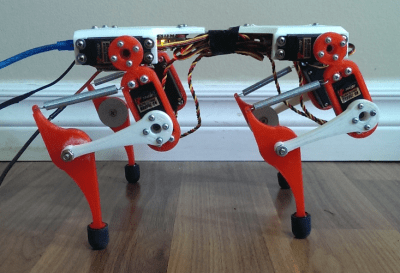
runner1Such is the case with this week’s first project, Mr. Runner created by [Alex Martin]. Mr. Runner is a quadruped robot that really looks the part. In fact, I’d say it looks like it’s ready to jump off the bench top. Like many of us, [Alex] has been inspired by Boston Dynamics, specifically their Wildcat robot. Wildcat had [Alex] searching the net for walking robot designs. He struck up something he liked with the work of [Dr. Fumiya Iida] and [Dr. Rolf Pfiefer]. In the mid 2000’s, the pair worked out of the University of Zurich. Mr. Runner is based upon their work, with plenty of design tweaks from [Alex].
runner2The basic design is a quadruped with two servos per leg. The servos are at the body and the upper half of the leg. The knee and lower leg are connected by levers and a spring, forming something of a 4 bar linkage. The spring acts as a tendon, absorbing shock, and allowing energy from the servo to be stored and released while the robot runs. [Alex] is experimenting with gaits, controlled by a PC.

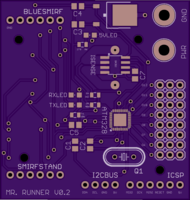
Mr. Runner wouldn’t be doing much running without a way to control those 8 servos. [Alex] started with an Arduino and a LynxMotion serial servo controller. This pairing served him well for the first generation of Mr. Runner. For the new version of the robot, he’s rolling his own board based upon Lynxmotion’s
BotBoarduino. The Gerber files have been sent off to OSH Park, and in about a week, Mr. Runner will be off to the races.
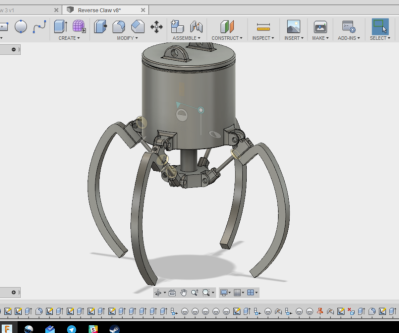
claw-1-aAnother great recently updated project is Arcade Claw Game Claw Build by [Alex Anderson]. I spent way too many hours of my youth in arcades, and more than a few quarters went into claw games. Sure, they’re usually rigged, but who hasn’t been pulled in by the chance to test your skill and win a prize? A friend asked [Alex] to design an arcade style claw for a game. A seasoned CNC and 3D printing master, [Alex] grabbed his notebook and started sketching. Rack and pinion designs would work well, but didn’t within the constraints of the game. A leadscrew based design would also work, but would be two expensive. Finally, [Alex] settled on a design and fired up his CAD software. He started with two jaw systems to prove out the basic system. Once that was complete, [Alex] moved to a 4 jaw setup.
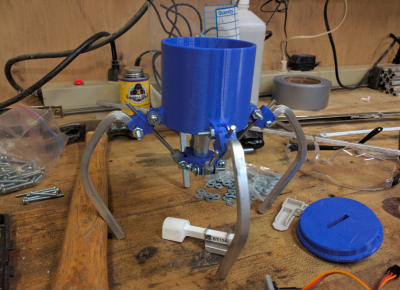
claw1Much like the arcade games, the claw is actuated by a central plunger. The plunger drives linkages which move the 4 claw jaws. Everything looks good on paper, but when the CAD drawings meet the real world, things get complicated quickly. The initial design relied on a 3D printed part which connected the plunger to the jaw linkages. Any slop in this part would be magnified through the rest of the mechanical system. 3D printers aren’t perfect, and there was some slop — enough that the parts would pinch and bind up while moving.

[Alex] already has a revised design in mind. This is very much a work in progress. That’s the beauty of well documented projects on Hackaday.io — you get to see what works, as well as all the trials and tribulations it took to get to a final working project. Keep at it [Alex], you’re almost there!

That’s it for this week’s Hacklet, As always, see you next week. Same hack time, same hack channel, bringing you the best of Hackaday.io!

Books You Should Read: Poorly Made In China

This book is scary, and honestly I can’t decide if I should recommend it or not. It’s not a guide, it doesn’t offer solutions, and it’s full of so many cautionary tales and descriptions of tricks and scams that you will wonder how any business gets done in China at all. If you are looking for a reason not to manufacture in China, then this is the book for you.

The author is not involved in the electronics industry. Most of the book describes a single customer in the personal products field (soap, shampoo, lotions, creams, etc.). He does describe other industries, and says that in general most factories in any industry will try the same tricks, and confirms this with experiences from other similar people in his position as local intermediary for foreign importers.

Continue reading “Books You Should Read: Poorly Made In China”