Muscle Wire Pen Dances To Duke Nukem

[serdef] is clearly just having a little bit of fun here. One never needs a whiteboard pen that’s syncronized by MIDI to dance along with the theme from Duke Nukem.

But if you had all of the parts on hand (a highly liquid MIDI-driven relay board that connects straight up to a soundcard, some muscle wire, tape, and a whiteboard pen, naturally) we’re pretty sure that you would. You can watch the dancing pen in a video below the break.

The project is really about documenting the properties of [serdef]’s muscle wire, and he found that it doesn’t really contract enough with a short piece to get the desired effect. So he added more wire. We’ve always meant to get around to playing with muscle wire, and we were surprised by how quickly it reacted to changing the voltage in [serdef]’s second video.

Now the dancing pen isn’t the most sophisticated muscle wire project we’ve ever seen. And that award also doesn’t go to this Nitinol-powered inchworm. Did you know that there’s muscle wire inside Microsoft’s Surface?

Continue reading “Muscle Wire Pen Dances To Duke Nukem”

Scratching Vinyl Straddles Physical And Digital Realms

The life of a modern DJ is hard. [Gergely] loves his apps, but the MIDI controller that works with the app feels wrong when he’s scratching, and the best physical interfaces for scratching only work with their dedicated machines. [Gergely]’s blog documents his adventures in building an interface to drive his iPad apps from a physical turntable. But be warned, there’s a lot here and your best bet is to start at the beginning of the blog (scroll down) and work your way up. Or just let us guide you through it.

In one of his earliest posts he lays out his ideal solution: a black box that interprets time-code vinyl records and emulates the MIDI output of the sub-par MIDI controller. Sounds easy, right? [Gergely] gets the MIDI side working fairly early on, because it’s comparatively simple to sniff USB traffic and emulate it. So now he’s got control over the MIDI-driven app, and the hard part of interfacing with the real world began.

After experimenting a lot with timecode vinyl, [Gergely] gives up on that and looks for an easier alternative. He also considers using an optical mouse, but that turns out to be a dead-end as well. Finally, [Gergely] settled on using a Tascam TT-M1, which is basically an optical encoder that sits on top of the record, and that makes the microcontroller’s job a lot easier. You can see the result in the video below the break.

And then in a surprise ending worthy of M. Night (“I see dead people”) Shyamalan  he pulls timecode vinyl out of the grave, builds up a small hardware translator, and gets his original plan working. But we have the feeling that he’s not done yet: he also made a 3D printed optical-mouse holder.

Continue reading “Scratching Vinyl Straddles Physical And Digital Realms”

Maker Barn Organizer Creates Makerspace Access Control System

The MakerBarn is a new makerspace between The Woodlands and Tomball, TX (north of Houston). [George Carlson], one of the founders and a retired design engineer, wanted to make sure only members certified on a machine could use it. He worked with [Kolja Windeler] to create the MACS or Makerspace Access Control System. He has one video explaining MACS and, after the break, another explaining the browser based user interface for the system.

20151205_181615A control box, [George] calls them stations, controls the power to a machine. Member badges have an RFID tag that is read when inserted into the station’s reader. If the member is authorized to use the machine, the power is enabled. For safety, the member’s badge must remain in the reader to maintain power. The reader uses a Photon board from Particle with a WiFi link to a Raspberry Pi server.

[Kolja] developed a Pi system to maintain a database of member numbers and the machines they can use. The list is sent to the stations periodically or when updates occur. The user interface is browser based on the MakerBarn’s LAN so it can be maintained by a computer or smartphone in the space. Presently 21 MACS modules have been built with some going to Hanover University in Germany for their auto hobby shop.

Not only did [George] lead the effort on creating MACS but has been key to getting the construction done inside a pole barn to make the MakerBarn a reality.

Continue reading “Maker Barn Organizer Creates Makerspace Access Control System”

OSWatch, An Open Source Watch

If you are a soldering ninja with a flair for working with tiny parts and modules, check out the Open Source Watch a.k.a. OSWatch built by [Jonathan Cook]. His goals when starting out the project were to make it Arduino compatible, have enough memory for future applications, last a full day on one charge, use BLE as Central or Peripheral and be small in size. With some ingenuity, 3d printing and hacker skills, he was able to accomplish all of that.

OSWatch is still a work in progress and with detailed build instructions available, it is open for others to dig in and create their own versions with modifications – you just need to bring in a lot of patience to the build. The watch is built around a Microdunio Core+ board, an OLED screen, BLE112A module, Vibration motor, a couple of LEDs and Buttons, and a bunch of other parts. Take a look at the schematics here. The watch requires a 3V3, 8MHz version of the Microdunio Core+ (to ensure lower power consumption), and if that isn’t readily available, [Jonathan]  shows how to modify a 5V, 16MHz version.

Continue reading “OSWatch, An Open Source Watch”

Piezoelectric Transformers Are A Thing, Have You Used One?

Cheap piezo buzzers are everywhere. They’re so cheap that they can be used in novelty birthday cards. Applying an alternating voltage across a piezo crystal makes it expand and contract, and fixing this crystal to a metal disk gives the piezo speaker its characteristic tinny sound that is anything but pleasant.

The piezoelectric effect works the other way too, and piezo elements are very useful as vibration sensors. Simply put one of your voltmeter leads on each of the piezo element’s wires and touch the element with your hand or knock it against your bench. You should see a voltage spike on your voltmeter which will change in magnitude with the amount of force you use when touching the element.

This ability to change shape when a voltage is applied and to create a voltage when they’re deformed is the basis of the piezoelectric transformer (PZT). While searching for a high voltage/low current transformer, Hackaday reader [Josh] was surprised to find a piezoelectric solution. He didn’t say whether he decided to use a PZT in his project but he did link us to a decent PDF on the subject.

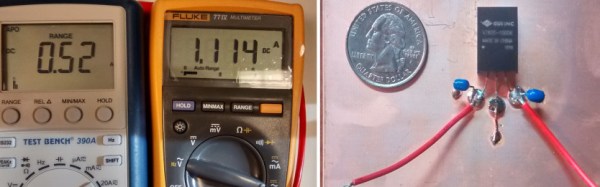
piezo_transformerIn a PZT, two piezo elements sit next to each other. The primary is made up of multiple thin layers that expand horizontally and press on a single secondary piezo element. The more and the thinner the primary layers, the more force is exerted on the secondary, and the more voltage it develops. There are a few equations involved which you can check out in the PDF linked above that go over this concept in painful detail if you’re into that sort of thing.

If you have never played with piezo element you should add one to your next parts order. They are cheap and easy to experiment with. We have seen piezo elements used in DIY speakers, sonar projects, and even as the sensor for an atomic force microscope, but we have yet to see a piezoelectric transformer in a hack. Surely someone has used one in a project they worked on, leave us a link in the comments if you’re the person we’re talking about.

Deployable By Design With Bunnie Huang, Nadya Peek, And Joi Ito

We follow [bunnie]’s blog as he posts interesting and usable information quite regularly. [bunnie] posted about a video of a recent talk he did at MIT Media Lab with Nadya Peek and Joi Ito. This was in lieu of his monthly “name that ware” competition, which is worth looking into as well.

The talk is focused on small volume manufacturing and the experiences that the speakers have under their collective belt is large enough that the conversation takes a turn from how to do things in practice, to the theory and technique of manufacturing on a philosophical level.

[bunnie] prefaces the conversation with an explanation of some of the design and manufacturing processes involved when working on the circuit stickers project. He talks about the importance of testing the product and the complex test jig that is required to quality check a simple (in comparison to the test jig) product. [bunnie] shares an overview of the project timeline and where some extended design stages might be found in unexpected places.

The design and manufacturing process is discussed on many levels throughout the talk. Among the points that are insightful, we certainly found ourselves a little jelly of all the time [bunnie] gets to spend in Shenzhen.

If you’re not familiar with [bunnie]’s blog you can check it out at www.bunniestudios.com. Pro Tip: you can spend the better part of your workday browsing topics in the sidebar on the right.

We have covered the MIT Media Lab before, including a trip to Shenzhen that is discussed in the Media Lab talk by [Joi] and [bunnie]. Another interesting interview at SXSW earlier this year by [Sophi Kravitz] who spoke with [Sunanda Sharma] about mediated matter.

Amazon Dash Button Pwn3d

If you haven’t heard about the Amazon dash button yet we’re glad you quit watching cat videos and have joined us. Just to get you up to speed: the Amazon dash button is a small wireless device that lets your lazy ass order more laundry soap by pushing the “dash button” which should be affixed to something near your washing machine. The pushing of the button will set in motion the gut wrenching process that we used to know as “buying things we ran out of” but thanks to Amazon we can now just cover our entire lives with an assortment of buttons that take zero credentials to physically push. We can’t see that being a problem whatsoever.

Needless to say we as a community set out to find an actual use for these fantastic little devices. [maximus64] has done quite a nice job at enabling this hardware in a most usable way. Most of the hacks we have seen for the dash button remove the physical push button and add a sensor of some kind. Replacing the button with a sensor still uses the WiFi connection to send data from the button to the cloud. Instead of the button ordering more <<product>> from Amazon, a sensor might trigger the dash to increment a counter on your website letting you know that your dog went through the doggy door +1 more times.

[maximus64] has the dash button working in the reverse manner by porting the Broadcom IoT WICED SDK to the button. He is using the dash button as a receiver and when [maximus64] sends the “all good” signal from his laptop to the dash button his garage door opens which you can see in the video after the break. We find this extremely more useful than the dash button’s original intended use. [maximus64] has instructions in the readme.md file of the github repo so that you too can hack your dash button in this way.

Continue reading “Amazon Dash Button Pwn3d”