How-to: Digital Picture Frame, 100% DIY

frontii

There are a ton of digital picture frame tutorials out there. Most are old laptops with crafty case reconfigurations that fit a photo frame profile.

We set out to build a 100% DIY, scratch-built digital picture frame. Our frame has a 12bit color LCD, gigabytes of storage on common, FAT-formatted microSD cards, and you can build it at home. We’ve got the details below.

Continue reading “How-to: Digital Picture Frame, 100% DIY”

How-to: Programmable Logic Devices (CPLD)

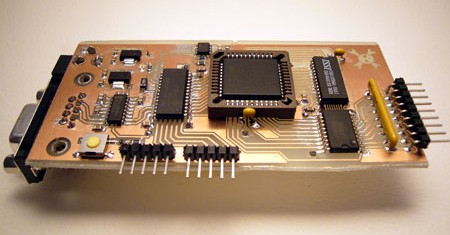
Complex programmable logic devices (CPLDs) contain the building blocks for hundreds of 7400-serries logic ICs. Complete circuits can be designed on a PC and then uploaded to a CPLD for instant implementation. A microcontroller connected to a CPLD is like a microcontroller paired with a reprogrammable circuit board and a fully stocked electronics store.

At first we weren’t sure of the wide appeal and application of CPLDs in hobbyist projects, but we’ve been convinced. A custom logic device can eliminate days of reading datasheets, finding the ideal logic IC combination, and then waiting for chips to arrive. Circuit boards are simpler with CPLDs because a single chip with programmable pin placement can replace 100s of individual logic ICs. Circuit mistakes can be corrected by uploading a new design, rather than etching and stuffing a new circuit board. CPLDs are fast, with reaction times starting at 100MHz. Despite their extreme versatility, CPLDs are a mature technology with chips starting at $1.

We’ve got a home-etchable, self programming development board to get you started. Don’t worry, this board has a serial port interface for working with the CPLD, and doesn’t require a separate (usually parallel port) JTAG programmer.

Continue reading “How-to: Programmable Logic Devices (CPLD)”

How-to: Read A FedEx Kinko’s Smart Card (SLE4442)

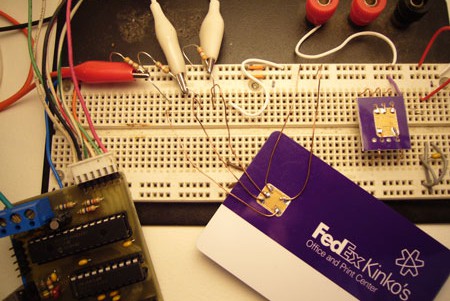
Our wallets are filling up with SIM and RFID cards that contain hidden information. Using our latest project, the Bus Pirate universal serial interface, we can dump the memory from many common smart cards. In today’s How-to, we show you how to interface common smart cards, and walk you through the data stored on a FedEx Kinko’s prepaid value card.

Continue reading “How-to: Read A FedEx Kinko’s Smart Card (SLE4442)”

How-to: The Bus Pirate, Universal Serial Interface

UPDATE: New firmware with JTAG and more

We’re always excited to get a new chip or SIM card to interface, but our enthusiasm is often dampened by the prototyping process. Interfacing any chip usually means breadboarding a circuit, writing code, and hauling out the programmer; maybe even a prototyping PCB.

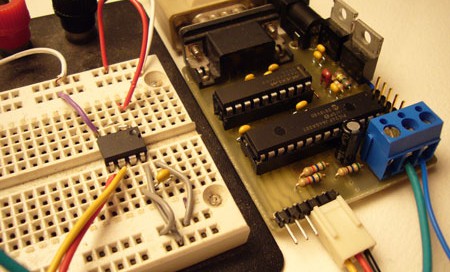
A few years ago we built the first ‘Bus Pirate’, a universal bus interface that talks to most chips from a PC serial terminal. Several standard serial protocols are supported at 3.3-5volts, including I2C, SPI, and asynchronous serial. Additional ‘raw’ 2- and 3- wire libraries can interface almost any proprietary serial protocols. Since this has been such a useful tool for us, we cleaned up the code, documented the design, and released it here with specs, schematic, and source code.

Continue reading “How-to: The Bus Pirate, Universal Serial Interface”

How-to: USB Remote Control Receiver

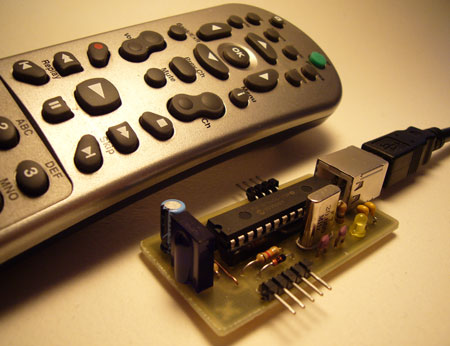
Now that we listen to MP3s, and watch XVIDs or x264s, a computer is the entertainment center in at least one room of most homes. Unless you have a special HTPC, though, you’re probably stuck using the keyboard to pause, change the volume, and fast-forward through annoying Mythbusters recaps. PC remote control receivers range from ancient serial port designs (who has one?) to USB devices not supported by popular software. In this how-to we design a USB infrared receiver that imitates a common protocol supported by software for Windows, Linux, and Mac. We’ve got a full guide to the protocol plus schematics and a parts list.

Continue reading “How-to: USB Remote Control Receiver”

How-to: Make An E-paper Clock From Esquire Magazine

If you’ve never heard about electronic paper, crawl out from under that rock and read up on the Sony Reader and the Amazon Kindle. E-paper is a flexible display made of color-changing beads that mimic ink-on-paper for easy daylight reading. The revolutionary thing about e-paper is that after it’s set, it stays that way without additional power.

This sounds great in theory, but Esquire’s cover is the first time everybody can afford to hack an e-paper display. We took the cover into the Hack a Day lab to document, test, and hack. In the end, we recycled it into something useful that anyone can build. We’ve got all the details on how the display works and what it takes to use it in your own projects. Read about our e-paper clock hack below. Continue reading “How-to: Make An E-paper Clock From Esquire Magazine”

How To: Build Your Own Gyration Media Center Remote

Movea has just released a version of Gyration’s wireless remote control for Windows Media Center computers. Other than the wireless mouse controls that the remote offers, one nice feature of the remote is the ability to control Windows Media Player (WMP) while your display is off.

The remote interacts with WMP, by downloading data to be displayed using it’s built in LCD screen. From here you can view songs by album or artist and even access your playlist. Prices for the remote range from $179.99 to $229.99 with an included keyboard.

After a little searching we found that Gyration had made a similar version of the remote for Dell that was packaged with the Dell XPS M2010 Based on this and a thread by [BENZONATE] on AVS Forum we put together our own remote using the following parts: Continue reading “How To: Build Your Own Gyration Media Center Remote”