Weird Clocks And A Two Chip Apple I

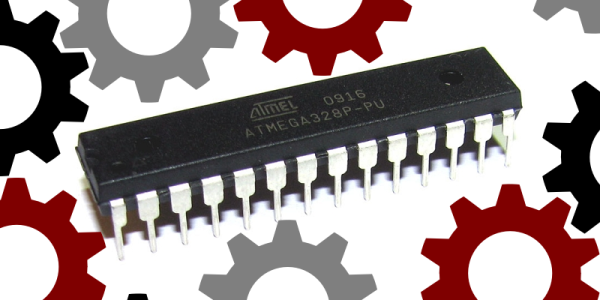
The Apple I, [Woz]’s original, had about sixty chips on a single board. Most of these chips were logic glue or hilariously ancient DRAMs. The real work was done by the 6502, the 6821 PIA, and the Signetics video chip. It’s a simple computer, really, and following the now popular tradition of two-chip computers, [Dave] built a replica of the Apple I using a 6502 and an ATMega.

The ATMega in this project takes care of everything – the 4k of RAM, the few bytes of ROM, the IO, and even the clock. With the 6502 you can have a little bit of fun with the clock; because the 6502 reads data off the bus a few nanoseconds off the falling edge of the clock and writes on the rising edge, [Dave] played around with the duty cycle of the clock to give the ATMega a bit more time to do its thing. With a 50% duty cycle, the 16Mhz ‘Mega has about eight cycles to decode an address and read or write some data. By making the low part of a clock cycle longer, he has about 45 cycles on the ‘Mega to do all the work. All of this was inspired by a fantastic tutorial on the 6502 clock.

Right now [Dave] has some hex values displaying on a small LCD, while the real I/O is handled by a serial connection to a computer. It’s retro enough, and a future update will include a faux cassette interface, possibly using an SD card for storage.

Student Trolls Anti-Arduino Prof With Parasite MCU

Like some of our grouchier readers, [PodeCoet]’s Digital Sub-Systems professor loathes everyone strapping an Arduino onto a project when something less powerful and ten times as complicated will do. One student asked if they could just replace the whole breadboarded “up counter” circuit mess with an Arduino, but, since the class is centered around basic logic gates the prof shot him down. Undeterred, our troll smuggled an MCU into a chip and used it to spell out crude messages.

No Arduino? No problem. It took him 4 tries but [PodeCoet] hollowed out the SN74LS47N display driver from the required circuit and made it the puppet of a PIC16F1503 controller. The PIC emulated the driver chip in every way – as ordered it showed the count up and down – except when left unattended for 15 seconds. Then instead of digits the PIC writes out “HELLO”, followed by three things normally covered by swimsuits and lastly a bodily function.

For such a simple hack it is wonderfully and humorously documented. There are annotated progress/failure pictures and video of the hack working.

It is not as elaborate as the microscopic deception in the infamously impossible 3 LED circuit, but it gets to the point sooner.

Continue reading “Student Trolls Anti-Arduino Prof With Parasite MCU”

8-Bit Chip Rocks 16-Bit 44.1kHz Tunes

There’s a special place in our hearts for chip tunes generated with your favorite microcontroller. But why stop there? Full-featured audio is a great challenge and it’s not often we see examples of this caliber. It puts out CD-quality audio using not much more than a microcontroller.

How do you get 16-bit audio out of an 8-bit microcontroller. We’ll give you a hint: two pins are used. Not helping? Here it comes: two 8-bit DACs PWM outputs are used on this chip, the ATmega1284. One is used for the lower eight bits, the other handles the upper. The two are combined using carefully calculated precision resistor values and the results are beyond what you imagine. This is produced at a bitrate of 44077.135, slightly off from the 44100Hz standard but we challenge you audiophiles to tell the difference. The wave files are served from an SD card read by the chip using the Petit-FatFs library.

There are so many great things about this project. First off, following [Wancheng Zhou’s] example will let anyone with even basic microcontroller skills build a digital audio player for an [Andrew Jackson] and a couple of [Washingtons]. Secondly, those with a medium uC skill level will want to take the idea and implement/debug it for themselves. Bringing it home, [Wancheng] shows how to gauge the quality of the audio output using FFT.

If you didn’t figure it out by the time of year, this is yet another example of a Cornell ECE 4760 final project. Shout out to [Bruce Land] for inspiring awesome projects and requiring extensive documentation of the projects which itself promotes deeper understand all around.

Continue reading “8-Bit Chip Rocks 16-Bit 44.1kHz Tunes”

Smart CPR Dummy

Smart CPR Dummy Makes Sure You Do It Right

Have you ever taken a First Aid & CPR training course? Don’t you just love the realism of the dummy mannequins you get to practice on? [Park, Qurashi, & Chen], who are students of Cornell University, thought the dummies could use an intelligent upgrade.

It’s the final project for their electrical and computer engineering course ECE 4760. And what they’ve done is successfully created a budget friendly CPR not-so-dumb dummy using the venerable ATmega1284 microcontroller.

The dummy can sense when chest compressions are given, if the nose is plugged properly when breaths are given, if the head is tilted back properly to open the airway, and it even makes use of a microphone to detect if breaths are given properly! While it does this, it uses LED eyes and an LCD screen to provide training feedback to the student. Once the students are sufficiently practiced, it also has a “real” mode that doesn’t give you any feedback to make sure the students truly learned the technique. Continue reading “Smart CPR Dummy Makes Sure You Do It Right”

Boxing Trainer

Boxing Trainer Uses DIY Force Sensors

A team of Cornell students have designed and built their own electronic boxing trainer system. The product of their work is a game similar to Whack-A-Mole. There are five square pads organized roughly into the shape of a human torso and head. Each pad will light up based on a pre-programmed pattern. When the pad lights up, it’s the player’s job to punch it! The game keeps track of the player’s accuracy as well as their reaction time.

The team was trying to keep their budget under $100, which meant that off the shelf components would be too costly. To remedy this, they designed their own force sensors. The sensors are basically a sandwich of a few different materials. In the center is a 10″ by 10″ square of ESD foam. Pressed against it is a 1/2″ thick sheet of insulating foam rubber. This foam rubber sheet has 1/4″ slits cut into it, resulting in something that looks like jail bars. Sandwiching these two pieces of foam is fine aluminum window screen. Copper wire is fixed the screen using conductive glue. Finally, the whole thing is sandwiched between flattened pieces of corrugated cardboard to protect the screen.

The sensors are mounted flat against a wall. When a user punches a sensor, it compresses. This compression causes the resistance between the two pieces of aluminum screen to change. The resistance can be measured to detect a hit. The students found that if the sensor is hit harder, more surface area becomes compressed. This results in a greater change in resistance and can then be measured as a more powerful hit. Unfortunately it would need to be calibrated depending on what is hitting the sensor, since the size of the hitter can throw off calibration.

Each sensor pad is surrounded by a strip of LEDs. The LEDs light up to indicate which pad the user is supposed to hit. Everything is controlled by an ATMEGA 1284p microcontroller. This is the latest in a string of student projects to come out of Cornell. Make sure to watch the demonstration video below. Continue reading “Boxing Trainer Uses DIY Force Sensors”

Beating The Skins Of Oatmeal Tins

Ithaca-based power trio [Nick, Roshun, and Ian] share a love of music and beating on things with drum sticks. To that end (and for class credit), they built a Digitally-Recordable, User-Modifiable Sound Emitting Tool (DRUMSET) using force-sensing resistors housed in oatmeal cans.

Anyone who has dealt with FSRs knows how persnickety they can be. In order to direct the force and avoid false positives, these enterprising beat purveyors suspended a sawed-off 2-liter bottle to the underside of each lid. This directs the force coming in from their patent-pending foam-enhanced drum sticks to the small, round sensing area of the FSR. There’s just enough space between the cap and the FSR to account for the play in the oatmeal can lid drum head when struck.

DRUMSET offers different-sounding kits at the push of a momentary switch. At present, there are four pre-programmed kits: the acoustic and electronic foursomes you’d expect, and a kit of miscellaneous sounds like hand claps and wooden claves that sound like something They Might Be Giants would have used on their first album. The fourth is called ‘Smoke on Water’, and is exactly what it sounds like. Should you tire of these, DRUMSET has a program mode with around 20 samples. These can be cycled through on the LCD and assigned to any of the four drums.

The microphone is for record mode, and whatever is recorded can be mapped to any drum. The memory limitations of the ‘1284P make for a 0.2 second sample of whatever is barked into the mic, but that’s plenty of time for shouting ‘hack!’ or firing off whatever hilarious bodily sound one can muster. We think this four track-like functionality of DRUMSET has interesting recording and live performance implications. The team’s future plans include space for longer samples and more robust drum construction (although it is possible to do this without any drums whatsoever). They’d also like to add more drums in case Neil Peart calls. The beat goes on after the break.

Continue reading “Beating The Skins Of Oatmeal Tins”

ASL Glove

Electronic Glove Detects Sign Language

A team of Cornell students recently built a prototype electronic glove that can detect sign language and speak the characters out loud. The glove is designed to work with a variety of hand sizes, but currently only fits on the right hand.

The glove uses several different sensors to detect hand motion and position. Perhaps the most obvious are the flex sensors that cover each finger. These sensors can detect how each finger is bent by changing the resistance according to the degree of the bend. The glove also contains an MPU-6050 3-axis accelerometer and gyroscope. This sensor can detect the hand’s orientation as well as rotational movement.

While the more high-tech sensors are used to detect most characters, there are a few letters that are similar enough to trick the system. Specifically, they had trouble with the letters R, U, and V. To get around this, the students strategically placed copper tape in several locations on the fingers. When two pieces of tape come together, it closes a circuit and acts as a momentary switch.

The sensor data is collected by an ATmega1284p microcontroller and is then compiled into a packet. This packet gets sent to a PC which then does the heavy processing. The system uses a machine learning algorithm. The user can train the it by gesturing for each letter of the alphabet multiple times. The system will collect all of this data and store it into a data set that can then be used for detection.

This is a great project to take on. If you need more inspiration there’s a lot to be found, including another Cornell project that speaks the letters you sign, as well as this one which straps all needed parts to your forearm.
Continue reading “Electronic Glove Detects Sign Language”