43oh.com Wasn’t Next To The Texas Instruments Booth

In addition to all the cool boards and booster packs found at Texas Instruments’ booth at Maker Faire, the folks from 43oh.com made a showing, but not next to the TI booth. In fairness, the TI booth was right across from NASA. 43oh is cool, but not NASA cool.

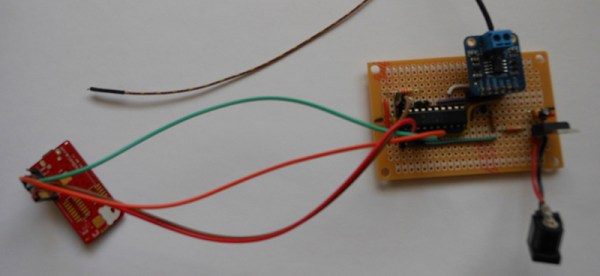
[Eric], known on the 43oh forums as [spirilis] showed off a few of the neat bits and bobs developed on the forums including a lightning detector, a VFD clock, a robot, and a whole lot of blinky things. There was an astonishing array of projects and boards at the booth, covering everything from OLEDs to motor drivers.

43oh is an interesting community centered around TI’s microcontrollers, like the AVRfreaks forum built around Atmel’s offerings. 43oh has a very active forum, IRC, and a store featuring projects made by members. It was great to see these guys at the faire, and we wish more of the homespun unofficial communities would make more of a showing at cons in the future.

Sorry about the mic cutting out in the video above. There was a sea of spewing RF near the booth. If anyone has advice for a *digital* wireless mic setup, we’re all ears. This is the current rig.

Scripting Debug Sessions: Python For GDB Remote Serial Protocol

Are you tired of hammering out the same commands over and over again in GDB? If not, we highly encourage you take more advantage of The GNU Project Debugger, which is a fantastic way to poke around inside your microcontrollers while they’re running a program.

Back to the matter at hand. [Stef] put together a Python program that leverages GDB’s Remote Serial Protocol. He calls it pyrsp and the talk he recently gave about it can be seen below.

The core feature is the ability to add a callback in your C code that triggers the Python script. Think of this a little bit like a print statement, except you have so much more power since it’s Python and GDB doing the “printing”. Anything that can be done at a breakpoint in GDB can now be executed automatically. So if you need to check a group of registers at every loop execution for hundreds of loops your wrists are going to thank you. Better yet, you can use Python to do the sanity checks automatically, continuing when the data is good and alerting you when it’s not. Neat!

Continue reading “Scripting Debug Sessions: Python For GDB Remote Serial Protocol”

Reverse Engineering A Huge LED Display

muchosLEDs
In a fit of awesome salvaging, [Piet] picked up a huge, 16 character, 2 line display. It’s monstrous, designed for outdoor installations; road signs, train stations, and the like. It also draws 23 Watts when nothing is being displayedmaking this the perfect piece of salvaged equipment to reverse engineer.

The display was originally connected to a computer running proprietary software. The protocol between the display and computer is also proprietary, giving [Piet] the choice of either reverse engineering the protocol, or reverse engineering the hardware and building a new driver board. For anyone with a soldering iron, the second option is the simplest.

Disassembling the display, [Piet] found each character in the display was its own board with a 7×14 array of pixels, each with four LEDs. The rows and columns of each character are addressed with a shift register, and with an Arduino, [Peit] got a single character working.

The Arduino would struggle to display all the characters in the display, so a Raspi was pulled out, a driver and frame generator written, and the whole thing connected to Twitter It’s a beautifully display that draws 200 Watts when its scanning the pixels, and a wonderful reuse of disused hardware. Video below.

Continue reading “Reverse Engineering A Huge LED Display”

Prove Your Geek Cred With A Binary Watch

Binary Wrist Watch

After just one prototype, [Elia] has finished his super awesome Binary Wrist Watch.

He designed the PCB in KiCad, using a template for the PIC he found in a standard library — unfortunately it turns out the SSOP-20 PIC footprint in this library was actually a TSSOP-20. Confusingly enough, there was also a TSSOP-20 footprint in the library. Luckily it’s just a few millimeters off so [Elia] was able to just bend the pins in a bit before reflow soldering it in place.

The trickiest part of the project was actually making the wristband. He tried several different styles before settling on a paracord braid design he found on Instructables.

We especially like his quote at the end of the project:

Although not having worn the watch in the presence of normal humans, I can already guarantee that now everyone will be able to easily identify me as a nerd.

Acceptance is the first step in realizing you have an addiction, right?

[via Dangerous Prototypes]

FPGA With Open Source Propeller 1 Running Spin

fpga-running-p8x32a-and-sidcog

Open Sourcing something doesn’t actually acquire meaning until someone actually uses what has been unleashed in the wild. We’re happy to see a working example of Propeller 1 on an FPGA dev board. That link takes you to a short description and some remapping of the pins to work with a BeMicro CV board. But you’ll want to watch the video below, or rather listen to it, for a bit more explanation of what [Sylwester] did to get this working.

You’ll remember that Parallax released the Propeller 1 as Verilog code a few weeks back. This project first loads the code onto the FPGA, then proves it works by running SIDcog, the Commodore 64 sound emulation program written in Spin for p8x32a processors.

We do find this to be an interesting first step. But we’re still waiting to see what type of hacks are made possible because of the newly available Verilog code. If you have a proof of concept working on other hardware, certainly tell us about it below. If you’ve been hacking on it and have something you want to show off, what are you waiting for?

Continue reading “FPGA With Open Source Propeller 1 Running Spin”

When Worlds Collide: 68008 Bootstrapped By An Arduino Uno

68008-ardu

[Peter Bjornx] brings classic microprocessors and modern microcontrollers together with his Arduino bootstrapped 68008 computer. The Motorola 68008 is the 8-bit external bus version of the well-known 68000 (or 68k) microprocessor. A friend gave [Peter] one of these chips, so he built a simple computer around it.

This isn’t one of those clean retrocomputers with every connection carefully planned out and wire wrapped. [Peter’s] created a true hack – a working 68k system on a breadboard created with whatever he had on hand at the time. The real gem of this system is the ROM. [Peter] replaced an EPROM chip with an Arduino.

In the not-so-good-old-days, microprocessors (and many microcontrollers) ran from an external ROM chip. This often was a UV-erasable EPROM. Carefully compiled code was burned into the EPROM with a device programmer. If the code wasn’t perfect, the EPROM had to be pulled and placed under a UV lamp for 20 minutes or so to erase it before it was time to try again. EPROM emulators were available, but they were way too expensive for the hobbyist.

Thankfully those days are far behind us now with the advent of EEPROM and then Flash. [Peter] didn’t want to revisit the past either, so he wrote a simple Arduino sketch which allowed it to act as an EPROM emulator, including address logging via the serial port.

The design still caused [Peter] some headaches, though. His major problem was a classic 68k issue, /DTACK timing. /DTACK or Data Transfer Acknowledge is one of several bus control signals used by the 68k. When the 68k performs a read from the data bus, it waits for /DTACK before it transfers data. The Arduino was too slow to release /DTACK in this case, which caused the 68k to think every read was immediately completed. There is a much clearer explanation of the 68k bus cycles on this Big Mess O Wires page. [Peter’s] solution was simple – a D flip-flop connected to the address strobe took care of the timing issues.

It took quite a bit of tinkering, but the system eventually worked. Peter was able to run the 68008 from its reset vector into a simple loop using the Arduino. It’s only fitting that the 68k program loaded by the Arduino was an LED blinker, everyone’s favorite hardware Hello World.

Thanks [Robert!]

The Most Basic BASIC Computer

AVR microcontrollers can do pretty much anything nowadays. Blinking LEDs, handling sensor inputs, engine control modules, and now, thanks to [Dan], a small single chip BASIC computer with only ten parts (and four of them are capacitors).

[Dan]’s homebrew computer has it all. The ATmega 1284P microcontroller outputs a composite video signal and handles inputs from a PS/2 keyboard. The microcontroller runs at 16 MHz, has 7 kB of memory for programs, and can use a separate EEPROM to store data. It also has an array of GPIO pins for interacting with the physical world.

For software, the microcontroller runs a version of BASIC called Tiny BASIC plus, which is a stripped-down language that can fit in 3 kB of memory. This is crucial if you’re in the 1970s or if you’re programming on an AVR microcontroller in the 21st century.

We’ve seen other Arduinos and AVR-type microcontrollers that can run BASIC, but this one has a great form factor and clean look. It’s also a great way to get familiar with homebrew computing and the BASIC programming language!