Raspberry Pi RP2040: Hands-On Experiences From An STM32 Perspective

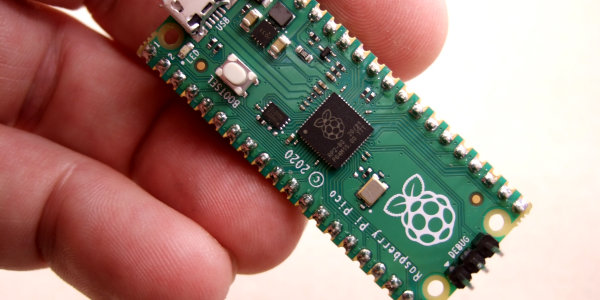
The release of the Raspberry Pi Foundation’s Raspberry Pi Pico board with RP2040 microcontroller has made big waves these past months in the maker community. Many have demonstrated how especially the two Programmable I/O (PIO) state machine peripherals can be used to create DVI video generators and other digital peripherals.

Alongside this excitement, it raises the question of whether any of this will cause any major upheaval for those of us using STM32, SAM and other Cortex-M based MCUs. Would the RP2040 perhaps be a valid option for some of our projects? With the RP2040 being a dual Cortex-M0+ processor MCU, it seems only fair to put it toe to toe with the offerings from one of the current heavyweights in the 32-bit ARM MCU space: ST Microelectronics.

Did the Raspberry Pi Foundation pipsqueak manage to show ST’s engineers how it’s done, or should the former revisit some of their assumptions? And just how hard is it going to be to port low-level code from STM32 to RP2040? Continue reading “Raspberry Pi RP2040: Hands-On Experiences From An STM32 Perspective”

Reverse-Engineering An Unknown Microcontroller In E Ink Displays

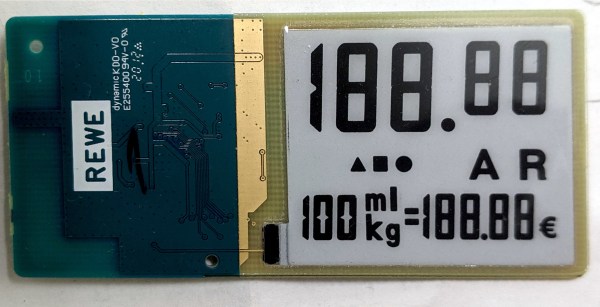
For a monochrome display where refresh rate isn’t particularly important, there’s almost no better option than an E Ink display. They’re available in plenty of sizes and at various price points, but there’s almost no option cheaper than repurposing something mass-produced and widely available like an E Ink (sometime also called eInk or ePaper) price tag. At least, once all of the reverse engineering is complete.

[Dmitry Grinberg] has been making his way through a ton of different E Ink modules, unlocking their secrets as he goes. In this case he set about reverse engineering the unknown microcontroller on the small, cheap display show here. Initial research showed an obscure chip from the ZBS24x family, packaged with a SSD1623L2 E Ink controller. From there, he was able to solder to the communications wires and start talking to the device over ISP.

This endeavor is an impressive deep dive into the world of microcontrollers, from probing various registers to unlocking features one by one. It’s running an 8051 core so [Dmitry] gives a bit of background to help us all follow along, though it’s still a pretty impressive slog to fully take control of the system.

If you happen to have one of these price tags on hand it’s an invaluable resource to have to reprogram it, but it’s a great read in general as well. On the other hand, if you’re more interested in reverse-engineering various displays, take a look at this art installation which spans 50 years of working display technologies.

Automated Watering Machine Has What Plants Crave: Fertilizer

We’ve seen countless automated plant care systems over the years, but for some reason they almost never involve the secret sauce of gardening — fertilizer. But [xythobuz] knows what’s up. When they moved into their new flat by themselves, it was time to spread out and start growing some plants on the balcony. Before long, the garden was big enough to warrant an automated system for watering and fertilizing.

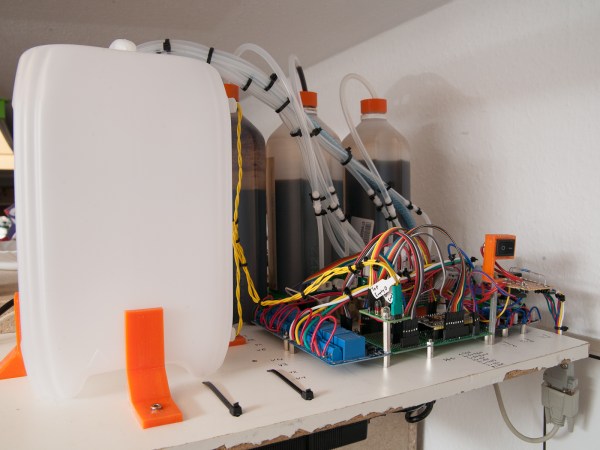
This clever DIY system is based around a 5L gravity-fed water tank with solenoid control and three [jugs] of liquid fertilizer that is added to the water via peristaltic pump. Don’t worry, the water tank has float switches, and [xythobuz] is there to switch it off manually every time so it doesn’t flood the flat.

On the UI side, an Arduino Nano clone is running the show, providing the LCD output and handling the keypad input. The machine itself is controlled with an ESP32 and a pair of four-channel relay boards that control the inlet valve, the four outlet valves, and the three peristaltic pumps that squirt out the fertilizer. The ESP also serves up a web interface that mimics the control panel and adds in the debug logs. These two boards communicate using I²C over DB-9, because that’s probably what [xythobuz] had lying around. Check out the demo video after the break, and then go check on your own plants. They miss you!

Don’t want to buy just any old peristaltic pumps? Maybe you could print your own.

Continue reading “Automated Watering Machine Has What Plants Crave: Fertilizer”

The ARMv9 ISA, And What It Can Do For You

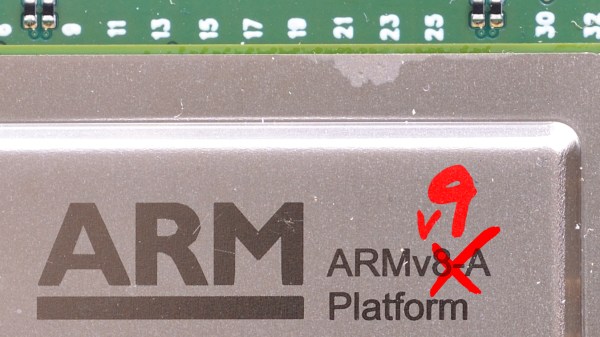
The number of distinct ARM Instruction Set Architectures (ISA) versions has slowly increased, with Arm adding a new version every few years. The oldest ISA version in common use today is ARMv6, with the ARMv6 ISA (ARM11) found in the original Raspberry Pi SBC and Raspberry Pi Zero (BCM2835). The ARMv6 ISA was introduced in 2002, followed by ARMv7 in 2005 (start of Cortex-A series) and ARMv8 in 2011. The latter was notable for adding 64-bit support.

With ARMv7 being the first of the Cortex cores, and ARMv8 adding 64-bit support in the form of AArch64, what notable features does ARMv9 bring to the table? As announced earlier this year, ARMv9’s focus appears to be on adding a whole host of features that should improve vector processing (vector extensions, or SVE) as well as digital signal processing (DSP) and security, with its Confidential Compute Architecture (CCA).

In addition to this, ARMv9 also includes all of the features that were added with ARMv8.1, v8.2, v8.3 and so on. In essence, this makes an ARMv9-based processor theoretically capable of going toe-to-toe with the best that Intel and AMD have to offer.

Continue reading “The ARMv9 ISA, And What It Can Do For You”

Apple AirTag Spills Its Secrets

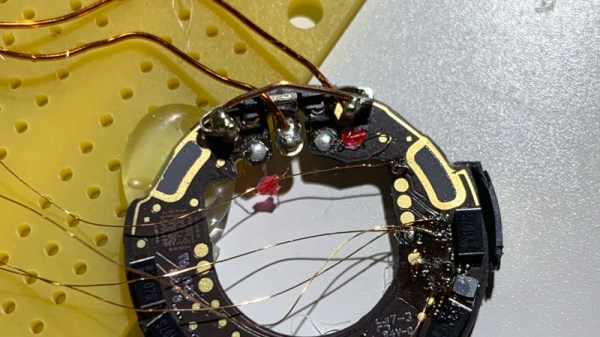
The Apple AirTag is a $29 Bluetooth beacon that sticks onto your stuff and helps you locate it when lost. It’s more than just a beeper though, the idea is that it can be silently spotted by any iDevice — almost like a crowd-sourced mesh network — and its owner alerted of its position wherever they are in the world.

There are so many questions about its privacy implications despite Apple’s reassurances, so naturally it has been of great interest to those who research such things. First among those working on it to gain control of its nRF52832 microcontroller is [Stacksmashing], who used a glitching technique whereby the chip’s internal power supply is interrupted with precise timing, to bypass the internally enabled protection of its debug port. The firmware has been dumped, and of course a tag has been repurposed for the far more worthwhile application of Rickrolling Bluetooth snoopers.

The idea of a global network of every iDevice helping reunite owners with their lost possessions is on the face of it a very interesting one, and Apple are at great pains on the AirTag product page to reassure customers about the system’s security. On one hand this work opens up the AirTag as a slightly expensive way to get an nRF microcontroller for other applications, but the real value will come as the firmware is analysed to see how at the tag itself works.

[Stacksmashing] has appeared on these pages many times before, often in the context of Nintendo hardware. Just one piece of work is the guide to opening up a Nintendo Game and Watch.

The Keyboard You Really Don’t Need Or Want

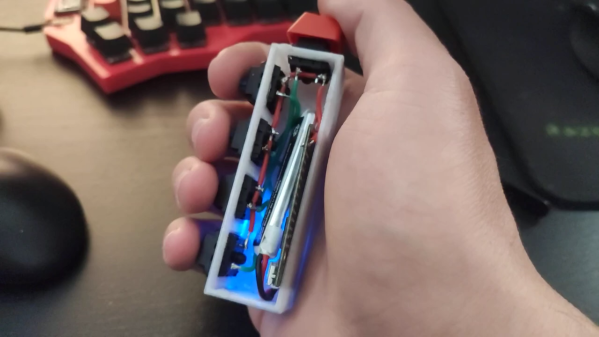
Most people think of a keyboard as a flat, vaguely rectangular thing with around 100ish different keys. A mechanical keyboard enthusiast would heartily disagree and point out various tenkeyless, 75%, 60%, or 40% keyboards that strip down the idea of what a keyboard is by taking keys out. [Stavros Korokithakis] takes that notion and turns it on its side by creating the five-button vertical keyboard known as Keyyyyyyyys.

This keyboard, or keystick, is designed to be onehanded and to be eye-contact-free. With just five keys, it makes heavy use of chording to output all the characters needed. It has a maximum of 32 possible states and taking out pressing nothing as a no-op leaves 31 possible key combinations. So [Stavros] had to get creative and laid out the letters according to their frequency in the English language. The brains of Keyyyyyyyys is the ubiquitous ESP32, emulating a Bluetooth keyboard while being wrapped in a simple 3d printed box. The code is hosted on GitLab.

If you don’t know how hard it is to learn a five-key chording keyboard from scratch, definitely check out [Stavros]’ video embedded below. “C’mon h.” We have heard reports that you can learn these things, though.

While this five-button keyboard may seem small, this two-button keyboard still has it beat by three keys. A one-button keyboard is just a morse code keyboard, and we are looking forward to a wireless Bluetooth version. Continue reading “The Keyboard You Really Don’t Need Or Want”

Modified Microwave Cures Resin Parts With Style

Once you make the leap to resin-based 3D printing, you’ll quickly find that putting parts out in the sun to cure isn’t always a viable solution. The best way to get consistent results is with a dedicated curing chamber that not only rotates the parts so they’re evenly exposed to the light, but allows you to dial in a specific curing time. A beeper that goes off when the part is done would be handy as well. Wait, this is starting to sound kind of familiar…

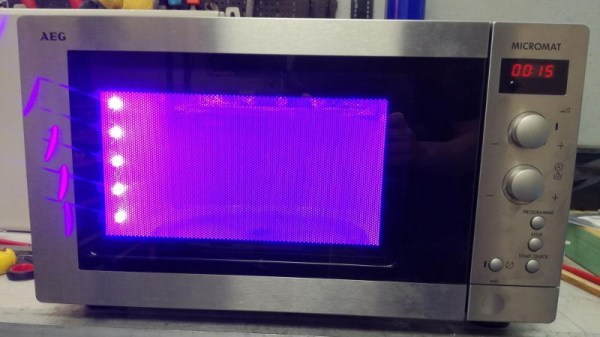
As you might expect, [Stynus] isn’t the first person to notice the similarities between an ideal UV curing machine and the lowly microwave oven. But his conversion is certainly one of the slickest we’ve ever seen. The final product doesn’t look like a hacked microwave so much as a purpose-built curing machine, thanks in large part to the fact that all of the original controls are still functional.
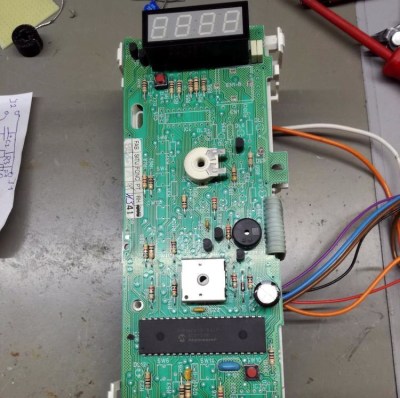
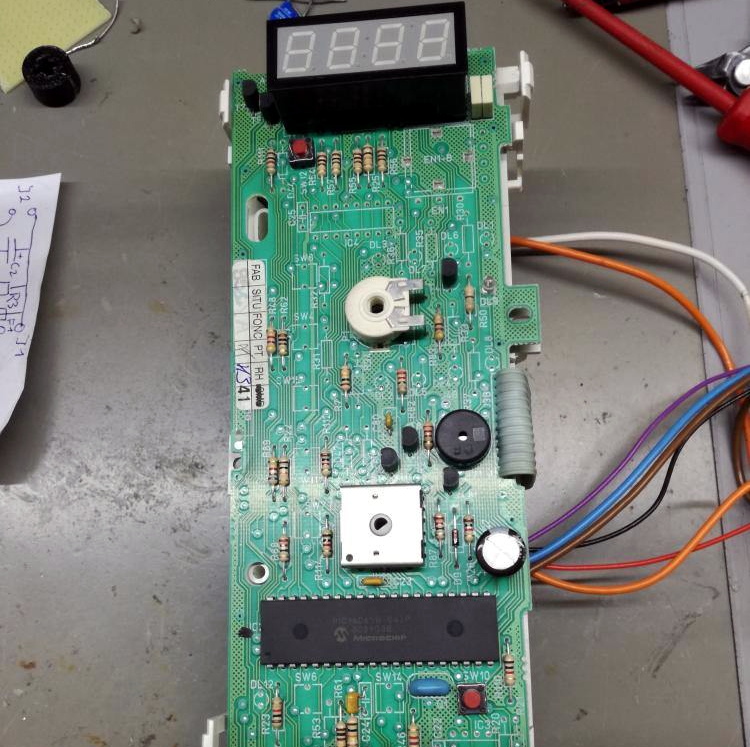
The big break there came when [Stynus] noticed that the control panel was powered by a one-time programmable PIC16C65B microcontroller. Swapping that out for the pin-compatible PIC16F877A opened up the possibility of writing custom firmware to interface with all the microwave’s original hardware, he just needed to reverse engineer how it was all wired up. It took some time to figure out how the limited pins on the microcontroller ran the LED display and read the buttons and switches at the same time, but we’d say the final result is more than worth the work.

With full control over the microwave’s hardware, all [Stynus] had to do was strip out all the scary high voltage bits (which were no longer functional to begin with) and install an array of UV LEDs. Now he can just toss a part on the plate, spin the dial to the desired curing time, and press a button. In the video below, you can see he’s even repurposed some of the buttons on the control panel to let him do things like set a new default “cook” time to EEPROM.

Compared to the more traditional fused deposition modeling (FDM) 3D printers, resin printing requires a lot of additional post-processing and equipment. You don’t necessarily have to gut your microwave just to cure your prints, but you’d be wise to fully consider your workflow will look like before pulling the trigger on that shiny new printer.

Continue reading “Modified Microwave Cures Resin Parts With Style”