Professional Audio On An ESP32

Audiophiles have worked diligently to alert the rest of the world to products with superior sound quality, and to warn us away from expensive gimmicks that have middling features at best. Unfortunately, the downside of most high quality audio equipment is the sticker price. But with some soldering skills and a bit of hardware, you can build your own professional-level audio equipment around an ESP32 and impress almost any dedicated audiophile.

The list of features the tiny picoAUDIO board packs is impressive, starting with a 3.7 watt stereo amplifier and a second dedicated headphone amplifier. It also has all of the I/O you would expect something based on an ESP32 to have, such as I2S stereo DAC, an I2S microphone input, I2C GPIO extenders and, of course, a built-in MicroSD card reader. The audio quality is impressive too, and the project page has some MP3 files of audio recorded using this device that are worth listening to.

Whether you want the highest sound quality for your headphones while you listen to music, or you need a pocket-sized audio recording device, this might be the way to go. The project files are all available so you can build this from the ground up as well. Once you have that knocked out, you can move on to building your own speakers.

Continue reading “Professional Audio On An ESP32”

Upgrading A MIDI Controller With An FPGA

While the “M” in MIDI stands for “musical”, it’s possible to use this standard for other things as well. [s-ol] has been working on a VJ setup (mixing video instead of music) using various potentiometer-based hardware and MIDI to interface everything together. After becoming frustrated with drift in the potentiometers, he set out to outfit the entire rig with custom-built encoders.

[s-ol] designed the rotary-encoder based boards around an FPGA. It monitors the encoder for changes, controls eight RGB LEDs per knob, and even does capacitive touch sensing on the aluminum knob itself. The FPGA communicates via SPI with an Arduino master controller which communicates to a PC using a serial interface. This is [s-ol]’s first time diving into an FPGA project and it looks like he hit it out of the park!.

Even if you’re not mixing video or music, these encoders might be useful to any project where a standard analog potentiometer isn’t accurate or precise enough, or if you just need something that can dial into a specific value quickly. Potentiometers fall short in many different ways, but if you don’t want to replace them you might modify potentiometers to suit your purposes.

Continue reading “Upgrading A MIDI Controller With An FPGA”

Barcode Guitar Plays More Than Beep-Bop

One of our favorite things about the rise of hobbyist development ecosystems such as the Arduino is that it’s now possible to make a MIDI controller out of almost anything, as long as you have the the shields and the dedication. We’re glad that [James Bruton] takes the occasional break from making robots to detour into instrument making, because his latest creation turns it up to 11.

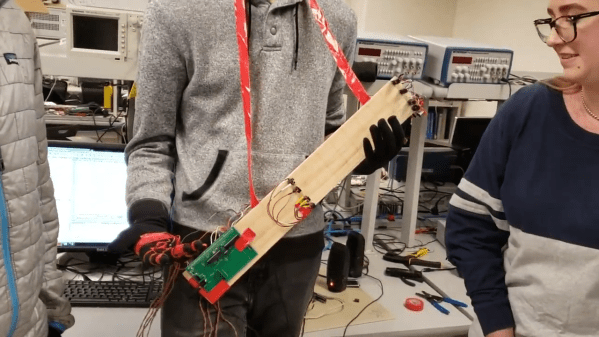
This awesome guitar uses a barcode scanner to play notes, and various arcade controls to manipulate those notes. The barcodes themselves scan as ASCII values, and their equivalent integers are sent to an external MIDI device. This futuristic axe is built on an Arduino Mega, with a USB shield for the barcode scanner, and a MIDI shield on top that [James] connects to various synths in the video after the break.

In between shooting barcodes, the right hand also controls octave shifting and changing MIDI channels with the joystick, and doing pitch-bends with the rotary encoder. The array of arcade buttons on the bottom neck let him switch between single player for monophonic synths, and multiplayer for polys. The other three buttons are press-and-scan programmable single-note sounders that assist in chord-making and noodling.

We particularly dig the construction, which is a combination of 20/20 and 3D printed boxes. [James] found some angled PVC to serve as fretboards for the four necks, and a nice backgrounds for bar codes.The only thing we would change is the native beep of the barcode scanner — either silence it forever or make it mutable, because it doesn’t jive with every note. It might be nice to get the gun to scan continuously so [James] doesn’t get trigger finger. Or better yet, build the scanner into a glove.

Want to do something more useful with that barcode scanner in your parts bin? Use it to manage your household inventory. But first, reacquaint yourself with the history of the humble barcode as presented by [Adam Fabio].

Continue reading “Barcode Guitar Plays More Than Beep-Bop”

Hypnotic Visuals Synthesizer

Ever wanted to make some seriously trippy retro graphics to go along with your lo-fi hip hop beats? Now you can, with [teafella]’s aptly named Hypno Video Synthesizer, a Raspberry Pi-based video synthesizer that digitally emulates and extends analog video workflows through colorization, shape generation, and feedback, patching the modifications into a compact interface. The device allows music creators to perform with live visuals, or alternatively to create a unique visual source for a video setup. Once the CV input is plugged in, all it requires is a composite display and power to start working.

Hypno takes input through a control voltage (CV) jack using a MCP3008 ADC via SPI, with voltages scaled from -5-5V to 0-5V. The device attaches on top of a Raspberry Pi, using Raspbian for the operating system and the Pi Zero GPIO to interface with an OpenGL Engine. The input parameters are taken from knobs through a multiplexer into a single channel of the ADC, with values offset in software based on the CV inputs.

Using the Hypno ends up being fairly straight forward, as the controls are organized onto two mirrored sides for the two oscillators A & B, with global controls in the center. There are knobs that control polarization, rotation, shape, feedback modes (regular, hyper digital, zooming, rotating zoom), clock in/clock out, frequency, root hue, and master gain, as well as RGB LEDs that provide visual feedback.

A single jack outputs the composite result, although a micro-HDMI plug can also be used on the back. For advanced functionality, Hypno allows for patching, which mixes effects on top of one another and allows for shapes such as oscillator cross modulation. There are also alt-controls that open up self modulation and other shapes. Examples include bipolar drift (smoothly scrolls the oscillator) and mirroring (mirrors the oscillator’s shape in different patterns for a kaleidoscope-eque tiled madness).

The software is written in C++ and GLSL, with the main engine running with one plane in OpenGL, drawing the output of a GLSL shader. The CV and knob inputs are fed into shader uniforms that are used to change the visuals in the engine.

[teafella], a self-professed Arduino user, uses WiringPi for the GPIO interactions. The Shader system is inspired by analog video synthesis, with every shape having a simulated “scan” over the screen and function mapped to it that can be transformed into polar coordinates.

The setup for Hypno is fully compatible with analog CV equipment such as Eurorack synthesizers, which makes it easy for music creators to plug and play. Here’s a couple of sample outputs from some soundtracks inputted into Hypno:

Too many combinations to even imagine? Check out a demo of Hypno in action!

Continue reading “Hypnotic Visuals Synthesizer”

Hacked Tape Player Makes For A Unique Instrument

[Gijs Gieskes] is certainly no stranger to hacked cassette players, but his latest triumph may well be the most approachable project for anyone looking to explore the world of unorthodox tape unspooling. By attaching a fairly simple add-on PCB to a modern portable cassette player, the user is able to modify the playback speed of the tape at will. The skillful application of such temporal distortions leads to wonderfully abstract results.

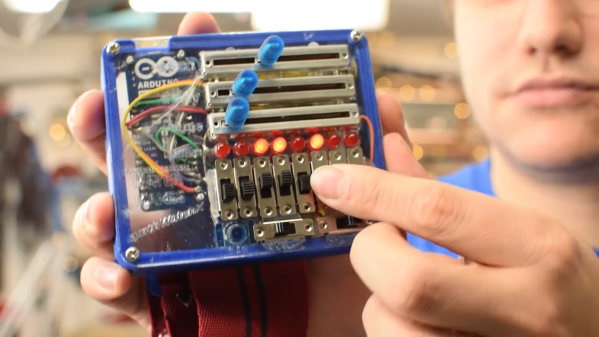
The board that [Gijs] has come up with uses four potentiometers and matching push buttons to allow the user to set different playback speeds that they can engage with the push of the button. There’s also a fifth potentiometer to augment the “global” speed as well as an override switch. During playback, these controls can be used to arbitrarily tweak and augment the sound of samples contained on a the looping cassette.

If that’s a little hard to conceptualize, don’t worry. [Gijs] has provided some examples of how the the rapid adjustment of playback speed offered by this “Zachtkind” can add a fascinating level of complexity to sounds and melodies. The assembled player is available for purchase ready to go, but he also provides kits and a detailed installation guide for those who’d rather build it themselves.

Going all the way back to 2005, [Gijs] and his incredible creations have been a staple of Hackaday. From the Arduino video sampler to the array of oddly musical analog clocks, we never cease to be in awe of this exceptionally prolific hacker.

A Hard Rocking Arduino Visualization Shield

Over the summer [ElectroSmash] put the finishing touches on the Arduino Audio Meter, a shield for the Arduino Uno that visualizes various aspects of an incoming audio signal on a set of four 8×8 LED dot matrices. Obsentisibly it’s for use on a guitar pedalboard, but thanks to the incredible documentation and collection of example code provided by the team, the project promises to be an excellent platform for all sorts of audio experimentation.

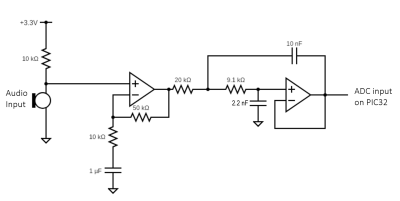
Incoming audio is amplified with an MCP6002 and fed into the Uno’s Analog to Digital Converter, where it’s processed via whatever Sketch the user has uploaded. User input is provided by a digital encoder with push-button. A set of four MAX7219 chips control the entire 256-pixel matrix with just three pins on the Arduino. The resolution of the display allows the Arduino Audio Meter to show more than just a simple VU meter, it can even do text and basic graphics.

[ElectroSmash] provides various Sketches for use with the Arduino Audio Meter that provide the expected repertoire of audio visualizations, but they also provide a number of interesting Sketches to expand the capabilities of the device in unexpected ways. Some of them could be useful for a stage musician, such a tool to tune your guitar, whereas others are fun uses of the hardware such as a game of “Snake”.

With the entire project released as open source, users are free to run wild with the Arduino Audio Meter. Writing your own custom software is an obvious first step to making the project your own, but adding additional hardware features and functions certainly aren’t out of the question either.

Our very own [Lewin Day] once walked us through the effort involved in building boutique guitar pedals, and while the Audio Audio Meter’s capabilities are somewhat limited as it doesn’t have the ability to change the audio going through it, we’re still interested in seeing what the community will come up with once they have an easy way to bring their ideas to life.

Continue reading “A Hard Rocking Arduino Visualization Shield”

Teaching A Vintage Line Printer To Make Music, All Over Again

Sit next to any piece of machinery long enough and you get to know it by the sounds it makes. Think about the sounds coming from any 3D-printer or CNC machine; it’s easy to know without looking when the G code is working through the sines and cosines needed to trace out a circle, for instance.

It was the same back in the day, when bored and bright software engineers heard note-like sounds coming from their gear and wrote programs to turn them into crude music machines. And now, [Ken Shirriff] details his efforts to revive a vintage IBM 1403 line printer’s musical abilities. The massive 1960s-era beast is an irreplaceable museum piece now, but when [Ken] and his friends at the Computer History Museum unearthed stacks of punch cards labeled with song titles like “Blowin’ In the Wind” and “The Blue Danube Waltz,” they decided to give it a go.

The 1403 line printer has a unique chain-drive print head, the inner workings of which [Ken] details aptly in his post. Notes are played by figuring out which character sequences are needed to get a particular frequency given the fixed and precisely controlled speed of the rotating chain. The technique is quite similar to that used by musical instruments such as the Floppotron, or when coercing music from everyday items including electric toothbrushes.

Lacking the source code for the music program, [Ken] had to reverse engineer the compiled program to understand how it works and to see if playing music would damage the chain drive. The video below shows the printer safely going through a little [Debussy]; audio clips of songs originally recorded back in 1970 are available too.

Continue reading “Teaching A Vintage Line Printer To Make Music, All Over Again”