What do you do when you decide that running CP/M on a Commodore 128 with a 5.25″ drive “Isn’t CP/M enough”? If you are [FozzTexx], you reach for your trusty TRS-80 Model II, with its much more CP/M-appropriate 8″ drive.
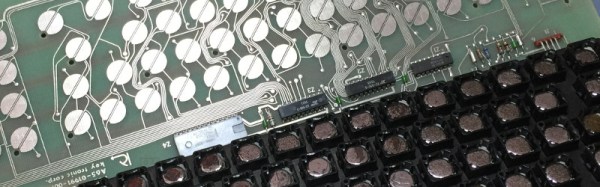
There was one small snag with the TRS-80 though, its keyboard didn’t work. It’s a capacitive device, meaning that instead of each key activating a switch, it contains a capacitive sensor activated by a piece of aluminized Mylar film on a piece of foam. Nearly four decades of decay had left the foam in [FozzTexx]’s example sadly deflated, leaving the keys unable to perform. Not a problem, he cast around for modern alternatives and crafted replacements from a combination of foam weather strip and metalized gift wrap.
Care had to be taken to ensure that the non-metalized side of the gift wrap faced the capacitive sensor pads, and that the weather strip used had the right thickness to adequately fill the gap. But the result was a keyboard that worked, and for a lot less outlay and effort than he’d expected. We would guess that this will be a very useful technique for owners of other period machines with similar keyboards.
What is CP/M, I hear you ask? Before there was Linux, Windows, and MacOS, there was DOS, and before DOS, there was CP/M. In the 1970s this was the go-to desktop operating system, running on machines powered by Intel’s 8080 and its derivatives like the Zilog Z80 in the TRS-80. When IBM needed an OS for their new PC they initially courted CP/M creators Digital Research, but eventually they hired a small software company called Microsoft instead, and the rest is history. Digital Research continued producing CP/M and its derivatives, as well as an MS-DOS clone and the GEM GUI that may be familiar to Atari ST owners, but were eventually absorbed into Novell in the 1990s.
We’ve featured a few capacitive keyboards here at Hackaday before, including this similar repair to a Compaq from the 1980s, and this look at a classic IBM terminal keyboard.