Repairing A Vintage HP 9825 The Hard Way

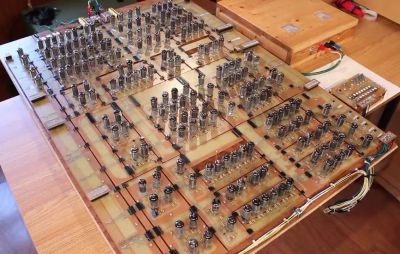
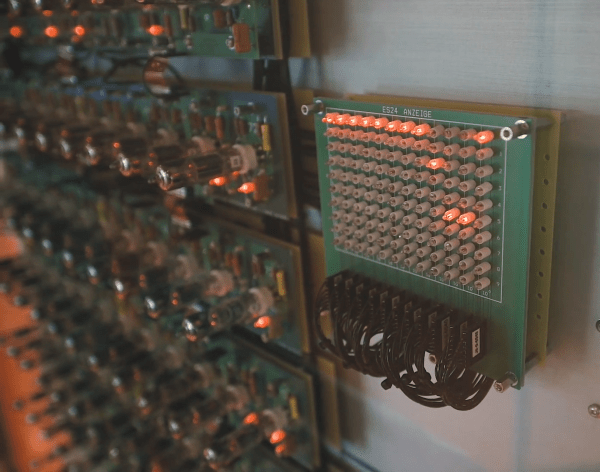
[CuriousMarc] is at it again, this time trying to undo the damage from a poorly designed power circuit, that fried the internals of his HP 9825 computer. (Video, embedded below.)

The power supply on this particular model has a failure mode where a dying transistor can lead to 13 V on the 5 V line. This causes all the havoc one would expect on the internals of a 1970s era portable computer. This particular computer is rather rare, so instead of calling it a lost cause, our protagonist decides to replace the faulty transistor, install a proper overvoltage protection circuit, and then start the tedious hunt for which chips actually let their magic smoke out.
Continue reading “Repairing A Vintage HP 9825 The Hard Way”

Retro ISA Card Means Old, Slow Computers No Longer Need Old, Heavy Monitors

One thing about vintage computers is that they depend greatly on whether or not one can plug a compatible monitor into them. That’s what’s behind [Tube Time]’s Graphics Gremlin, a modern-design retro ISA video card that uses an FPGA to act just like a vintage MDA or CGA video card on the input end, but provides a VGA port for more modern display output options. (Actually, there is also an RGBI connector and a composite video out, but the VGA is probably the most broadly useful.)

Handy silkscreen labels make everything crystal clear. Click to enlarge.

Why bother making a new device to emulate an old ISA video card when actual vintage video cards are still plentiful? Because availability of the old cards isn’t the bottleneck. The trouble is that MDA or CGA monitors just aren’t as easy to come across as they once were, and irreplaceable vintage monitors that do still exist risk getting smashed during shipping. Luckily, VGA monitors (or at least converters that accept VGA input) are far more plentiful.

The board’s design files and assembly notes are all on the project’s GitHub repository along with plenty of thoughtful detail about both assembly and troubleshooting, and the Verilog code has its own document. The Graphics Gremlin is still under development, but you can also watch for the latest on [Tube Time]’s Twitter feed.

Thanks to [NoxiousPluK] for the tip!

A “Disgusting” 1980s Computer Restored

It takes a special eye to see a junkyard car and envision it as your latest hotrod. The guys at RMC found what they termed a “disgusting” Acorn Electron and decided to restore it to its former glory. The Electron was a budget version of the BBC micro with a 6502 running at 2 MHz when executing code from ROM and 1 MHz when it hit the RAM. Apparently, at least some of the bus was operating at 4 bits instead of 8. Go figure.

The 1982 machine was meant to head off the Sinclair ZX and was set to sell for about £200. However, the machine didn’t catch on like the Sinclair and undersold it by around 20 times with a paltry quarter of a million units.

Continue reading “A “Disgusting” 1980s Computer Restored”

Apple Gets CP/M

In case you wanted to run WordStar on your Mac, [Tom Harte] offers CP/M for OS/X, and it looks like it would be a lot of fun. Of course you might be happier running Zork or Turbo Pascal, and you can do that, too.

There are plenty of Z80 emulators that can run CP/M, but what we found most interesting about this one is that it is written in Objective C, a language with a deep history in the Mac and NeXT worlds.

Continue reading “Apple Gets CP/M”

Scanner Captures View-Master Discs As Glorious 3D Videos

The toys of the past may have been cheesy, but you can’t deny the creativity needed to build something engaging without any electronics. One stalwart toy from this category is View-Master, the little stereoscopic slide viewer that brought the world to life in seven vibrant scenes. And digitizing these miniature works of art is the purpose of this neat View-Master reel scanner project.

If you haven’t had the pleasure of using a View-Master, the gist is that a flat cardboard disc ringed with 14 color transparencies was inserted into a plastic viewer. Binocular eyepieces showed scenes from opposing pairs of slides, which were illuminated by a frosted screen and room lighting. The scenes were photographed from slightly different angles, leading to a stereoscopic image that was actually pretty good quality.

In the video below, project creator [W. Jason Altice] describes View-Master as “the YouTube of the 1950s.” We partially agree; with only seven frames to tell a story, we’d say it’s more like TikTok than YouTube. Regardless, capturing these mini-movies requires quite a bit of complexity. All the parts for the reel carousel are 3D-printed, with a small stepper to advance the reel and an optical sensor to register its position. A ring of RGB LEDs beneath the reel illuminates the slides; being able to control the color of the light helps with color balancing for slides with faded colors. An 8-megapixel camera captures each slide, and some pretty slick software helps with organizing the image pairs, tweaking their alignment, capturing the captions from the disc, and stitching everything into a video.

There’s a whole YouTube channel devoted to View-Master captures, which are best viewed with a Google Cardboard or something similar. Even without the 3D effect, it’s still pretty cool to watch [Popeye] beat up a nuke again.

Continue reading “Scanner Captures View-Master Discs As Glorious 3D Videos”

Sinclair BASIC For Today

If you are of a certain age, your first exposure to computer programming was probably BASIC. For a few years, there were few cheaper ways to program in BASIC than the Sinclair ZX series of computers. If you long for those days, you might find the 1980-something variant of BASIC a little limiting. Or you could use SpecBasic from [Paul Dunn].

SpecBasic is apparently reasonably compatible with the Spectrum, but lets you use your better hardware. For example, instead of a 256×192 8-color screen, SpecBas accommodates larger screens and up to 256 colors. However, that does lead to certain incompatibilities that you can read about in the project’s README file.

Continue reading “Sinclair BASIC For Today”

TrueTape64 Is A PC Interface For Your C64 Datasette

Back in the distant past of the 1980s, software was distributed on audio tape. Ones and zeroes were encoded as tones of different frequencies, and tapes were decoded by specialised hardware which could then spit out raw digital data to an attached computer. While software methods now exist to simply record audio from old tapes and turn them into data, [Francesco] wanted to do it the hardware way, and built a PC interface for his Commodore 64 Datasette.

The TrueTape64, as it has been named, is built around an Atmel ATTiny2313 microcontroller. This interfaces with the original Datasette hardware which takes care of reading the analog tape output and turning it into digital data. From there, the microcontroller communicates with an FTDI232 serial-to-USB adapter to get the data into a modern PC, where it’s compiled into a TAP image file via some Python magic.

It’s a barebones build, which goes so far as to run the Datasette’s motor off the USB power supply via a boost converter; those facing issues with the tape mechanism might do well to look there first. However, it does work, and a done job is a good job at the end of the day. We’ve seen similar hacks before, too – it’s great to see the community keeping cassette software alive!