Console Calculator Moves One Step Closer To Original Design

With smartphone apps and spreadsheets being the main ways people crunch their numbers nowadays, there’s not much call for a desktop calculator. Or any other physical calculator, for that matter. Which is all the more reason to appreciate thisĀ  Wang 300-series calculator console’s revival through a new electronic backend.

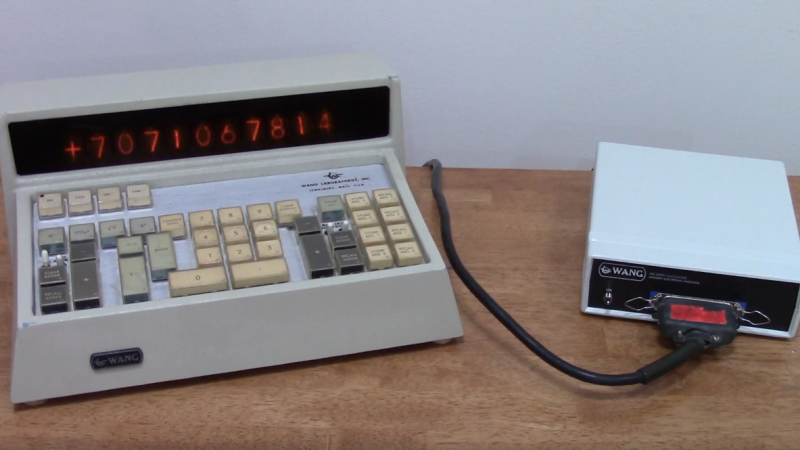
If you haven’t made the acquaintance of the Wang calculator series, [Bob Alexander]’s previous Wang project is a perfect introduction. Despite looking very much like an overbuilt early-70s desktop calculator, what you see in the video below is just a terminal, one of four that could connect to a shared “Electronics Package” where most of the actual computational work was done. The package was big and is currently hard to come by, at least at a reasonable price, but the consoles, with their Nixie displays and sturdy keypads, are relatively abundant.

[Bob]’s previous venture into reviving his console involved embedding a PIC32-based controller, turning it into the standalone desktop calculator it never was. To keep more with the original design philosophy, [Bob]’s second stab at the problem moves much of the same circuitry from inside the console into a dedicated outboard package, albeit one much smaller than the original. The replacement package extends and enhances the console functionality a bit, adding a real-time clock and a Nixie exercise routine to ward off the dreaded cathode poisoning. [Bob] also recreates the original Wang logarithmic method of multiplication and division, which is a nice touch with its distinctive flashing display.

Seeing the Wang console hooked up to a package through that thick cable and Centronics connector is oddly satisfying. We’d love to see [Bob] take this to the logical extent and support multiple consoles, but that might be pushing things a bit.

Continue reading “Console Calculator Moves One Step Closer To Original Design”
90s PowerBook Runs MacOS Monterey

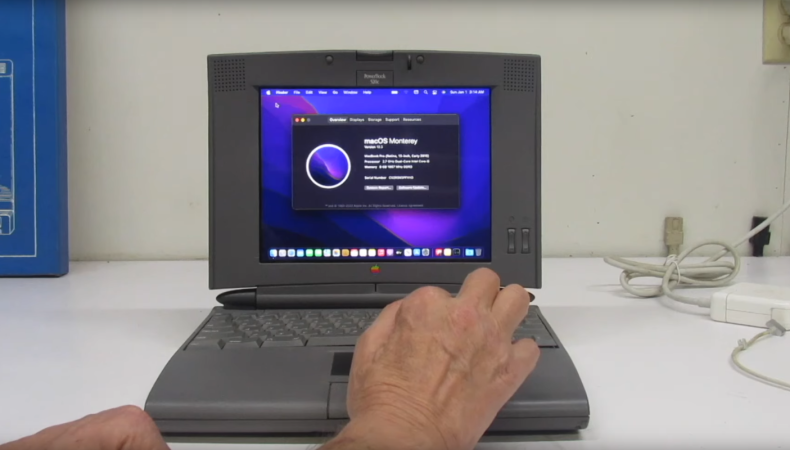
Even though Apple isn’t known for making the most pro-consumer devices ever (at least not since the Apple II), the trope that Apples aren’t upgradable, customizable, or otherwise hackable doesn’t really hold much weight. It does take more work to modify them or change how Apple wants them to behave, but it’s not completely impossible. Take this example of a ’94 Apple PowerBook which runs macOS Moneterey thanks largely to new internals from a 2015 MacBook Pro.

[Billy] originally intended for a Raspberry Pi to go inside this old PowerBook, but at the time, prices for ARM single-board computer (SBC) were astronomical. For around the same price as the Pi was at the time, he was able to pick up a retina display from an iPad and the internals from a broken MacBook Pro to outfit this retro case. There’s also a Teensy installed to get the trackpad working and a driver board for the display from Adafruit, and a number of case mods were needed to get everything to fit including the screen which was slightly larger than the original 9.5″ display the laptop would have shipped with.

This project took both inspiration and some of the actual code needed to get everything working from another project we featured a while ago where a Mac Mini was installed inside of a PowerBook case from 1993. Unlike projects that use smaller SBCs for retrocomputing, these builds are notable because the hardware on the inside makes them usable as daily driver computers even today, and might even be an upgrade if you’re using the internals from a MacBook Pro that would have originally had a butterfly keyboard.

Continue reading “90s PowerBook Runs MacOS Monterey”

Generative AI Hits The Commodore 64

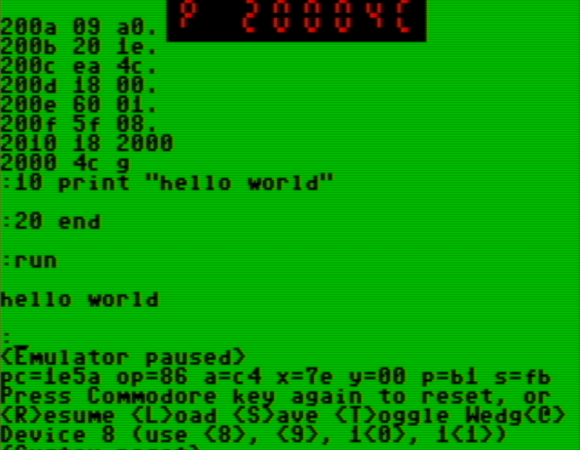
Image-generating AIs are typically trained on huge arrays of GPUs and require great wads of processing power to run. Meanwhile, [Nick Bild] has managed to get something similar running on a Commodore 64. (via Tom’s Hardware).

A figure generated by [Nick]’s C64. We shall name him… “Sword Guy”!
As you might imagine, [Nick’s] AI image generator isn’t churning out 4K cyberpunk stills dripping in neon. Instead, he aimed at a smaller target, more befitting the Commodore 64 itself. His image generator creates 8×8 game sprites instead.

[Nick’s] model was trained on 100 retro-inspired sprites that he created himself. He did the training phase on a modern computer, so that the Commodore 64 didn’t have to sweat this difficult task on its feeble 6502 CPU. However, it’s more than capable of generating spritesĀ using the model, thanks to some BASIC code that runs off of the training data. Right now, it takes the C64 about 20 minutes to run through 94 iterations to generate a decent sprite.

8×8 sprites are generally simple enough that you don’t need to be an artist to create them. Nonetheless, [Nick] has shown that modern machine learning techniques can be run on slow archaic hardware, even if there is limited utility in doing so. Video after the break.

Continue reading “Generative AI Hits The Commodore 64”

A Slice Of Simulation, Google Sheets Style

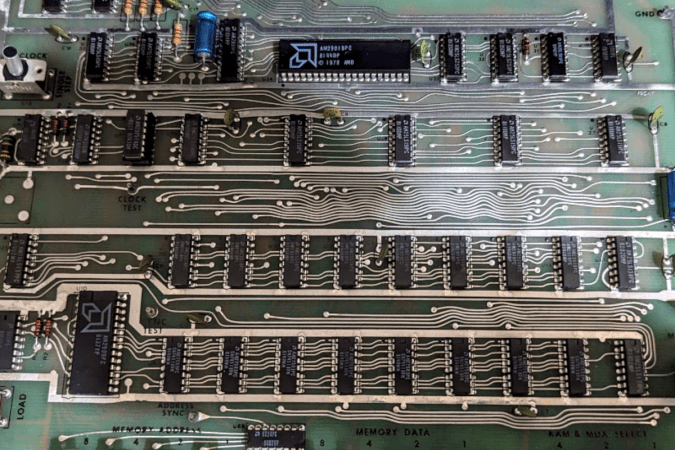
Have you ever tried to eat one jelly bean or one potato chip? It is nearly impossible. Some of us have the same problem with hardware projects. It all started when I wrote about the old bitslice chips people used to build computers before you could easily get a whole CPU on a chip. Bitslice is basically Lego blocks that build CPUs. I have always wanted to play with technology, so when I wrote that piece, I looked on eBay to see if I could find any leftovers from this 1970-era tech. It turns out that the chips are easy to find, but I found something even better. A mint condition AM2900 evaluation board. These aren’t easy to find, so the chances that you can try one out yourself are pretty low. But I’m going to fix that, virtually speaking.

This was just the second potato chip. Programming the board, as you can see in the video below, is tedious, with lots of binary switch-flipping. To simplify things, I took another potato chip — a Google Sheet that generates the binary from a quasi-assembly language. That should have been enough, but I had to take another chip from the bag. I extended the spreadsheet to actually emulate the system. It is a terrible hack, and Google Sheets’ performance for this sort of thing could be better. But it works.

Continue reading “A Slice Of Simulation, Google Sheets Style”

CP/M On An Eight Line Display

How many lines do you need on a CP/M terminal? More is usually better, of course, but the MicroOffice RoadRunner managed with an 8-row, 80-column LCD screen. That may sound anemic, but in 1983, it was high-tech, as was the RoadRunner, and [Tech Time Traveller] tells us about them in a recent video you can see below.

The intro to the video shows some really strange old laptops before it gets to the RoadRunner. The machine used a Z80 work-alike CPU and a form of CP/M with some organizer functions. The machine didn’t have floppies or other disk storage, but did have four cartridge slots that could hold more memory, a spreadsheet, BASIC, or a text editor. The memory cartridges were static RAM with battery backup, so they retained data when you pulled them from the slot. Assuming the battery didn’t die.

Inside a RoadRunner cartridge.

Unfortunately, this particular machine suffered some shipping damage. In addition to the cartridges, it also had a removable battery and modem. At around the eight-minute mark, the case comes off, and inside are — surprise — more internal cartridges.

While MicroOffice isn’t a household name today, it was founded by a former Exxon executive and tapped a CEO and investor from Timex. It was funded by the likes of Olivetti. The computer rolled out in late 1983 and lived until Telxon bought MicroOffice in 1985.

Attempts to run Zork were not fruitful. There really wasn’t enough memory, and file transfer was a bit wonky. If you want a modern Z80 laptop, we know of one with 16 cores. As clunky as the RoadRunner looks, it still beats the old suitcase computers.

Continue reading “CP/M On An Eight Line Display”

Emulate A KIM-1 With A Commodore 64

When you think about virtualization, you usually think about making some CPU pretend to be another CPU. However, there are sometimes advantages to making a computer pretend to be the same computer.

That’s the case with [oldvcr]’s KIMplement, which emulates a KIM-1 with a 6502 using a Commodore 64, which also uses a 6502.The reason this makes sense is that you have total control over an emulated CPU. If a program, for example, writes to a critical memory location or tries to take over the screen or keyboard, you can easily make the emulator do something more appropriate. Things like breakpoints and single stepping also become trivial.

The virtual machine at the heart of it is 6o6 (6502 on 6502), and it seems to perform well. By virtualizing, you can easily protect the system from programs that try to, for example, take over an interrupt vector. This is similar to how x86 protected mode can run old real-mode code in a virtual environment and intervene for certain instructions. The emulation is good enough that the emulator can run the emulator, which then runs the emulator to actually run the real target. That’s wasteful, of course, but it does speak to the completeness of the pretend CPU.

If you want a KIM-1 (and an 1802 Elf) but only have an Arduino, you can emulate a different way. At least an emulated KIM-1 doesn’t develop bad memory chips.

The film scanner [xssfox] found, in the center of a table, with other stuff strewn across the table

Answering All Your ISCSI Scanner Questions

iSCSI is a widely used protocol for exposing SCSI devices over a network connection, and some scanners have in the past been equipped with SCSI ports. So, could you have an iSCSI network scanner? [xssfox] details her journey making a Canoscan FS4000US film scanner work over iSCSI, sparked by someone’s overly-confident StackOverflow comment that it couldn’t be done. Nothing in the spec said it couldn’t actually work, however, and after figuring out a tentative architecture, a hardware setup was put together.

No flatbed scanners with SCSI ports could be found on the cheap, so a film scanner had to be procured. After figuring out a few hitches with the loading mechanism and getting a test image locally, it was time to try and build up the software setup, tearing through SCSI compatibility and cabling, driver and PCI pass-through woes, bluescreens, and intermediate software having dropped some of the necessary features by now. Still, [xssfox] eventually exported the scanner as an iSCSI target – and, on the other end of the network, successfully connected to it and completed a scan. The StackOverflow answer was wrong, after all.

It’s fun to see how far old technology can go, and get answers to questions you never knew you had. Whether you’re reminiscing about SCSI days or wondering what the technology about, we’ve talked about it aplenty, from a retrospective to modern-day experiments, repurposing old SCSI hardware for modern SATA ports, a Raspberry Pi implementation, an emulator, and a fair bit more.

We thank [Valentijn Sessink] and [adistuder] for sharing this with us!