Boot Sector Pong As A Crash Course In Assembly

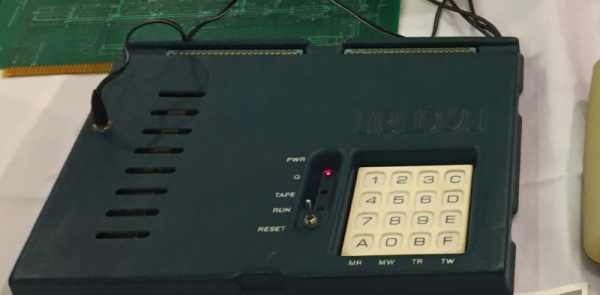
Have you ever wanted to develop a playable game small enough to fit into a disk’s 512 byte boot sector? How about watching somebody develop a program in assembly for nearly two hours? If you answered yes to either of those questions, or ideally both of them, you’re going to love this project from [Queso Fuego].

Whether you just want to check out the public domain source code or watch along as he literally starts from a blank file and codes every line for your viewing pleasure, chances are good that you’ll pick up a trick or two from this project. For example, he explains how all of the “graphics” in the game are done in 80 x 25 text mode simply by setting the background color of character cells without printing any text to them.

We really like the presentation in the video after the break, which was recorded over the course of multiple days, judging by the changing light levels in the background. As he types out each line of code, he explains what its function is and gives any background information necessary to explain how it will fit into the larger program. If you’ve ever wondered if you had what it takes to program in ASM, watching this video is a great way to decide.

[Queso Fuego] mentions that this project, and his research into this sort of low-level programming, came about due to the social distancing boredom that many of us are feeling. While we’re certainly not advocating for him to kept locked in his home permanently, with projects like this, you’ve got to admit it seems like a win for the rest of us.

Continue reading “Boot Sector Pong As A Crash Course In Assembly”

TI And Cadence Make PSpice Free

We like simulation software. Texas Instruments long offered TINA, but recently they’ve joined with Cadence to make OrCAD PSpice available for free with some restrictions. You’ve probably heard of PSpice — it’s widely used in academia and industry, but is usually quite costly. You can see a promotional overview video below.

The program requires registration and an approval step to get a license key. The downloaded program has TI models along with other standard models. There seem to be few limits as long as you stick to the supplied library. According to the datasheet, there are no size or simulation complexity limitations in that case. If you want to use other models, you can, but that’s where the limitations hit you:

There is no limitation of how many 3rd party models can be imported into the design. However, if 3rd party models are imported, a user will be able to plot a maximum of 3 signals at a time of their choice when any 3rd party model is imported from web.

We aren’t completely sure what “from web” means there, but presumably they just mean from other sources. In any event, you still get AC, DC, and transient analysis with plenty of options like worst-case timing analysis. Mixed signal designs are supported and there is a wealth of data plotting options, as you would expect.

This is a great opportunity to drive some serious software that is widely used in the industry. The only thing that bummed us out? It runs under Windows. We couldn’t get it to work under Wine, but a Windows 10 VM handled it fine, although we really hate running a VM if we don’t have to.

Still, the price is right and it is a great piece of software. We also liked the recent Micro-Cap 12 release, but we don’t expect any updates for that. Of course, LTSpice is quite capable, too.

Continue reading “TI And Cadence Make PSpice Free”

Linux Fu: Literate Regular Expressions

Regular expressions — the things you feed to programs like grep — are a bit like riding a bike. It seems impossible until you learn to do it, and then it’s easy. Part of their bad reputation is because they use a very concise and abbreviated syntax that alarms people. To help people who don’t use regular expressions every day, I created a tool that lets you write them in something a little closer to plain English. Actually, I’ve written several versions of this over the years, but this incarnation that targets grep is the latest. Unlike some previous versions, this time I did it all using Bash.

Those who don’t know regular expressions might freak out when they see something like:

[0-9]{5}(-[0-9]{4})?

How long does it take to figure out what that does? What if you could write that in a more literate way? For example:

digit repeat 5 \

start_group \

   - digit repeat 4 \

end_group optional

Not as fast to type, sure. But you can probably deduce what it does: it reads US Zipcodes.

I’ve found that some of the most popular tools I’ve created over the years are ones that I don’t need myself. I’m sure you’ve had that experience, too. You know how to operate a computer, but you create a menu system for people who don’t and they love it. That’s how it is with this tool. You might not need it, but there’s a good chance you know someone who does. Along the way, the code uses some interesting features of Bash, so even if you don’t want to be verbose with your regular expressions, you might pick up a trick or two.

Continue reading “Linux Fu: Literate Regular Expressions”

Google Turns Android Up To 11 With Latest Update

Just going by the numbers, it’s a pretty safe bet that most Hackaday readers own an Android device. Even if Google’s mobile operating system isn’t running on your primary smartphone, there’s a good chance it’s on your tablet, e-reader, smart TV, car radio, or maybe even your fridge. Android is everywhere, and while the development of this Linux-based OS has been rocky at times, the general consensus is that it seems to have been moving in the right direction over the last few years. Assuming your devices actually get the latest and greatest update, anyway.

So it’s not much of a surprise that Android 11, which was officially released yesterday, isn’t a huge update. There’s no fundamental changes in the core OS, because frankly, there’s really not a whole lot that really needs changing. Android has become mature enough that from here on out we’re likely to just see bug fixes and little quality of life improvements. Eventually Google will upset the apple cart (no pun intended) with a completely new mobile OS, but we’re not there yet.

Of course, that’s not to say there aren’t some interesting changes in Android 11. Or more specifically, changes that may actually be of interest to the average Hackaday reader. Let’s take a look at a handful of changes and tweaks worth noting for the more technical crowd.

Continue reading “Google Turns Android Up To 11 With Latest Update”

ESP32 Hash Monster Fills Pockets With Packets

Unless you’re reading this from the middle of the ocean or deep in the forest, it’s a pretty safe bet there’s WiFi packets zipping all around you right now. Capturing them is just a matter of having the right hardware and software, and from there, you can get to work on cracking the key used to encrypt them. While such things can obviously have nefarious connotations, there are certainly legitimate reasons for auditing the strength of the wireless networks in the area.

It might not have the computational horsepower to crack any encryption itself, but the ESP32 M5Stack is more than up to the task of capturing WiFi packets if you install the Hash Monster firmware developed by [G4lile0]. Even if you don’t intend on taking things farther, this project makes finding WiFi access points and grabbing their packets a fascinating diversion with the addition of a few graphs and an animated character (the eponymous monster itself) that feeds on all those invisible 1s and 0s in the air.

There’s some excellent documentation floating around that shows you the start to finish process of popping open a WiFi network with the help of Hash Monster, but that’s only the beginning of what’s possible with this gadget. A quick search uncovers a number of software projects that make use of the specific advantages of the M5Stack compared to more traditional ESP32 boards, namely the built-in screen, buttons, and battery. We’ve even seen it used in a few builds here on Hackaday, such as this DIY thermal camera and custom shipboard computer system.

[Thanks to Manuel for the tip.]

You Don’t Need A Weatherman To Know Which Way The Drone Blows

“How’s the weather?” is a common enough question down here on the ground, but it’s even more important to pilots. Even if they might not physically be in the cockpit of the craft they are flying. [Justin Parsons] explains how weather affects drone flights and how having API access to micro weather data can help ensure safe operations.

As drone capability and flight time increase, the missions they will fly are getting more and more complex. [Justin] uses a service called ClimaCell which has real-time, forecast, and historical weather data available across the globe. The service isn’t totally free, but if you make fewer than 1,000 calls a day you might be able to use a developer account which doesn’t cost anything.

According to [Justin], weather data can help with pre-flight planning, in-flight operations, and post-flight analysis. The value of accurate forecasting is indisputable. However, a drone or its ground controller could certainly understand real-time weather in a variety of ways and record it for later use, so the other two use cases maybe a little less valuable.

While on the subject, it seems to us that accurate forecasting could be important for other kinds of projects. Will you have enough sun to catch a charge on your robot lawnmower tomorrow? If your beach kiosk is expecting rain, it could deploy an umbrella or close some doors and shutdown for a bit.

If you insist on using a free service, the ClimaCell blog actually lists their top 8 APIs. Naturally, their service is number one, but they do have an assessment of others that seems fair enough. Nearly all of these will have some cost if you use it enough, but many of them are pretty reasonable unless you’re making a huge number of calls.

How would you use accurate micro weather data? Let us know in the comments. Then again, sometimes you want to know the weather right from your couch. Or maybe you’d like your umbrella to tell you how long the storm is going to last.

A Free Software OS For The ReMarkable E-Paper Tablet

If you’re looking to rid your day to day life of dead trees, there’s a good chance you’ve already heard of the reMarkable tablet. The sleek device aims to replace the traditional notebook. To that end, remarkable was designed to mimic the feeling of writing on actual paper as closely as possible. But like so many modern gadgets, it’s unfortunately encumbered by proprietary code with a dash of vendor lock-in. Or at least, it was.

[Davis Remmel] has been hard at work porting Parabola, a completely free and open source GNU/Linux distribution, to the reMarkable. Developers will appreciate the opportunity to audit and modify the OS, but even from an end-user perspective, Parabola greatly opens up what you can do on the device. Before you were limited to a tablet UI and a select number of applications, but with this replacement OS installed, you’ll have a full-blown Linux desktop to play with.

You still won’t be watching videos or gaming on the reMarkable (though technically, you would be able to), but you could certainly use it to read and edit documents the original OS didn’t support. You could even use it for light software development. Since USB serial adapters are supported, microcontroller work isn’t out of the question either. All while reaping the considerable benefits of electronic paper.

The only downside is that the WiFi hardware is not currently supported as it requires proprietary firmware to operate. No word on whether or not [Davis] is willing to make some concession there for users who aren’t quite so strict about their software freedoms.

We’ve been waiting patiently for the electronic paper revolution to do more than replace paperbacks with Kindles, and devices like the reMarkable seem to be finally moving us in the right direction. Thankfully, projects that aim to bring free and open source software to these devices mean we won’t necessarily have to let Big Brother snoop through our files in the process.