Firmware Find Hints At Subscription Plan For ReMarkable Tablet

We’ve been keeping a close eye on the development of electronic paper tablets such as the reMarkable for a while now. These large-format devices would be a great way to view schematics and datasheets, and with the right software, could easily become an invaluable digital sidekick. Unfortunately, a troubling discovery made in a beta version of the reMarkable firmware is a strong indication the $400 USD device may be heading down a path that many in this community wouldn’t feel comfortable with.

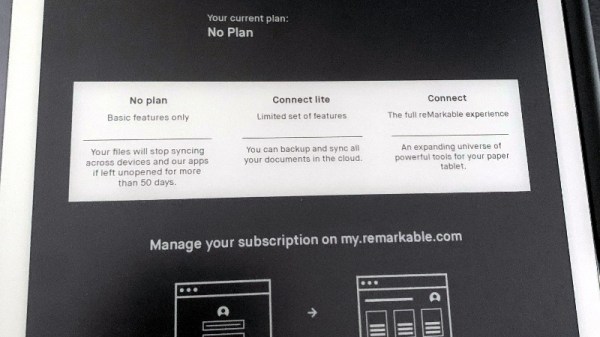
While trying to get a reMarkable tablet running firmware version 2.10.0.295 synced up to self-hosted server using rmfakecloud, Reddit user [dobum] was presented with a very unusual prompt. The tablet displayed several subscription levels, as well as brief description of what each one unlocked. It explained that standard users would get “basic functions only”, while the highest tier subscription would unlock an “expanding universe of powerful tools” for the e-paper tablet. In addition, only recently used documents would be synced with the cloud unless you had a paid subscription.

Continue reading “Firmware Find Hints At Subscription Plan For ReMarkable Tablet” →
Take Note: An E-Paper Tablet From Pine64

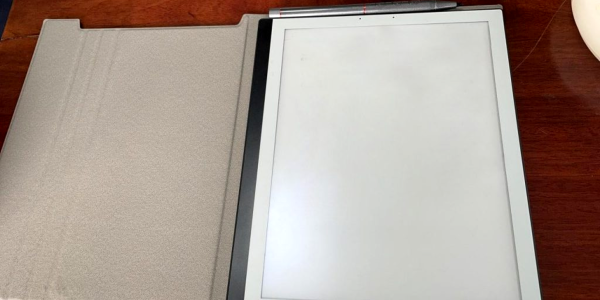
Over the years we’ve seen a variety of interesting pieces of hardware emerging from the folks at Pine64, so it’s always worth a second look when they announce a new product. This time it’s the PineNote, a tablet that packs the same Rockchip RK3566 as used in the company’s Quartz64 single board computers behind a 10.1″ 1404 x 1872 16-tone greyscale e-paper screen.

Fitted with 4 GB of LPDDR4 RAM and 128 GB eMMC flash storage, it will feature the same Linux support as previous Pine64 products, with the slight snag of the display driver not yet being complete for 5.xx kernels. They are thus at pains to point out that this is not a ready-to-go consumer device and that early adopters will be expected to write code rather than notes on it.

That last sentence sums up Pine64’s offering perfectly, they produce interesting hardware with open-source support, but sometimes the path from hardware release to stable and usable product can be a rocky one. If you’re interested in hardcore hacking of an e-paper tablet, then you may want to be an early adopter. Otherwise, hang back for a while and buy one once some of the bugs have been ironed out. Meanwhile you can see the whole update in the video below; it has a few other things including a nifty keyboard for the PinePhone.

We’ve mentioned Pine64 a few times over the years, it’s worth noting that their products also lie outside the realm of Linux boxen.

Continue reading “Take Note: An E-Paper Tablet From Pine64” →

Improved Graphics-to-Drawing Tablet Conversion

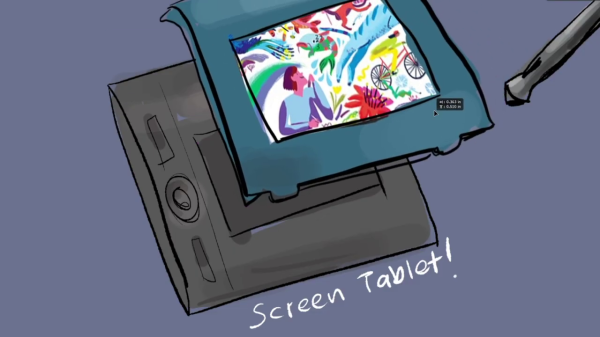
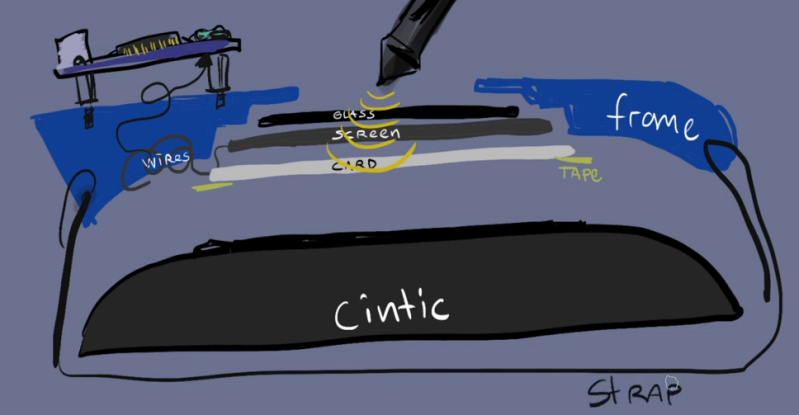
[Akaki Kuumeri] had an old Wacom Intuos digitizing graphics tablet collecting dust, and figured out how to non-destructively transform it into a drawing tablet. He was inspired by an old Hackaday post of a similar hack, but it required literally hacking a big hole into your Wacom tablet. Not wanting to permanently ruin the Wacom tablet,  [Akaki] instead designed a 3D printed frame which he holds in place with a pair of straps. The design files are available on Thingiverse. He names the project, incorrectly as he later points out, WacomOLED (it rhymes with guacamole, we think).

As for the screen, he buys an old third-generation iPad and removes its Retina display panel and the foil backing, which would otherwise block the stylus’s connection to the tablet. Toss in an HDMI driver board to connect the display to your computer, and presto — you have made your own a drawing tablet. Even if you don’t need a drawing tablet, [Akaki]’s hack is still interesting, if only to remind us that we can put custom HDMI displays into any project for $65 using this technique.

In the end, [Akaki] notes that unless you already have a non-graphical digitizing tablet laying around, it’s probably cheaper to just buy a iPad. This is not [Akaki]’s first go at user input devices — we wrote about his Smash Brothers game controller and flight controller yoke project last year.

Do any of you use a graphics tablet in your day to day workflow? Let us know in the comments below.

Continue reading “Improved Graphics-to-Drawing Tablet Conversion” →

Overall view of Alta's Projects cyberdeck

Cyberdeck Running On Apple Silicon, Though An A12 Not An M1

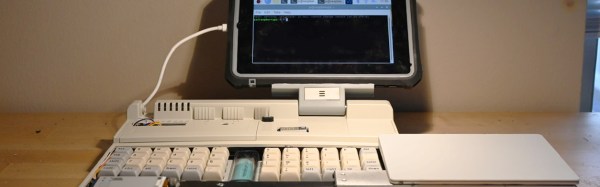
[Alta’s Projects] built a two-in-one cyberdeck that not only contains the requisite Raspberry Pi (a zero in this case) but also eschews a dumb LCD and uses an iPad mini 5 for a display.

We need to address the donor case right away. Some likely see this as heresy, and while we love to see vintage equipment lovingly restored, upcycling warms our hearts and keeps mass-produced plastic out of landfills too. The 1991 AST 386SX/20 notebook in question went for $45 on an online auction and likely was never destined for a computer museum.

Why is Cupertino’s iOS anywhere near a cyberdeck? If a touch screen is better than an LCD panel, a tablet with a full OS behind it must be even better. You might even see this as the natural outgrowth of tablet cases first gaining keyboards and then trackpads. We weren’t aware that either was possible without jailbreaking, but [Alta’s Projects] simply used a lighting-to-USB dongle and a mini USB hub to connect the custom split keyboard to the iPad and splurged on an Apple Magic Trackpad for seamless and wireless multi-touch input.

Alta's Projects Cyberdeck Internal USB Wiring
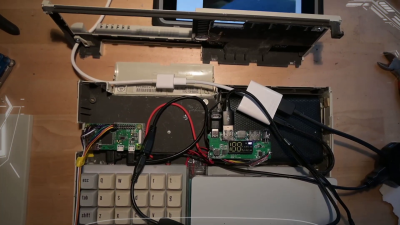
Internal USB Wiring, Charging Circuit, and Pi Zero

The video build (after the break) is light on details, but a quick fun watch with a parts list in the description. It has a charming casual feel that mirrors the refreshingly improvisational approach that [Altair’s Projects] takes to the build. We appreciate the nod to this cyberdeck from [Tinfoil_Haberdashery] who’s split keyboard and offset display immediately sprang to mind for us too. The references to an imagined “dystopian future” excuse the rough finish of some of the Dremel cuts and epoxy assembly. That said, apocalypse or not, the magnets mounted at both ends of the linear slide certainly are a nice touch.

Continue reading “Cyberdeck Running On Apple Silicon, Though An A12 Not An M1” →

Trashed Tablet Lives Again Thanks To New Charger IC

Have you ever pulled a piece of electronics from the trash that looked like nothing was wrong with it, only to take it home and find out it really is dead? Since you’re reading Hackaday, we already know the answer. Trash picking is an honored hacker tradition, and we all know it’s a gamble every time you pull something from the curb. But when the Samsung Galaxy Tab S that [Everett] pulled from the e-waste bin wouldn’t take a charge, he decided to crack it open and see if it was really beyond repair.

The first step was using a USB power meter to see if the tablet was actually pulling any current when plugged in. With just 10 mA on the line, [Everett] knew the device wasn’t even attempting to charge itself. So his next step was to pull the battery and charge it from a bench supply. This got the tablet to wake up, and as far as he could tell, everything else worked as expected. It seemed like the only issue was a blown charging circuit.

Where we’re going, we don’t need ribbon cables.

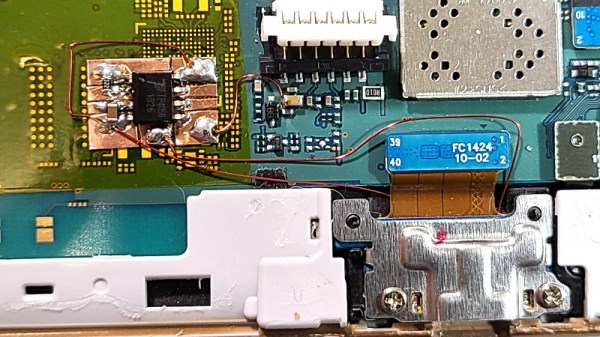
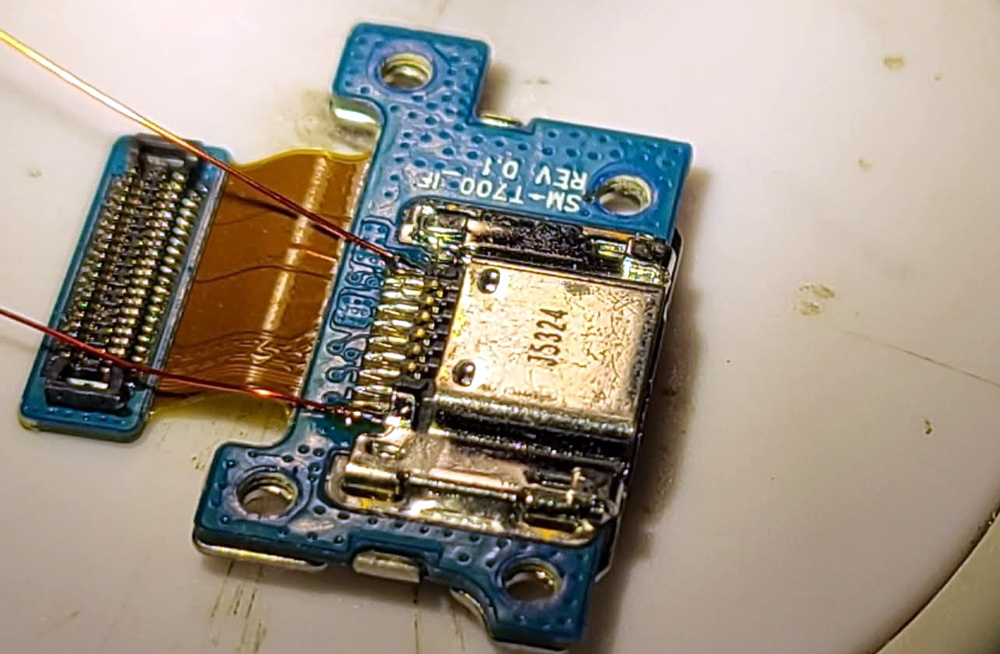
Now at this point, [Everett] could have just gone online and bought a new motherboard for the tablet and called it a day. But where’s the fun in that? Instead, he wired up a simple charging circuit using a TP4056 IC on a scrap of flexible PCB and mounted it to a square of Kapton tape. He then used 34 AWG magnet wire to connect it between the tablet’s USB port and the battery, bypassing the tablet’s electronics entirely.

The fix worked, but there was a slight problem. Since the TP4056 only goes up to 4.2 V and the battery maxes out at 4.35 V, [Everett] says his hacked charger can only bring the tablet up to 92% capacity according to Android. But considering the alternative, we think its more than a worthy trade-off.

It’s easy to dismiss tablets as largely disposable devices, but this isn’t the first time we’ve seen somebody save one with little more than solder and patience. Of course, what you do with that old tablet once you get it fired back up is another story entirely.

Help, I’m Buried Alive By Tablets!

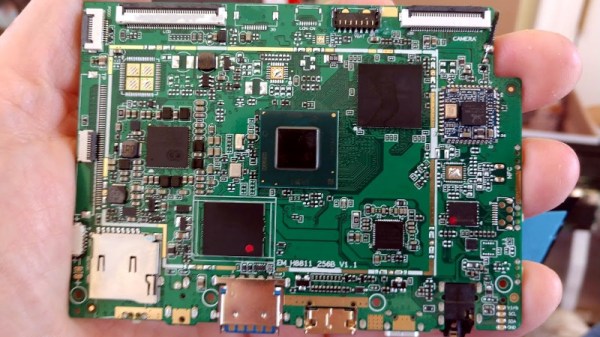
It’s fair to say that many Hackaday readers will have a propensity for hoarding electronic or tech junk. Who hasn’t hung on to something because “It might be useful someday”? Spare a thought for [Mike Drew], who in his own words is “buried alive by tablets”. In this case the tablets are Intel-based ones that look as though they ran one of those cut-down Windows versions, and they appear to be rejects from a repair shop processing customer returns that he saved from the dumpster. They are missing their backs, and not all of their screens work, but they amount to a tidy pile of Stuff That’s Too Good To Throw Away.

The exact spec is a 1.4 GHz quad-core Atom with 4 GB of RAM and 32 GB of Flash, and appear from the photos to have HDMI and USB 3 interfaces. Happily they run Linux Mint 20 so they have plenty of potential, but there is only so much that one person can do with them before running out of ideas. He tells us he’s made a Folding@Home cluster, but beyond that he’s open to suggestions. Depending on the age of the commenter no doubt he’ll be exhorted to run Beowulf or mine Bitcoin, but we’d suggest more sensible ideas.

So, what would you do with them? They lack the handy GPIO port of a Raspberry Pi, but with suitable USB peripherals could you use them in any lowish-power distributed node project where the popular SBC would be the usual choice? Perhaps something like WeeWX, or OpenEnergyMonitor. Or how about distributed mesh network nodes, after all there’s an x86 port of LibreMesh. It’s obvious that there’s plenty of potential to be found, so help [Mike] with his problematic bounty in the comments.

A Free Software OS For The ReMarkable E-Paper Tablet

If you’re looking to rid your day to day life of dead trees, there’s a good chance you’ve already heard of the reMarkable tablet. The sleek device aims to replace the traditional notebook. To that end, remarkable was designed to mimic the feeling of writing on actual paper as closely as possible. But like so many modern gadgets, it’s unfortunately encumbered by proprietary code with a dash of vendor lock-in. Or at least, it was.

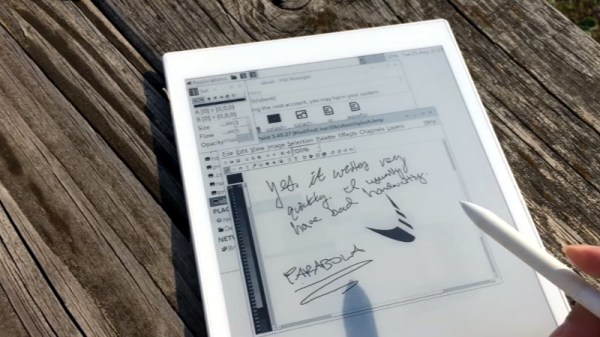
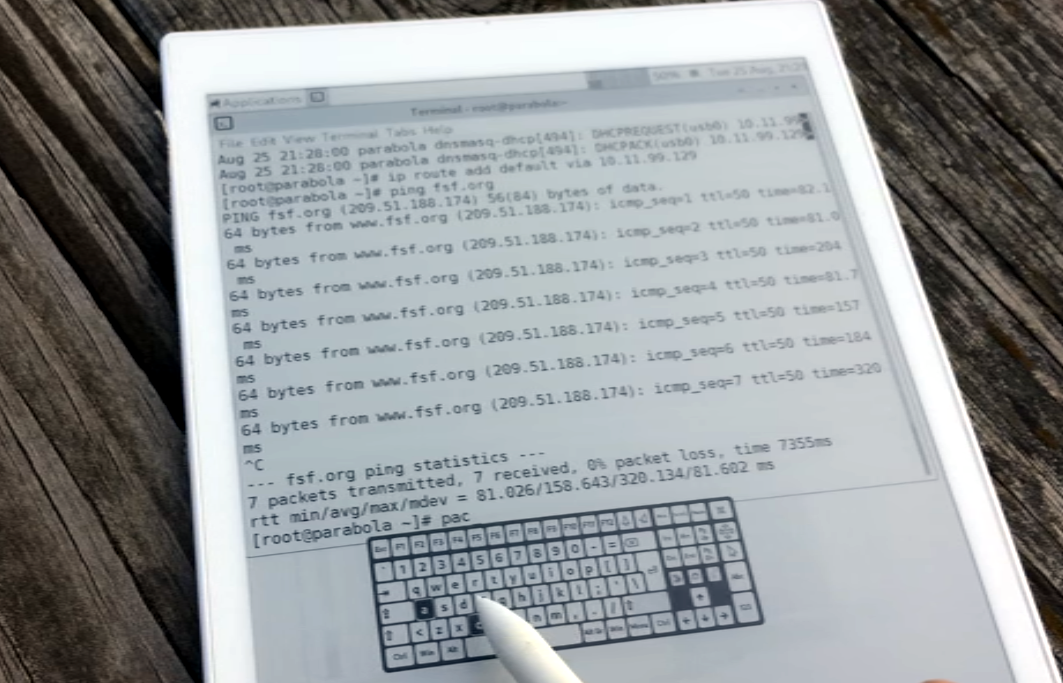
[Davis Remmel] has been hard at work porting Parabola, a completely free and open source GNU/Linux distribution, to the reMarkable. Developers will appreciate the opportunity to audit and modify the OS, but even from an end-user perspective, Parabola greatly opens up what you can do on the device. Before you were limited to a tablet UI and a select number of applications, but with this replacement OS installed, you’ll have a full-blown Linux desktop to play with.

You still won’t be watching videos or gaming on the reMarkable (though technically, you would be able to), but you could certainly use it to read and edit documents the original OS didn’t support. You could even use it for light software development. Since USB serial adapters are supported, microcontroller work isn’t out of the question either. All while reaping the considerable benefits of electronic paper.

The only downside is that the WiFi hardware is not currently supported as it requires proprietary firmware to operate. No word on whether or not [Davis] is willing to make some concession there for users who aren’t quite so strict about their software freedoms.

We’ve been waiting patiently for the electronic paper revolution to do more than replace paperbacks with Kindles, and devices like the reMarkable seem to be finally moving us in the right direction. Thankfully, projects that aim to bring free and open source software to these devices mean we won’t necessarily have to let Big Brother snoop through our files in the process.