Switch Tester Servo-Slaps Them ’til They Fail

[James] is designing an open-source 3D printed keyboard switch, with the end goal of building a keyboard with as many printed parts as possible. Since keyswitches are meant to be pressed quite often, the DIY switches ought to be tested just as rigorously as their commercial counterparts are at the factory. Maybe even more so.

The broken spring after 13,000+ automated boings.

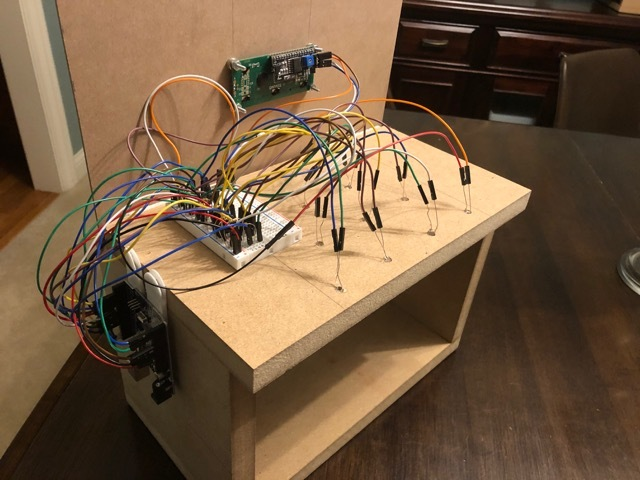
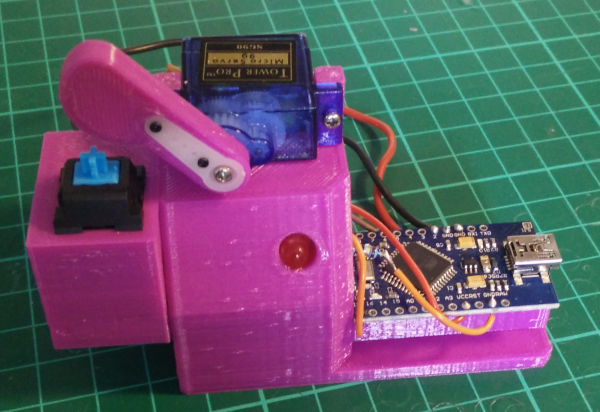
Rather than wear out his fingers with millions of actuations, [James] built a robot to test switches until they fail. All he has to do is plug a switch in, and the servo-driven finger slowly presses the slider down until the contacts close, which lights the LED.

The system waits 100ms for the contacts to stop any tiny vibrations before releasing the slider. That Arduino on the side tracks the contact and release points and sends them to the PC to be graphed. If the switch fails to actuate or release, the tester stops altogether.

We love that this auto-tester works just fine for commercial switches, too — the bit that holds the switch is separate and attaches with screws, so you could have one for every footprint variant. [James] recently did his first test of a printed switch and it survived an astonishing 13,907 presses before the printed coil spring snapped.

One could argue that this doubles as a servo tester. If you want a dedicated device for that, this one can test up to sixteen at a time.

Continue reading “Switch Tester Servo-Slaps Them ’til They Fail”
Score Big Against Boredom With Tabletop Bowling

Bowling has been around since ancient Egypt and continues to entertain people of all ages, especially once they roll out the fog machine and hit the blacklights. But why pay all that money to don used shoes and drink watered-down beer? Just build a tabletop bowling alley in your spare time and you can bowl barefoot if you want.

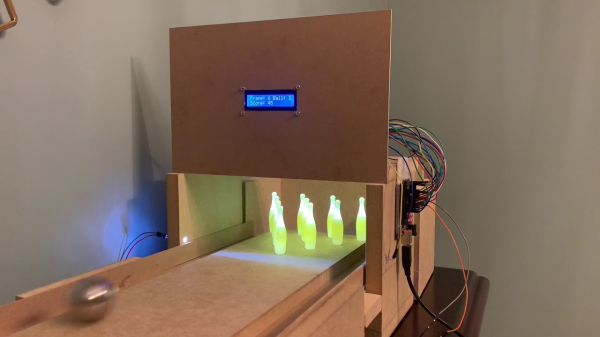
Those glowing pins aren’t just for looks — the LEDs underneath them are part of the scoring system. Whenever a pin is knocked out of its countersunk hole, the LED underneath is exposed and shines its light on a corresponding light-dependent resistor positioned overhead. An Arduino Uno keeps track of of the frame, ball number, and score, and displays it on an LCD.

The lane is nearly six feet long, so this is more like medium-format bowling or maybe even skee-bowling. There are probably a number of things one could use for balls, but [lainealison] is using large ball bearings. Roll past the break to see it in action, but don’t go over the line!

Can’t keep your balls out of the gutter? Build a magic ball and make all wishful leaning more meaningful as you steer it down the lane with your body.

Continue reading “Score Big Against Boredom With Tabletop Bowling”

Capture The Flag, Along With The Game Data

With events of all sizes on hold and live sports mostly up in the air, it’s a great time to think of new ways to entertain ourselves within our local circles. Bonus points if the activity involves running around outside, and/or secretly doubles as a team-building exercise, like [KarelBousson]’s modernized version of Capture the Flag.

Much like the original, the point of this game is to capture the case and keep it for as long as possible before the other team steals it away. Here, the approach is much more scientific: the box knows exactly who has it and for how long, and the teams get points based on the time the case spends in any player’s possession.

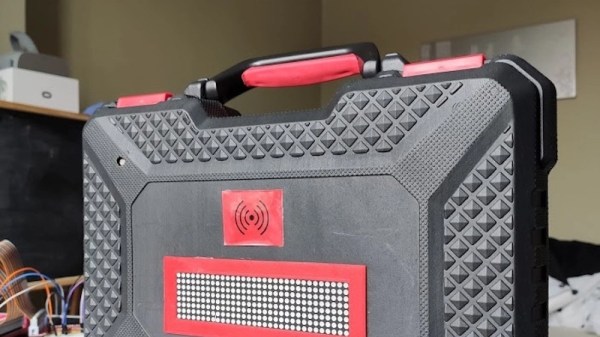
Each player carries an RFID tag to distinguish them from each other. Inside the case is an Arduino Mega with a LoRa shield and a GPS unit. Whenever the game is afoot, the case communicates its position to an external Raspi running the game server.

If you haven’t met LoRa yet, check out this seven-part introductory tutorial.

Less Rock, More Roll: A MIDI Barrel Piano

Strolling around a park, pedestrian zone, or tourist area in any bigger city is rarely complete without encountering the sound of a barrel organ — the perfect instrument if arm stamina and steady rotation speed are your kind of musical skills. Its less-encountered cousin, and predecessor of self-playing pianos, is the barrel piano, which follows the same playing principle: a hand-operated crank rotates a barrel, and either pins located on that barrel, or punched paper rolls encode the strings it should pluck in order to play its programmed song. [gabbapeople] thought optocouplers would be the perfect alternative here, and built a MIDI barrel piano with them.

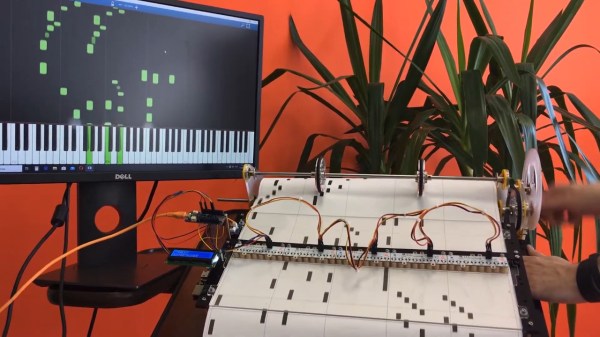
Keeping the classic, hand-operated wheel-cranking, a 3D-printed gear mechanism rolls a paper sheet over a plexiglas fixture, but instead of having holes punched into it, [gabbapeople]’s piano has simple markings printed on them. Those markings are read by a set of Octoliner modules mounted next to each other, connected to an Arduino. The Octoliner itself has eight pairs of IR LEDs and phototransistors arranged in a row, and is normally used to build line-following robots, so reading note markings is certainly a clever alternative use for it.

Each LED/transistor pair represents a dedicated note, and to prevent false positives from neighboring lines, [gabbapeople] 3D printed little collars to isolate each of the pairs. Once the signals are read by the Arduino, they’re turned into MIDI messages to send via USB to a computer running any type of software synthesizer. And if your hands do get tired, you can also crank it with a power drill, as shown in the video after the break, along with a few playback demonstrations.

It’s always fun to see a modern twist added to old-school instruments, especially the ones that aren’t your typical MIDI controllers, like a harp, a full-scale church organ, or of course the magnificently named hurdy-gurdy. And for more of [gabbapeople]’s work, check out his split-flip weather display.

Continue reading “Less Rock, More Roll: A MIDI Barrel Piano”

Arduino Magnetic Board Is Anything But Boring

Magnets (especially those ball magnets!) are endlessly fascinating, aren’t they? It’s almost dangerous to combine them with LEDs, because how are you supposed to get anything done with something like [andrei.erdei]’s Arduino Magnetic Board beckoning from beyond your keyboard?

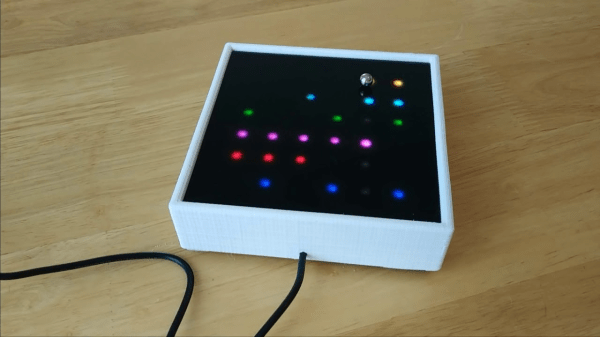
This tons-of-fun board uses ball magnets to light up RGB LEDs as they roll around on the sexy Plexiglas field. Underneath the LED matrix is an orchestra of 36 reed switches — those little glass gas-filled grains of rice with axial leads that snap together or fly apart in the presence of magnetic fields. The LEDs are controlled with an Arduino Pro Mini, and so is the 8Ω speaker for sound effects.

[andrei.erdei] has already developed a few applications for this delightful desk toy, and they’re all on GitHub. There’s a chase game that involves tilting the board to catch the next red dot with the magnet, a light painting game, and a sequencer that mimics the ToneMatrix. Roll past the break to check out the series of short demo videos.

Want to play with reed switches but can’t source any at the moment? You could just make them yourself.

Continue reading “Arduino Magnetic Board Is Anything But Boring”

Arduino Reduces Heating Costs

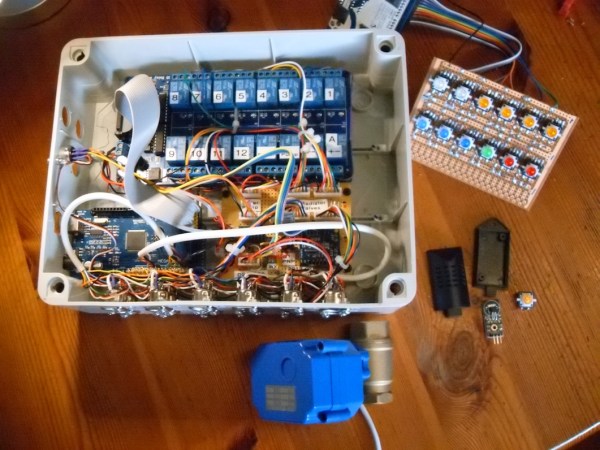
While almost everyone has a heater of some sort in their home, it’s fairly unlikely that the heat provided by a central heating system such as a furnace is distributed in an efficient way. There’s little reason to heat bedrooms during the day, or a kitchen during the night, but heating systems tend to heat whole living space regardless of the time of day or the amount of use. You can solve this problem, like most problems, with an Arduino.

[Karl]’s build uses a series of radiator valves to control when each room gets heat from a boiler. The valves, with a temperature monitor at each valve, are tied into a central Arduino Mega using alarm wiring. By knowing the time of day and the desired temperature in each room, the Arduino can control when heat is applied to each room and when it is shut off, presumably making the entire system much more efficient. It also has control over the circulating pump and some of the other boiler equipment.

Presumably this type of system could be adapted to a system which uses a furnace and an air handler as well, although it is not quite as straightforward to close vents off using a central unit like this as it is to work with a boiler like [Karl] has. With careful design, though, it could be done. Besides replacing thermostats, we can’t say we’ve ever seen this done before.

Thanks to [SMS] for the tip!

Electronic Connect Four Has No Pieces To Lose

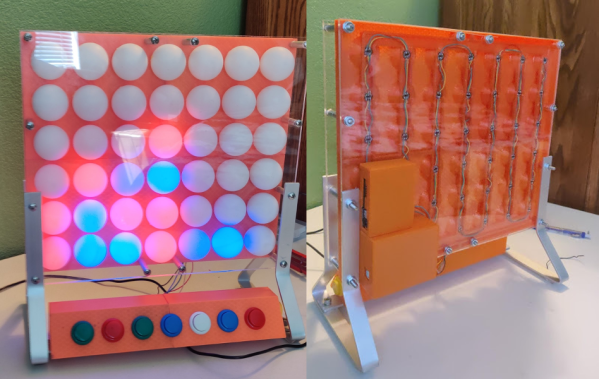
Recreating classic games in software is a great way to get better at coding or learn to code in the first place. If you do it in hardware though, you’ll gain a lot more than coding skills. Just ask [Kelly] and [Jack] did, when they built this Arduino-based electronic Connect Four for a school project.

We love that their interpretation manages to simplify game play and make it more fun than the original version. All the players have to do is turn it on and start pushing the arcade buttons along the bottom to choose the column where they want to make a play. The LEDs animate from top to bottom to imitate the plastic disc dropping down through the board. If a win is detected — four in a row of the same color going any direction — the board fills up with the winning color and the game starts over.

The state machine doesn’t currently do anything about tie situations, so there’s a reset button hidden on the side. As [Kelly] and [Jack] explain in their walk-through video after the break, that is something they would like to address in the future, along with making it possible to choose whatever battle color you want. We think a reset animation that mimics the look of the discs spilling out the bottom would be cool, too.

If you’ve never implemented a game on hardware before, something like this might be a bit daunting. May we suggest a game of 4×4 Tic Tac Toe instead?

Continue reading “Electronic Connect Four Has No Pieces To Lose”