Solenoids And Servos For Self Actuated Switches

The new hotness in home automation is WiFi controlled light switches. Sure, we’ve had computer-controlled home lighting for literally forty years with X10 modules, but now we have VC money pouring into hardware, and someone needs to make a buck. A few years ago, [Alex] installed WiFi switches in a few devices in his house and discovered the one downside to the Internet of Light Switches — his light switches didn’t have a satisfying manual override. Instead of cursing the darkness for want of an Internet-connected candle, [Alex] did the only sensible thing. He installed electromagnets, solenoids, and servos behind the light switches in his house.

The exact problem [Alex] is trying to solve here is stateful wall switches. With an Internet-connected lamp socket, the wall switch no longer functions. Being able to turn on a light when your phone is out of charge is something we all take for granted, and the solution is, of course, to have Internet-connected switches.

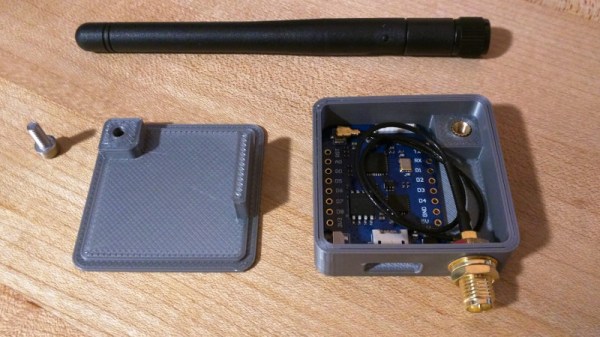
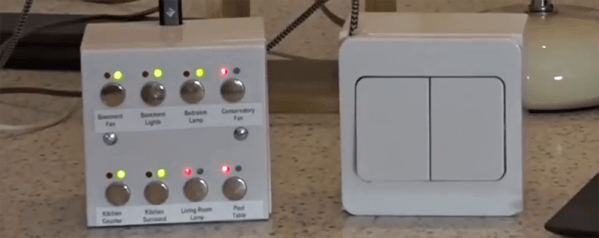
Being able to read the state of a switch and send some data off to a server is easy. For this, [Alex] used a WeMos D1 mini, a simple ESP8266-based board. The trick here, though, is stateful switches that can toggle themselves on and off. This is a mechanical build, and although self-actuated switches that can flip up and down by computer command exist, they’re horrifically expensive. Instead, [Alex] went the DIY route, first installing electromagnets behind the switches, then moving to solenoids, and finally designing a solution around four cheap hobby servos. The entire confabulation stuffed into a 2-wide electrical box consists of two switches, four hobby servos, the D1 mini, and an Adafruit servo driver board.

The software stack for this entire setup includes a NodeJS server connected to Orvibo Smart Sockets over UDP. Also on this server is a WebSocket server for browser-based clients that want to turn the lights on and off, a FauXMo server to turn the lights on and off via an Amazon Echo via WeMo emulation, and an HTTP server for other clients like [Alex]’ Pebble Watch.

This is, without question, the most baroque method of turning a lamp on and off that we’ve ever seen. Despite this astonishing complexity, [Alex] has something that is also intuitive to use and, to borrow an applhorism, ‘Just Works’. With a setup like this, anyone can flick a switch and turn a lamp on or off over the Internet, or vice-versa. This is the best Home Automation build we’ve ever seen.

You can check out [Alex]’ video demo of his build below, or his GitHub for the entire project here.

Continue reading “Solenoids And Servos For Self Actuated Switches”

Capture The Flag Challenge Is The Perfect Gift

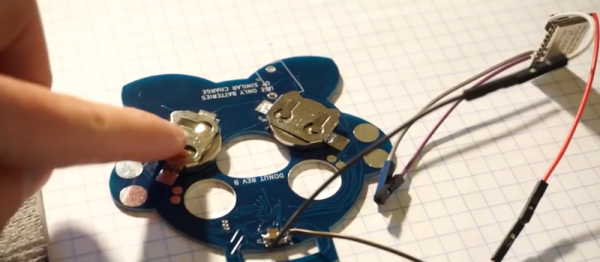
Nothing says friendship like a reverse engineering challenge on unknown terrain as a birthday present. When [Rikaard] turned 25 earlier this year, his friend [Veydh] put together a Capture the Flag challenge on an ESP8266 for him. As a software guy with no electronics background, [Rikaard] had no idea what he was presented with, but was eager to find out and to document his journey.

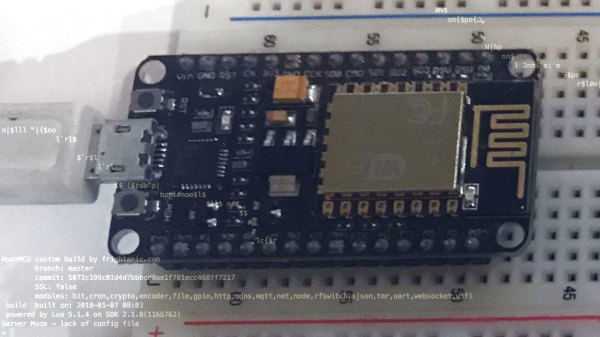
Left without guidance or instructions, [Rikaard] went on to learn more about the ESP8266, with the goal to dump its flash content, hoping to find some clues in it. Discovering the board is running NodeMCU and contains some compiled Lua files, he stepped foot in yet another unknown territory that led him down the Lua bytecode rabbit hole. After a detour describing his adjustments for the ESP’s eLua implementation to the decompiler he uses, his quest to capture the flag began for real.

While this wasn’t [Rikaard]’s first reverse engineering challenge, it was his first in an completely unknown environment outside his comfort zone — the endurance he demonstrated is admirable. There is of course still a long way down the road before one opens up chips or counts transistors in a slightly more complex system.

Less Dear Heating For The Deer

Keeping animals from tropical regions of the world in a cold climate is an expensive business, they need a warm environment in their pens and sleeping areas. Marwell Zoo was spending a small fortune keeping its herd of nyalas (an antelope, not as the title suggests a deer, native to Southern Africa) warm with electric heating, so they went looking for a technology that could reduce their costs by only heating while an animal was in its pen.

One might expect that a passive IR sensor would solve the problem, but a sleeping nyala too soon becomes part of the background heat for these devices, and as a result, the heaters would not operate for long enough to keep the animals warm. The solution came from an unlikely source, a coffee queue monitoring project at the IBM Watson headquarters in Munich, that used an array of infra-red sensors to monitor the changing heat patterns and thus gauge the likelihood of a lengthy wait for a beverage.

In the zoo application, an array of thermal sensors hooked up to ESP8266 boards talk back to a Raspberry Pi that aggregates the readings and sends them to the IBM Watson cloud where they are analyzed by a neural net. The decision is then made whether or not a nyala is in the field of view, and the animal is toasted accordingly.

This project has some similarities with a Hackaday Prize entry, automated wildlife recognition, in its use of Watson.

Nyala image: Charlesjsharp [CC BY-SA 4.0 ].

3D Print A Home Automation Switch

If you are the kind of person who won’t use cheap Sonoff modules to control AC powered devices, we don’t blame you and you should probably stop reading now. However, if you don’t mind a little exposed AC wiring and you have a 3D printer, you might be interested in the second generation of [530 Project’s] in-wall light switch.

The 3D printed switch fits a standard box and uses the guts of a Sonoff controller. These work with all the popular ecosystems such as Alexa and Google Home. And they are cheap. Like, really cheap. If you already have a 3D printer, even counting the cost of the filament these are going to be a small fraction of the cost of a commercial switch. You can see a video about the device, below.

Continue reading “3D Print A Home Automation Switch”

3D Printed Wave Lamp Forecasts The Weather

While browsing Thingiverse, [Dushyant Ahuja] found a rather pleasing wave lamp, and since a mere lamp on its own would not quite be enough, he added a means by which his lamp could provide weather alerts by means of changing its color.

It’s fair to say that the wave lamp is not a print for the faint-hearted, and it took him 30 hours to complete. However, it has the interesting feature of not requiring a support or raft. There is also a base for the lamp designed to take a strip of addressable LEDs, and he modified its design to mount a small PCB containing an ESP8266 module and a level shifter chip. The code for the ESP relies on the OpenWeatherMap API, and changes the LED color based on the rainfall forecast.

Casting our minds back a decade, this lamp is reminiscent of the long-departed Nabaztag product, best described as an internet-connected plastic anthropomorphic rabbit that could keep you updated with information such as weather or stock market trends through lighting up and the movement of its ears. It was an overpriced idea tied into a proprietary online back end that was probably well before its time back in 2004. Perhaps repackaged for 2017 with a commodity microcontroller board Nabaztag has finally found its application.

There is a short video showing the color change and an LED animation, which we’ve put below the break.

Continue reading “3D Printed Wave Lamp Forecasts The Weather”

Finding Your Motorbike Using Wi-Fi

An urban planner once told me that every car requires at least four times as much space as they actually occupy. Each needs a spot on the roads, and three available parking spaces: one at home, one at work, and one to shop. Motorcycles are much smaller, but they still spend most of their time parked.

Motorcycles are the primary means of transport in Southeast Asia, and learning to safely drive one is an essential part of adapting to life here. Assuming it’s not pouring rain and you’re not flooded past your ankles, it’s actually quite a pleasant experience… until you have to park.

Unlike the parking lots you may be familiar with, there’s no expectation that your bike won’t be moved. In fact, it might very well end up on another floor, in another parking lot, or behind hundreds of impassable parked bikes on the roof. In the latter case, the attendant will shrug and suggest you come back in a few hours. Eventually, this won’t even register as a frustration – you will simply reason that there are plenty of other things that are more convenient here, like the weather (recent typhoon aside) or unlimited symmetrical fiber to the home for USD 5 a month.

That being said, with a little technology the problem could be lessened a bit while waiting for automated parking lots to become commonplace. On rare occasions I see people with little radio emitters that make their headlights flash, but they’re not terribly common here and require carrying yet another thing on my already full key chain (homes here typically use several different locks). It seemed pretty easy to pull off something similar using my smart phone with an ESP8266 running NodeMCU. I had been meaning to try out the sleep modes to save battery power anyway, so off I went.

Continue reading “Finding Your Motorbike Using Wi-Fi”

Two Factor Authentication With The ESP8266

Google Authenticator is a particularly popular smartphone application that can be used as a token for many two factor authentication (2FA) systems by generating a time-based one time password (referred to as TOTP). With Google Authenticator, the combination of your user name and password along with the single-use code generated by the application allows you to securely authenticate yourself in a way that would be difficult for an attacker to replicate.

That sounds great, but what if you don’t have a smartphone? That’s the situation that [Lady Ada] recently found herself in, and rather than going the easy route and buying a hardware 2FA token that’s compatible with Google Authenticator, she decided to build one herself based on the ESP8266. With the hardware and source documented on her site, the makings of an open source Google Authenticator hardware token are available for anyone who’s interested.

Generated codes can also be viewed via serial.

For the hardware, all you need is the ESP8266 and a display. Naturally [Lady Ada] uses her own particular spin on both devices which you can purchase if you want to create an identical device, but the concept will work the same on the generic hardware you’ve probably already got in the parts bin. Software wise, the code is written in CircuitPython, a derivative of MicroPython, which aims to make microcontroller development easier. If you haven’t tried MicroPython before, grab an ESP and give this a roll.

Conceptually, TOTP is relatively simple. You just need to know what time it is, and run an SHA1 hash. The time part is simple enough, as the ESP8266 can connect to the network and get the current time from NTP. The calculation of the TOTP is handled by the Python code once you’ve provided it with the “secret” pulled from the Google Authenticator application. It’s worth noting here that this means your 2FA secrets will be held in clear-text on the ESP8266’s flash, so try not to use this to secure any nuclear launch systems or anything, OK? Then again, if you ever lose it the beauty of 2-factor is you can invalidate the secret and generate a new one.

We’ve covered the ins and outs of 2FA applications before here at Hackaday if you’d like to know more about the concept, in addition to previous efforts to develop a hardware token for Google Authenticator.