Find Your Level – Extracting NES Game Data Using Python

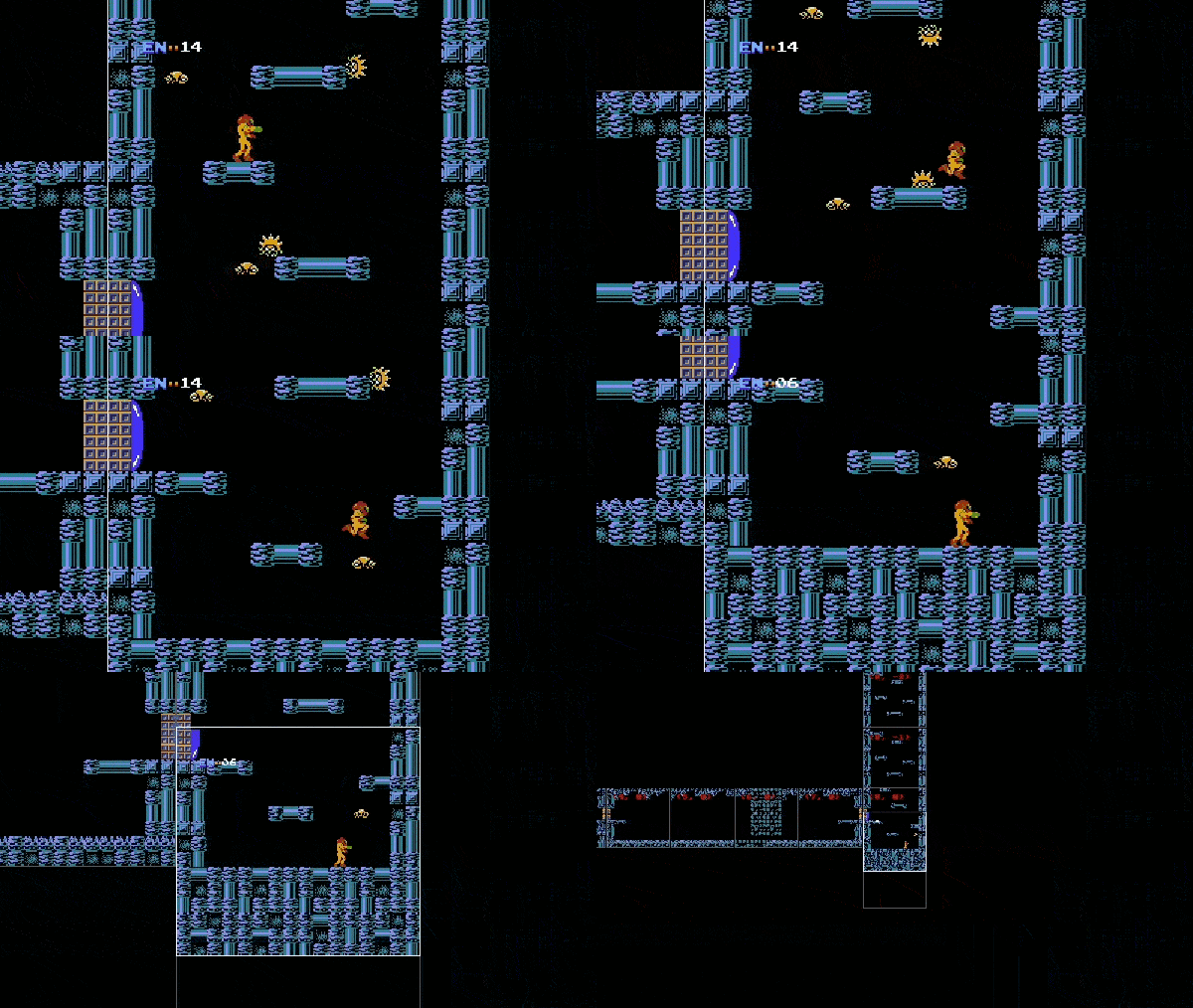
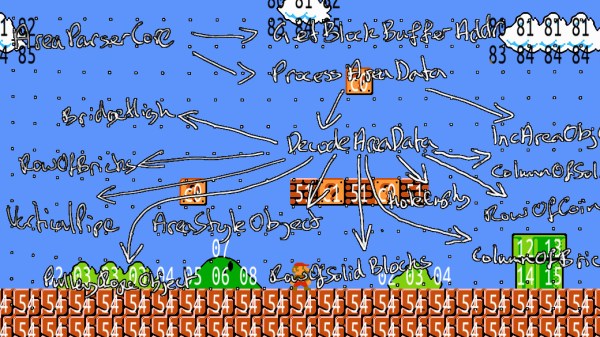
Just this summer, the Nintendo Entertainment System had its 35th release anniversary, and even after years of discontinuation, it is still going strong in the hacker community. Exhibit A: [Matthew Earl]. For one of his upcoming projects, [Matthew] needed to get his hands on the background images of the NES classic Super Mario Bros. Instead of just getting some ready-rendered images and stitching them together, he decided to take care of the rendering himself, once he extracts the raw game data.

Since there is no official source code available for Super Mario Bros, [Matthew] used a disassembled version to get started looking for the image data. To avoid reading through thousands of lines of assembly code, and to also see what actually happens during execution, he wrapped the game’s ROM data into py65emu, a Python library emulating the 6502, the CPU that drives the NES. By adding a simple wrapper around the emulator’s memory handler that tracks reads on uninitialized data, [Matthew] managed to find out which parameters he needs to feed to the parser routine in order to get the image tile data. After an excursion into the Picture Processing Unit (PPU) and its memory arrangements, [Matthew] had everything he needed to create the Python script that will render the game background straight from its ROM data.

Even if extracting NES game data is not your thing, the emulator concept [Matthew] uses might be still worth a read. On the other hand, if you want to dig deeper into the NES, you should definitely have a look at emulating an SNES game on a NES, presented on the NES itself.

Add-On Board Brings Xbox 360 Controllers To N64

Many of the games released on the Nintendo 64 have aged remarkably well, in fact a number of them are still considered must-play experiences to this day. But the years have not been so kind to the system’s signature controller. While the N64 arguably defined the console first person shooter (FPS) genre with games like “Goldeneye” and “Perfect Dark”, a modern gamer trying to play these classics with the preposterous combination of analog and digital inputs offered by the N64 controller is unlikely to get very far.

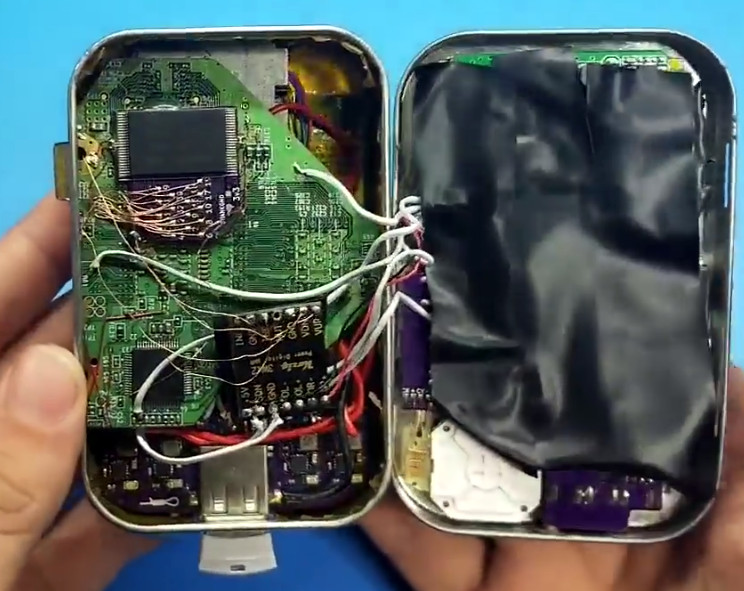
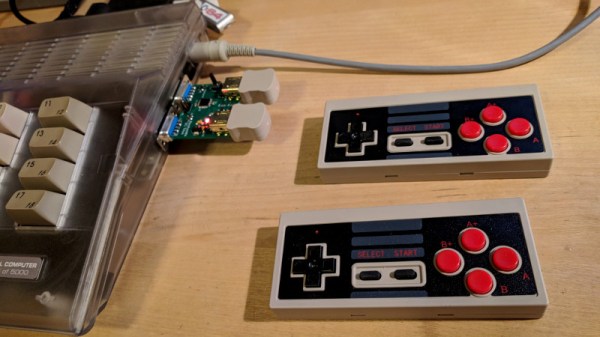
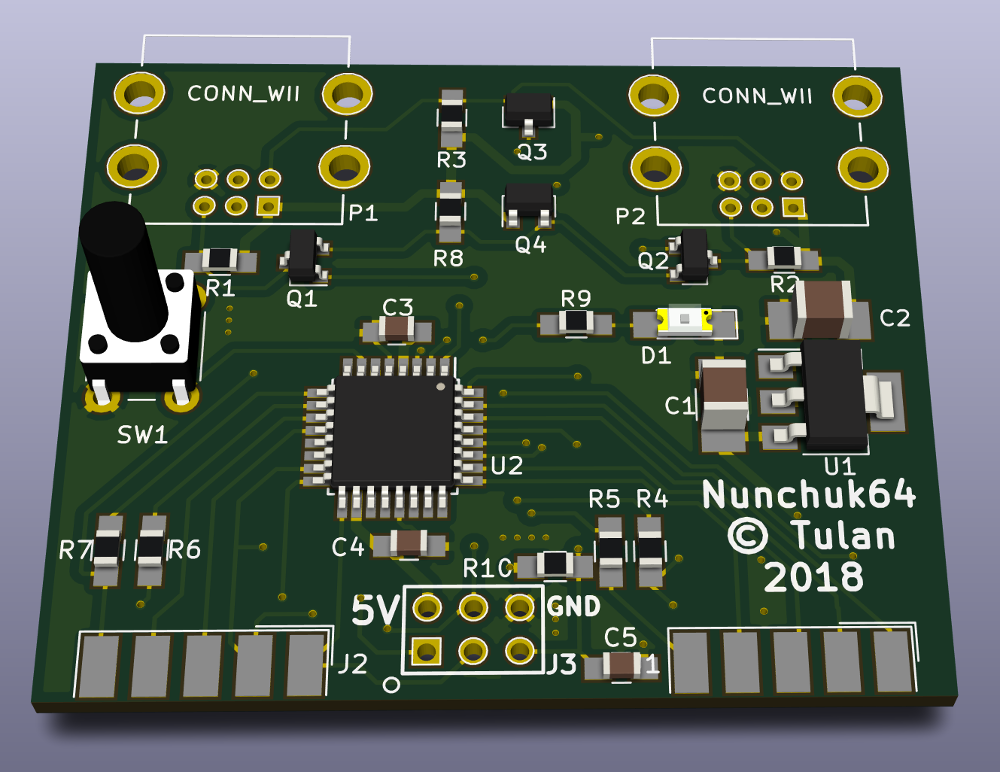
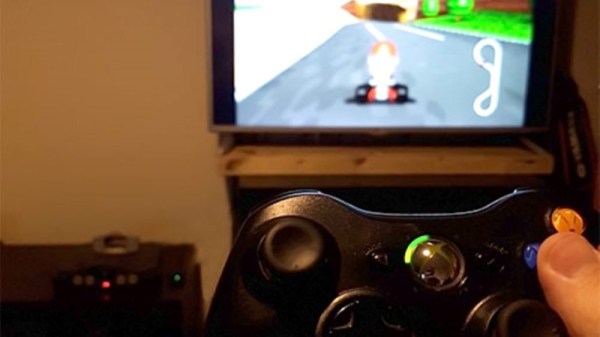
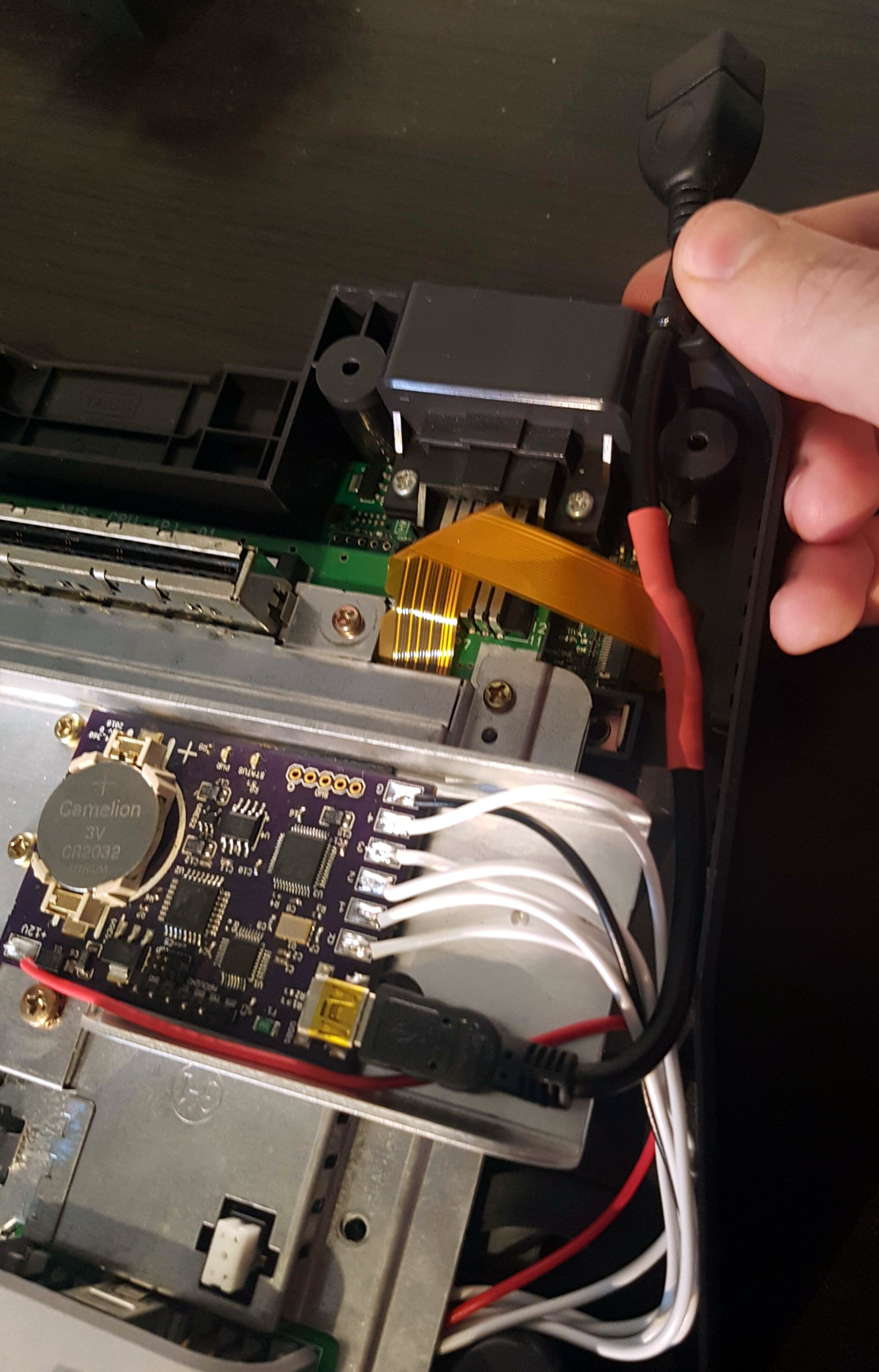
Of course, you could play N64 games in an emulator and use whatever controller you wish. But where’s the challenge in taking the easy way out? [Ryzee119] would much rather take the insanely complex route, and has recently completed work on an add-on board that let’s you use Xbox 360 wireless controllers on Nintendo’s 1996 console. He’s currently prepping schematics and firmware for public release, with the hope that support for additional USB controllers can be added by the community.

Nintendo historians may recall that the N64’s controllers had an expansion port on the bottom where you would connect such accessories as the “Rumble Pak” and “Controller Pak”. The former being an optional force feedback device, and the latter a rather oddly named memory card for early N64 games which didn’t feature cartridge saves. Only “90’s Kids” will recall the struggle of using the “Rumble Pak” when a game required the “Controller Pak” to save progress.

Thankfully [Ryzee119] has solved that problem by adding battery backed storage to his adapter along with some clever code which emulates the “Controller Pak”. Similarly, the “Rumble Pak” is emulated by the Xbox 360 controller’s built-in force feedback and a bit of software trickery. Specific button combinations allow for enabling and disabling the various virtual accessories on the fly.

But the best part of this modification might be how unobtrusive the whole thing is. Not only does it allow you to still use the original controllers and accessories if you wish, but it only requires soldering a handful of wires to the console’s motherboard. Thanks to the surprising amount of dead space inside the system’s case, it’s not even a challenge to fit the board inside. You do need to use the official USB Xbox 360 controller receiver, but even here [Ryzee119] opted to put a USB port on the board so you could just plug the thing in rather than having to cut the connector off and trying to solder it to the board yourself.

It probably won’t come as a surprise that this isn’t the first time [Ryzee119] has fiddled with the internals of a classic Nintendo system. We’ve previously covered his fantastic custom PCB to fit a Raspberry Pi Zero into a GameBoy Advance.

[Thanks to Gartral for the tip.]

Thinking Inside The (Cardboard) Box With Nintendo Labo Hacks

Cardboard is one of the easiest ways to build something physical, far easier than the 3D printing and laser cutting we usually write about here. So when Nintendo released their Labo line of cardboard accessories, it doesn’t take a genius to predict the official product would be followed by a ton of user creations. Nintendo were smart enough to provide not only an internet forum for this creativity to gather, they also hold contests to highlight some of the best works.

The most impressive projects in the winner’s circle combined the one-of-a-kind cardboard creations with custom software written using Toy-Con Garage, the visual software development environment built into the Nintendo Switch console. Access to the garage is granted after a user runs through Nintendo Labo’s “Discover” activities, which walk the user behind the scenes of how their purchased Labo accessories work. This learning and discovery process thus also serves as an introductory programming tutorial, teaching its user how to create software to light up their custom cardboard creations.

It’s pretty cool that Nintendo opened up a bit of the mechanism behind Labo activities for users to create their own, but this is only a tiny subset of Nintendo Switch functionality. We have different hacks for different folks. Some of us enjoy reverse engineering details of how those little Joy-Cons work. Others hack up something to avoid a game puzzle that’s more frustrating than fun. And then there are those who are not satisfied until they have broken completely outside the sandbox.

[via Engadget]

Continue reading “Thinking Inside The (Cardboard) Box With Nintendo Labo Hacks”

N64 Emulated In VR Makes Hyrule Go 3D

The Nintendo 64 had some groundbreaking and popular 3D games, and [Avaer Kazmer] felt it was only right to tamper with things just enough to trick an emulator into playing Ocarina of Time in VR, complete with stereoscopic 3D. The result is more than just running an emulator on a simulated screen in virtual reality; the software correctly renders a slightly different perspective of the world of Hyrule to each eye in order to really make the 3D pop in a way the original never could, and make it playable with VR controllers in the process. The VR emulator solution is called Emukit and works best with Exokit, a JavaScript web browser for AR and VR environments for which [Avaer] is a developer.

It turns out that there were a few challenges to work around and a few new problems to solve, not least of which was mapping VR controllers to control an N64 game in a sensible way. One thing that wasn’t avoidable is that the N64’s rendered world may now pop in 3D, but it still springs forth from a rectangular stage. The N64, after all, is still only rendering a world in a TV-screen-sized portion; anything outside that rectangular window doesn’t really exist, and there’s no way around it as long an emulated N64 is running the show. Still, the result is impressive, and a video demo is embedded below where you can see the effect for yourself.

Continue reading “N64 Emulated In VR Makes Hyrule Go 3D”

Unlocking Animal Crossing’s Debug Mode

Originally released on the Nintendo 64 in 2001, Animal Crossing was the first entry into what has become a massively successful franchise. But while the game has appeared on more modern Nintendo consoles, most recently Android and iOS, the version released on the GameCube holds a special place in many fan’s hearts. The GameCube version was the first time those outside of Japan got a taste of the unique community simulation offered by Animal Crossing, and maintains a following nearly 20 years after its release.

[James Chambers] has recently been investigating creating mods for the GameCube version of Animal Crossing, and in the process uncovered some interesting references to a debug mode. That launched a deep dive into the game’s assembly code in an attempt to find what the debug functions did and if they could be enabled without having to patch the game ROM. In the end, he was able to find a push button code that enables debug mode on the retail copy of the game.

[James] starts by using the debugger provided by the Dolphin GameCube emulator to poke around and figure out exactly what flags need to be modified to activate the debug mode. This leads to a few interesting finds, such as being able to pop up a performance monitor graph and some build info. Eventually he finds the proper incantation to bring up a functional debug display in the game, but there was still the mystery of how you do it on the real hardware with a retail copy of the game.

It wouldn’t be unreasonable to think that some special dongle or development version of the GameCube would be required to kick the game into debug mode. But through careful examination of the code path, [James] was able to figure out that hitting a specific combination of buttons on the controller was all that was required to use the debug mode on the stock game. Once the debug mode is started, a controller plugged into the second port allows the user to navigate through options and perform tasks. Not everything is currently understood, but some progress has been made, such as figuring out how to add items to your inventory.

It’s hardly Nintendo’s most popular console, but there’s still a healthy interest in GameCube hacking as the machine approaches its 20th anniversary. We recently saw some impressive work being done to reverse engineer the system’s wireless controllers, though some people are more interested in just cutting the thing in half.

[Thanks to Tim Trzepacz for the tip.]

This Thermal Printer Has Serious Game

[Dhole], like the fox, isn’t the first to connect his computer to a Game Boy printer but he has done a remarkable job of documenting the process so well that anyone can follow. The operation is described well enough that it isn’t necessary to scrutinize his code, so don’t be put off if C and Rust are not your first choices. The whole thing is written like a story in three chapters.

The first chapter is about hacking a link cable between two Game Boys. First, he explains the necessity and process of setting the speed of his microcontroller, a NUCLEO-F411RE development board by STMicroelectronics. Once the rate is set, he builds a sniffer by observing the traffic on the cable and listens in on two Game Boys playing Tetris in competition mode. We can’t help but think that some 8-bit cheating would be possible if Tetris thought your opponent instantly had a screen overflowing with tetrominoes. Spying on a couple of Game Boys meant that no undue stress was put on the printer.

Chapter two built on the first chapter by using the protocol to understand how the printer expects to be spoken to. There is plenty of documentation about this already, and it is thoughtfully referenced. It becomes possible to convince a Game Boy that the connected microcontroller is a printer so it will oblige by sending an image. Since there isn’t a reason to wait for printing hardware, the transfer is nearly instantaneous. In the image above, you can see a picture of [Dhole] taken by a Game Boy camera.

The final chapter, now that all the protocols are understood, is also the climax where the computer and microcontroller convince the printer they are a Game Boy that wants to print an image. In the finale, we get another lesson about measuring controller frequency without an oscilloscope. If you are looking for the hack, there it is. There is a handful of success in the form of old receipts with superimposed grayscale images since virgin thermal printer paper by Nintendo costs as much as a used printer.

This story had a happy ending but grab your reading glasses for the smallest Game Boy and here’s someone who wrote their own Game Boy color game.

Gamecube Dock For Switch Mods Nintendo With More Nintendo

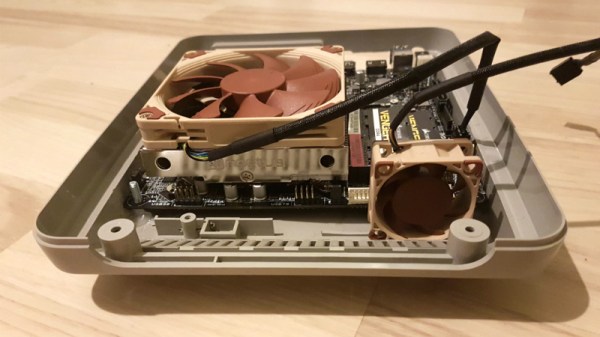
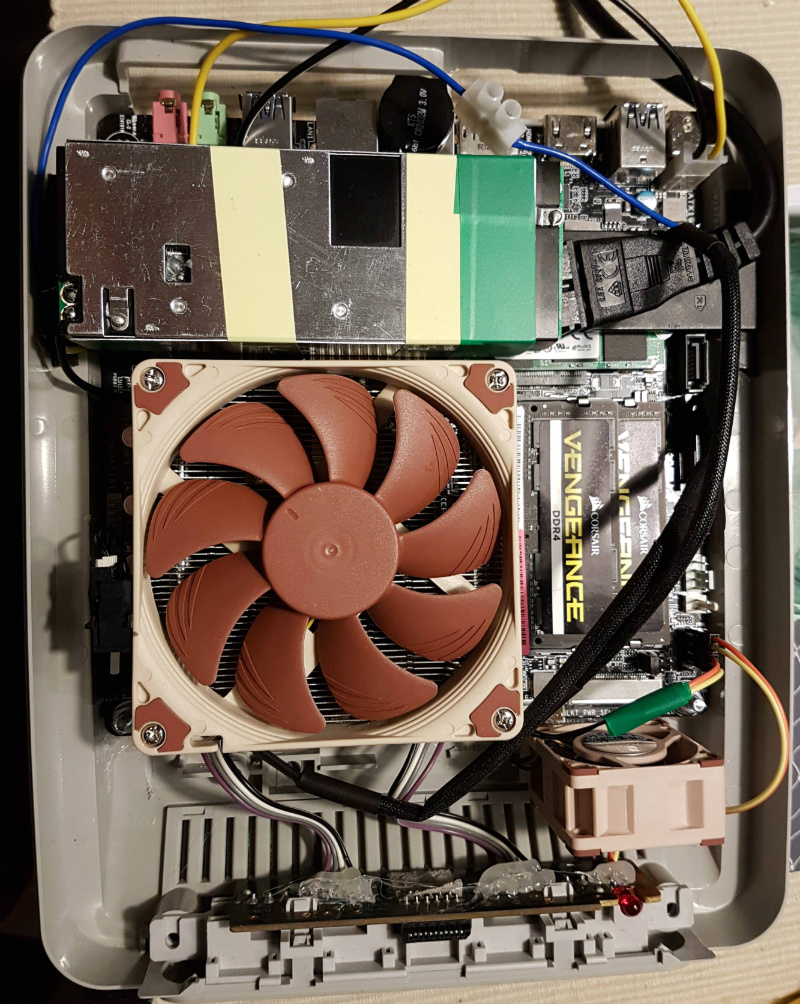
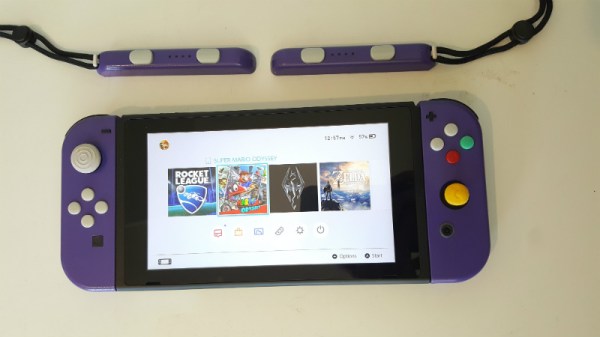
[Dorison Hugo] let us know about a project he just completed that not only mods Nintendo with more Nintendo, but highlights some of the challenges that come from having to work with and around existing hardware. The project is a Gamecube Dock for the Nintendo Switch, complete with working Gamecube controller ports. It looks like a Gamecube with a big slice out of it, into which the Nintendo Switch docks seamlessly. Not only that, but thanks to an embedded adapter, original Gamecube controllers can plug into the ports and work with the Switch. The original orange LED on the top of the Gamecube even lights up when the Switch is docked. It was made mostly with parts left over from other mods.

The interesting parts of this project are not just the attention to detail in the whole build, but the process [Dorison] used to get everything just right. Integrating existing hardware means accepting design constraints that are out of one’s control, such as the size and shape of circuit boards, length of wires, and often inconvenient locations of plugs and connectors. On top of it all, [Dorison] wanted this mod to be non-destructive and reversible with regards to the Nintendo Switch dock itself.

To accomplish that, the dock was modeled in CAD and 3D printed. The rest of the mods were all done using the 3D printed dock as a stand-in for the real unit. Since the finished unit won’t be painted or post-processed in any way, any scratches on both the expensive dock and the Gamecube case must be avoided. There’s a lot of under-cutting and patient sanding to get the cuts right as a result. The video (embedded below) steps through every part of the process. The final screws holding everything together had to go in at an odd angle, but in the end everything fit.

Continue reading “Gamecube Dock For Switch Mods Nintendo With More Nintendo”