OAK-D Depth Sensing AI Camera Gets Smaller And Lighter

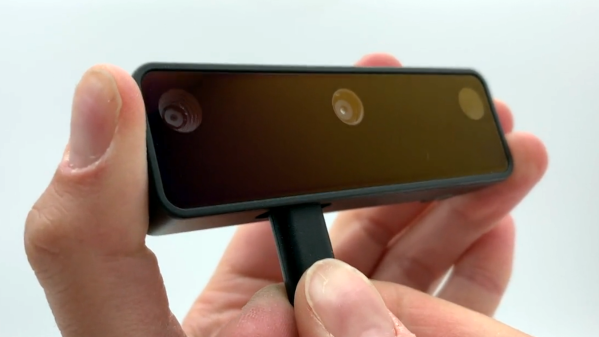
The OAK-D is an open-source, full-color depth sensing camera with embedded AI capabilities, and there is now a crowdfunding campaign for a newer, lighter version called the OAK-D Lite. The new model does everything the previous one could do, combining machine vision with stereo depth sensing and an ability to run highly complex image processing tasks all on-board, freeing the host from any of the overhead involved.
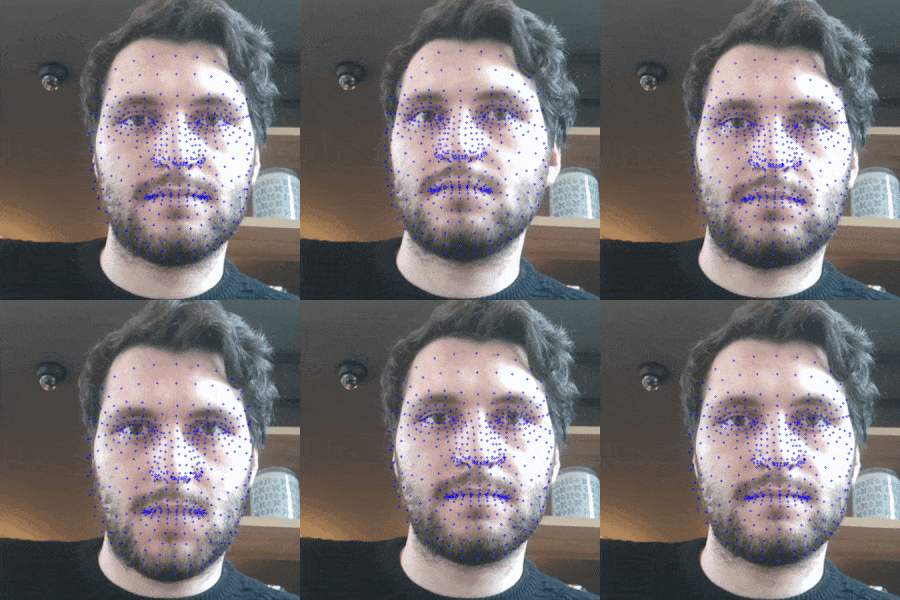
Animated face with small blue dots as 3D feature markers.
An example of real-time feature tracking, now in 3D thanks to integrated depth sensing.

The OAK-D Lite camera is actually several elements together in one package: a full-color 4K camera, two greyscale cameras for stereo depth sensing, and onboard AI machine vision processing with Intel’s Movidius Myriad X processor. Tying it all together is an open-source software platform called DepthAI that wraps the camera’s functions and capabilities together into a unified whole.

The goal is to give embedded systems access to human-like visual perception in real-time, which at its core means detecting things, and identifying where they are in physical space. It does this with a combination of traditional machine vision functions (like edge detection and perspective correction), depth sensing, and the ability to plug in pre-trained convolutional neural network (CNN) models for complex tasks like object classification, pose estimation, or hand tracking in real-time.

So how is it used? Practically speaking, the OAK-D Lite is a USB device intended to be plugged into a host (running any OS), and the team has put a lot of work into making it as easy as possible. With the help of a downloadable application, the hardware can be up and running with examples in about half a minute. Integrating the device into other projects or products can be done in Python with the help of the DepthAI SDK, which provides functionality with minimal coding and configuration (and for more advanced users, there is also a full API for low-level access). Since the vision processing is all done on-board, even a Raspberry Pi Zero can be used effectively as a host.

There’s one more thing that improves the ease-of-use situation, and that’s the fact that support for the OAK-D Lite (as well as the previous OAK-D) has been added to a software suite called the Cortic Edge Platform (CEP). CEP is a block-based visual coding system that runs on a Raspberry Pi, and is aimed at anyone who wants to rapidly prototype with AI tools in a primarily visual interface, providing yet another way to glue a project together.

Earlier this year we saw the OAK-D used in a system to visually identify weeds and estimate biomass in agriculture, and it’s exciting to see a new model being released. If you’re interested, the OAK-D Lite is available at a considerable discount during the Kickstarter campaign.
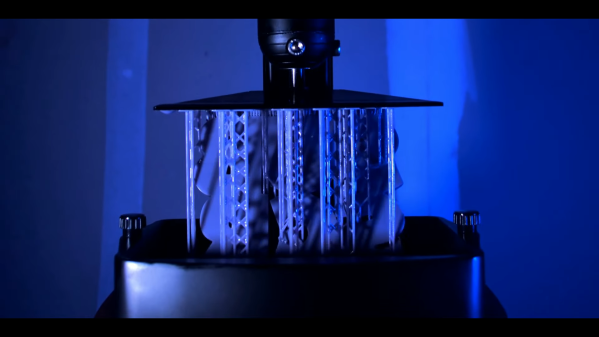
SLA printer rigged for time lapse

Silky Smooth Resin Printer Timelapses Thanks To Machine Vision

The fascination of watching a 3D printer go through its paces does tend to wear off after you spent a few hours doing it, in which case those cool time-lapse videos come in handy. Trouble is they tend to look choppy and unpleasant unless the exposures are synchronized to the motion of the gantry. That’s easy enough to do on FDM printers, but resin printers are another thing altogether.

Or are they? [Alex] found a way to make gorgeous time-lapse videos of resin printers that have to be seen to be believed. The advantage of his method is that it’ll work with any camera and requires no hardware other than a little LED throwie attached to the build platform of the printer. The LED acts as a fiducial that OpenCV can easily find in each frame, one that indicates the Z-axis position of the stage when the photo was taken. A Python program then sorts the frames, so it looks like the resin print is being pulled out of the vat in one smooth pull.

To smooth things out further, [Alex] also used frame interpolation to fill in the gaps where the build platform appears to jump between frames using real-time intermediate flow estimation, or RIFE. The details of that technique alone were worth the price of admission, and the results are spectacular. Alex kindly provides his code if you want to give this a whack; it’s almost worth buying a resin printer just to try.

Is there a resin printer in your future? If so, you might want to look over [Donald Papp]’s guide to the pros and cons of SLA compared to FDM printers.

Continue reading “Silky Smooth Resin Printer Timelapses Thanks To Machine Vision”

Lasers used to detect handprint.

DIY Laser Speckle Imaging Uncovers Hidden Details

It sure sounds like “laser speckle imaging” is the sort of thing you’d need grant money to experiment with, but as [anfractuosity] recently demonstrated, you can get some very impressive results with a relatively simple hardware setup and some common open source software packages. In fact, you might already have all the components required to pull this off in your own workshop right now and just not know it.

Anyone who’s ever played with a laser pointer is familiar with the sparkle effect observed when the beam shines on certain objects. That’s laser speckle, and it’s created by the beam reflecting off of microscopic variations in the surface texture and producing optical interference. While this phenomenon largely prevents laser beams from being effective direct lighting sources, it can be used as a way to measure extremely minute perturbations in what would appear to be an otherwise flat surface.

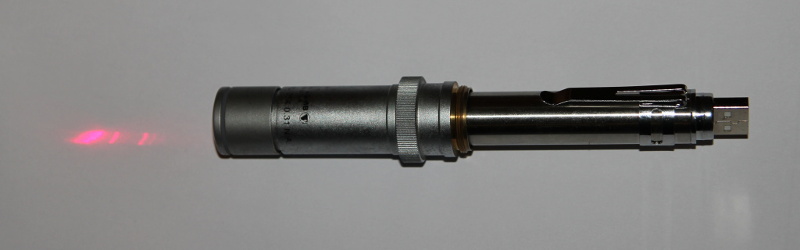
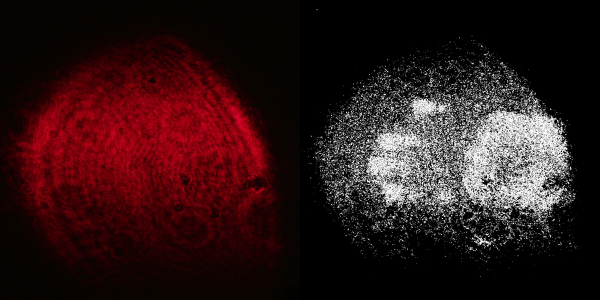
In this demonstration, [anfractuosity] has combined a simple red laser pointer with a microscope’s 25X objective lens to produce a wider and less intense beam. When this diffused beam is cast onto a wall, the speckle pattern generated by the surface texture can plainly be seen. What’s not obvious to the naked eye is that touching the wall with your hand actually produces a change in the speckle pattern. But if you take high-resolution before and after shots, the images can be run through OpenCV to highlight the differences and reveal a ghostly hand-print.

Continue reading “DIY Laser Speckle Imaging Uncovers Hidden Details”

Useless Machine Is A Clock

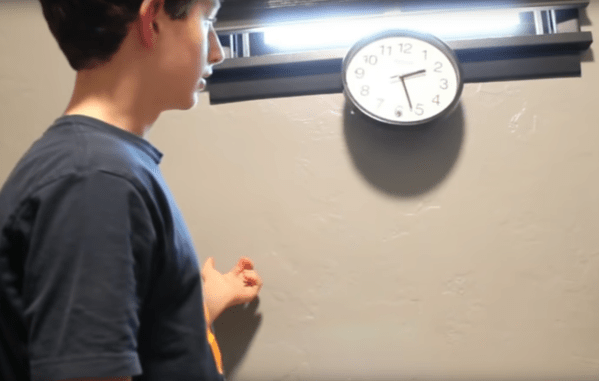
Useless machines are a fun class of devices which typically turn themselves off once they are switched on, hence their name. Even though there’s no real point, they’re fun to build and to operate nonetheless. [Burke] has followed this idea in spirit by putting an old clock he had to use with his take on a useless machine of sorts. But instead of simply powering itself off when turned on, this useless machine dislodges itself from its wall mount and falls to the ground anytime anyone looks at it.

It’s difficult to tell if this clock was originally broken when he started this project, or if many rounds of checking the time have caused the clock to damage itself, but either way this project is an instant classic. Powered by a small battery driving a Raspberry Pi, the single-board computer runs OpenCV and is programmed to recognize any face pointed in its general direction. When it does, it activates a small servo which knocks it off of its wall, rendering it unarguably useless.

[Burke] doesn’t really know why he had this idea, but it’s goofy and fun. The duct tape that holds everything together is the ultimate finishing touch as well, and we can’t really justify spending too much on fit and finish for a project that tosses itself around one’s room. On the other hand, if you’re looking for a more refined useless machine, we have seen some that have an impressive level of intricacy.

Thanks to [alchemyx] for the tip!

Continue reading “Useless Machine Is A Clock”

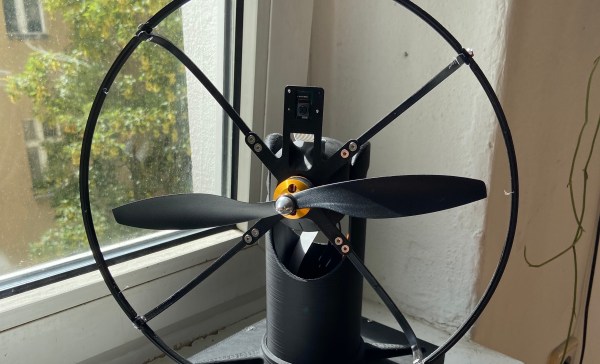
Homemade electric fan showing a small camera peeking up above the central hub.

Keep Cool With This Face-Following Fan

[AchillesVM] decided to build a tabletop electric fan so it would track him as he moves around the room. Pan and tilt control is provided by a pair of servos controlled by a Raspberry Pi 3b+. How does it know where [AchillesVM} is? It captures the scene using a Raspberry Pi v2 Camera and uses OpenCV’s default face-tracking algorithm to find him. Well, strictly speaking, it tracks anyone’s face around the room. If multiple faces are detected, it follows the largest — which is usually the person closest to the fan.

The whole processing loop runs at 60 ms, so the speed of the servo mechanism is probably the limiting factor when it comes to following fast-moving house guests. At first glance it might look like an old fan from the 1920s, in fact [AchillesVM] built the whole thing by himself, 3D-printing case and using a few off-the-shelf parts (like the 25 cm R/C plane propeller).

It’s a work in progress, so follow his GitHub repository (above) for updates. Hopefully, there will be a front-mounted finger guard coming soon. If you like gadgets that interact with you as you move about, we’ve covered the face-tracking confectionery cannon back in 2014, and the head-tracking water blaster last year. In the “don’t try this” file goes the build that started a career — the eye-tracking laser robot.

Internet Chess On A Real Chessboard

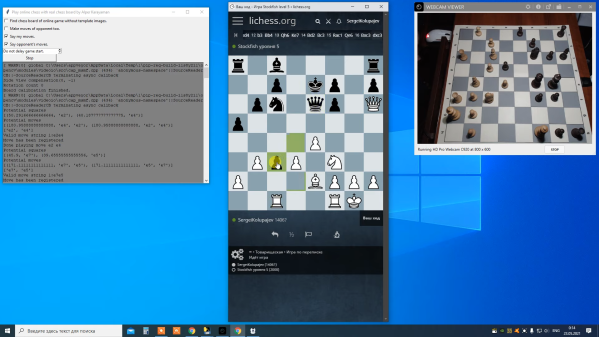
The Internet teaches us that we can accept stand-ins for the real world. We have an avatar that looks like us. We have virtual mailboxes to read messages out of make-believe envelopes. If you want to play chess, you can play with anyone in the world, but on a virtual board. Or, you can use [karayaman’s] software to play virtual games on real boards.

The Python program uses a webcam. You point it at an empty board and calibrate. After that, the program will track your moves on the real board in the online world. You can see a video of a test game below.

Continue reading “Internet Chess On A Real Chessboard”

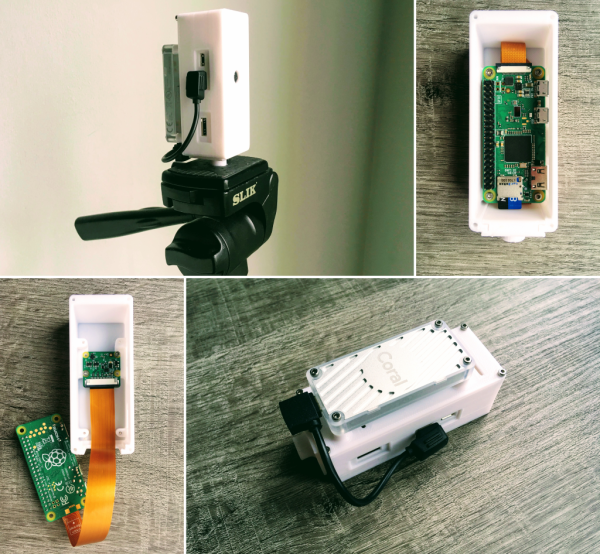
Smart Camera Based On Google Coral

As machine learning and artificial intelligence becomes more widespread, so do the number of platforms available for anyone looking to experiment with the technology. Much like the single board computer revolution of the last ten years, we’re currently seeing a similar revolution with the number of platforms available for machine learning. One of those is Google Coral, a set of hardware specifically designed to take advantage of this new technology. It’s missing support to work with certain hardware though, so [Ricardo] set out to get one working with a Raspberry Pi Zero with this smart camera build based around Google Coral.

The project uses a Google Coral Edge TPU with a USB accelerator as the basis for the machine learning. A complete image for the Pi Zero is available which sets most of the system up right away including headless operation and includes a host of machine learning software such as OpenCV and pytesseract. By pairing a camera to the Edge TPU and the Raspberry Pi, [Ricardo] demonstrates many of its machine learning capabilities with several example projects such as an automatic license plate detector and even a mode which can recognize whether or not a face mask is being worn, and even how correctly it is being worn.

For those who want to get into machine learning and artificial intelligence, this is a great introductory project since the cost to entry is so low using these pieces of hardware. All of the project code and examples are available on [Ricardo]’s GitHub page too. We could even imagine his license plate recognition software being used to augment this license plate reader which uses a much more powerful camera.