Game Boy Printer USB Cable And Software

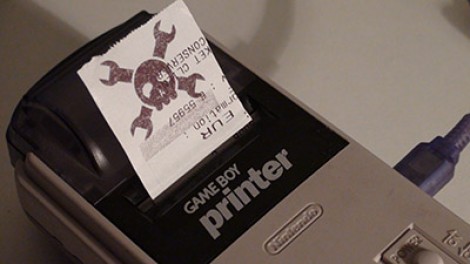
[Furrtek] hooked up his Game Boy printer for use with a PC (translated). The two-part hack started with a cable to attach the device via USB. A Nokia interface cable was used as a base to translate the USB signals into serial, and an ATtiny45 microcontroller added to talk to the printer. He did a great job of free-forming the circuit alterations and fitting it back into the plastic USB plug housing.The next step was to write some software. Using VB6 he coded an application that loads in an image, scales it to fit, and allows you to adjust the contrast that the thermal printer produces. For testing purposes he’s reusing old receipts. See it in action after the break.
Continue reading “Game Boy Printer USB Cable And Software” →

Printing From A Famicom Clone Computer

This is an 8-bit computer and Famicom clone that [133MHz] bought for $2. It plays Nintendo games and using an 80-in-1 cartridge it has a rudimentary operating system and set of applications. Seeing a standard DB25 port on the back [133MHz] wondered if he could make the system talk to a printer. His first step was to investigate the electronics inside to find that the connector has a couple of chips that map to the data bus of the CPU and use the same control lines as the cartridge. That means it can be setup to do just about anything in software. After a bit of coding he’s got it printing to a dot-matrix. See for yourself after the break.

Continue reading “Printing From A Famicom Clone Computer” →

3D Printing With Chemicals

From the horse’s mouth,

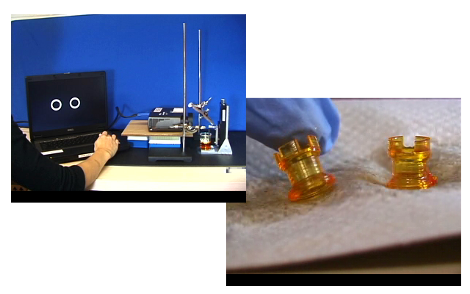
“In this lithography experiment light creates free radicals from phenylbis(2,4,6-trimethylbenzoyl)phosphine oxide which induce polymerization of 1,6-hexanediol diacrylate.”

Or for those without a Chemical Engineering degree, light from a (high resolution) projector interacts with a special liquid, producing a hard polymer on the surface. A platform within the liquid is lowered, taking the layer of polymer with it. Shine the projector again to produce another layer: lather, rinse, repeat. Long story short, an atypical 3D printer using light on a very small scale.

You get the chemicals and lab equipment, we’ll get the laptop and projector, and for goodness sake [Jimmie] stop bumping the table.

[Thanks Tomas]

DTG Using A Stock Printer

[youtube=http://www.youtube.com/watch?v=qc3OrrsnMHs]

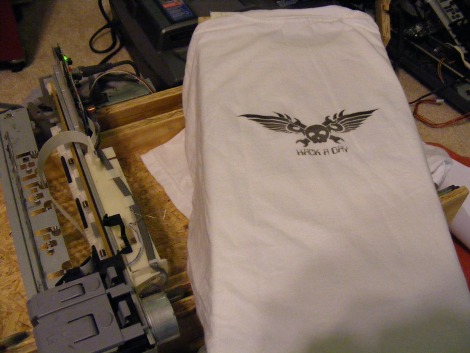
Here’s a Direct-to-Garment device that uses a stock printer. [Jeff German] used an Epson R1900 with the stock firmware to get the results seen in the video. His hardware modifications involve adding two buttons to the printer’s circuit board. For DTG beginners this certainly lowers some of the obstacles to getting started. [Jeff] is working on detailed instructions but for now take a look at our own How-to for building a DTG printer.

(mini)How-To: Refill Your DTG Inks

The number one and number two things asked after presentation of our DIYDTG were…
“How does it hold up in the wash?”
and…
“How did you change out the inks?”
While we’ve explained the first several times (regular ink washes out, DTG ink gets a little lighter but survives) we can hopefully answer the second with a tutorial.

Continue reading “(mini)How-To: Refill Your DTG Inks” →

How-to: DIYDTG

For those unaware, the little acronym above stands for Do-It-Yourself-Direct-To-Garment printing. In layman’s terms, printing your own shirts and designs. Commercial DTGs can cost anywhere from $5,000 to $10,000 which for the hobbyist who only wants a few shirts is ridiculous. So you would think this field of technology would be hacked to no end, but we’ve actually only seen one other fully finished and working DIYDTG. So we took it upon ourselves to build a DIYDTG as cheaply and as successfully as possible. Continue reading “How-to: DIYDTG” →

Printing With Pressure

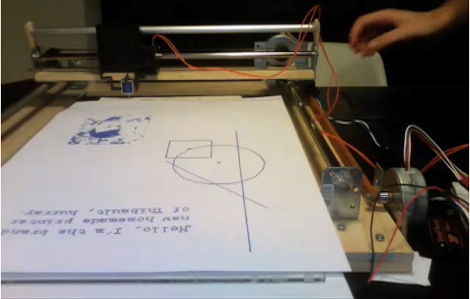
The video of [Thibault Brevet’s] printer makes it look like he’s actually designed a vinyl cutter (watch it after the break). But at the end of the printing process you see that the top layer was actually a piece of carbon copy paper and the magic was happening underneath. The print head applies enough pressure to transfer the blue-ish printing ink onto the paper giving the result seen above. He’s driving this with an Arduino and feeding data using Processing.

[Thibault] left this link in the comments from the LEGO printer post. Shame on him for not tipping us off as soon as he posted info on this hack. Don’t underestimate yourselves, if you hack it we want to hear about it!

Continue reading “Printing With Pressure” →