A Computer In The Game Of Life

We often hear the term “Turing-complete” without giving much thought as to what the implications might be. Technically Microsoft PowerPoint, Portal 2, and Magic: the Gathering all are Turing-complete, what of it? Yet, each time someone embarks on an incredible quest of perseverance and creates a computer in one of these mediums, we stand back in awe.

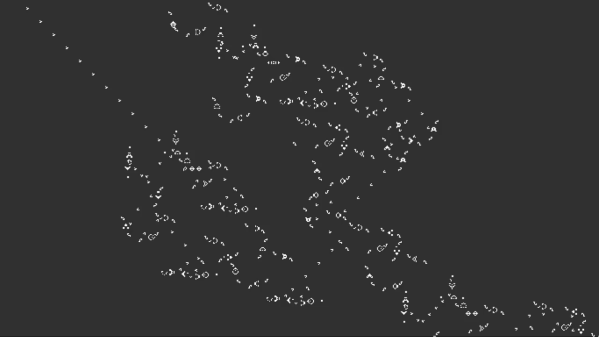
[Nicolas Loizeau] is one such individual who has created a computer in Conway’s Game of Life. Unlike electricity, the Game of Life uses gliders as signals. Because two orthogonal gliders can cancel each other out or form a glider eater if they intersect with a good phase shift, the basic logic gates can be formed from these interactions. This means the space between gates is crucial as signals need to be in phase alignment. The basic building blocks are a period-60 gun, a 90-degree glider reflector, a glider duplicator, and a glider eater.

All the Python code that generates these structures is on GitHub as the sheer size of the machine couldn’t possibly be placed by hand. The Python includes scripts to assemble the basic programs as a bank of selectable glider generators. It’s all based on Golly, which is an excellent program for simulating Conway’s Game of Life, among other things. While this isn’t the first computer in the Game of Life as [Paul Rendell] published a design in 2000 and [Adam Goucher] published a Spartan universal computer constructor in 2009, we think this is a particularly beautiful one.

The actual architecture has an 8-bit data bus, a 64-byte memory with two read ports, a ROM with 21 bits per line, and a one-hot encoded ALU supporting 8 different operations. Instructions have a 4-bit opcode which is decoding in a few different instructions. The clock is four loops, formed by the glider reflectors as the glider beams rotate. This gives the computer four stages: execution, writing, increment PC, and write PC to memory.

The Game of Life is an excellent example of Cellular Automaton (CA). There are several other types of CA’s and the history behind them is fascinating. We’ve covered this field before and delved into this beautiful fringe of computer science. Check out the video below to truly get a sense of the scale of the machine that [Nicolas] has devised.
Continue reading “A Computer In The Game Of Life”

FreeCAD Debugging

Powerful software programs often have macro programming languages that you can use, and if you know how to program, you probably appreciate them. However, sometimes the program’s built-in debugging facilities are lacking or even nonexistent If it were just the language, that wouldn’t be such a problem, but you can’t just grab a, for example, VBA macro from Microsoft Word and run it in a normal Basic interpreter. Your program will depend on all sorts of facilities provided by Word and its supporting libraries. [CrazyRobMiles] was frustrated with trying to debug Python running inside FreeCAD, so he decided to do something about it.

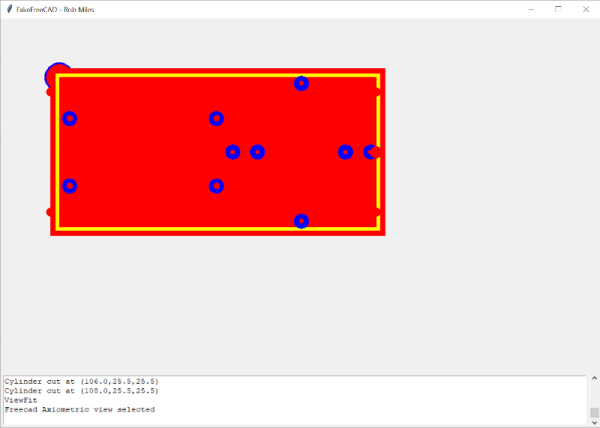
[Rob’s] simple library, FakeFreeCad, gives enough support that you can run a FreeCAD script in your normal Python development environment. It only provides a rude view of what you are drawing, but it lets you explore the flow of the macro, examine variables, and more.

Continue reading “FreeCAD Debugging”

Micropython On Microcontrollers

There are plenty of small microcontrollers available for all kinds of tasks, each one with its unique set of features and capabilities. However, not all of us want to spend time mucking about in C or assembly to learn the intricacies of each different chip. If you prefer the higher planes of Python instead, it’s not impossible to import Python on even the smallest of microcontrollers thanks to MicroPython, which [Rob] shows us in this project based on the ESP32.

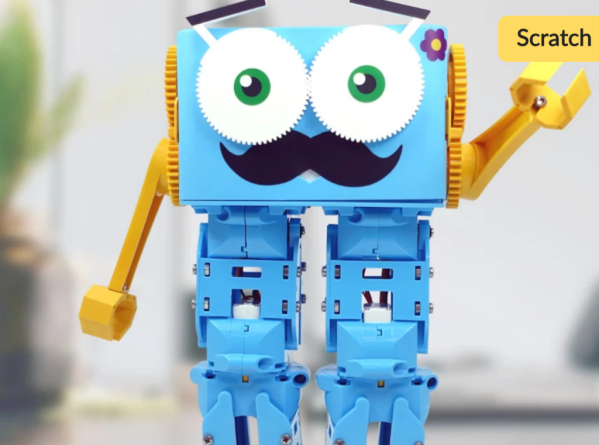
[Rob] has been working on a small robot called Marty which uses an ESP32 as its brain, so the small microcontroller is already tasked with WiFi/Bluetooth communications and driving the motors in the robot. Part of the problem of getting Python to run on a platform like this is that MicroPython is designed to be essentially the only thing running on the device at any one point, but since the ESP32 is more powerful than the minimum requirements for MicroPython he wanted to see if he could run more than just Python code. He eventually settled on a “bottum-up” approach to build a library for the platform, rather than implementing MicroPython directly as a firmware image for the ESP32.

The blog post is an interesting take on running Python code on a small platform, and goes into some details with the shortcomings of MicroPython itself which [Rob] ended up working around for this project. He’s also released the source code for his work on his GitHub page. Of course, for a different approach to running Python and C on the same small processor, there are some libraries that accomplish that as well.

Homebrew Slide Rule Gets Back To Mathematical Basics

In the grand scheme of things, it really wasn’t all that long ago that a slide rule was part of an engineer’s every day equipment. Long before electronic calculators came along, a couple of sticks of wood inscribed with accurate scales was all it took to do everything from simple multiplication to logarithms and trig functions.

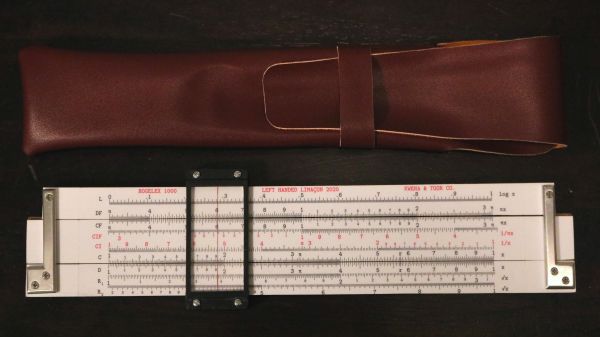
While finding a slide rule these days isn’t impossible, it’s still not exactly easy, and buying one off the shelf isn’t as fun or as instructive as building one yourself. [JavierL90]’s slide rule build started, ironically enough, on the computer, with a Python program designed to graphically plot the various scales needed for the fixed sections of the slide rules (the “stators”) and the moving bit (the “slide”).  His first throught was to laser-engrave the scales, but the route of printing them onto self-adhesive vinyl stock proved to be easier.

With the scale squared away, work turned to the mechanism itself. He chose walnut for the wood, aluminum for the brackets, and a 3D-printed frame holding a thin acrylic window for the sliding cursor. The woodworking is simple but well-done, as is the metalwork. We especially like the method used to create the cursor line — a simple line scored into the acrylic with a razor, which was then filled with red inks. The assembled slide rule is a thing of beauty, looking for all the world like a commercial model, especially when decked out with its custom faux leather carry case.

We have to admit that the use of a slide rule is a life skill that passed us by, but seeing this puts us in the mood for another try. We might have to start really, really simple and work up from there.

Learning SDR And DSP Hack Chat

Join us on Wednesday, November 11th at noon Pacific for Learning SDR and DSP Hack Chat with Marc Lichtman!

“Revolution” is a term thrown about with a lot less care than it probably should be, especially in fields like electronics. It’s understandable, though — the changes to society that have resulted from the “Transistor Revolution” or the “PC Revolution” or more recently, the “AI Revolution” have been transformative, often for good and sometimes for ill. The common thread, though, is that once these revolutions came about, nothing was ever the same afterward.

Such is the case with software-defined radio (SDR) and digital signal processing (DSP). These two related fields may not seem as transformative as some of the other electronic revolutions, but when you think about it, they really have transformed the world of radio communications. SDR means that complex radio transmitters and receivers, no longer have to be implemented strictly in hardware as a collection of filters, mixers, detectors, and amplifiers; instead, they can be reduced to a series of algorithms running on a computer.

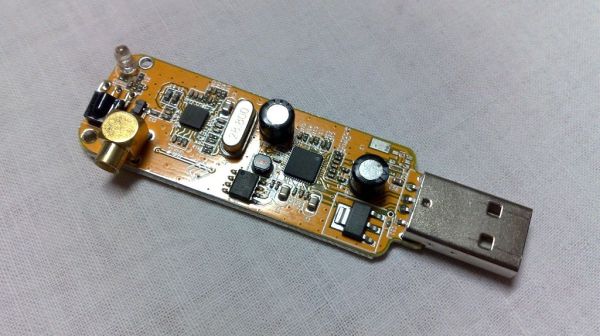
Teamed with DSP, SDR has resulted in massive shifts in the RF field, with powerful, high-bandwidth radio links being built into devices almost as an afterthought. But the concepts can be difficult to wrap one’s head around, at least when digging beyond the basics and really trying to learn how SDR and DSP work. Thankfully, Dr. Marc Lichtman, an Adjunct Professor at the University of Maryland, literally wrote the book on the subject. “PySDR: A Guide to SDR and DSP using Python” is a fantastic introduction to SDR and DSP that’s geared toward those looking to learn how to put SDR and DSP to work in practical systems. Dr. Lichtman will stop by the Hack Chat to talk about his textbook, to answer your questions on how best to learn about SDR and DSP, and to discuss what the next steps are once you conquer the basics.

join-hack-chatOur Hack Chats are live community events in the Hackaday.io Hack Chat group messaging. This week we’ll be sitting down on Wednesday, November 11 at 12:00 PM Pacific time. If time zones baffle you as much as us, we have a handy time zone converter.

Click that speech bubble to the right, and you’ll be taken directly to the Hack Chat group on Hackaday.io. You don’t have to wait until Wednesday; join whenever you want and you can see what the community is talking about.

[Banner image credit: Dsimic, CC BY-SA 4.0, via Wikimedia Commons]

Continue reading “Learning SDR And DSP Hack Chat”

Robots Can Finally Answer, Are You Talking To Me?

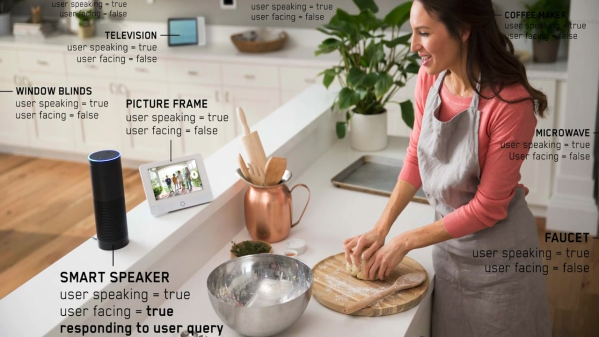
Voice Assistants, love them, or hate them, are becoming more and more commonplace. One problem for voice assistants is the situation of multiple devices listening in the same place. When a command is given, which device should answer? Researchers at CMU’s Future Interfaces Group [Karan Ahuja], [Andy Kong], [Mayank Goel], and [Chris Harrison] have an answer; smart assistants should try to infer if the user is facing the device they want to talk to. They call it direction-of-voice or DoV.

Currently, smart assistants use a simple race to see who heard it first. The reasoning is that the device you are closest to will likely hear it first. However, in situations with echos or when you’re equidistant from multiple devices, the outcome can seem arbitrary to a user.

The implementation of DoV uses an Extra-Trees Classifier from the python sklearn toolkit. Several other machine learning algorithms were considered, but ultimately efficiency won out and Extra-Trees was selected. Another interesting facet of the research was determining what facing really means. The team had humans ‘listeners’ stand in for smart assistants.  A ‘talker’ would speak the key phrase while the ‘listener’ determined if the talker was facing them or not. Based on their definition of facing, the system can determine if someone is facing the device with 90% accuracy that rises to 93% with per-room calibration.

Their algorithm as well as the data they collected has been open-sourced on GitHub. Perhaps when you’re building your own voice assistant, you can incorporate DoV to improve wake-word accuracy.

Continue reading “Robots Can Finally Answer, Are You Talking To Me?”

E-Paper Weather Display Is A Great Base To Build From

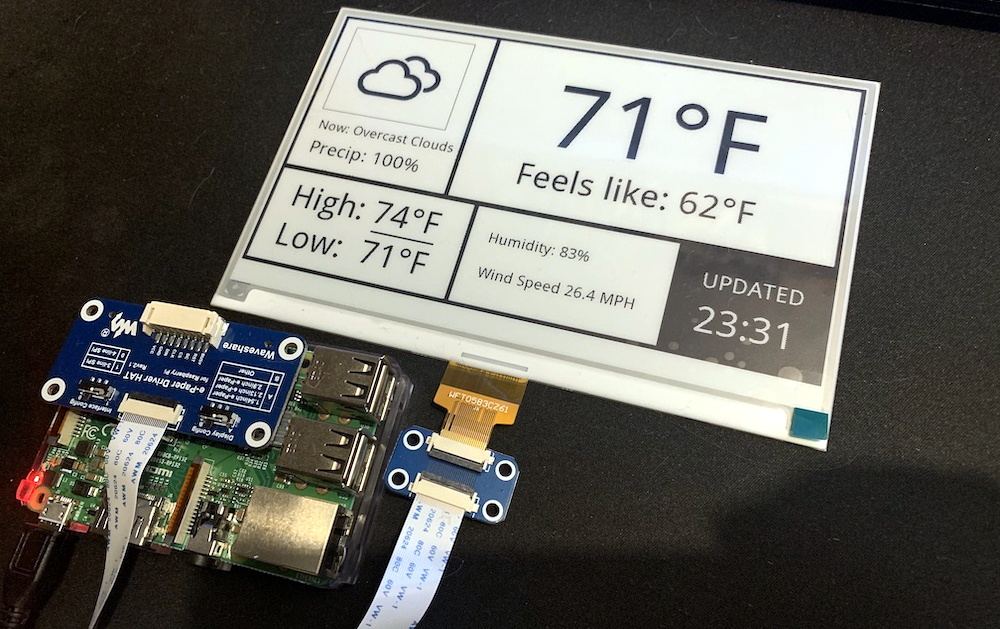
As e-paper modules have become more affordable, we’ve started to see them pop up more and more in hacker projects. It used to be that you had to force a second-hand Kindle to do your bidding, but now you can buy just the screen itself complete with a header to plug right into your Raspberry Pi. It will still cost you as much as a used Kindle…but at least it comes with some documentation and there are Python libraries to talk to it.

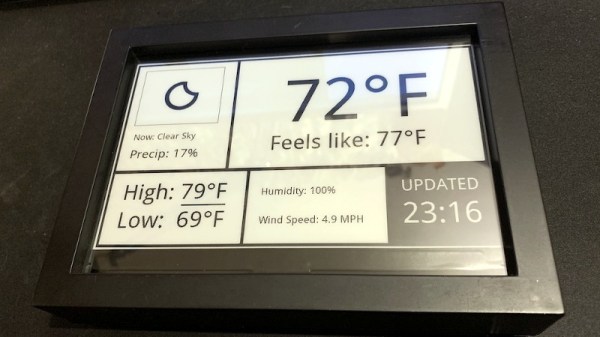
But where to start? If you need some inspiration, and perhaps a little source code, this very slick weather display put together by [James Howard] is a great as baseline. Not that it really needs any additional refinement, as we think it already looks gorgeous. But rather than starting from scratch for your own project, it would be much easier to graft some additional functionality onto his code.

A lot of that has to do with how concise and well commented his code is. We’ve seen enough of these projects to know the kind of spaghetti that’s often running on the backend, but there’s none of that here. [James] assembles the display using the powerful Pillow graphics library, which lets you draw primitives and drop in text and icons with just a couple lines of code.

Once all the data is plugged in, the entire screen is saved as an image file which is then opened up on the e-paper display. Even if you aren’t a Python expert, you should be able to understand what’s happening and how to bend it to your will.

We’ve always had high hopes for electronic paper, and it seems the technology might finally be hitting critical mass. While it’s still a bit expensive, we’ve started seeing it pop up in unexpected places to great effect. Hopefully projects like this one will inspire others to take the B&W plunge.