A Custom Raspberry Pi 4 Arcade Cabinet

Over the years we’ve covered quite a few Raspberry Pi based arcade cabinets, and admittedly many of them have been fairly similar. After all, there’s only so much variation you can make before it stops looking like a traditional arcade machine. But even still, we never tire of seeing a well executed build like the one [Dawid Zittrich] recently shared with us.

These days you can order a kit that has pre-cut panels to build your cabinet with, but looking for a completely custom build, [Dawid] decided to first model his design in SketchUp and then cut out the panels himself with a jigsaw. This obviously is quite a bit more work, and assumes you’ve got sufficient woodworking tools, but we think the final result looks great. Not to mention the fact that it’s going to be a lot stronger than something made out of MDF.

He also created the side artwork himself, taking the logos and names from his favorite arcade and Amiga games and putting them on a retro-looking gradient pattern.  The marquee on the top has an acrylic front and is illuminated from behind with strips of LEDs. It’s mounted on a hinge so that it can be lifted up and a new piece of art slid in without taking apart the whole cabinet. While it might be a little more labor intensive to switch out than some of the electronic marquees we’ve seen, we do like that you still have the ability to change the artwork on a whim.

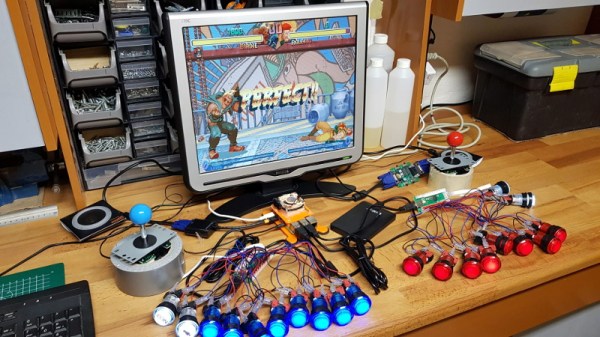
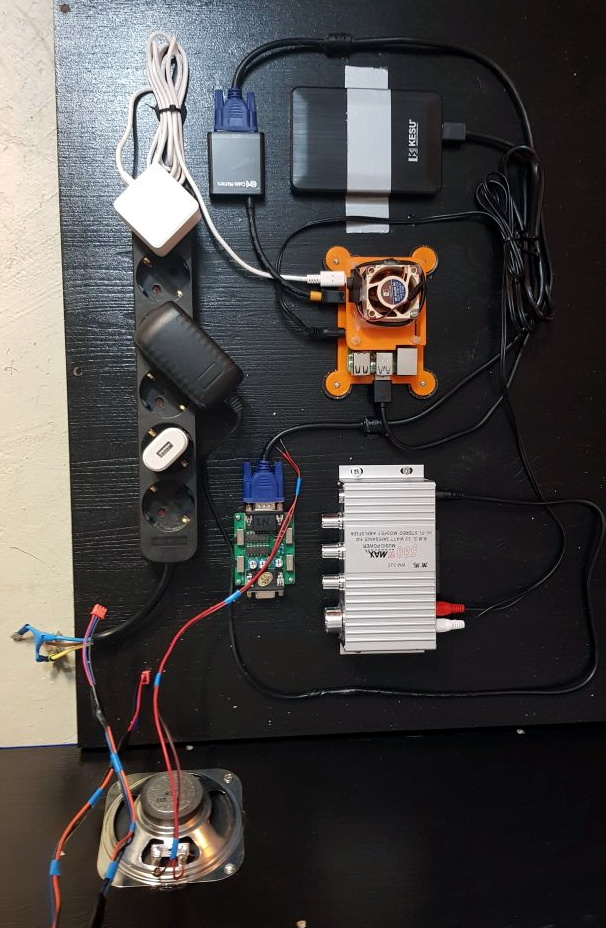
With the cabinet itself completed, [Dawid] turned his attention to the electronics. Inside you’ve got the aforementioned Raspberry Pi 4 (with a Noctua fan to keep it cool), an external hard drive, a HDMI to VGA converter with scanline generator to drive the 4:3 ratio Eizo Flex Scan S2100 monitor, and a rather beefy amplifier hanging off the Pi’s 3.5 mm analog audio output. All of which is easily accessible via a maintenance hatch built into the cabinet so [Dawid] doesn’t need to tear everything down when he wants to tweak something.

If you’d like to have that arcade cabinet feel but don’t have the space and equipment to put something like this together, you could always stick a Raspberry Pi into an iCade and call it a day.

Pi 4 Emulator In A Durable, Dumpstered Cabinet

We must be looking in the wrong Dumpsters, because we never find anything as cool as [Queen_Combat] did. It’s one of those Kidzspace kid-proof waiting room game systems, complete with the original TV and an XBOX 360 that hasn’t been updated since 2009. When life hands you a sturdy game console box, it’s almost your duty to turn it into an all-in-one Raspberry Pi 4 emulation station.

[Queen_Combat] relocated the speakers from the top to the inside, just behind the vent holes on the sides, and printed a couple of mountable custom enclosures to hold them there. These are driven with a little 5W amplifier board, and everything is run from the XBOX’s power supply.

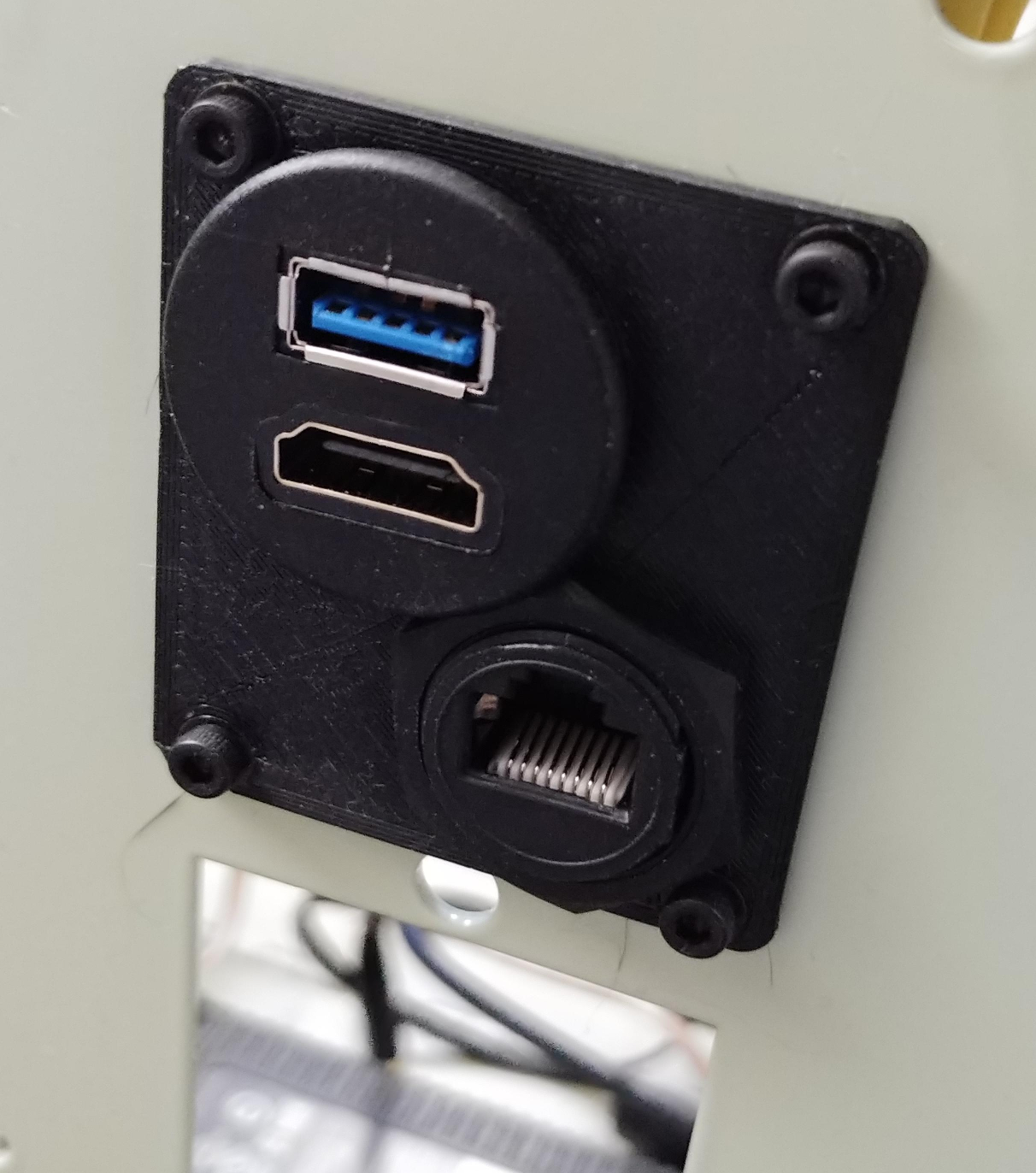
We particularly like the use of extenders in cigarette-lighter form factor, because we hadn’t seen those before. [Queen_Combat] printed a couple of adapters to make them fit nicely into the large holes on the front where the XBOX controllers were once attached — one has a volume knob, and the other has a USB3 port and a 3.5mm audio jack. [Queen_Combat] wanted to have HDMI audio out as well, so there’s an HDMI audio extractor in the mix, too, and another extender around back. Only thing missing is a paint job and some sweet vinyl graphics.

Yes, vinyl graphics would be sweet, but how? Not on the laser cutter, if that’s what you’re thinking. Don’t dismiss vinyl cutters out of hand, because they can do a whole lot more than that.

Via r/raspberry_pi

Raspberry Pi 4 And The State Of Video Game Emulation

The modern ideal of pixel art is a fallacy. Videogame art crammed onto cartridges and floppy discs were beholden to the CRT display technology of their day. Transmitting analog video within the confines of dingy yellow-RCA-connector-blur, the images were really just a suggestion of on-screen shapes rather than clearly defined graphics. Even when using the superior RGB-video-over-SCART cables, most consumer grade CRT televisions never generated more than about 400 lines, so the exacting nature of digitized plots became a fuzzy raster when traced by an electron beam. It wasn’t until the late 90s when the confluence of high resolution PC monitors, file sharing, and open source emulation software that the masses saw pixels for the sharp square blocks of color that they are.

More importantly, emulation software is not restricted to any one type of display technology any more than the strata of device it runs on. The open-source nature of videogame emulators always seems to congregate around the Lowest Common Denominator of devices, giving the widest swath of gamers the chance to play. Now, that “L.C.D.” may very well be the Raspberry Pi 4. The single board computer’s mix of tinker-friendly IO at an astonishingly affordable entry price has made it a natural home for emulators, but at fifty bucks what options unlock within the emulation scene?

Continue reading “Raspberry Pi 4 And The State Of Video Game Emulation”

Hackaday Podcast 045: Raspberry Pi Bug, Rapidly Aging Vodka, Raining On The Cloud, And This Wasn’t A Supercon Episode

Hackaday editors Mike Szczys and Elliot Williams talk over the last three weeks full of hacks. Our first “back to normal” podcast after Supercon turns out to still have a lot of Supercon references in it. We discuss Raspberry Pi 4’s HDMI interfering with its WiFi, learn the differences between CoreXY/Delta/Cartesian printers, sip on Whiskey aged in an ultrasonic jewelry cleaner, and set up cloud printing that’s already scheduled for the chopping block. Along the way, you’ll hear hints of what happened at Supercon, from the definitive guide to designing LEDs for iron-clad performance to the projects people hauled along with them.

Take a look at the links below if you want to follow along, and as always tell us what you think about this episode in the comments!

Take a look at the links below if you want to follow along, and as always, tell us what you think about this episode in the comments!

Direct download (60 MB or so.)

Continue reading “Hackaday Podcast 045: Raspberry Pi Bug, Rapidly Aging Vodka, Raining On The Cloud, And This Wasn’t A Supercon Episode”

Not-Quite-So-Hot Stuff: A Thermal Exam On The Latest Raspberry Pi

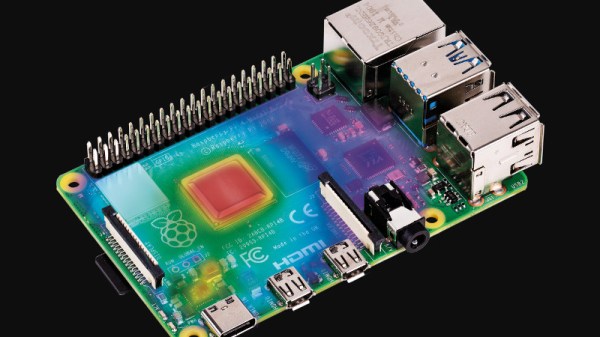
When the Raspberry Pi 4 was first launched, one of its few perceived flaws was that it had a propensity to get extremely hot. It’s evidently something the Pi people take very seriously, so in the months since they have addressed the problem with a set of firmware updates. Now they’ve taken a look at the effect of the fixes in a piece on the Raspberry Pi web site, and it makes for an interesting comparison.

The headline figure is that all updates together remove about a watt of power from the load, a significant quantity for what is still a board that can run from a capable phone charger. Breaking down the separate parts of the updates is where the meat of this story lies though, as we see the individual effects of the various USB, memory, power management and clocking updates. In temperature terms they measure an on-load drop from 72.1 °C to 58.1 °C, which should be a significant improvement for any Pi 4 owner.

There is a debate to be had over in what role a computer such as a Pi should serve. As successive revisions become ever more desktop-like in their capabilities, do they run the risk of abandoning the simplicity of a cheap Linux box as a component that makes us come back for more? It’s a possibility, but one they have very well addressed by developing the Pi Zero. They have also successfully avoided the fate of the Arduino — inexorably tied to its ATmega powered original line despite newer releases. As we have frequently said when reviewing Raspberry Pi competitors, it’s the software support that sets them apart from the herd, something this power-draw story demonstrates admirably.

Network Booting The Pi 4

We’ve talked about PXE booting the Raspberry Pi 3B+, and then looked at the Raspberry Pi 4 as a desktop replacement. But there’s more! The Pi 4 sports a very useful new feature, the flashable bootloader. Just recently a beta version of that bootloader was released that supports PXE  — booting up over the network — which has become a must-have for those of us who have had consistently bad experiences with root filesystems on SD cards.

Pi with no SD CardWhat are the downsides, I hear you ask? You might see slower speeds going across the network compared to a high quality SD card, particularly with the Pi 4 and its improved SD card slot. PXE does require an Ethernet cable; WiFi is not enough, so you have that restriction to contend with. And finally, this isn’t a portable option — you are tethered to that network cable while running, and tethered to your network to boot at all.

On the other hand, if you’re doing a permanent or semi-permanent install of a Pi, PXE is absolutely a winner. There are few things worse than dragging a ladder out to access a Pi that’s cooked its SD card, not to mention the possibility that you firewalled yourself out of it. Need to start over with a fresh Raspbian image? Easy, just rebuild it on the PXE server and reboot the Pi remotely.

Convinced PXE is for you? Let’s get started! Continue reading “Network Booting The Pi 4”

RPi4: Now Overclocked, Net-Booted, And Power-Sipping

It has now been a few months since the launch of the Raspberry Pi 4, and it would only be fair to describe the launch as “rocky”. While significantly faster than the Pi 3 on paper, its propensity for overheating would end up throttling down the CPU clock even with the plethora of aftermarket heatsinks and fans. The Raspberry Pi folks have been working on solutions to these teething troubles, and they have now released a bunch of updates in the form of a new bootloader, that lets the Pi 4 live up to its promise. (UPDATE: Here’s the download page and release notes)

The real meat of the update comes in an implementation of a low power mode for the USB hub. It turns out that the main source of heat on the SoC wasn’t the CPU, but the USB. Fixing the USB power consumption means that you can run the processor cool at stock speeds, and it can even be overclocked now.

There is also a new tool for updating the Pi bootloader, rpi-eeprom, that allows automatic updates for Pi 4 owners. The big change is that booting the Pi 4 over the network or an attached USB device is now a possibility, which is a must if you’re installing the Pi permanently. There are some fixes that caused problems with certain HATs, in which the Pi 4’s 3.3 V line was cycled during a reboot.

With a device as complex as a Raspberry Pi it comes as no surprise that it might ship with a few teething troubles. We’ve already covered some surrounding the USB-C power, for example. And the overheating. Where the Pi people consistently deliver though is in terms of support, both official and from the community, and we’re very pleased to see them come through in this case too.