The Easiest Thermal Camera Build You’ll Ever See

Thermal cameras are one of those tools that we all want, but just can’t justify actually buying. You don’t really know what you would do with one, and when even the cheap ones are a couple hundred dollars, it’s a bit out of the impulse buy territory. So you just keeping waiting and hoping that eventually they’ll drop to the price that you can actually own one yourself.
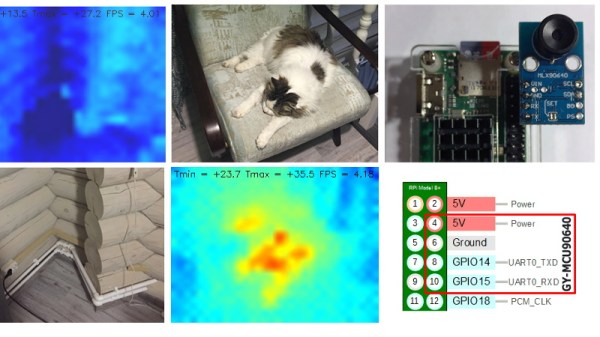
Well, today might be the day you were waiting for. While it might not be the prettiest build, we think you’ll agree it can’t get much easier than what [vvkuryshev] has put together. His build only has two components: a Raspberry Pi and a thermal camera module he picked up online for about $80 USD. There isn’t even any wiring involved, the camera fits right on the Pi’s GPIO header.

Of course, you probably wouldn’t be seeing this on Hackaday if all he had to do was just buy a module and solder it to the Pi’s header. As with most cheap imported gadgets, the GY-MCU90640 module that [vvkuryshev] bought came with some crusty Windows software which wasn’t going to do him much good on the Raspberry Pi. But after going back and forth a bit with the seller, he was able to get some documentation for the device that put him on the right track to writing a Python script which got it working under Linux.

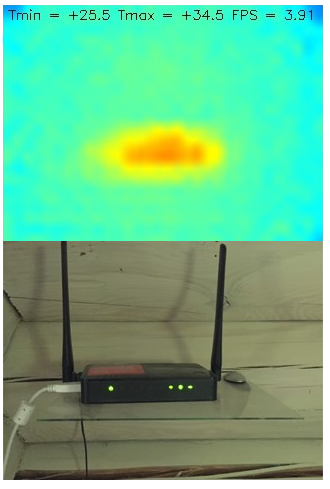
The surprisingly simple Python script reads a frame from the camera four times a second over serial and run it through OpenCV. It even adds some useful data like the minimum and maximum temperatures in the frame to the top of the image. Normally the script would output to the Pi’s primary display, but if you want to use it remotely, [vvkuryshev] says he’s had pretty good luck running it over VNC. In fact, he says that with a VNC application on your phone you could even use this setup on the go, though the setup is a bit awkward for that in its current incarnation.

This isn’t the first DIY thermal camera build we’ve seen, and it isn’t even the first one we’ve seen that leveraged a commercially available imaging module. But short of buying a turn-key camera, we don’t see how it could get any easier to add heat vision to your bag of tricks.
A Raspberry Pi Grimoire For The Command Line Wizard

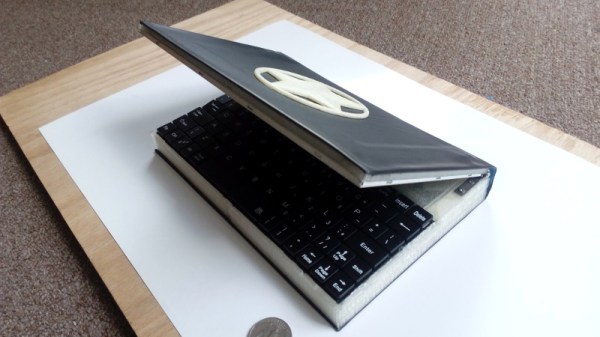
Who says there’s no such thing as magic? Not anyone who knows what a Unix pipe is, that’s for sure. If you do some of your best incantations at a blinking cursor, this scratch-built Raspberry Pi Zero “Spellbook” laptop created by [Calvin] might be just what the apothecary ordered. Lucky for us, he was kind enough to document the design and construction of this penguin-powered tome for anyone else who wishes to dabble in the GNU Dark Arts.

In the series of videos after the break, viewers have the opportunity to watch a project go from idea to final product. The first video was uploaded nearly a month before the project was completed, and goes over some of the design elements of the project as well as different ideas [Calvin] had in terms of things like component placement. Throughout the video, he illustrates his ideas in TinkerCAD, which might not have been our first choice for a project this complex, but it does go to show what’s possible in the free web-based CAD package.

By the second video, [Calvin] has printed some parts and now has the hardware coming together. The general idea is that the outside panels of the “book” are made out of steel cut from the side panel of an old computer, with the 3D printed components taking the form of spacers between the electronic components. These plastic “pages” are not only easier and faster to print than a complete case, but help sell the appearance of the book when viewed from the sides.

[Calvin] has shared his TinkerCAD design so that others can print out the necessary components for the book, though you’ll have to source your own steel plates. He also breaks down all the principle components he used and gives links to where you can buy them, from the display and keyboard down to the screws and standoffs. He went with the Pi Zero and sticks to mainly console work, but if you want something with enough power to throw around a graphical environment, he says there’s room in the case for a Pi 3.

Hackers seem to enjoy hiding hardware inside of books, PLA or otherwise. We’ve recently seen an iPad nestled snugly into a notebook, and of course no house would be complete without a book doubling as a hidden switch.

Continue reading “A Raspberry Pi Grimoire For The Command Line Wizard”

Raspberry Pi Powers This Retro Chess Computer

If you imagine somebody playing chess against the computer, you’ll likely be visualizing them staring at their monitor in deep thought, mouse in hand, ready to drag their digital pawn into play. That might be accurate for the folks who dabble in the occasional match during their break, but for the real chess aficionados nothing beats playing on a real board with real pieces. Of course, the tricky part is explaining the whole corporeal thing to a piece of software on your computer.

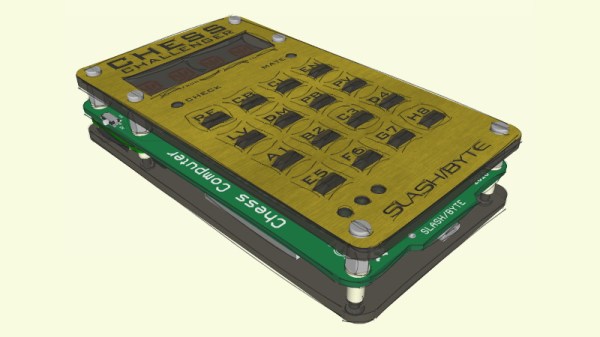
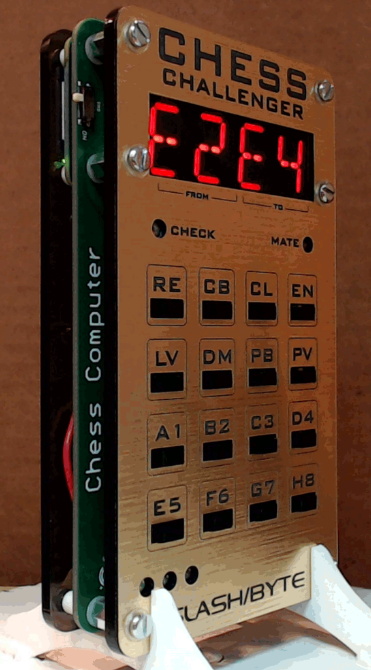
Enter the “Chess Challenger” by [slash/byte]. Modeled after a commercial gadget of the same name from 1978, his retro-themed open hardware design utilizes the Raspberry Pi Zero and modern chess software to bring the vintage concept into the 21st century. With the Chess Challenger and a standard board, the player can face off in an epic battle of wits against the computer without risk of developing carpal tunnel. We can’t guarantee though that a few boards might not get flipped over in frustration.

The pocket sized chess computer uses a “sandwich” style construction which shows off the internals while still keeping things reasonably protected. All of the electronics are housed on the center custom PCB which features a HT16K33 driver for the dual LTP-3784E “starburst” LED displays, a MCP1642B voltage regulator, 16 TL3305 tactile switches for the keyboard, and a MCP73871 battery management chip for the 3.7 volt lithium-ion battery that powers the whole show. The Pi Zero itself connects to the board by way of the GPIO header, and is mechanically supported by the standoffs used to hold the device together.

On the software side of things, the Pi is running the mature Stockfish open source chess engine. In development now for over a decade, this GPL licensed package aims to deliver a world-class chess gameplay on everything from smartphones to desktop computers, and we’ve seen it pop up in a number of projects over the years. [slash/byte] has provided a ready to flash SD card image for the Raspberry Pi, and even provides detailed installation and setup instructions which guide you through some of the more thorny aspects of the setup such as getting the Pi running from a read-only operating system so that abrupt power cuts don’t clobber the filesystem.

Over the years, some of the most impressive projects we’ve seen revolved around playing chess, and this latest entry by [slash/byte] is no exception. Another example of the lengths the chess community will go to perfect the Game of Kings.

Continue reading “Raspberry Pi Powers This Retro Chess Computer”

2600-Inspired Handheld Brings The Faux Woodgrain

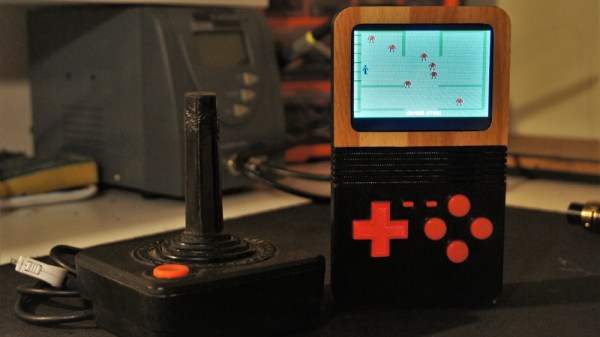
The Atari 2600 is a console from a very different time, when home appliances, furniture, and even automobiles were all covered in fake vinyl woodgrain veneer. Somehow it was the in thing for a decade, and then immediately became tacky overnight. Regardless, if you want to evoke the era, that’s what you do – and that’s exactly what [Christian] did with this handheld RetroPie build.

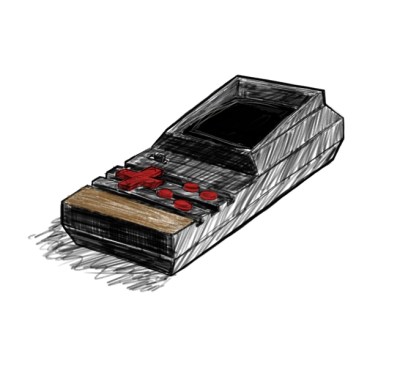
An early concept sketch shows off [Christian]’s art skills.
The technical side of things is fairly routine in these parts – a Pi Zero runs RetroPie so you can play emulated games from the mid-90s and earlier. It’s the visual presentation that we particularly enjoy. The look of the early Atari is evoked through clever use of materials. The body is in black plastic, with blocky red buttons for controls. It’s finished with a vinyl woodgrain applique around the screen, and we think it’s a wonderful aesthetic.

The files to print your own are available on Thingiverse, and [Christian] has provided a basic guide to sourcing similar parts. It’s all common stuff, readily available on eBay or elsewhere.

We love seeing retro throwbacks like this – the tiny Macintosh Plus from the 2017 Superconference is a particular highlight.

HD Video And Telemetry Link Uses Standard WiFi Hardware

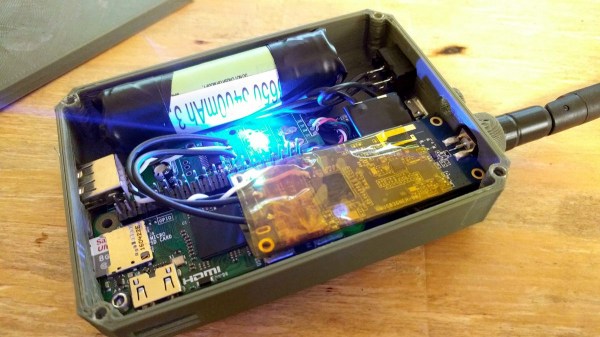
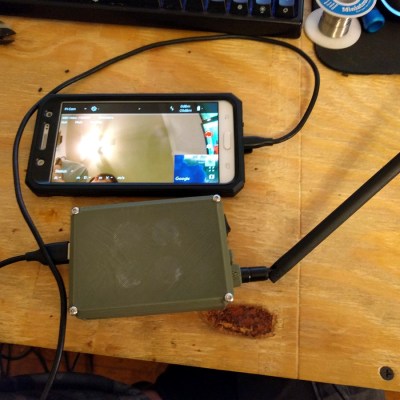
[GlytchTech] decided to implement his own Digital Data Link (DDL) for his drone experiments, and by using a Raspberry Pi Zero and some open-source software, he succeeded in creating a mostly self-contained system that delivers HD video and telemetry using an Android phone as a display.

USB tethered Android phone used as a display and touch interface.

The link uses standard WiFi hardware in a slightly unusual way to create a digital data link that acts more like an analog system, with a preference for delivering low latency video and a graceful drop-off when signal quality gets poor. A Raspberry Pi Zero, Alfa NEH WiFi card, external antenna, battery, and a 3D printed enclosure result in a self-contained unit. Two are needed: one for each end of the link. One unit goes on the drone and interfaces to the flight controller, and the other is for the ground station.

A companion android app allows for just about any old Android phone to serve as video feed, on-screen display of telemetry data, and touchscreen interface.

The software is DroneBridge (GitHub repository) and it implements Wifibroadcast which uses WiFi radios, but without the usual WiFi functionality. A Raspberry Pi is the usual platform, but there’s also an ESP32 port. The software is capable of even more, but so far suits [GlytchTech]’s needs just fine, and he was able to refine his original Watch_Dogs-inspired hacking drone with it.

Non-Nefarious Raspberry Pi Only Looks Like A Hack

We’re going to warn you right up front that this is not a hack. Or at least that’s how it turned out after [LiveOverflow] did some digital forensics on a mysterious device found lurking in a college library. The path he took to come to the conclusion that nothing untoward was going on was interesting and informative, though, as is the ultimate purpose of the unknown artifacts.

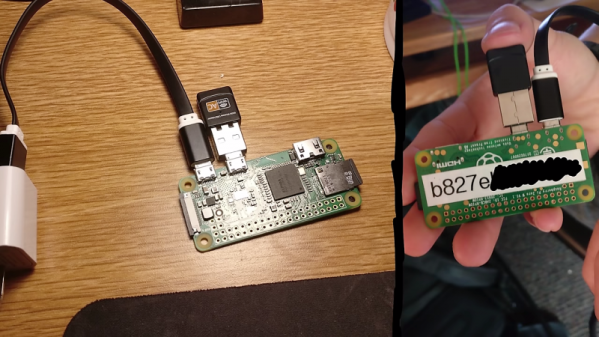
As [LiveOverflow] tells us in the video below, he came upon a Reddit thread – of which we can now find no trace – describing a bunch of odd-looking devices stashed behind garbage cans, vending machines, and desks in a college library. [LiveOverflow] recognized the posted pictures as Raspberry Pi Zeroes with USB WiFi dongles attached; curiosity piqued, he reached out to the OP and offered to help solve the mystery.

The video below tells the tale of the forensic fun that ensued, including some questionable practices like sticking the device’s SD card into the finder’s PC. What looked very “hackerish” to the finder turned out to be quite innocuous after [LiveOverflow] went down a remote-diagnosis rabbit hole to discern the purpose of these devices. We won’t spoil the reveal, but suffice it to say they’re part of a pretty clever system with an entirely non-nefarious purpose.

We thought this was a fun infosec romp, and instructive on a couple of levels, not least of which is keeping in mind how “civilians” might see gear like this in the wild. Hardware and software that we deal with every day might look threatening to the general public. Maybe the university should spring for some labels describing the gear next time.

Continue reading “Non-Nefarious Raspberry Pi Only Looks Like A Hack”

DIY Scientific Calculator Powered By Pi Zero

It’s the eternal question hackers face: do you built it, or do you buy it? The low cost and high availability of electronic gadgets means we increasingly take the latter option. Especially since it often ends up that building your own version will cost more than just buying a commercial product; and that’s before you factor in the time you’ll spend working on it.

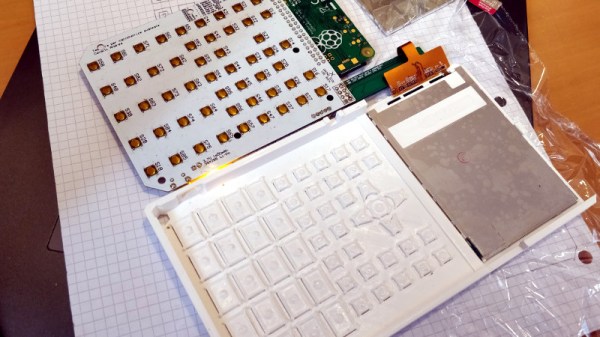
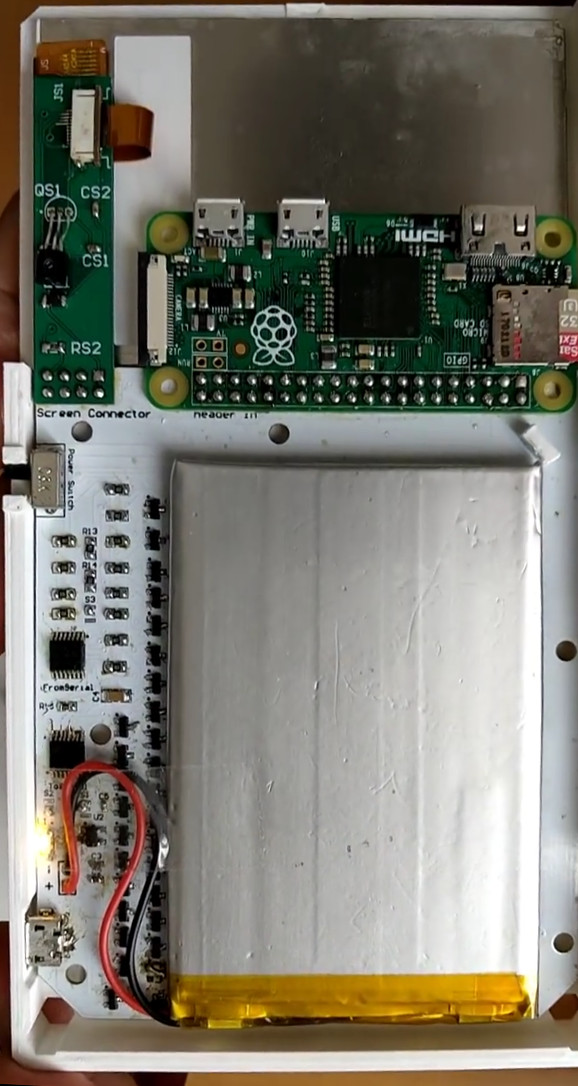
But such concerns clearly don’t phase [Andrea Cavalli]. Sure he could just buy a scientific calculator, but it wouldn’t really be his scientific calculator. Instead, he’s taking the scenic route and building his own scientific calculator from scratch. The case is 3D printed, the PCB is custom, and even the software is his own creation.

His PCB hooks right up to the GPIO pins of the internal Raspberry Pi Zero, making interfacing with the dome switch keyboard very easy. The board also holds the power management hardware for the device, including the physical power switch, USB connection for charging, and TPS79942DDCR linear regulator.

The case, including the buttons, is entirely 3D printed. At this point the buttons don’t actually have any labels on them, which presumably makes the calculator more than a little challenging to use, but no doubt [Andrea] is working on that for a later revision of the hardware. A particularly nice detail is the hatch to access the Pi’s micro SD card, making it easy to update the software or completely switch operating systems without having to take the calculator apart.

After the kernel messages scroll by, the Pi boots right into the Java calculator environment. This gives the user a fairly standard scientific calculator experience, complete with nice touches like variable highlighting. The Mario mini-game probably isn’t strictly required, but if you’re writing the code for your own calculator you can do whatever you want.

Here at Hackaday we’ve seen a calculator that got a Raspberry Pi upgrade, a classic scientific calculator emulated with an Arduino, and of course we’ve raved about the NumWorks open source graphing calculator. Even with such stiff competition, we think this project is well on its way to being one of the most impressive calculators we’ve ever come across.

Continue reading “DIY Scientific Calculator Powered By Pi Zero”