Youngster’s ESP32 Jukebox Uses RFID To Queue Tunes

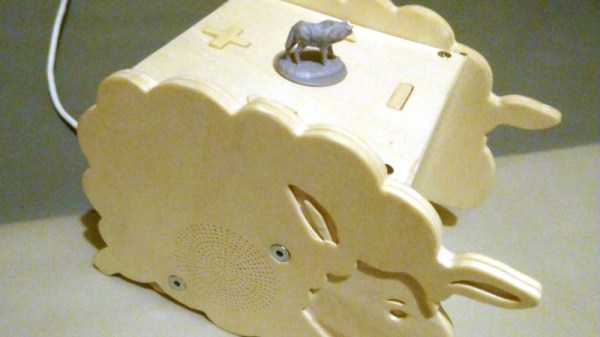
Though kids today have an incredible knack for figuring out modern phones and tablets, there’s still something to be said for offering a simple physical user interface for little hands. To that end, [Martin Hierholzer] has put together a whimsical jukebox that his two year old daughter can use to listen to her favorite songs. With just a few simple buttons, no display to read, and the ability to stop and start songs using RFID tags embedded into 3D printed figures, it’s a perfect interface for tiny humans just getting the hang of interacting with technology.

While the Raspberry Pi might have been the more obvious choice to base this project around, [Martin] decided to go the ESP32 route for improved energy efficiency. The popular microcontroller is more than powerful enough to play MP3s, and its integrated WiFi connectivity allows the player to download new tracks from the network occasionally. He added a micro SD slot to provide some mass storage, a PCM5102 I2S DAC with a PAM8403 amplifier to handle the audio side of things, and a MFRC522 RFID receiver that can pick up tags placed on the top of the player. Power is provided by parts salvaged from a USB battery bank, and everything is housed on a custom PCB.

The relatively low power requirements of the ESP32 means the jukebox can keep the party going for many hours (perhaps even days) when in active use. When the RFID token is removed and there are no songs to play, some clever coding kicks the chip into low-power mode to greatly extend the player’s standby time. [Martin] says it can sleep for months without having to be recharged, and considering some of the impressive feats of battery-sipping we’ve previously seen from the ESP32, we don’t doubt it.

Even if you don’t have any young music lovers at home, the documentation [Martin] has put together for this project is absolutely worth a look. Whether its how he configures the server side to push songs and firmware updates to the player, how he wrangled the ESP32’s Ultra-Low Power coprocessor (ULP), or the woodworking tips used to produce the charming enclosure, you’re sure to pick up a trick or two.

The children of hackers and makers always seem to get the coolest stuff, and we’re looking forward to seeing what [Martin] comes up with next. After all, kids grow up fast and pretty soon his daughter is going to need something new to entertain her.
Juuke – An RFID Music Player For Elderly And Kids

[ananords] and his girlfriend wanted to make a simple and easy to use music player for her grandmother. Music players like CD players and MP3s have gotten just a bit too difficult to handle, so they wanted to find a much simpler solution.

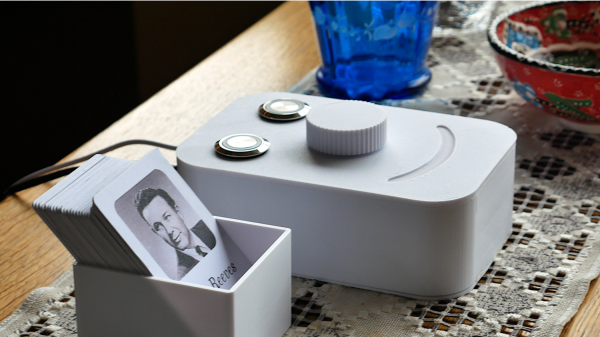
They conceived the idea of creating a little jukebox called Juuk, with a simple and easy to use interface. They created individual RFID cards with the artist’s photo on the front face, making it easy to select different options from the music library. Juuk has a built-in RFID reader that will recognize each RFID card and play the appropriate musical number from an SD card.

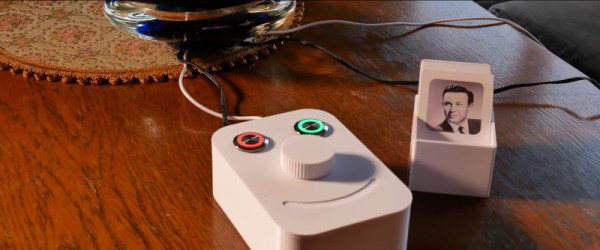
This simple interface is much more user-friendly than those awful touchscreen devices that we’re all forced to fiddle with today and also has a cool retro appeal that many of our readers are sure to appreciate. Juuk also has a pretty ergonomic interface with a big, easy-to-use knob for controlling the volume and two appropriately illuminated buttons, one green and one red, for simple stop and play options.

We love when our hacks are able to blend form with function and emphasize high usability. Check out some of our other assistive tech on the blog.

Continue reading “Juuke – An RFID Music Player For Elderly And Kids”

Easy-To-Use Music Player Relies On RFID

Microwaves used to be simple to use. Set the dial for the desired time, and hit start. Then, everything went digital and the average microwave now takes between four and six button presses in precise order just to start heating. Music players have gone down a similar path, and those that grew up in the era of vinyl records can find modern digital media simply too hard to work with. To solve this problem, [ananords] whipped up Juuke, a music player focused on ease of use.

The Juuke has a simplistic interface intended to be as easy to use as possible. Songs are selected using printed cards with embedded RFID tags – placing them on the Juuke triggers playback. Volume is controlled with a simple knob, and the only two buttons are for play/pause and shuffle mode.

Underneath, an Arduino Uno runs the show, hooked up to a RC522 RFID interface board. Music is handled by the DFPlayer mini, which loads tracks off a microSD card. The DFPlayer can be hooked up to a speaker directly, but there’s also a 3.5mm jack output if the device is to be used with an external amplifier.

It’s a tidy project, and one that actually looks pretty fun to use. Obviously, there’s some time investment required to prepare the SD card and produce the RFID cards, but the final product could be fun to use at a party, too. We’ve seen similar builds before, as well. Video after the break.

Continue reading “Easy-To-Use Music Player Relies On RFID”

Son Of Rothult

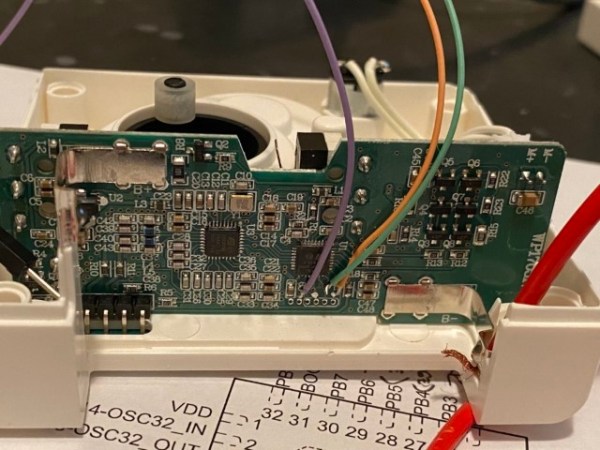
We are continuously inspired by our readers which is why we share what we love, and that inspiration flows both ways. [jetpilot305] connected a Rothult unit to the Arduino IDE in response to Ripping up a Rothult. Consider us flattered. There are several factors at play here. One, the Arduino banner covers a lot of programmable hardware, and it is a powerful tool in a hardware hacker’s belt. Two, someone saw a tool they wanted to control and made it happen. Three, it’s a piece of (minimal) security hardware, but who knows where that can scale. The secure is made accessible.

The Github upload instructions are illustrated, and you know we appreciate documentation. There are a couple of tables for the controller pins and header for your convenience. You will be compiling your sketch in Arduino’s IDE, but uploading through ST-Link across some wires you will have to solder. We are in advanced territory now, but keep this inspiration train going and drop us a tip to share something you make with this miniature deadbolt.

Locks and security are our bread and butter, so enjoy some physical key appreciation and digital lock love.

Capture The Flag, Along With The Game Data

With events of all sizes on hold and live sports mostly up in the air, it’s a great time to think of new ways to entertain ourselves within our local circles. Bonus points if the activity involves running around outside, and/or secretly doubles as a team-building exercise, like [KarelBousson]’s modernized version of Capture the Flag.

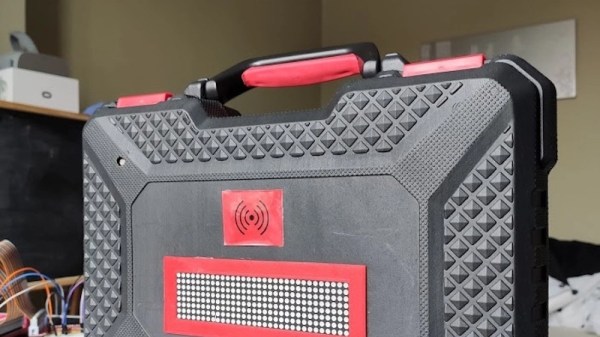
Much like the original, the point of this game is to capture the case and keep it for as long as possible before the other team steals it away. Here, the approach is much more scientific: the box knows exactly who has it and for how long, and the teams get points based on the time the case spends in any player’s possession.

Each player carries an RFID tag to distinguish them from each other. Inside the case is an Arduino Mega with a LoRa shield and a GPS unit. Whenever the game is afoot, the case communicates its position to an external Raspi running the game server.

If you haven’t met LoRa yet, check out this seven-part introductory tutorial.

Defeating Fridge DRM With Duct Tape And A Dremel

We love writing about DRM here at Hackaday. Because when we do, it usually means someone found a way to circumvent the forced restrictions laid upon by a vendor, limiting the use of a device we thought is ours once we bought it. The device in question this time: the water filter built into GE’s fridges that would normally allow its “owner” to pour a refreshing glass of cold water. Except the filter is equipped with an RFID tag and an expiration, which will eventually deny you that little luxury. And if that’s already a feature, you can bet it won’t just let you insert any arbitrary filter as replacement either.

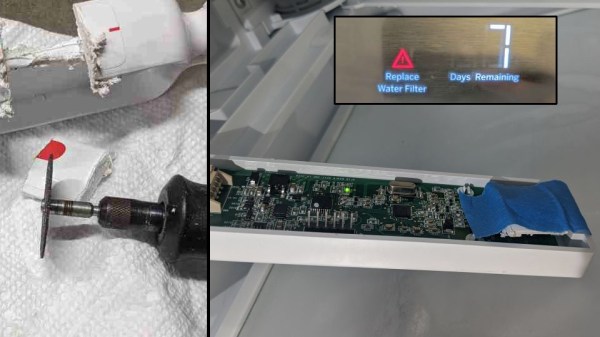
Enraged by every single aspect of that, [Anonymous] made a website to vent the frustration, and ended up tearing the culprit apart and circumvent the problem, with a little help from someone who was in the same situation before. As it turns out, the fridge comes with a “bypass filter” that is just a piece of plastic to fit in place of the actual filter, to pour unfiltered, but still cold water. That bypass filter is also equipped with an RFID tag, so the reader will recognize it as a special-case filter, which luckily enough doesn’t have an expiration counter.

The general idea is to take out that bypass filter’s RFID tag and place it on a generic, way cheaper filter to trick the fridge into thinking it simply doesn’t have a filter in the first place, while still enjoying the filters actual functionality. However, this might not be the most stable solution if the tag isn’t placed in the exact position. Also, retrieving the tag in the first place proved tricky, and [Anonymous] initially ended up with nothing but the antenna pad, while the tag itself remained sturdily glued into the plastic piece.

Continue reading “Defeating Fridge DRM With Duct Tape And A Dremel”

Physical Security Hack Chat With Deviant Ollam

Join us on Wednesday, June 3 at noon Pacific for the Physical Security Hack Chat with Deviant Ollam!

You can throw as many resources as possible into securing your systems — patch every vulnerability religiously, train all your users, monitor their traffic, eliminate every conceivable side-channel attack, or even totally air-gap your system — but it all amounts to exactly zero if somebody leaves a door propped open. Or if you’ve put a $5 padlock on a critical gate. Or if your RFID access control system is easily hacked. Ignore details like that and you’re just inviting trouble in.

Once the black-hats are on the inside, their job becomes orders of magnitude easier. Nothing beats hands-on access to a system when it comes to compromising it, and even if the attacker isn’t directly interfacing with your system, having him or her on the inside makes social engineering attacks that much simpler. System security starts with physical security, and physical security starts with understanding how to keep the doors locked.

join-hack-chatTo help us dig into that, Deviant Ollam will stop by the Hack Chat. Deviant works as a physical security consultant and he’s a fixture on the security con circuit and denizen of many lockpicking villages. He’s well-versed in what it takes to keep hardware safe from unauthorized visits or to keep it from disappearing entirely. From CCTV systems to elevator hacks to just about every possible way to defeat a locked door, Deviant has quite a bag of physical security tricks, and he’ll share his insights on keeping stuff safe in a dangerous world.

Our Hack Chats are live community events in the Hackaday.io Hack Chat group messaging. This week we’ll be sitting down on Wednesday, June 3 at 12:00 PM Pacific time. If time zones have you down, we have a handy time zone converter.

Click that speech bubble to the right, and you’ll be taken directly to the Hack Chat group on Hackaday.io. You don’t have to wait until Wednesday; join whenever you want and you can see what the community is talking about.