High End PC Gets A Rustic Woodworking Piece Of Art For A Case

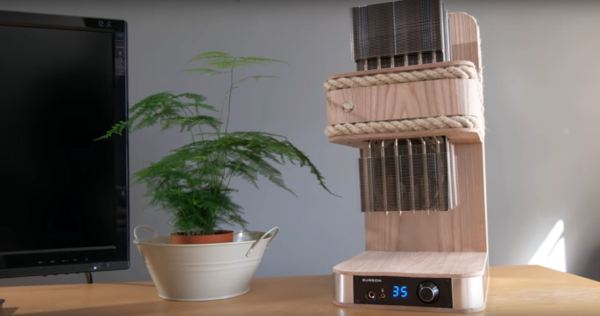
As [Matt] from [DIY Perks] was about to assemble a new PC, he decided to take a unique direction when it came to building a case. Despite the appearance of a woodworking piece with weird industrial radiators, there is actually a full-fledged, high-end PC hidden inside.

Those radiators are a pair of almost-the-biggest-you-can-buy heatsinks — one of which has been modified to fit the graphics card. Separating the graphics card’s stock cooling fan unit cut down significantly on noise and works with the stringent space requirements of the build. Those fans however keep other components on the card cool, so [Matt] cut pieces of copper plate to affix to these areas and joined them to the heatsink with a heat pipe, bent to shape. The elm wood case then began to take shape around the graphics card — cut into pieces to accommodate the heat pipes, and sealed with black tack to dampen the ‘coil whine’ of the GPU; it turns out the likely culprit are the MOSFETs, but close enough.

Continue reading “High End PC Gets A Rustic Woodworking Piece Of Art For A Case”

This Dust Collector Will Blow You Away.

As [Marius Hornberger] was working in his woodshop, a thunderous bang suddenly rocked the space. A brief search revealed the blower for the dust collector had shifted several inches despite being stoutly fastened down. Turns out, the blower had blown itself up when one of the impeller fins came loose. Time to revise and build a bigger, better dust collector!

[Hornberger] is thorough in describing his process, the video series chronicles where he went astray in his original design and how he’s gone about improving on those elements. For instance, the original impeller had six fins which meant fewer points to bear the operating stresses as well as producing an occasionally uncomfortable drone. MDF wasn’t an ideal material choice here either, contributing to the failure of the part.

Continue reading “This Dust Collector Will Blow You Away.”

DIY Perpetual Flip Calendar

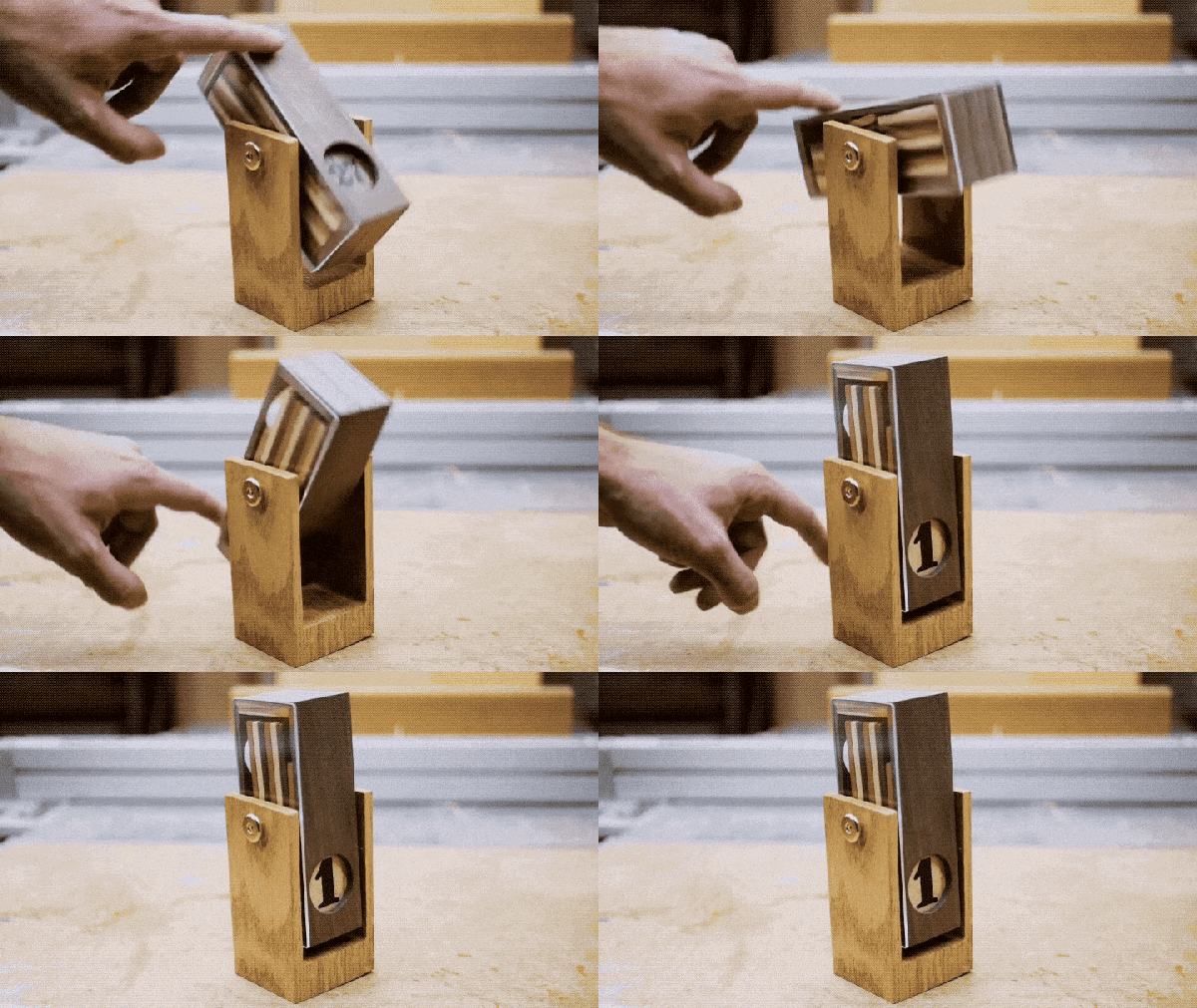
Flip calendars are a neat little piece of history. Sold as tourist trinkets, they sit on your desk and show the current day of the month and, depending on the particular calendar, month and year. Each day, you rotate it and it shows you the current date. At the end of February, you rotate it a bunch of times to get from February 28th (or 29th) to March 1st. [measuredworkshop] always had fun flipping the dates on his parents’ flip calendar, so decided to build his own wooden one.

The calendars consist of a series of tiles with the dates on them inside an enclosure. Rotating the enclosure allows a new tile to slide down in front of the old one. Once you know how many tiles you are going to use, you put a different date on the back side of each tile. In [measuredworkshop]’s case, there were 15 tiles to hold 30 dates (he created one with 30/31 on it for the end of the month) so the 1 has a 16 on the back, the 2 a 17, and so on. Tiles of different colored wood were cut and sanded and then the numbers drawn on by hand.

The enclosure was cut using a Morso Guillotine, a machine which uses sharp blades to do precise mitre cuts in wood. One side of the enclosure was covered by wood, the other by clear acrylic, so that you can see how the mechanism works as it is rotated. Finally, a stand was cut from wood as well and the final product assembled.

As you can see in the video below this is a great showpiece, and because of the design gives a view into how flip-calendars work. At the end of his write-up, [measuredworkshop] shares a link he found to a 3d printed flip-calendar on Thingiverse. Check out some of the more techie calendars posted at Hackaday, like this e-ink calendar, or this Raspberry Pi wall calendar.

Continue reading “DIY Perpetual Flip Calendar”

A Plywood Laptop For Your Raspberry Pi

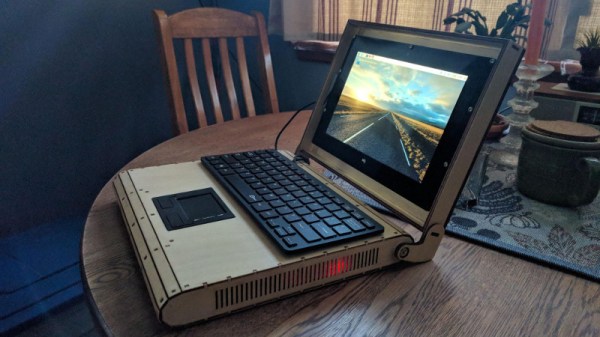
[Rory Johnson] writes in to tell us about PlyTop Shell, a Creative Commons licensed design for a laser cut wooden laptop that he’s been working on since 2016. It’s designed to accommodate the Raspberry Pi (or other similarly sized SBCs), and aims to provide the builder with a completely customizable mobile computer. He’s got a limited run of the PlyTop up for sale currently, but if you’ve got the necessary equipment, you can start building yours while you wait for that new Pi 3B+ to arrive.
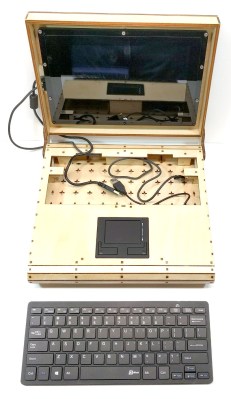
Originally [Rory] was working on a 3D printed design, but quickly ran into problems. The vast majority of 3D printers don’t have nearly the build volume to print out a laptop case in one shot, so the design needed to be broken up into multiple smaller pieces and then grafted together into the final case. Not only did this take a long time and a lot of material, but the final result had the rather unfortunate appearance of a plastic quilt.

Eventually he got hooked up with a maker collective in Minneapolis that had a laser cutter, and the PlyTop was born. There’s still a 3D printed component in the design that goes in the screen hinge, but the rest of the PlyTop is cut out of a three 2′ x 4′ sheets of 1/8″ Baltic birch plywood. As you might expect, plenty of fasteners are required, but [Rory] has a complete Bill of Materials (complete with purchase links) for everything you’ll need to turn the cut pieces into a fully fledged laptop. He’s considering selling kits in the future, but is still working on the logistics.

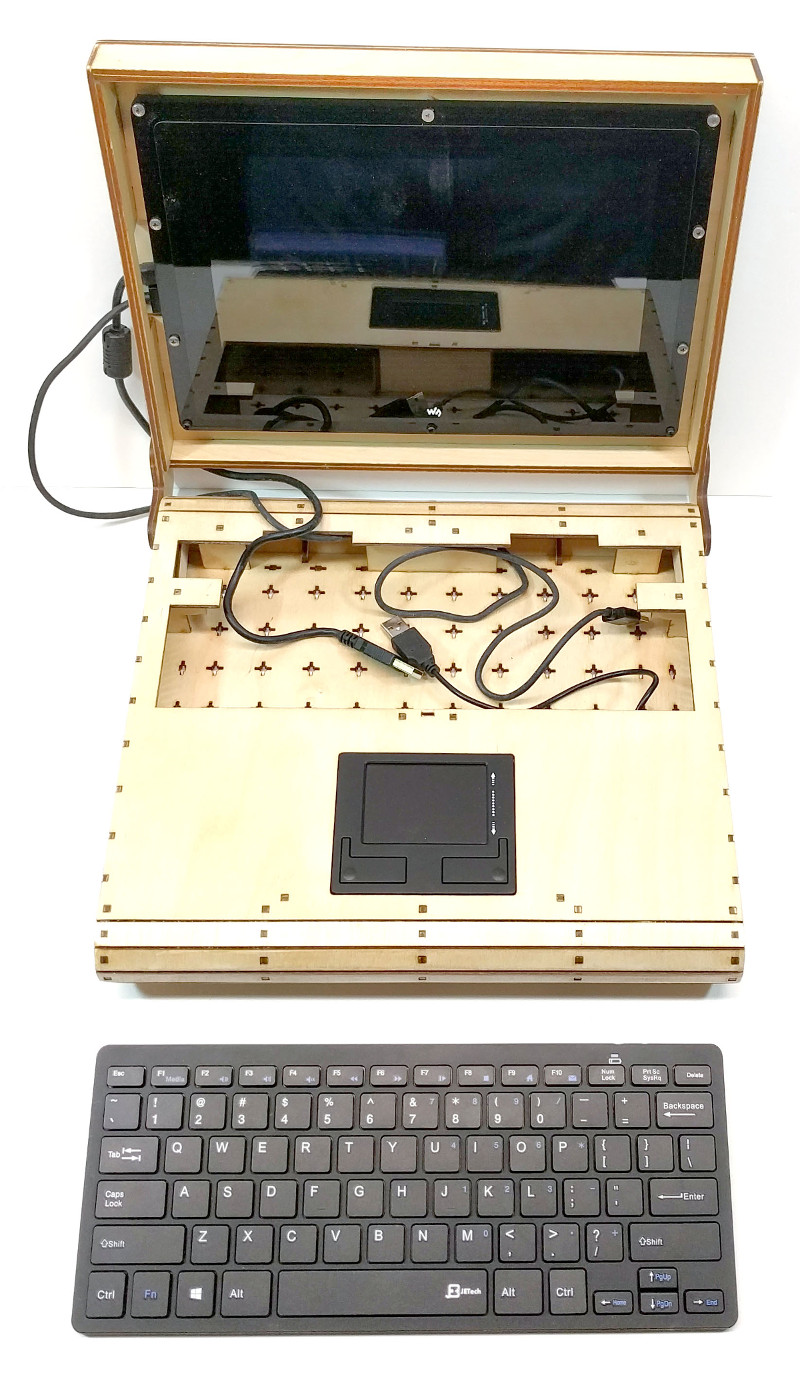
In keeping with the idea of complete flexibility, there’s no defined layout for the internals of the PlyTop. Rather, there’s an array of star-shaped openings on the bottom plate that allow the builder to connect hardware components up in whatever way works for them. [Rory] actually suggests just holding everything down with zip ties to allow for ease of tinkering.

He’s also come up with a list of suggested hardware for the keyboard, touchpad, and display; but those are really just suggestions. The design is open enough that it shouldn’t take much work to adapt to whatever gear you’ve got laying around.

Of course, this isn’t the first open source laptop we’ve seen here at Hackaday. It isn’t even the first wooden one. But we love the lines of the PlyTop and the focus on complete customization.

Continue reading “A Plywood Laptop For Your Raspberry Pi”

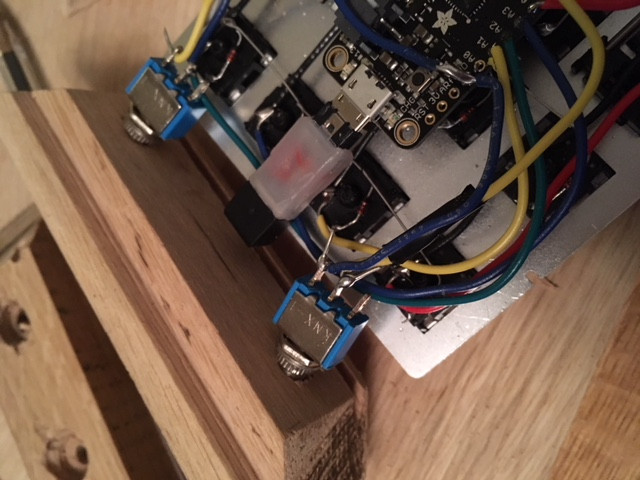
On A Quest For The Perfect Numpad

Often times, the only way to get exactly what you want in a device is to just build it yourself. Well, maybe not the only way, but we’ve all certainly told ourselves it was the only way enough that it might as well be true. We don’t know if the DIY imperative felt by [Olav Vatne] to construct his own Bluetooth mechanical number pad was genuine or self-imposed, but in either event, we’re glad he documented the process for our viewing pleasure.

Broken up into three separate posts on his blog, the construction of his custom numpad starts innocently enough with buying a kit from AliExpress. In a rather bizarre twist, the kit arrived assembled, which lead to an arduous period of desoldering to separate all the principle parts [Olav] wanted in the first place. So much for saving time.

Once he freed all the mechanical keys from the kit’s PCB, he went to town hand-wiring the matrix. After testing to make sure all the keys were wired correctly, the matrix got connected to an Adafruit Feather 32u4 Bluefruit. With the electronics sorted, [Olav] moved on to the software side. Here he was able to accomplish one of his primary goals, having a numpad that works over both USB and Bluetooth.

The last step of the process was creating the wooden enclosure. It basically goes together like a picture frame, with special care given to make sure there are appropriate openings in the case for the switches and USB port to pop through without ruining the overall look of the device.

Thanks to cheap USB-capable microcontrollers, hand-made artisan keyboards are now a thing. This project is a nice way to get started with custom input devices, and it only gets better from here.

The White Rabbit Nixie Clock

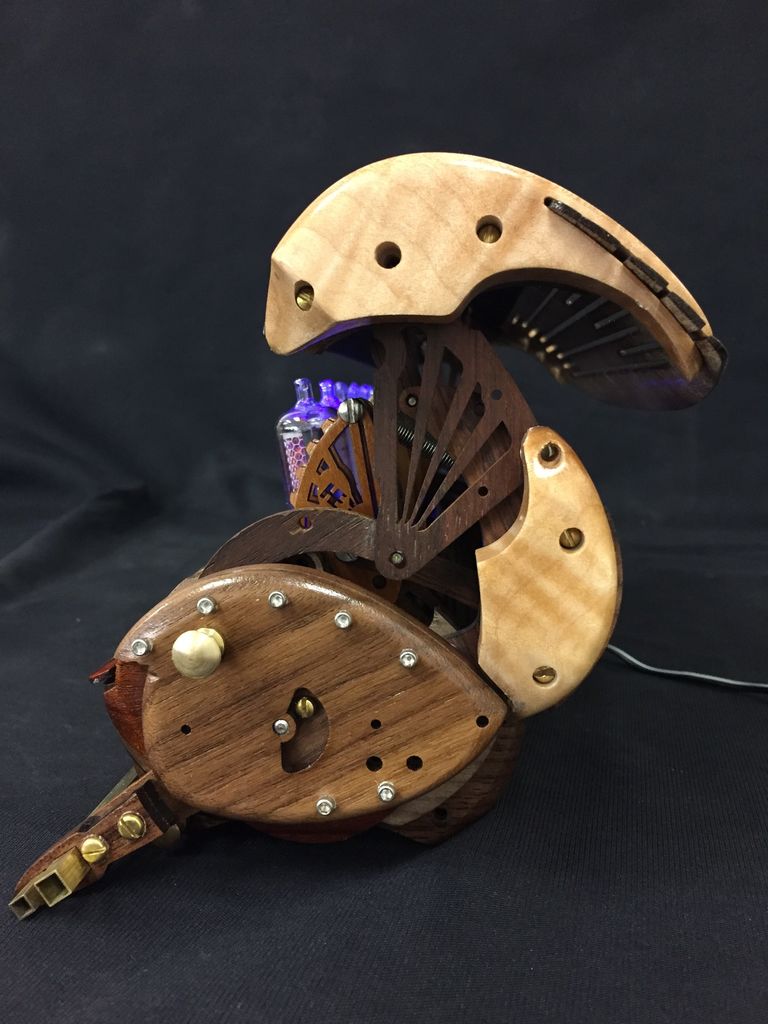
Instructables user [hellboy] — a recent convert to the ways of the laser cutter — is a longtime admirer of Nixie tubes. In melding these two joys, he has been able to design and build this gorgeous work of art: The White Rabbit Nixie Clock.

Going into this build, [hellboy] was concerned over the lifespan of the tubes, and so needed to be able to turn them off when not needed. Discarding their original idea of having the clock open with servos, [hellboy]’s clock opens by pressing down on a bar and is closed by snapping the lid shut — albeit slightly more complicated than your average timepiece. Given the intricacy of the mechanism, he had to run through numerous prototypes — testing, tweaking and scrapping parts along the way.

With the power of steam-bending, [hellboy] lovingly moulded walnut planks and a sundry list of other types of wood to define the ‘rabbit’ appearance of the mechanism, and the other parts of the clock’s case. Once again, designing the clock around a row of six pivoting Nixie tubes was no mean feat — especially, as [hellboy] points out, when twenty or so wires need to rotate with them! After a few attempts, the Nixie tubes, their 3mm blue LEDs and associated wires were properly seated.

Continue reading “The White Rabbit Nixie Clock”

Pulling Music Out Of Thin Air With A Raspberry Pi

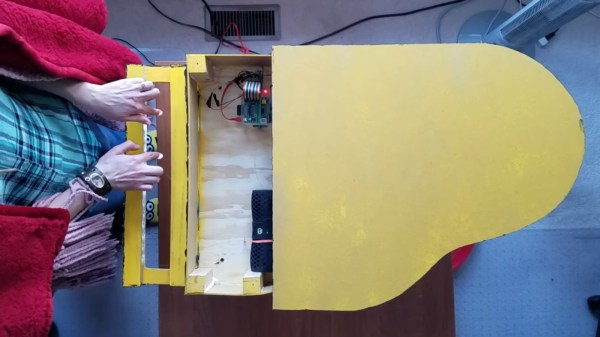
Pianos are great instruments, but being rather heavy and requiring a fair amount of space they are certainly not known for their convenience. Sure, there are more portable varieties available, but they rarely resemble the elegance and classiness of a grand piano. One option is of course to build a downscaled version yourself — and since you’re already customizing the instrument, why stop at the way you play it. [2fishy] didn’t stop there either and ended up with a wooden, space friendly, light controlled piano housing a Raspberry Pi.

Inspired by the concept of a laser harp, [2fishy] followed the same principle but chose a simpler and safer alternative by using LEDs instead. For each playable tone, a LED is mounted opposite a light dependent resistor, creating an array of switches that is then connected to the Raspberry Pi’s GPIO pins. A Python script is handling the rest, polling the GPIO states and — with a little help from pygame, triggering MIDI playback whenever the light stream is interrupted.

There are enough LED/LDR pairs to play one full octave and have some additional control inputs for menu and octave shifting. This concept will naturally require some adjustments to your playing — you can get an idea of it in the demonstration video after the break. And if this design is still not the right size for you, or if you prefer to play in total darkness, this similar MIDI instrument using ultrasonic distance sensors could be of interest.

Continue reading “Pulling Music Out Of Thin Air With A Raspberry Pi”