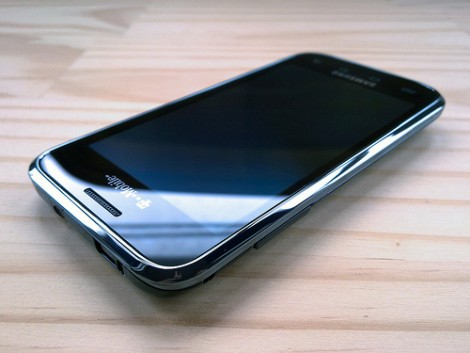
In the last few days, rooting the T-Mobile G1 and myTouch 3G has become much easier. [Zinx] released FlashRec which lets you flash a new recovery image onto your Android phone. It takes advantage of Linux kernel vulnerability CVE-2009-2692. The app lets you backup your current image and then flashes Cyanogen’s Recovery Image 1.4. Once that’s done, you can use any custom Android build you want. Android and Me has documented the entire process on their site and points out the ridiculously large number of custom ROMs that are out there. Embedded below is a video from [unknownkwita] showing the rooting process.
The iPhone dev-team has released Ultrasn0w to SIM unlock the iPhone 3G running the 3.0 firmware. It’s available via Cydia, which installs when you use the recently released PwnageTool to unlock the 3.0 firmware. There doesn’t seem to be any caveats besides advising T-Mobile US users to turn off 3G before install.
For those wanting to do some hacking or kernel debugging on their G1, [macpoddotnet] shows how to make a serial to USB cable. He gathered enough information on the Android platform google group to be able to piece something together. He’s using a USB 2.8V serial TTL level converter, and lists several available that should work. Looks like a pretty easy build.
AndroidAndMe is running a bounty program for Android applications. Users can request a specific application and pledge money to be awarded to the developer who delivers the functional app. [Alec Holmes] just fulfilled the first request by creating Torrent Droid. You can use the app to scan media barcodes and then download the related torrent. It uses the phone’s camera to capture the product’s UPC barcode (similar to Compare Everywhere’s price lookup) and then searches major torrent sites like The Pirate Bay to find a copy that can be downloaded. After getting the .torrent file, the app can submit it to uTorrent’s web interface for remote downloading. The app will be released later this month and you can see a screenshot tour of it on Alec’s blog. It’s doubtful that an application like this would ever clear Apple’s App Store approval process.
When we first saw [Jeffrey Nelson]’s G1 based robot we immediately wondered what the transport for the controls was. The G1’s hardware supports USB On-The-Go, but it’s not implemented in Android yet. It turns out he’s actually sending commands by using DTMF tones through the headphone adapter. The audio jack is connected to a DTMF decoder that sends signals to the bot’s Arduino. He wrote client/server code in Java to issue commands to the robot. You can find that code plus a simple schematic on his site. A video of the bot is embedded below.
[ghostwalker] dropped in on our previous Debian Android post to let us know that he had streamlined the install process. The first time around, it quickly became difficult to complete the process because firmware updates had taken away root access. Hackers have since figured out how to downgrade from RC30 and install BusyBox. All you need to do to put Debian on your phone is download the package from [ghostwalker] and then run the installer script. This isn’t technically a port since Debian already has ARM EABI support. What would you run on your phone if you had access to the entire Debian package tree? A video of Debian starting up is embedded below.
It’s the season of gift giving. Did you get anything interesting/hackable? What will you work on next?
We gave ourselves an Android Dev Phone 1 (ADP1). We hadn’t really considered getting a G1 until the ADP1 was announced… It’s actually a lot of fun to use as our primary phone. Our favorite app so far is connectbot, the SSH client. The interface is really smart, way better than all of the iPhone clients.
To appease people waiting for the iPhone 3G unlock, iphone-dev team member [MuscleNerd] did a live video demo this afternoon. The video shows him removing the AT&T SIM and putting in a T-Mobile SIM. After the switch, the phone shows no connectivity. He then runs “yellosn0w” in an SSH session with the phone. The phone then unlocks without needing to be rebooted and the signal bars appear. The final test shows the phone receiving a call.
The target for this release is New Year’s Eve and it doesn’t support the most recent baseband. Well be attending the 25C3 talk hosted by [MuscleNerd] and other team members. The VNC screen you see in the video is thanks to [saurik]’s Veency.
In our Dev Phone 1 excitement last week, we somehow overlooked phoneWreck’s teardown of the T-Mobile G1. The complex slider mechanism is certainly worth looking out. One of the major oddities they point out is the inclusion of two vibration motors. One is mounted next to the SIM on the mainboard. While the other is mounted in the frame next to the earpiece. We wonder what was gained/solved by using two. The phone also includes a digital compass module. We’d like a more detailed explanation of how the Xilinx CPLD is used. From this article in 2006, it seems HTC uses them to generate custom clock signals and switching off devices for power management.
While working towards open-sourcing Android, the team continued to work on new features in their own private development branch. These have now been published publicly in the “cupcake” branch. There’s a lot of interesting new features and bug fixes included. We’ve got a rundown of many of the significant additions after the break.