RC Batwing Actually Flies

Batman is a compelling superhero for enough reasons that he’s been a cultural force for the better part of a century. His story has complex characters, interesting explorations of morality, iconic villains, and of course a human superhero who gets his powers from ingenuity instead of a fantastical magical force. There are a number features of the Batman universe that don’t translate well to the real world, though, such as a costume that would likely be a hindrance in fights, technology that violates the laws of physics, and a billionaire that cares about regular people, but surprisingly enough his legendary Batwing jet airplane actually seems like it might be able to fly.

While this is admittedly a model plane, it flies surprisingly well for its nontraditional shape. [hotlapkyle] crafted it using mostly 3D printed parts, and although it took a few tries to get it working to his standards, now shoots through the air quite well. It uses an internal electric ducted fan (EDF) to get a high amount of thrust, and has elevons for control. There are two small vertical stabilizer fins which not only complete the look, but allow the Batwing to take to the skies without the need for a flight controller.

Not only is the build process documented in the video linked below with some interesting tips about building RC aircraft in general, but the STL files for this specific build are available for anyone wanting to duplicate the build or expand on it. There are plenty of other interesting 3D-printed models on [hotlapkyle]’s page as well that push the envelope of model aircraft. For some other niche RC aircraft designs we’ve seen in the past be sure to check out this F-35 model that can hover or this tilt-rotor Osprey proof-of-concept.

Continue reading “RC Batwing Actually Flies”

An Enigma Machine Built In Meccano

As far as model construction sets go, LEGO is by far the most popular brand for building not only pre-planned models but whatever the builder can imagine. There are a few others out there though, some with some interesting features. Meccano (or Erector in North America) is a construction set based around parts that are largely metal including its fasteners, which allows for a different approach to building models than other systems including the easy addition of electricity. [Craig], a member of the London Meccano Club, is demonstrating his model Enigma machine using this system for all of its parts and adding some electricity to make the circuitry work as well.

The original Enigma machine was an electronic cypher used by the German military in World War 2 to send coded messages. For the time, its code was extremely hard to break, and led to the British development of the first programmable electronic digital computer to help decipher its coded messages. This model uses Meccano parts instead to recreate the function of the original machine, with a set of keys similar to a typewriter which, when pressed, advance a set of three wheels. The wheels all have wiring in them, and depending on their initial settings will light up a different character on a display.

There are a few modifications made to the design (besides the use of a completely different set of materials) but one of the main ones was eliminating the heavy leaf springs of the original for smaller and easier-to-manage coil springs, which are also part of the electrical system that creates the code. The final product recreates the original exceptionally faithfully, with plans to create a plugboard up next, and you can take a look at the inner workings of a complete original here.

Continue reading “An Enigma Machine Built In Meccano”

Startup Claims It Can Boost CPU Performance By 2-100X

Although Moore’s Law has slowed at bit as chip makers reach the physical limits of transistor size, researchers are having to look to other things other than cramming more transistors on a chip to increase CPU performance. ARM is having a bit of a moment by improving the performance-per-watt of many computing platforms, but some other ideas need to come to the forefront to make any big pushes in this area. This startup called Flow Computing claims it can improve modern CPUs by a significant amount with a slight change to their standard architecture.

It hopes to make these improvements by adding a parallel processing unit, which they call the “back end” to a more-or-less standard CPU, the “front end”. These two computing units would be on the same chip, with a shared bus allowing them to communicate extremely quickly with the front end able to rapidly offload tasks to the back end that are more inclined for parallel processing. Since the front end maintains essentially the same components as a modern CPU, the startup hopes to maintain backwards compatibility with existing software while allowing developers to optimize for use of the new parallel computing unit when needed.

While we’ll take a step back and refrain from claiming this is the future of computing until we see some results and maybe a prototype or two, the idea does show some promise and is similar to some ARM computers which have multiple cores optimized for different tasks, or other computers which offload non-graphics tasks to a GPU which is more optimized for processing parallel tasks. Even the Raspberry Pi is starting to take advantage of external GPUs for tasks like these.

BikeBeamer Adds POV Display To Bicycle Wheels

Unless you’re living in a bicycle paradise like the Netherlands, most people will choose to add some sort of illumination to their bicycle to help drivers take note that there’s something other than a car using the road. Generally, simple flashing LEDs for both the front and the rear is a pretty good start, but it doesn’t hurt to add a few more lights to the bicycle or increase their brightness. On the other hand, if you want to add some style to your bicycle lighting system then this persistence of vision (POV) display called the BikeBeamer from [locxter] might be just the thing.

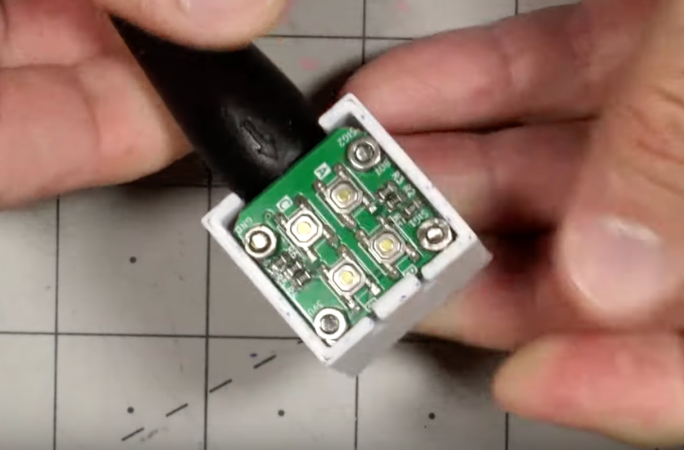
The display uses four LED strips, each housed in their own 3D printed case which are installed at 90-degree angles from one another in between the spokes of a standard bicycle wheel. An ESP32 sits at the base of one of the strips and is responsible for storing the image and directing the four displays. This is a little more complex than a standard POV display as it’s also capable of keeping up with the changing rotational speeds of the bicycle wheels when in use. The design also incorporates batteries so that no wires need to route from the bike frame to the spinning wheels.

This is an ongoing project for [locxter] as well, meaning that there are some planned upgrades even to this model that should be in the pipe for the future. Improving the efficiency of the code will hopefully allow for more complex images and even animations to be displayed in the future, and there are also some plans to improve the PCB as well with all surface-mount components. There are a few other ways to upgrade your bike’s lighting as well, and we could recommend this heads-up headlight display to get started.

A Guide To Running Your First Docker Container

While most of us have likely spun up a virtual machine (VM) for one reason or another, venturing into the world of containerization with software like Docker is a little trickier. While the tools Docker provides are powerful, maintain many of the benefits of virtualization, and don’t use as many system resources as a VM, it can be harder to get the hang of setting up and maintaining containers than it generally is to run a few virtual machines. If you’ve been hesitant to try it out, this guide to getting a Docker container up and running is worth a look.

The guide goes over the basics of how Docker works to share system resources between containers, including some discussion on the difference between images and containers, where containers can store files on the host system, and how they use networking resources. From there the guide touches on installing Docker within a Debian Linux system. But where it really shines is demonstrating how to use Docker Compose to configure a container and get it running. Docker Compose is a file that configures a number of containers and their options, making it easy to deploy those containers to other machines fairly straightforward, and understanding it is key to making your experience learning Docker a smooth one.

While the guide goes through setting up a self-hosted document management program called Paperless, it’s pretty easy to expand this to other services you might want to host on your own as well. For example, the DNS-level ad-blocking software Pi-Hole which is generally run on a Raspberry Pi can be containerized and run on a computer or server you might already have in your home, freeing up your Pi to do other things. And although it’s a little more involved you can always build your own containers too as our own [Ben James] discussed back in 2018.

Making Intel Mad, Retrocomputing Edition

Intel has had a deathgrip on the PC world since the standardization around the software and hardware available on IBM boxes in the 90s. And if you think you’re free of them because you have an AMD chip, that’s just Intel’s instruction set with a different badge on the silicon. At least AMD licenses it, though — in the 80s there was another game in town that didn’t exactly ask for permission before implementing, and improving upon, the Intel chips available at the time.

The NEC V20 CPU was a chip that was a drop-in replacement for the Intel 8088 and made some performance improvements to it as well. Even though the 186 and 286 were available at the time of its release, this was an era before planned obsolescence as a business model was king so there were plenty of 8088 systems still working and relevant that could take advantage of this upgrade. In fact, the V20 was able to implement some of the improved instructions from these more modern chips. And this wasn’t an expensive upgrade either, with kits starting around $16 at the time which is about $50 today, adjusting for inflation.

This deep dive into the V20 isn’t limited to a history lesson and technological discussion, though. There’s also a project based on Arduino which makes use of the 8088 with some upgrades to support the NEC V20 and a test suite for a V20 emulator as well.

If you had an original IBM with one of these chips, though, things weren’t all smooth sailing for this straightforward upgrade at the time. A years-long legal battle ensued over the contents of the V20 microcode and whether or not it constituted copyright infringement. Intel was able to drag the process out long enough that by the time the lawsuit settled, the chips were relatively obsolete, leaving the NEC V20 to sit firmly in retrocomputing (and legal) history.

Automating 3D Printer Support Hardware

While 3D printers have evolved over the past two decades from novelties to powerful prototyping tools, the amount of support systems have advanced tremendously as well. From rudimentary software that required extensive manual input and offered limited design capabilities, there’s now user-friendly interfaces with more features than you could shake a stick at. Hardware support has become refined as well with plenty of options including lighting, ventilation, filament recycling, and tool changers. It’s possible to automate some of these subsystems as well like [Caelestis Workshop] has done with this relay control box.

This build specifically focuses on automating or remotely controlling the power, enclosure lighting, and the ventilation system of [Caelestis Workshop]’s 3D printer but was specifically designed to be scalable and support adding other features quickly. A large power supply is housed inside of a 3D printed enclosure along with a Raspberry Pi. The Pi controls four relays which are used to control these various pieces hardware along with the 3D printer. That’s not the only thing the Pi is responsible for, though. It’s also configured to run Octoprint, a piece of open-source software that adds web interfaces for 3D printers and allows their operation to be monitored and controlled remotely too.

With this setup properly configured, [Caelestis Workshop] can access their printer from essentially any PC, monitor their prints, and ensure that ventilation is running. Streamlining the print process is key to reducing the frustration of any 3D printer setup, and this build will go a long way to achieving a more stress-free environment. In case you missed it, we recently hosed a FLOSS Weekly episode talking about Octoprint itself which is worth a listen especially if you haven’t tried this piece of software out yet.