Large Language Models On Small Computers

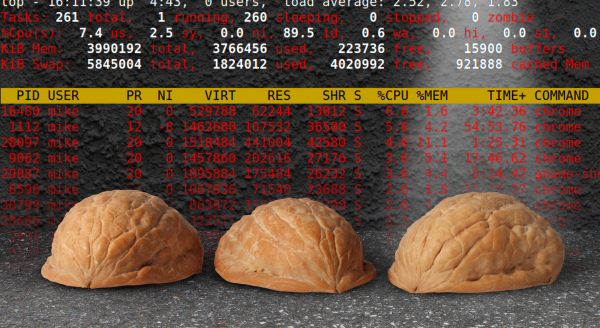
As technology progresses, we generally expect processing capabilities to scale up. Every year, we get more processor power, faster speeds, greater memory, and lower cost. However, we can also use improvements in software to get things running on what might otherwise be considered inadequate hardware. Taking this to the extreme, while large language models (LLMs) like GPT are running out of data to train on and having difficulty scaling up, [DaveBben] is experimenting with scaling down instead, running an LLM on the smallest computer that could reasonably run one.

Of course, some concessions have to be made to get an LLM running on underpowered hardware. In this case, the computer of choice is an ESP32, so the dataset was reduced from the trillions of parameters of something like GPT-4 or even hundreds of billions for GPT-3 down to only 260,000. The dataset comes from the tinyllamas checkpoint, and llama.2c is the implementation that [DaveBben] chose for this setup, as it can be streamlined to run a bit better on something like the ESP32. The specific model is the ESP32-S3FH4R2, which was chosen for its large amount of RAM compared to other versions since even this small model needs a minimum of 1 MB to run. It also has two cores, which will both work as hard as possible under (relatively) heavy loads like these, and the clock speed of the CPU can be maxed out at around 240 MHz.

Admittedly, [DaveBben] is mostly doing this just to see if it can be done since even the most powerful of ESP32 processors won’t be able to do much useful work with a large language model. It does turn out to be possible, though, and somewhat impressive, considering the ESP32 has about as much processing capability as a 486 or maybe an early Pentium chip, to put things in perspective. If you’re willing to devote a few more resources to an LLM, though, you can self-host it and use it in much the same way as an online model such as ChatGPT.

It’s Spreadsheets All The Way Down For This 80s Handheld

Unlike the today’s consumer computer market, the 1980s were the wild west in comparison. There were all kinds of different, incompatible operating systems, hardware, and programs, all competing against one another, and with essentially no networking to tie everything together. Some of these products were incredibly niche as well, only running one program or having a limited use case to keep costs down. Such was the Convergent WorkSlate, a computer that ran only a spreadsheet with any programs also needing to be built into a spreadsheet.

Upon booting the device, the user is presented with a fairly recognizable blank spreadsheet, albeit with a now-dated LCD display (lacking a backlight) and a bespoke keyboard and cursor that wouldn’t have allowed for easy touch typing. The spreadsheet itself is quite usable though, complete with formatting tools and the capability to use formulas like a modern spreadsheet program would. It also hosted a tape deck for audio and data storage, a modem for communicating with other devices, and an optional plotter-style printer. The modem port is how [Old VCR] eventually interfaces with the machine, although as one can imagine is quite a task for a piece of small-batch technology from the 80s like this. After learning how to send and receive information, a small game is programmed into the machine and then a Gopher interface is built to give the device limited Internet connectivity.

The investigation that [Old VCR] goes into on this project to get this obsolete yet unique piece of hardware running and programmed to do other tasks is impressive, and worth taking a look at especially because spreadsheets like this aren’t Turing-complete, leading to a few interesting phenomenon that most of us wouldn’t come across in the modern computing world. Since only around 60,000 units were ever made it’s difficult to come across these machines, but if you want to take a look at the spreadsheet world of the 80s without original hardware you can still run Lotus 1-2-3 natively in Linux today.

Thanks to [Cameron] for the tip!

A Clean Linux Installation For An Android TV Box

Although Android technically runs on top of Linux, generally most Android devices abstract away the underlying Linux-ness of these machines. In theory this is a good thing; we wouldn’t necessarily want to live in a world where we have to log in to a command-line interface just to make a phone call. But too much abstraction often needlessly restricts the capabilities of the underlying hardware. [Murray] a.k.a [Green Bug-Eyed Monster] has an Android TV box with just such a problem, as the Android OS included with it allows for watching TV just fine, but with a few tweaks it can run a full Linux installation instead, turning it into a much more versatile machine.

This specific Android TV box is based on the Rockchip 3566, a popular single-board computer used in a wide array of products. As such it is one of the easier targets for transforming a limited TV machine into a fully capable desktop computer. The first step is to compile an Armbian image for the machine, in this case using an x86 installation of Ubuntu to cross-compile for the ARM-based machine. With a viable image in hand, there’s an option to either solder on a microSD slot to the included pins on the computer’s PCB or to flash the image directly to the on-board eMMC storage by tricking the machine into thinking that the eMMC is missing. Either option will bring you into a full-fledged Linux environment, with just a few configuration steps to take to get it running like any other computer.

[Murray] began this process as an alternative to paying the inflated prices of Raspberry Pis over the past few years, and for anyone in a similar predicament any computer with the Rockchip 3566 processor in it could be a potential target for a project like this. You might need to make a few tweaks to the compile options and hardware, but overall the process should be similar. And if you don’t have an RK3566, don’t fret too much. We’ve seen plenty of other Android TV boxes turned into similar devices like this one which runs RetroPie instead.

Universal Power Bank Customized To Your Liking

One of the most troubling trends of almost every modern consumer product that uses electricity is that the software that controls the product is likely to be proprietary and closed-source, which could be doing (or not doing) any number of things that its owner has no control over. Whether it’s a computer, kitchen appliance, or even a device that handles the electricity directly, it’s fairly rare to find something with software that’s open and customizable. That’s why [Traditional-Code9728] is working on a power bank with an open-source firmware.

From a hardware perspective the power bank is fairly open as well, with a number of options for connecting this device to anything else that might need power. It sports a bidirectional USB-C port as well as a DC barrel plug, either of which can either charge other devices or receive energy to charge its own battery. These ports can also accept energy from a solar panel and have MPPT built in. There’s also dual USB-A ports which can provide anywhere from five to 12 volts at 25 watts, and a color screen which shows the current status of the device.

While this is a prototype device, it’s still actively being worked on. Some future planned upgrades to the power bank include a slimmer design, charge limiting features to improve battery life, and more fine-tuned control of the output voltage and current on the USB-C port. With all of the software being open-source, as well as the circuit diagram and 3D printing files, it could find itself in plenty of applications as well. This power bank also stays under the energy limits for flying on most commercial airlines as well, but if you don’t plan on taking your power bank on an airplane then you might want to try out this 2000-watt monster instead.

Putting A Pi In A Container

Docker and other containerization applications have changed a lot about the way that developers create new software as well as how they maintain virtual machines. Not only does containerization reduce the system resources needed for something that might otherwise be done in a virtual machine, but it standardizes the development environment for software and dramatically reduces the complexity of deploying on different computers. There are some other tricks up the sleeves as well, and this project called PI-CI uses Docker to containerize an entire Raspberry Pi.

The Pi container emulates an entire Raspberry Pi from the ground up, allowing anyone that wants to deploy software on one to test it out without needing to do so on actual hardware. All of the configuration can be done from inside the container. When all the setup is completed and the desired software installed in the container, the container can be converted to an .img file that can be put on a microSD card and installed on real hardware, with support for the Pi models 3, 4, and 5. There’s also support for using Ansible, a Docker automation system that makes administering a cluster or array of computers easier.

Docker can be an incredibly powerful tool for developing and deploying software, and tools like this can make the process as straightforward as possible. It does have a bit of a learning curve, though, since sharing operating system tools instead of virtualizing hardware can take a bit of time to wrap one’s mind around. If you’re new to the game take a look at this guide to setting up your first Docker container.

2024 Tiny Games Contest: Realistic Steering Wheel Joystick In Miniature

For racing games, flight simulators, and a few other simulation-style games, a simple controller just won’t do. You want something that looks and feels closer to the real thing. The major downsides to these more elaborate input methods is that they take up a large amount of space, requiring extra time for setup, and can be quite expensive as well. To solve both of these problems [Rahel zahir Ali] created a miniature steering wheel controller for some of his favorite games.

While there are some commercial offerings of small steering wheels integrated into an otherwise standard video game controller and a few 3D printed homebrew options, nothing really felt like a true substitute. The main design goal with this controller was to maintain the 900-degree rotation of a standard car steering wheel in a smaller size. It uses a 600P/R rotary encoder attached to a knob inside of a printed case, with two spring-loaded levers to act as a throttle and brake, as well as a standard joystick to adjust camera angle and four additional buttons. Everything is wired together with an Arduino Leonardo that sends the inputs along to the computer.

Now he’s ready to play some of his favorite games and includes some gameplay footage using this controller in the video linked below. If you’re racing vehicles other than cars and trucks, though, you might want a different type of controller for your games instead.

Continue reading “2024 Tiny Games Contest: Realistic Steering Wheel Joystick In Miniature”

Adding Human Detection To Home Automation

Radar made a huge impact when it was first invented, allowing objects to be detected using radio waves which would normally be difficult or impossible to observe through other means. Radio waves of all frequencies can be used for radar as well, whether that’s detecting ships beyond the horizon, tracking aircraft near an airport, penetrating the ground, or imaging objects with a high resolution. At the millimeter wavelength it’s fairly easy to detect humans with the right hardware, and using some inexpensive radar modules [Tech Dregs] shows us how to add this capability a home automation system.

Since these modules aren’t trying to image humans with fine detail or detect them at long range, the hardware can be fairly inexpensive. [Tech Dregs] is using the LD2410B modules which have not only an on-board microcontroller but also have the radio antennas used for radar built right onto the PCB. They have a simple binary output which can communicate whether or not a human is detected, but there’s also UART for communicating more details about what the module senses in the room. [Tech Dregs] is using this mode to connect the modules to Home Assistant, where they will be used to help automate his home’s lighting.

The only significant problem he had setting these modules up was getting them built into an enclosure. The short wavelengths used in this type of radar module don’t penetrate solid objects very well at all, so after trying to hide one behind an e-ink screen he eventually settled on hollowing out a space in a bezel with very thin plastic between the module and the room. If you need more out of your radar modules than object detection, though, you can always try building a pulse compression radar which can provide much more accurate ranging of objects.

Continue reading “Adding Human Detection To Home Automation”